Skip to content
BlackBadger

Blog / Project management

Replacing monday.com with custom software, export to cutover

/ 30 min read

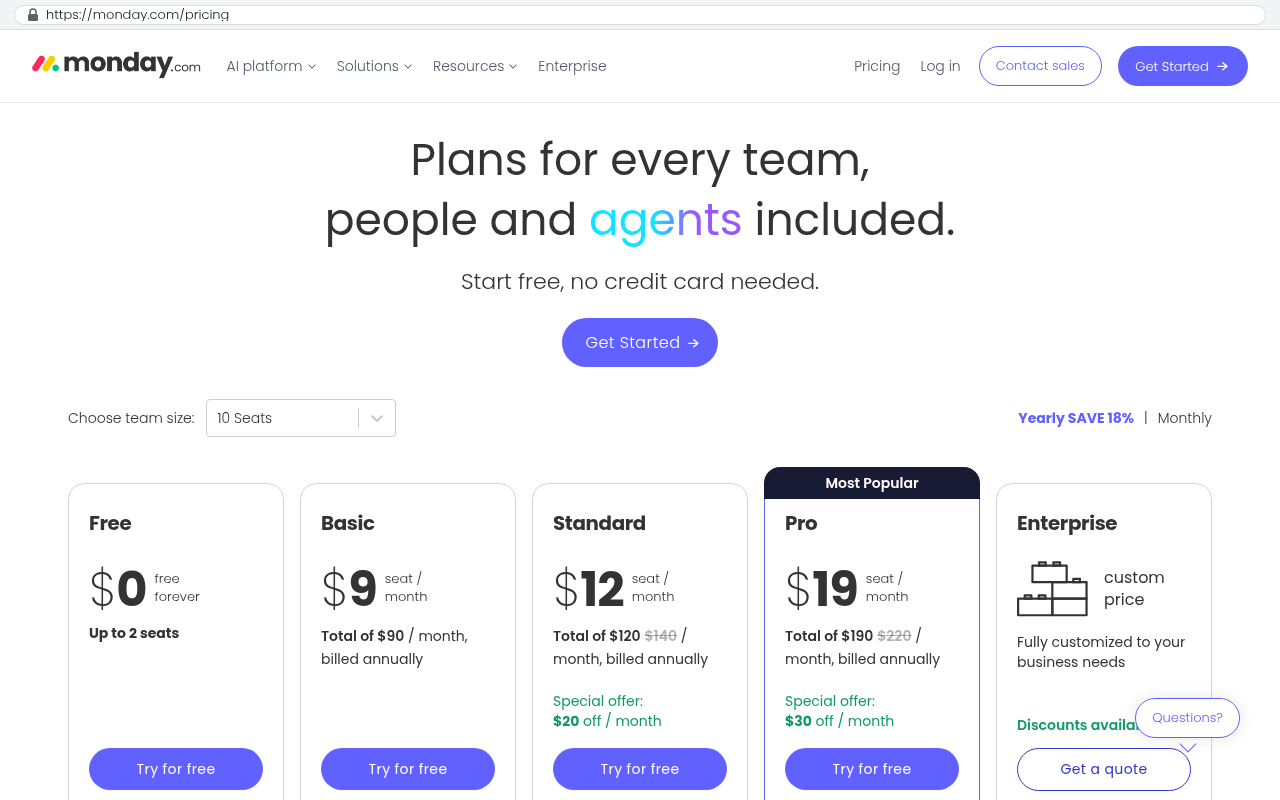
monday.com pricing page showing five plan tiers including Free Basic Standard Pro and Enterprise with per seat per month pricing displayed for each paid plan

TL;DR

Companies can replace monday.com with custom software they own, and for many this is now cheaper while eliminating per-seat costs, though you lose instant setup and the app marketplace in exchange.

Key takeaways

  • monday.com charges per seat per month with a three seat minimum, making software costs rise directly with headcount and creating a five year financial impact that often exceeds custom replacement costs.
  • The automation and integration action limits built into each pricing tier force teams to upgrade plans even when they do not need the features, adding hidden costs beyond the base per-seat fee.
  • Boards, groups, items and subitems translate cleanly into a standard database structure, but updates, files and activity history require careful attention during migration to avoid data loss.
  • monday.com's Excel export provides only columns and rows without attachments, automations or board structure, so complete migrations require using the GraphQL API documented on monday.com's developer site.
  • Custom replacements typically cost $100 to $200 monthly for smaller companies and $2,000 to $3,000 monthly at enterprise scale paid directly to hosting providers, with one example showing a $125,000 annual monday.com cost replaced for $85,000 upfront and owned outright.
  • Hidden workarounds like side spreadsheets, Zapier chains and naming conventions designed to work around platform limits represent the real operational cost that exceeds the license fee and should be counted before comparing replacement options.
  • Custom systems make financial sense when seat count is high, processes are specific and teams are already fighting the tool, but staying on monday.com remains correct for small teams running simple task lists where the subscription is negligible.

Yes, you can replace monday.com with a custom system you own, and for a lot of companies that is now the cheaper option. Your boards become real tables. Your automations become code. The per-seat bill goes to zero. What you give up is the instant setup and the app marketplace.

The short version for anyone comparing options before a renewal. A custom replacement makes financial sense when your seat count is high, your process is specific, and you are already fighting the tool to make it fit. It makes no sense when you have fifteen people running simple task lists and the subscription is a rounding error on your P&L.

TL. DR

monday.com is priced per seat per month across the Basic, Standard and Pro plans listed on monday.com's pricing page, with a three seat minimum. As headcount grows, the bill grows with it, and the automation and integration action limits on each plan push you up a tier whether or not you wanted the other features. A custom replacement rebuilds the boards, groups, items, subitems, updates, automations, dashboards and integrations your team genuinely uses, hosted on accounts in your own name. One company paying $125,000 a year in licensing had its system replaced in six weeks for $85,000, owned outright. After launch, a system like that costs roughly $100 to $200 a month to run for a smaller company, and $2,000 to $3,000 a month at enterprise scale, paid to the hosting providers directly, with no license and no per user fee. The hard part is not the build. It is getting ten years of data out cleanly and getting people to stop opening the old tab.

monday.com pricing page showing five plan tiers including Free Basic Standard Pro and Enterprise with per seat per month pricing displayed for each paid plan
monday.com pricing page displays Basic Standard and Pro plans with per seat per month pricing starting at 9 dollars 12 dollars and 19 dollars respectively with a 10 seat dropdown selector visible Source: monday.com/pricing

Key takeaways

  • monday.com's own pricing page shows Basic, Standard and Pro billed per seat per month with a three seat minimum, so your software cost is tied to hiring.
  • The automation and integration action caps per plan are a common reason teams upgrade, not the features on the tier they moved to.
  • Boards, groups, items and subitems map cleanly onto a normal database. Updates, files and the activity history are the parts that need real care.
  • monday.com's board export to Excel gives you columns and rows. It does not give you your attachments, your automations or your board structure.
  • The export is a starting point. The GraphQL API documented on monday.com's developer site is how a complete migration actually happens.
  • Black Badger was a monday.com partner and cancelled that partnership. It does not configure, patch or administer monday.com for anyone.
  • Staying put is the right call more often than vendors of custom work admit, and this page says where that line sits.
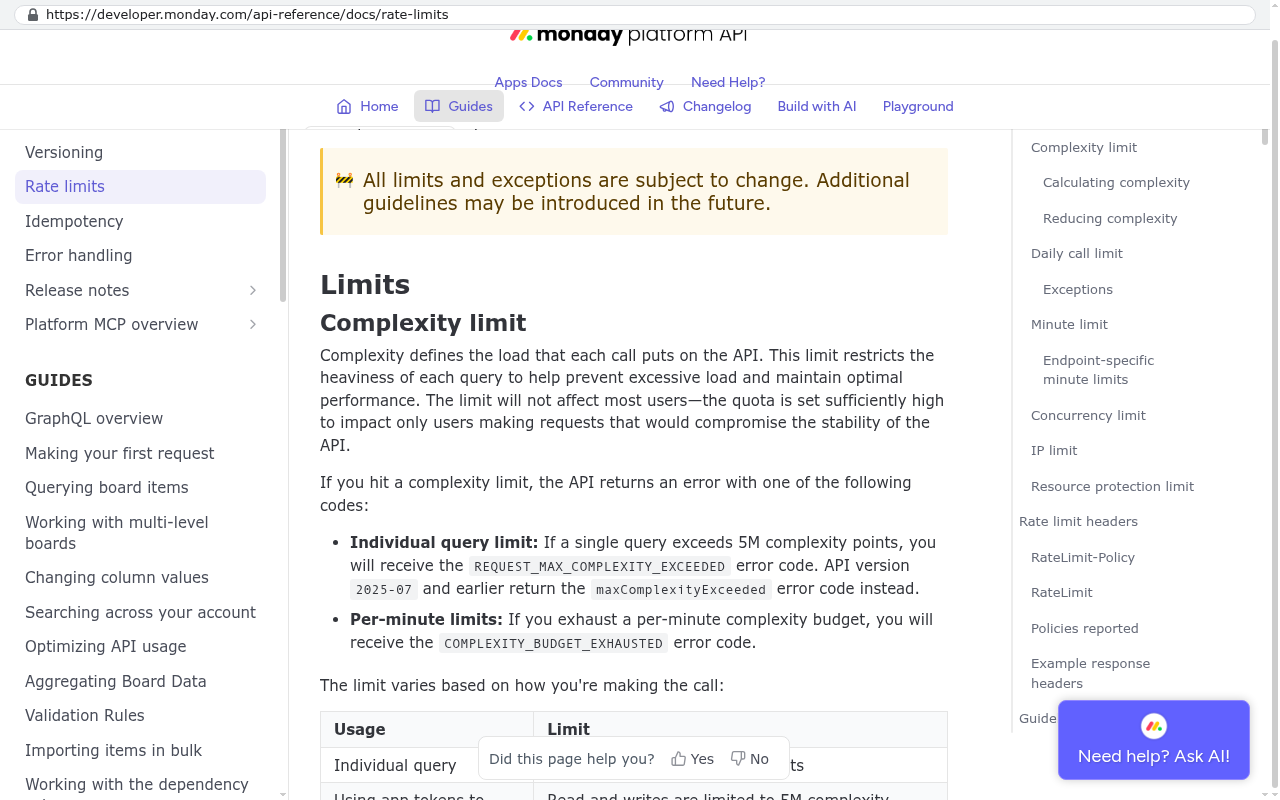
monday.com platform API Rate limits documentation page showing Complexity limit definition and per-minute complexity budget thresholds for GraphQL queries
monday.com developer site displays the Rate limits page showing the Complexity limit section with per-minute budget details and error codes Source: developer.monday.com/api-reference/docs/rate-limits

Why would you replace monday.com with custom software?

Three things push companies off monday.com, and only one of them is price. The first is the per-seat bill climbing every time you hire. The second is the shape of the work. The third is the slow accumulation of workarounds that everyone has stopped noticing.

Price is the one that gets the CFO's attention. It is also the easiest to argue about, because the sticker on a project management tool rarely looks scary next to payroll. The number that matters is the five year number with your actual hiring plan baked in, not this year's invoice.

The shape of the work is the one that drives operations people slightly mad. monday.com is built around a board of items with columns. That model is flexible and genuinely good for a huge range of work. It starts to strain when your real object is not an item. If your business runs on a job that has phases, each phase has crews, each crew has daily logs, and every log rolls up to a client invoice, you are going to build that out of linked boards and mirror columns. It works. It is also fragile, slow to load, and impossible for a new hire to understand without a guided tour.

Then there are the workarounds. The spreadsheet someone keeps on the side because the board cannot do a weighted calculation. The Zapier chain bridging two boards because the built-in automation ran out of actions. The naming convention that exists only so a formula column can parse it. None of these are disasters on their own. Together they are the real cost, paid in hours nobody logs.

The most expensive thing on a platform is rarely the license. It is the three people who spend part of every week keeping the platform honest. Count those hours before you compare prices, because they do not show up on any invoice.

There is a fourth reason, and it is the one that has changed most in the last two years. Building a custom system used to be slow and expensive enough that the comparison was not close. AI-assisted development changed the arithmetic. A system that once took a year now gets built in a fraction of that, which means the break-even against a subscription arrives far earlier than it used to.

Want the full picture on why implementations ask you to reshape your work? Read our guide: Why platform implementations ask you to change your process

What does monday.com cost as a team grows?

It costs whatever your headcount multiplied by your plan rate comes to, every month, forever. monday.com's pricing page lists Basic, Standard and Pro as per seat per month plans with a three seat minimum, and seats are sold in set tiers rather than one at a time. That structure is fine at ten people. At a hundred and ten it behaves differently.

Run the arithmetic yourself with today's published rate, because monday.com adjusts its pricing and the number on the page is the only one worth using. Take your seat count, multiply by the per-seat rate on the plan you are on, multiply by twelve. Then do it again with the headcount you expect in three years. That second number is the one you are really signing up for when you renew.

Here is the part that catches people. You often do not move up a plan because you wanted the features on the higher plan. You move up because you hit a limit. monday.com's pricing page publishes action caps for automations and integrations by plan, with Standard listed at 250 actions per month, Pro at 25,000, and Enterprise far above that. Two hundred and fifty actions sounds like a lot until you build one automation that fires on every status change across a busy board. Then it is a Tuesday.

Dashboards have a similar ceiling. monday.com's plan comparison shows how many boards a single dashboard can combine, and the number steps up by plan. If your operations review needs one view across every active project, and you have more active projects than your plan's dashboard allows, you are upgrading everyone's seat to fix a reporting problem that affects two people.

That is the structural issue with per-seat pricing on an operations tool. The thing you need is usually narrow. The thing you pay for is universal.

The seat types nobody budgets for

Viewers and guests are where the model gets interesting. If your subcontractors, clients or field crews need to see anything, you are either paying for them, publishing a read-only view with its own limits, or exporting a PDF every Friday. Plenty of companies end up doing the third thing, which is exactly the manual work the platform was bought to remove.

Before any renewal conversation, pull your seat list and sort it by last login. On most accounts over fifty seats, somewhere between ten and twenty percent of the licenses belong to people who left, changed roles, or log in twice a year. That audit alone sometimes pays for itself.

What did Black Badger learn as a monday.com partner, and why did it leave?

Black Badger was a monday.com partner and cancelled the partnership. It does not configure, patch or administer monday.com for anyone, and it does not resell any platform. That boundary matters for reading the rest of this page honestly, because a partner has a reason to tell you the platform is the answer.

The years inside the partner program taught two things worth passing on. The first is that monday.com is a genuinely good product at what it is good at. Visual work tracking, lightweight collaboration, fast setup, a board a non-technical manager can build on a Thursday afternoon without asking anyone's permission. That last one is underrated. Teams adopt monday.com because it does not require a ticket to change something.

The second lesson is where it breaks. Every implementation of any size reaches a point where the honest advice is to change how the business works so the tool can model it. Sometimes that is good advice, because the business process was sloppy and the platform is encoding a sane version of it. Often it is not. Often the odd thing the business does is the thing that makes it money, and flattening it to fit a board column is a quiet loss.

The partnership ended because the math underneath it stopped holding. Reselling seats meant recommending a subscription that grows forever, when AI-assisted development had made a custom, client-owned system buildable at a price and speed that competes directly with that subscription. Black Badger has delivered 467 projects. Enough of them were replacements of platform licenses that continuing to sell those licenses became an awkward position to hold.

Every account a replacement system runs on is created in the client's own name. The code hosting, the database, the application hosting, the email service. Black Badger is invited in and can be removed at any time. That is the structural difference from a subscription, and it is the whole point.

Looking at this specifically for monday.com? Start here: Replacing monday.com with an AI-built system and our monday.com platform page

What does a monday.com replacement include?

It includes the parts your team touches, not the parts the platform advertises. That distinction is the single biggest reason a replacement comes in smaller than people expect. monday.com ships hundreds of features. Most accounts use a few dozen.

A proper scope starts with an inventory of what is live. Every board, who opens it, how often, and what decision it supports. Boards that nobody has opened in six months do not get rebuilt. They get archived with their data intact, which is a different and much cheaper job.

What usually makes the cut looks like this.

  • The working views your team lives in every day, which in monday.com terms means your main boards and the filtered slices of them people have saved.
  • The record structure underneath, meaning items, the fields on them, and the sub-records hanging off them.
  • The conversation history attached to work, which is the updates feed and the files people dropped into it.
  • The automations that genuinely fire, with the dead ones left behind.
  • The dashboards that get looked at in a real meeting, rebuilt as reports that load in under a second.
  • The integrations carrying data in and out, most commonly accounting, email, file storage and a CRM.
  • Permissions, so the field crew sees their jobs and the finance team sees margins and neither sees the other.

The thing that gets added, which monday.com cannot give you, is the shape of your actual business object. A job. A matter. A load. A patient episode. In a custom system that thing is a first-class record with its own rules, not an item on a board pretending to be one.

How do boards, groups, items and subitems translate into a system you own?

They become tables, categories, records and child records, and the translation is more faithful than most people expect. The mental model you already have survives the move. What changes is what sits underneath it.

A board becomes a table. In plain English, a table is a list of one kind of thing with the same fields on every row. Your Projects board becomes a projects table. Your Clients board becomes a clients table. The difference from monday.com is that the relationship between them is enforced by the database rather than maintained by a connect-boards column. A project belongs to a client, and the system will not let you orphan it.

Groups become status, phase or category. On a board, a group is just a divider with a colour. In a custom system it becomes a field with a defined set of values, which means you can report on it, filter by it, and build rules around it without parsing text. The practical gain is that renaming a phase no longer breaks anything, because the system tracks an underlying value instead of a label.

Items become records. Every column on the board becomes a field with a real type. A date field holds a date. A number field holds a number and rejects "TBD". That sounds small. It is the difference between a report you trust and a report someone checks by hand first.

Subitems become child records with their own table. This is where custom systems pull well ahead. monday.com's subitems are deliberately limited. They do not behave like full items everywhere, they are awkward in dashboards, and nesting beyond one level is not on offer. If your work has tasks inside phases inside jobs, you have been flattening that structure for years. A custom build does not make you flatten it.

Updates and files, which is where the history lives

The updates feed is the part people forget to scope and then miss most. It is the conversation on the work. Who flagged the delay, what the client said, which photo proved the install was done right. In a custom system it becomes a comments table linked to the record, with file attachments stored in your own cloud storage bucket.

That storage detail matters for the migration, and we will come back to it. Files live separately from the text, and getting them out is a different job from getting the rows out.

Rebuild the views before you rebuild anything else. If the first demo shows your team their own board, with their own data, in a layout they recognise, adoption stops being an argument. People do not resist new software. They resist losing the view they had memorised.

What happens to automations, dashboards and integrations?

Automations become scheduled jobs and rules in code, dashboards become queries, and integrations become direct API connections. All three get faster and stop having limits, which is the honest headline. All three also become things you need someone to maintain, which is the honest footnote.

Start with automations. On monday.com an automation is a sentence you assemble from a recipe. When status changes to Done, notify someone and move item to group. Useful, readable, and capped by the action counts monday.com publishes per plan. In a custom system the same rule is a few lines of code that runs when the record changes. It has no monthly cap. It can also do things no recipe allows, like checking three conditions, calculating a value, writing to two tables and sending a formatted email with a PDF attached.

The trade is visibility. A monday.com automation is visible to any admin on the board. Custom logic lives in the code, so it needs documenting somewhere a human will find it. Good builds put an admin screen in front of the rules so an operations manager can see what fires and when, and can switch things off without calling anyone.

Dashboards become reports driven by database queries. The practical difference is scope and speed. A monday.com dashboard combines a limited number of boards depending on your plan, and widgets get sluggish once the data gets big. A query across your own database does not care whether it is reading five projects or fifty thousand, and it does not care which plan you are on. You also get to put calculations in that monday.com's formula column cannot do, like a true weighted pipeline value or a margin that accounts for committed costs not yet invoiced.

Integrations are the piece where custom systems win most decisively and where the work is most real. On a platform you connect through whatever the marketplace offers, and the depth of that connection is whatever the integration's author decided to build. Direct API connections go as deep as the other vendor's API allows. A QuickBooks Online connection in a custom system can create the invoice, attach the job's signed approval, read the payment status back and update the project margin without a human in the middle.

Accounting is usually the first integration anyone asks about. Here is the detail: Can a custom system connect to QuickBooks Online?

One caution on integrations. Every connection you own is a connection you maintain. Vendors change their APIs. Tokens expire. A good build handles failures loudly, with alerts and a retry queue, rather than silently dropping a record at 2am. Ask how that is handled before anyone writes code.

How does your monday.com data get out?

Through the board export for the simple parts, and through the API for everything else. If someone tells you a migration off monday.com is a few Excel exports, they have not done one.

monday.com's support site documents exporting a board to Excel, and the file you get contains the board's groups, items and column values, with an option to include subitems. What it does not contain is as important as what it does. Files attached to items do not come across in the spreadsheet. Neither does the board's structure, its automations, its integrations, its permission settings or its dashboards. You get the rows. You do not get the machine.

So the export is a reconnaissance tool. It tells you what fields you have and roughly how dirty they are. The real extraction runs through monday.com's GraphQL API, which is documented publicly on monday.com's developer site, including the complexity budget that governs how much you can read per minute. A migration script walks every board, pulls every item and subitem with its column values, pulls the updates thread with timestamps and authors, and then downloads each attached file from its own URL into your storage.

That last step is where the hours go. Attachments are individual files, each needing its own request, and a decade of a busy account can mean hundreds of thousands of them. The script has to be restartable, because it will be interrupted. It has to record which files it has already fetched. And it has to preserve the link between the file and the record it belonged to, or you end up with a folder of forty thousand photos named IMG_4417.jpg and no idea which job each one proves.

What you should extract even if you are not migrating yet

Pull a full export now, before any renewal conversation. Not because you are leaving, but because knowing you can leave changes how the conversation goes. It also tells you honestly how much of your operational history lives in one vendor's account.

Pay attention to the parts that are awkward to extract. Activity logs, which record who changed what and when, are exposed differently depending on plan. Mirror columns, which show a value borrowed from a connected board, do not always export the way you expect, because the value is not really stored on that item. Formula columns calculate at display time. Plan for those three to need special handling.

Do not cancel the subscription the day you go live. Keep a minimum seat count running in read-only mode for a billing cycle or two after cutover. The thing you forgot to migrate will surface in week three, and it will always be something small and important, like the 2019 board where someone recorded every warranty claim.

The full method, including the parts specific to a decade of history: How do you migrate ten years of data out of a SaaS platform? If you want to see the same process applied to a different vendor, our Zoho CRM export guide walks the steps in detail.

What happens between the decision and the cutover?

A scoping conversation, a fixed scope, a build you review as it goes, a parallel run, then a switch. The phases are not complicated. The discipline inside them is what separates a replacement that lands from one that drags.

Scoping comes first and it is mostly interviews. Someone sits with the people who open the boards and watches them work. Not a requirements workshop where everyone describes the process they wish they had. An actual observation of the Monday morning routine, the Friday invoicing scramble, and the thing the project coordinator does in a spreadsheet because the board cannot.

Out of that comes a fixed scope and a fixed quote. Fixed matters because the alternative is a time-and-materials build where every question costs money and the client learns to stop asking questions. Every feature request during the build gets one of four honest answers. Yes, it is in scope. Yes, and here is what it displaces. No, because it costs more than the problem it solves. No, because an existing tool already does this better and connecting to it beats rebuilding it.

The build runs in reviewable slices. You see working software early, with your own migrated data in it, not a slide deck. That is the single best protection against the classic failure mode, which is a system that matches the written spec and not the actual job.

The parallel run is not optional

Run both systems for a defined period. Everyone enters work in the new system, and the old monday.com account stays live and read-only. Two weeks is usually enough for a project tool. One full month-end close is the right unit if finance touches it.

During the parallel run you are hunting for three things. Data that did not come across. Steps nobody mentioned in scoping because they are automatic in people's heads. And the reports that quietly disagree between the two systems, which is almost always a definition problem rather than a bug.

Then you cut over. Announce a date, train on the new system, make the old one read-only, and stop. The worst cutovers are the indefinite ones where both systems stay writable and the organisation splits in half.

Timing is the question every operations leader asks next: How long does it take to replace a project management platform?

What does a monday.com replacement cost, and what does it cost to run?

The build is a fixed quote off a fixed scope, and the running cost afterwards is hosting rather than licensing. Those are two different numbers and conflating them is how people end up comparing a one-time project to a monthly bill and reaching the wrong conclusion.

On the build side, pricing comes out of a scoping conversation rather than a rate card, because the honest answer depends entirely on how many of those boards are load-bearing. A company paying $125,000 a year in licensing had its system replaced in six weeks for $85,000, owned outright. Those are facts about that project, with its particular scope. Yours will differ. What transfers is the shape of the comparison, which is a one-time cost against a recurring one that grows with headcount.

Run the five year version. Take your current annual platform spend, grow it by whatever your hiring plan implies, add the price increases vendors apply at renewal, and total it. Then compare that total to a build plus five years of hosting. For a company spending six figures a year on licenses, the crossover usually arrives inside the second year. For a company spending $18,000 a year, it may never arrive, and this page would rather tell you that than sell you something.

After launch the system costs roughly $100 to $200 a month to run for a smaller company, and $2,000 to $3,000 a month at enterprise scale, paid to the hosting providers directly, with no license and no per user fee. That is the whole bill. It does not change when you hire twelve people.

Budget separately for change. Software that supports a growing business needs work done to it every year, whether you own it or rent it. On a platform that work shows up as a higher plan tier, an admin's salary, or a consultant's invoice. On a custom system it shows up as development time when you want something new. Pretending ownership means zero ongoing spend is dishonest, and anyone promising it is setting you up for a bad year three.

For the full breakdown of what drives the number up or down, read our guide to implementation cost.

What can a custom replacement not do?

Plenty, and this is the section to read twice if you are about to sign anything. The pitch for owning your software is strong enough that it does not need exaggerating, and the failure modes are real.

It cannot be set up this afternoon. A manager who wants a new board for a new initiative can have one in monday.com before lunch. In a custom system, a genuinely new kind of record is a development task. Good builds mitigate this with configurable areas, meaning admin screens where you can add fields, statuses and views without code. But there is a boundary, and past it you are scheduling work rather than dragging a column.

It cannot give you the app marketplace. monday.com connects to a long list of tools out of the box. If your stack depends on six of those connectors, a custom build has to construct each one against the vendor's API. Most are straightforward. Some vendors have poor APIs, rate limits that make bulk operations painful, or no API at all for the specific thing you need. That is worth checking before you commit, not after.

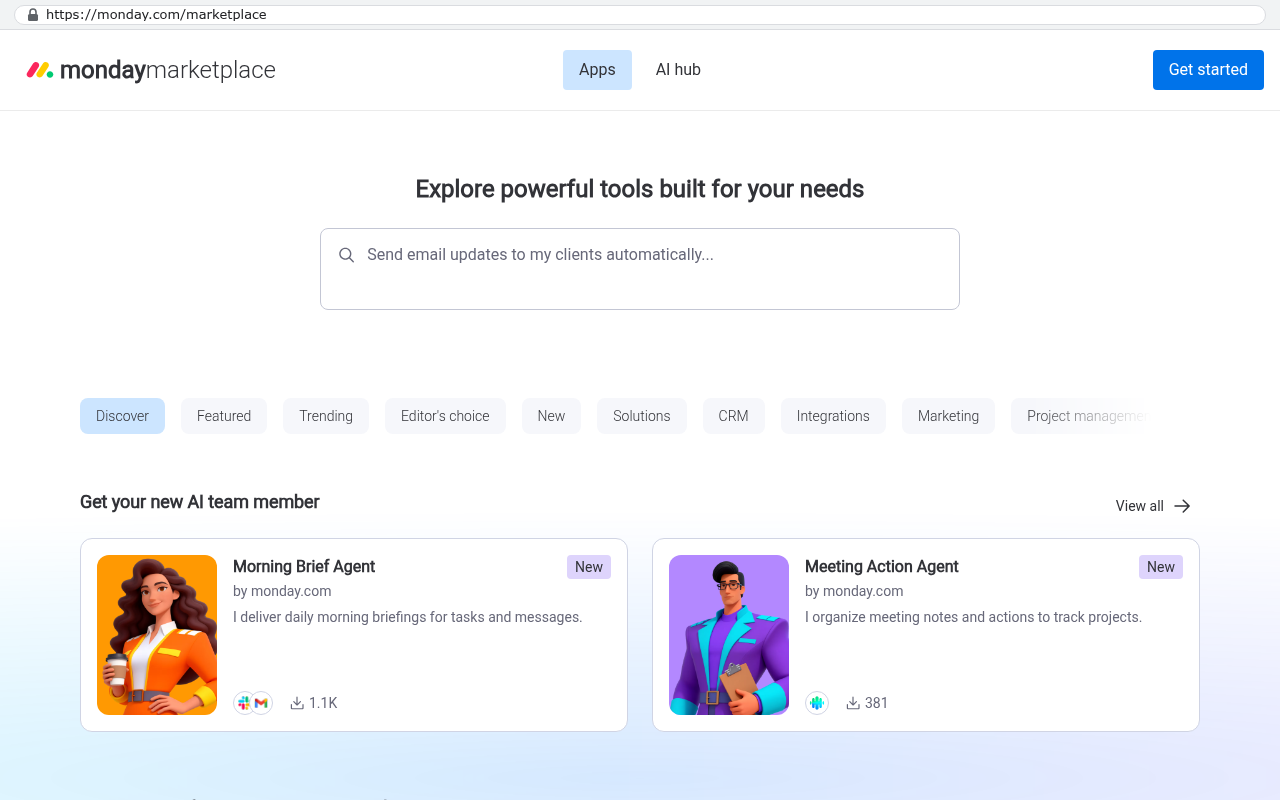
Monday.com marketplace homepage showing the Apps section with navigation tabs for Discover, Featured, Trending, Editor's choice, New, Solutions, CRM, Integrations, Marketing, and Project management categories, along with featured AI agents like Morning Brief Agent and Meeting Action Agent.
Monday.com marketplace page displaying featured AI team member integrations and category filters including integrations and solutions. Source: monday.com/marketplace

It cannot share a live board with an outside company that already lives in monday.com. If your clients or subcontractors are in monday.com themselves and you collaborate inside shared boards, replacing your side means giving them a portal instead. A portal is often better, because you control exactly what they see. It is also a change you have to manage with people outside your payroll, and some of them will complain.

It cannot survive being built around one person's preferences. The most common way a custom system goes wrong has nothing to do with code. Someone senior specifies the system they personally want, the team never adopts it, and a year later half the work is back in spreadsheets. Platforms fail this way too. Custom builds fail harder, because there is no vendor to blame.

And it cannot be maintained by nobody. You need a relationship with whoever can change the system, whether that is an in-house developer or an outside firm. Owning the code and the accounts means you can switch who holds that relationship. It does not mean the relationship is unnecessary.

One more honest limitation. Migrating twelve years of monday.com attachments takes a scripted export running against the API over days, not a copy and paste. If anyone quotes you a data migration without asking how many files are attached to your items, they have not thought about it yet.

When should you stay on monday.com?

When the subscription is small, the process is ordinary, and the tool is not in your way. That describes a lot of companies, and for them a custom build is the wrong answer no matter how good the sales pitch sounds.

Stay if your seat count is low and stable. Under roughly twenty-five seats, with no hiring surge coming, the license spend is not the problem in your business. Go solve the actual problem.

Stay if your work really is tasks with owners and due dates. Not every business has an exotic operating model. If a board of items with a status column models your work accurately, monday.com is doing exactly what it was designed for, and it does it well.

Stay if nobody internally wants to own software. Ownership is a responsibility. If there is no operations leader willing to be accountable for the system, a vendor's platform gives you a support line and a roadmap you did not have to fund. That has genuine worth.

Stay if the pain is a configuration problem rather than a platform problem. Plenty of unhappy monday.com accounts are unhappy because the implementation was rushed, the boards sprawled, and nobody ever cleaned up. That is fixable without replacing anything. Black Badger does not do that work, so this is not a redirect toward a service. It is just the truth about a lot of accounts.

We wrote a whole piece arguing the other side, because it is right often enough to deserve one: When staying on your current platform is the right call

How do you start before the renewal?

Start ninety days out, with an audit rather than a decision. The worst position to negotiate from is three weeks before expiry with no alternative and no idea what is in your account.

Four things, in order. First, pull the seat list sorted by last login and find out who is actually using it. Second, export every board and open the files, which tells you how much real data you have and how clean it is. Third, list the boards by how often they are opened and mark the ones a decision depends on. Fourth, count the automations that have fired in the last month against the ones that exist.

That audit gives you two useful outcomes regardless of which way you go. It is the input to a sane scope if you build. It is also the strongest material you will have in a renewal negotiation, because you will know precisely which seats and which features you are paying for and not using.

Then ask the vendor the questions that reveal the shape of the contract. What is the renewal price in year three. What happens to the price if headcount falls. What is the notice period for cancellation. How long does the account stay accessible after you stop paying, and in what state.

The question list is written out in full here: Smartsheet and monday.com renewal questions. For a longer commitment, read what to ask before signing a five year software contract.

One last thing on timing. A replacement does not have to be finished before the renewal date. It has to be started, with a known scope and a known cost, so that the renewal becomes a short bridge rather than another multi-year commitment. Plenty of companies renew for twelve months on purpose, with the build already underway, and let the subscription expire on its own.

Frequently asked questions

Does Black Badger set up or support monday.com?

No. Black Badger was a monday.com partner and cancelled that partnership. It does not configure, patch, administer or resell monday.com or any other platform, and it never offers to. What it builds is custom, client-owned software that replaces what a platform was doing.

What happens to our monday.com data if we stop paying?

Access changes and then, after a retention window the vendor defines, data goes away. Every SaaS vendor handles this differently and the details are in their own help documentation, which is where you should read it rather than taking anyone's summary. The safe practice is simple. Get a complete export before you cancel anything, verify you can open it, and keep the subscription alive at a minimum seat count until you are certain nothing is missing. There is a fuller discussion in what happens to your data when you stop paying a SaaS vendor.

Can we keep using monday.com for some teams and replace it for others?

Yes, and that is a sensible way to start when one department has the painful workflow and the rest are fine. The thing to settle early is where the system of record lives for anything that crosses the boundary. Two systems holding the same customer list, both editable, is how you end up with a reconciliation job nobody wants. Usually the custom system owns the operational record and pushes a read-only view out to the teams still on the platform.

Will our team actually use it?

They will if it matches how they work and if you involve them while it is being built. They will not if the first time they see it is at a training session. The strongest predictor of adoption is whether the people who open the boards daily were in the room during scoping, and whether they saw working versions early enough to change them.

What about subitems, mirror columns and formulas? Those are everywhere in our boards.

Subitems become proper child records with no nesting limit, which is usually an upgrade. Mirror columns disappear as a concept, because a custom system reads the related record directly instead of borrowing a copy of its value. Formula columns become calculated fields, and they can do things monday.com formulas cannot, like aggregating across linked records. Migrating them takes care, because a mirror column's value is not really stored on the item you are exporting.

Do we own the code, or does it become another kind of lock-in?

You own it. Every account the system runs on, meaning code hosting, database, application hosting and email, is created in the client's own name. Black Badger is invited in and can be removed at any time. If you want a different firm to maintain it next year, you hand them the keys that were always yours.

How is this different from building it in a no-code tool?

No-code tools are a real option and sometimes the right one, particularly for a small internal app. The trade is that you are back on a per-seat subscription with the vendor's limits, and complex logic in a visual builder gets hard to read and harder to debug. A code-based system has no seat ceiling and no action caps, and the hosting bill does not scale with headcount.

Is six weeks realistic for a replacement?

It was for the company described above, with its particular scope. Project length tracks scope, data volume and how many integrations are in play, and anyone giving you a duration before scoping is guessing. The honest version of the question is answered in how long it takes to replace a project management platform.

What if we need a client-facing view?

That becomes a portal, which is a separate login where your clients see only their own jobs, documents and approvals. It is usually better than sharing a board, because you control exactly what appears and you can brand it. Whether to build one or buy one is covered in is a client portal worth building or should you buy one.

Your next step

Do the audit first, whichever direction you end up going. Seat list by last login, full board export, board usage ranking, automation count. That takes a few hours and it is the input to every decision that follows, including the decision to stay.

If the numbers point toward owning the system instead of renting it, the next step is a scoping conversation. Someone looks at what your boards are actually doing, what the data looks like, and whether a build makes sense for your situation. Sometimes the answer is that it does not, and that is a legitimate outcome of the conversation. You can book a free strategy session to have it.

Read this next

How long does it take to replace a project management platform? is the natural follow-up, because timing drives whether you renew for a year or commit for five.

Related articles and pages

Questions

Frequently asked questions

How much does monday.com cost as a company grows?

monday.com is billed per seat per month with a three seat minimum. As your headcount grows, your monthly bill grows proportionally. You often upgrade plans not for new features but because you hit automation and integration action limits on your current tier. The real cost to budget for is your projected headcount in three years, multiplied by your per-seat rate and by twelve months.

When does it make sense to replace monday.com with custom software?

A custom replacement makes financial sense when your seat count is high, your processes are specific, and you are fighting the tool to make it fit your workflows. It makes no sense when you have a small team running simple task lists and the subscription is minimal relative to your budget. One company reduced its annual licensing from $125,000 to $85,000 in six weeks with a system they own outright.

What are the hidden costs of using monday.com?

Beyond the subscription fee, there are significant hidden costs paid in hours. These include spreadsheets kept on the side because the board cannot do certain calculations, Zapier chains bridging boards because built-in automations ran out of actions, and the three people who spend part of every week maintaining workarounds and keeping the platform functional. These hours do not show up on any invoice but represent the real cost of the platform.

How much does it cost to run a custom replacement system after launch?

After launch, a custom system costs roughly $100 to $200 per month to run for a smaller company, and $2,000 to $3,000 per month at enterprise scale. These costs are paid directly to hosting providers, with no per-user licensing fees. One company that spent $85,000 on the build can expect ongoing operational costs at these rates.

What happens to my monday.com data when I export it?

monday.com's board export to Excel gives you columns and rows but does not include attachments, automations, or board structure. The export is only a starting point. A complete migration requires using the GraphQL API documented on monday.com's developer site to extract all your data cleanly, including the ten years of history that needs careful handling.

Can you replace monday.com with custom software in six weeks?

Yes, one company successfully replaced monday.com in six weeks for $85,000. The hard part is not the build itself but extracting ten years of data cleanly and getting people to stop using the old system. The timeline is realistic with proper planning and focus on data migration.

What features does a custom replacement include?

A custom replacement rebuilds the boards, groups, items, subitems, updates, automations, dashboards and integrations your team genuinely uses. Your boards become real tables in a database, automations become code, and the per-seat bill goes to zero. You maintain full ownership of the system and host it on accounts in your own name.

Read this next

monday.com versus a system built for how your team already works

monday.com is a genuinely good product, and plenty of teams should keep paying for it. Here's the honest math on when it fits, when your team is bending around it, and what a custom system does and doesn't replace.

If this is your situation

Talk it through on a call

Thirty minutes over video with the person who would run the build. You talk, we ask questions, and you leave with a plain read on whether custom software makes sense for you. If the answer is that your current tool is fine and badly configured, you will hear that.

Book a strategy call

Who wrote this

David Verneuille

David Verneuille

Founder, Black Badger Software Solutions

David Verneuille founded Black Badger after 18 years as a project manager and years implementing Smartsheet, monday.com, Wrike and Zoho for clients. He now builds custom systems that clients own outright, which is why the writing here is specific about where each platform fits and where it stops fitting.

About Black Badger

Drafted with AI assistance, then checked, edited, and approved by a person before publishing. The facts, opinions, and recommendations are ours.

Related

More on project management

Project management /

How to export your data from Smartsheet

A step by step walkthrough of getting your data out of Smartsheet, from sheet exports to workspace backups to the API, and an honest list of what no export gives back.

Read it

Project management /

How to export your data from monday.com

A step by step export guide for monday.com admins, covering the board Excel export, the API, files, updates and activity logs, plus the automations and dashboards no export ever returns.

Read it

Project management /

Replacing Smartsheet with custom software

Smartsheet is cheap at ten people and expensive at two hundred. Here is what a custom replacement includes, how the data moves, what it costs to run, and when renewing is the smarter call.

Read it

More reading

Read this next

Want this looked at properly?

An article can only go so far without knowing your systems. Book a strategy call, walk us through what is breaking, and you will get a straight read on whether custom software is the right answer.