
- Generic inventory software models a simplified warehouse, and the gap between that model and your real one gets wider as you grow.
- The shadow spreadsheet is a symptom, and it carries real cost in labor, errors, and single-person dependency.
- Multi-location stock, kitting, lot tracking, and unit-of-measure conversions are where most platforms crack first.
- Heavy ERP customization gets expensive to maintain and often breaks on upgrade.
- A custom build makes sense when your process is a competitive advantage, not when you're just avoiding the work of cleaning up bad data.
- Accounting, tax, and payroll should usually stay on packaged software. Inventory is where custom pays off.
Why generic inventory software keeps breaking for growing manufacturers and distributors
/ 12 min read
TL;DR
Generic inventory software fails growing manufacturers because it assumes one item per location per unit with a single cost, but real operations involve kits, batches, multi-location stock, and vendor-specific pack sizes that the software cannot model.
Key takeaways
On this page
- What generic inventory modules assume about your warehouse
- The four places it cracks first
- Why the shadow spreadsheet appears and what it really costs
- The real cost of bending a platform to fit
- Modeling the system around the physical workflow
- When custom is the wrong answer
- Signs it's time to stop customizing and start building
- Where to go from here
- Frequently asked questions
The spreadsheet next to the ERP is the tell. If your warehouse manager keeps a workbook open to figure out what's really on hand, your inventory software isn't doing its job. You paid for it anyway. You'll pay again next year.
This happens to almost every manufacturer and distributor that grows past a certain point. The software didn't break. It was never built for how you actually move product.
TLDR: Off-the-shelf inventory modules assume a simple model. One item, one location, one unit, one cost. Real manufacturing involves kits, batches, partial consumption, vendor-specific pack sizes, and stock sitting in three places at once. When the software can't model that, your team models it in Excel. A custom system built around your physical workflow fixes the root cause, but only if your process is genuinely unusual and worth protecting.
What generic inventory modules assume about your warehouse
Most inventory software is built on a clean mental picture. You buy a thing. It sits on a shelf. You sell it. The count goes down.
That model works beautifully for a company that resells sealed boxes. It starts creaking the moment you transform material, split a case, or hold the same part in two states at once.
Here's where the assumptions usually sit. One stock keeping unit equals one physical item. Quantity on hand is a single number. A location is a warehouse, not a bin, a rack, or a trailer in the yard. Cost is a single value per item. And every transaction is atomic, meaning it either happened or it didn't.
Your operation probably violates several of those at once. You might have a part that exists as raw stock, as work in process, and as a finished component inside three different assemblies. The software wants one number. Your floor has five realities.
The vendors aren't lying to you. They built for the widest market. A simple model sells to more companies and supports more cheaply. That's a sound business decision on their end. It just stops being your decision once your process gets specific.
The four places it cracks first
In the shops we've worked in, failure tends to show up in the same handful of spots. Not randomly. These four are structural.
Multi-location stock that isn't really multi-location
Plenty of platforms advertise multi-warehouse support. What they mean is you can tag inventory with a warehouse name. What they often can't do is handle in-transit stock, consignment at a customer site, or material staged for a job but not yet consumed.
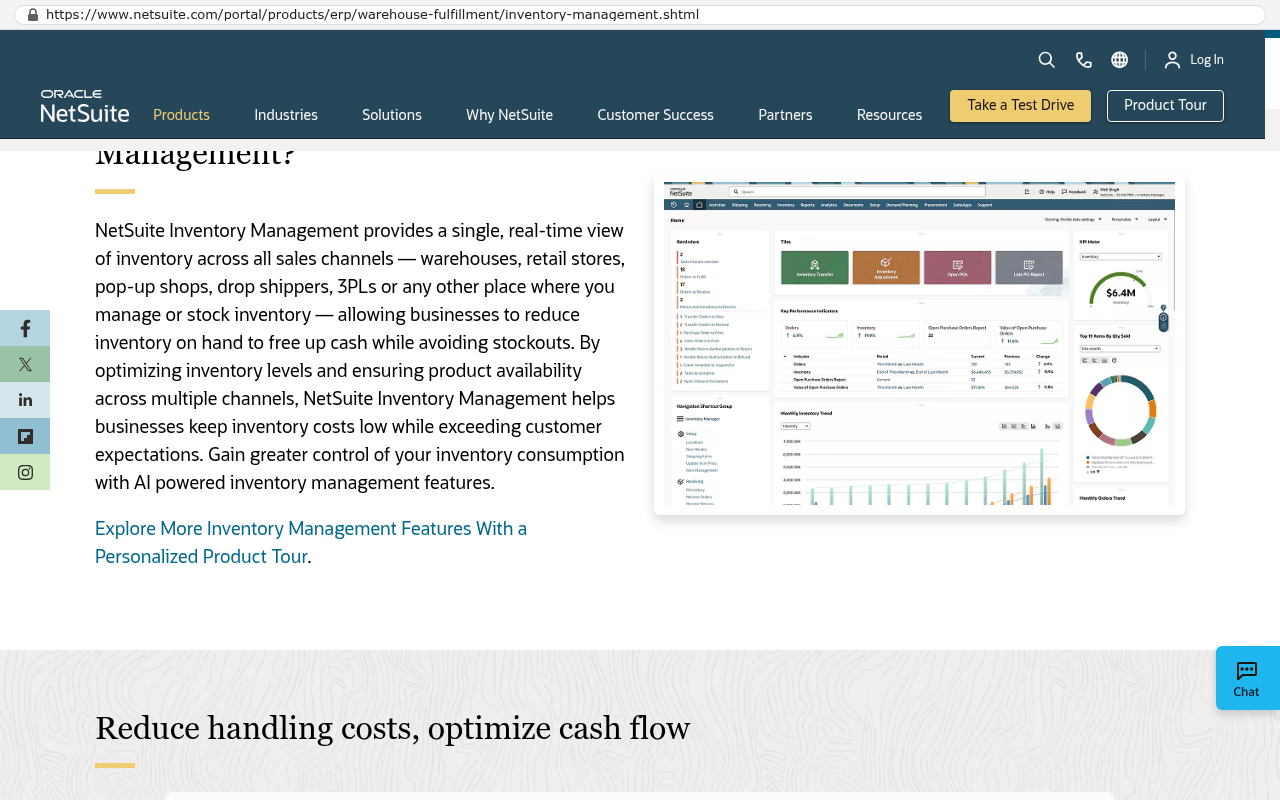
So your system says you have 400 units. Your buyer orders more because 180 of those are on a truck, 90 are allocated to a job starting Thursday, and 60 are at a customer's facility on consignment. Available is really 70. The software doesn't have a concept for that, so somebody tracks it by hand.
Kitting and assemblies that go one level deep
Lots of systems support a bill of materials, which is just a recipe listing what goes into a product. Fewer handle nested kits well. Fewer still handle a kit you can disassemble back into parts, or a kit where one component has three approved substitutes depending on what's in stock.
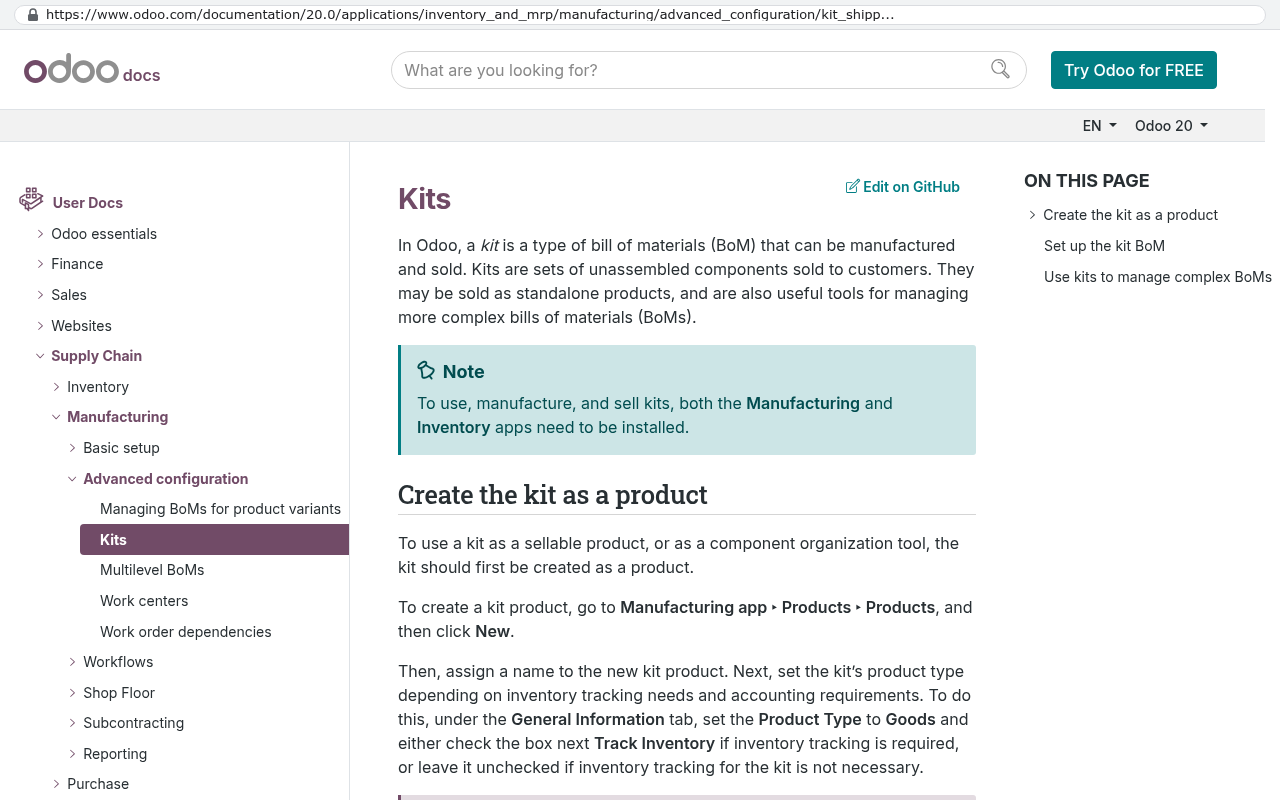
Manufacturers hit this constantly. You build subassemblies, stock them, then pull them into a higher assembly. If the software flattens that into one level, your work-in-process visibility disappears.
Lot and batch tracking bolted on after the fact
Food, chemicals, medical devices, aerospace. If you need to trace a lot forward and backward, you need it baked into every transaction. Many platforms added lot tracking later as an optional field.
The result is a field you can fill in but can't reliably report on. When a customer calls about a bad batch, you spend two days reconstructing where it went. That's not a reporting problem. That's a data model problem.
Units of measure that fight your vendors
This one is quietly brutal. You buy wire by the foot from one vendor and by the reel from another. You buy fasteners by weight and consume them by count. You sell by the case and inventory by the each.
Generic systems usually give you one conversion factor per item. Real purchasing has different conversions per vendor, per contract, and sometimes per shipment. Your purchasing clerk does the math in their head or in a side sheet. Then an error eventually shows up in a costed job.
Unit-of-measure errors are the most expensive inventory bug we see, because they don't look like bugs. They look like a margin problem, a shrinkage problem, or a sloppy count. Teams chase the symptom for months before anyone checks the conversion factors.
Why the shadow spreadsheet appears and what it really costs
Nobody decides to run a parallel system. It grows. Someone needs a number the ERP won't produce, so they build a tab. Then another person needs a different number, so they build a second tab. Within a year the spreadsheet is the real system and the ERP is where you go to print a purchase order.
Count the cost honestly. Say two people spend ninety minutes a day maintaining and reconciling that workbook. That's roughly fifteen hours a week. Over a year it's around 780 hours. At a loaded rate of 40 dollars an hour, you're spending about 31,000 dollars a year to patch software you already pay for.
That's just the labor. Add the stockouts caused by stale numbers. Add the expedited freight. Add the write-offs when a lot expires because nobody saw it. Those costs don't show up on a line item anywhere, which is exactly why they survive so long.
Then there's the person risk. The spreadsheet lives in one head. When that person takes a vacation or leaves, your inventory accuracy goes with them. We've seen operations teams genuinely afraid of a resignation because of a workbook.
The real cost of bending a platform to fit
The usual next move is customization. You hire a consultant to extend the ERP. Custom fields, custom screens, custom scripts, maybe a third-party add-on module.
Sometimes this works well. If you're adding a field or a report, go ahead. The problem starts when you're fighting the underlying data model instead of extending it.
Deep customizations create three ongoing costs. First, upgrades get risky, because the vendor doesn't test against your modifications. Second, support gets murky, since the vendor points at your consultant and your consultant points at the vendor. Third, you're paying a subscription for a platform plus paying to work around the platform.
Run the arithmetic. If your licensing is 2,500 a month, that's 30,000 a year. Add 40,000 a year in consultant time keeping the customizations alive through updates. Add the 31,000 in spreadsheet labor. You're at roughly 101,000 a year, every year, and you own none of it. Cancel the subscription and the whole thing stops working.
Compare that to building something you own. A custom system has a real upfront cost and a real ongoing maintenance cost. But the maintenance is yours to schedule, the code is yours to keep, and the yearly number typically shrinks after year one instead of growing with your seat count.
Before you price anything, have someone walk the floor with a notebook for two days and write down every decision a person makes that the software doesn't capture. That list is your real requirements document, and it's worth more than any vendor demo.
Modeling the system around the physical workflow
The thing that makes a custom inventory system work isn't fancy technology. It's that the data model matches what physically happens.
If material moves from receiving to a staging rack to a machine to a QC bench to finished goods, the system has those five states. Not three. Not a generic "in progress" flag. The states your floor actually uses, named the way your people name them.
If your shop allows a substitute component when the primary is short, the system knows about substitutes and records which one got used. That matters later when a customer asks what's in their unit.
If you buy from a vendor whose minimum order is four reels and you consume by the foot, the purchasing screen shows reels and the job costing shows feet, and nobody converts anything by hand.
The practical difference shows up in scanning. A custom system can match your label format, your bin naming, and the sequence your pickers actually walk. Generic software makes your warehouse adapt to the screen. A custom one adapts the screen to the warehouse. Pick times drop because the software stopped arguing with the building.
Reporting changes too. Instead of exporting to Excel to answer a question, the question becomes a screen. Available-to-promise that accounts for in-transit and allocated stock. Lot genealogy you can pull in thirty seconds. Margin by job with real consumed quantities.
When custom is the wrong answer
Plenty of companies should not build. Be honest about which group you're in.
If your process is messy because nobody cleaned it up, software won't fix that. Build on top of chaos and you get expensive chaos. Fix the process first, then decide.
If your needs are genuinely standard, buy standard. A distributor moving sealed cases with no assembly and no lot requirements should use an off-the-shelf system and spend the savings elsewhere. There's no prize for building something you could have licensed.
If nobody internally can own it, that's a real problem. A custom system needs someone on your side who understands it and can make decisions about changes. Not a developer. A person who knows the business and will stay engaged.
And keep accounting on packaged software. General ledger, tax, payroll. Those rules change constantly and you don't want to maintain them. The right pattern is a custom inventory and production system that feeds a standard accounting package through an integration, meaning an automated connection that moves data between the two without rekeying.
Migration is also real work. Twelve years of transaction history, open purchase orders, lot genealogy, and attachments don't move with a copy and paste. They need scripted exports, cleanup, and a validation period where both systems run side by side. Budget for that honestly or the project will feel like it went sideways when it was just underestimated.
Signs it's time to stop customizing and start building
A few patterns tell you you've crossed the line.
- Your most accurate inventory data lives outside the system of record.
- You've paid for three or more add-on modules and still export to Excel daily.
- An upgrade requires a project plan because of your customizations.
- New hires take months to learn the workarounds, not the software.
- You've been told "the system can't do that" about something your competitors do routinely.
- Your renewal quote went up and the gap between software and reality didn't close.
Hit three of those and you're not buying software anymore. You're renting a constraint.
A useful halfway step is building one custom piece first. Pick the worst spreadsheet, replace just that with a real application that reads from your existing system, and see how it goes. You learn whether custom fits your company without betting the whole operation on it.
Where to go from here
Start by counting. Count the hours your team spends maintaining spreadsheets. Count the stockouts caused by bad data. Count what you pay in licensing and consulting for a system that still needs patching. Put a real number on it.
Then look at what you'd be buying instead. A system shaped like your operation, that you own outright, that nobody can price-increase you out of.
If you want to talk through where your current setup is actually failing and whether building is the right call for you, book a free strategy session. We'll tell you if you should stay where you are.
Read this next: our breakdown of what it really means to own your software, including source code, hosting, and the handover documents you should insist on before any build starts.
Related reading: when to integrate versus when to replace, how to run a parallel-system cutover without losing a week of production, and what to ask an ERP vendor during a demo so you find the gaps early.
Frequently asked questions
Why does my warehouse manager need to keep a spreadsheet if we already have inventory software?
Your inventory software was built on a simplified model that doesn't match your actual operations. Generic systems assume one item, one location, one unit of measure, and one cost. When your real workflow involves kits, batches, partial consumption, and stock in multiple states simultaneously, the software can't model it. Your team creates shadow spreadsheets to track what's actually on hand because the system doesn't.
What are the main reasons generic inventory software fails for manufacturers?
Generic platforms crack first in four areas: multi-location stock that can't track in-transit or consigned inventory, kitting and assemblies limited to one level deep, lot and batch tracking added as optional fields rather than built into the data model, and unit-of-measure conversions that don't support vendor-specific or contract-specific variations. These structural gaps force manual workarounds.
How much does maintaining a shadow spreadsheet actually cost?
If two people spend ninety minutes daily maintaining and reconciling inventory spreadsheets, that's roughly 780 hours per year. At a loaded rate of 40 dollars per hour, you're spending approximately 31,000 dollars annually just on labor to patch software you already pay for. This doesn't include costs from stockouts caused by stale data or errors from manual entry.
Can multi-warehouse inventory software handle all location types?
Most platforms advertise multi-warehouse support but only tag inventory with location names. They typically can't handle in-transit stock, customer consignment, or material staged for jobs but not yet consumed. A system might show 400 units available when only 70 are truly available because 180 are in transit, 90 allocated to jobs, and 60 on consignment. Someone must track available inventory manually.
Why are unit-of-measure conversion errors so expensive?
You might buy wire by the foot from one vendor and by the reel from another, or fasteners by weight but consume by count. Generic systems usually allow only one conversion factor per item, but real purchasing requires different conversions per vendor and contract. These errors don't appear as obvious bugs but show up as margin or shrinkage problems, causing teams to chase symptoms for months.
What's the difference between a simple bill of materials and what manufacturers actually need?
Many systems support basic bills of materials as recipes for products, but fewer handle nested kits or multilevel assemblies. Real manufacturing builds subassemblies, stocks them, then pulls them into higher assemblies. When software flattens that into one level, you lose work-in-process visibility. You also need to handle kits that disassemble back into parts and components with multiple approved substitutes based on stock availability.
Why is lot tracking added as an optional field a data model problem?
Industries like food, chemicals, medical devices, and aerospace must trace lots forward and backward through every transaction. When platforms add lot tracking as an optional field added later, it can be filled in but not reliably reported on. When customers call about a bad batch, you spend days reconstructing where it went because the data model doesn't support proper lot traceability from the foundation.
Share this article
Keep reading
Why your ERP integration keeps breaking and what to do about it
ERP integrations don't break on their own. Vendors change APIs, tokens expire, and rate limits bite at peak season. Here's why point-to-point wiring fails and what to build instead.
If this is your situation
Talk it through on a call
Thirty minutes over video with the person who would run the build. You talk, we ask questions, and you leave with a plain read on whether custom software makes sense for you. If the answer is that your current tool is fine and badly configured, you will hear that.
Who wrote this

David Verneuille
Founder, Black Badger Software Solutions
David Verneuille founded Black Badger after 18 years as a project manager and years implementing Smartsheet, monday.com, Wrike and Zoho for clients. He now builds custom systems that clients own outright, which is why the writing here is specific about where each platform fits and where it stops fitting.
Drafted with AI assistance, then checked, edited, and approved by a person before publishing. The facts, opinions, and recommendations are ours.