Why your ERP integration keeps breaking and what to do about it
/ 11 min read
TL;DR
Most ERP integrations fail because companies wire systems directly to each other on independent release schedules, and the solution is reducing connections rather than hardening them.
Key takeaways
Point-to-point connectors between multiple systems multiply quickly, creating dozens of separate integration links that each require maintenance and can fail independently.
The four primary failure modes are API version retirements announced in newsletters nobody reads, field and schema changes made by internal teams, expired authentication tokens from password policy changes or employee departures, and rate limits that silently skip records during peak volume periods.
Middleware platforms add a third vendor into every data flow and introduce their own failure points while charging by task or record processed, making costs rise with growth.
Reducing the total number of integrations is more effective than hardening existing ones, and you should keep only the integrations that demonstrably earn their place such as accounting, payments, and shipping.
Silent failures that go undetected for weeks are far more costly than loud failures with proper logging and alerts, so alerting should be built before the sync itself.
Service accounts owned by the company are safer than connections authenticated through individual employee credentials, which become time bombs when that person leaves or passwords change.
Test all syncs at three times your normal daily volume before peak seasons arrive, not during them, to catch rate limit failures before they affect customer orders.
Your integration didn't break on its own. Someone else shipped a change, and your connector was the thing standing closest to it. That's the part most owners never get told. The sync that worked fine for fourteen months is now dropping records, and nobody on your team touched a line of code.
TL. DR: Most ERP integrations break because you wired platforms directly to each other, and each vendor updates on its own schedule without asking you. The fix is fewer connections, not better ones. Put your operational data in a system you own, keep the handful of integrations that earn their place (accounting, payments, shipping), delete the ones that only exist because two SaaS tools couldn't talk. Then make every remaining connection fail loudly with logs and alerts instead of failing quietly for three weeks.
Key takeaways
Point-to-point connectors multiply fast. Five systems wired to each other can mean twenty separate links to maintain.
The four usual culprits are API version retirements, field changes, expired login tokens, and rate limits that bite during your busy season.
Middleware subscriptions add a third vendor to every data flow, and they break too.
Cutting the number of integrations beats hardening the ones you have.
Silent failures cost more than loud ones. Build alerting before you build the sync.
The wiring that fails, and why it looks fine at first
Here is how most mid-sized companies end up in trouble. You buy an ERP. Then a CRM. Then a field service app, a quoting tool, and a warehouse system. Each one comes with a connector, or a consultant builds one. Each connector runs straight from one platform to another.
That's called point-to-point. System A talks to System B. B talks to C. C talks back to A because someone needed inventory counts in the sales screen.
The math gets ugly quickly. Three systems fully wired together means three links. Five systems means ten. Seven means twenty-one. Every link has its own login, its own field mapping, its own quirks, and its own owner who may have left the company. Nobody drew the diagram, so nobody knows what the diagram looks like.
It works on day one because every vendor's software is frozen at the version you tested against. That freeze lasts about a quarter. After that, you are maintaining a web of connections between products you do not control, on release schedules you do not see.
The four things that actually break it
In practice, failures cluster into a short list. Once you can name them, you stop treating each outage as a mystery.
API version retirements
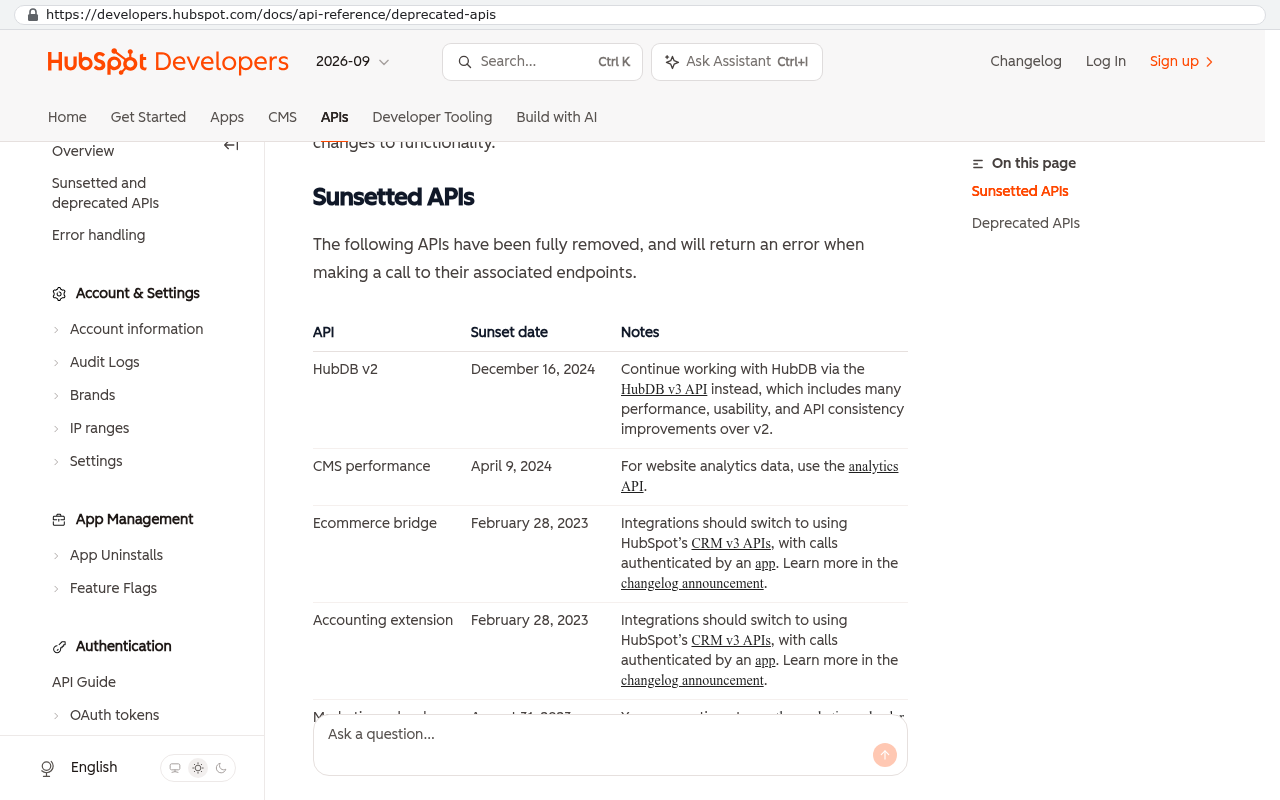
An API is just the doorway one piece of software uses to talk to another. Vendors retire old doorways. They announce it in a developer newsletter that goes to an email address nobody at your company reads. Six months later the door is bricked up and your orders stop flowing. This is the most predictable failure on the list and the most common.
HubSpot Developers deprecated APIs page showing a table of sunsetted APIs including HubDB v2 with its December 16 2024 sunset date Source: developers.hubspot.com/docs/api-reference/deprecated-apis
Field and schema changes
Somebody in sales adds a required field to the opportunity record. Somebody in operations renames a status from "Closed" to "Closed Won". Your connector was mapping that exact text. Now half your records fail validation and land in an error queue that nobody monitors. No vendor did anything wrong here. Your own team changed the shape of the data, and the integration was never told.
Expired authentication tokens
Most connectors log in using a token, which is a long password the system renews automatically. Until it doesn't. Tokens expire when a password policy changes, when the employee whose account authorized the connection leaves, or when the vendor tightens security settings. Integrations built on a named person's login are time bombs. Use a service account that belongs to the company, not to Dave in accounting.
Rate limits during your busiest week
Vendors cap how many requests you can send per minute. Your sync runs fine at normal volume. Then comes your peak month, volume triples, and the platform starts rejecting calls. The integration doesn't crash. It just quietly skips records. You find out when a customer calls about an order that never shipped.
Rate limit failures are the worst kind because they only happen when the stakes are highest. Test your syncs at three times your normal daily volume before your peak season, not during it.
The middleware tax
The usual answer to connector sprawl is middleware. That's a platform that sits in the middle and manages all your data flows. Tools in this category are genuinely useful. They give you retries, logs, and a visual builder that a non-developer can follow.
They also add a third vendor to every single data flow. Now when orders stop syncing, you have three places to look and three support queues to sit in. The middleware vendor blames the ERP. The ERP vendor blames the middleware. You are the one on the phone.
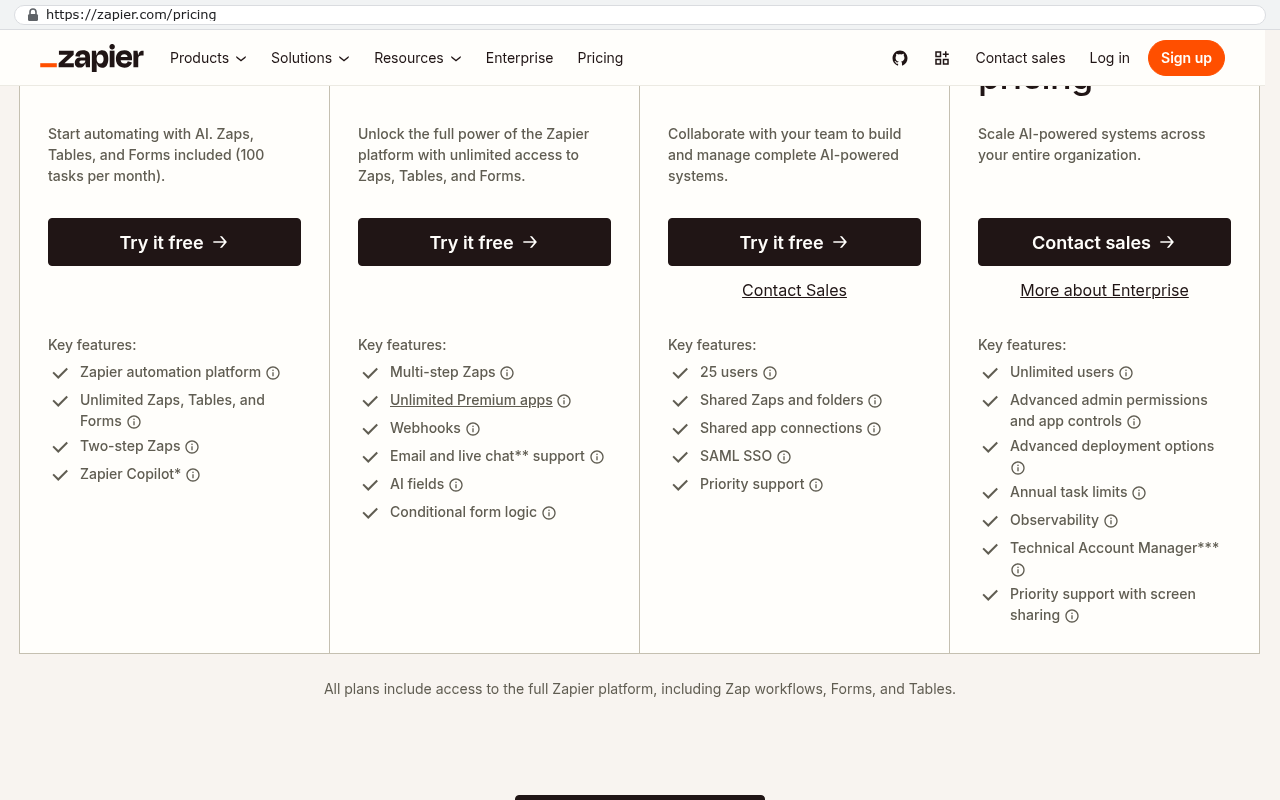
And the pricing model fights you. Most of these platforms charge by task or by record processed. Growth raises your bill on the exact curve you least want. Suppose you are paying fourteen hundred a month for a mid-tier plan. That's about seventeen thousand a year, forever, for plumbing between systems you already pay for. Over five years, eighty-four thousand in rent on connections that produce nothing on their own.
Zapier's pricing page displays four plan tiers clearly labeled with task-based pricing from 100 tasks per month in the free plan to unlimited access in higher tiers. Source: zapier.com/pricing
Compare that to building the flows into a system you own, once. The build has a real cost. It also has an end. The subscription does not.
Before you renew any middleware contract, pull your task usage report for the last twelve months. Most companies find that two or three flows account for the overwhelming majority of consumption, and several paid flows have not run successfully in months.
Fewer integrations beats better integrations
The pattern that holds up is simple to describe and harder to sell internally. One system holds the operational data. Quotes, jobs, schedules, inventory, customers, and status all live in one place your company owns. Everything else connects to that one system, not to each other.
This is called a hub. Instead of twenty-one links between seven tools, you have six links into one hub. If a vendor retires an API, one connection breaks and you know exactly which one.
The bigger win is that most integrations disappear entirely. Half the syncs in a typical mid-sized company exist only because the quoting tool and the scheduling tool are separate products that cannot see each other. When both functions live in the same owned system, there is nothing to sync. The data is already there. You cannot break a connection that does not exist.
We build these systems for companies in Pinellas and Hillsborough who are tired of paying rent on their own operations data. The goal is never to rebuild everything. It's to own the middle.
Which integrations are worth keeping
Not every connection should go. Some are load-bearing and some are scar tissue. Here is the split that holds up in practice.
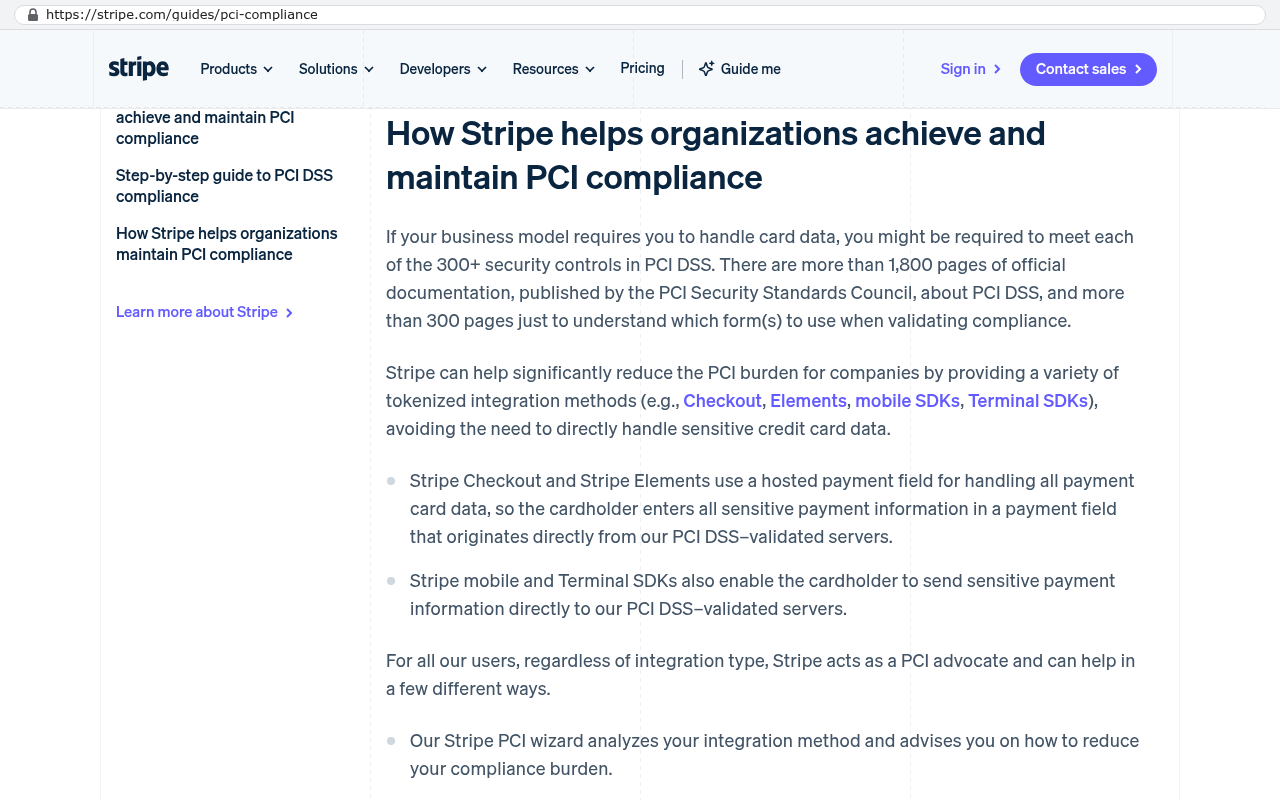
Keep the ones where the outside system does something genuinely specialized and regulated. Accounting is the clearest example. You should not rebuild a general ledger. Push invoices and payments into QuickBooks or NetSuite and leave it alone. Payment processing is the same story. Card data belongs with Stripe or your gateway, not in your database. Shipping carriers, tax calculation, and payroll all fall in this bucket.
Stripe's PCI compliance guide explains how Stripe's tokenized integration methods allow merchants to avoid directly handling sensitive credit card data by using Stripe's PCI DSS-validated servers. Source: stripe.com/guides/pci-compliance
Cut the ones that exist only as a bridge between two tools that overlap. Typical candidates include the following.
A CRM to project tool sync that copies the same job into two places
A spreadsheet export that feeds a dashboard nobody has opened this quarter
A two-way customer record sync, which is the single most failure-prone integration pattern in existence
Any connector whose only job is moving a status field between platforms
Two-way syncs deserve a special warning. When both systems can edit the same record, you eventually get a conflict, and someone has to decide which version wins. Most connectors decide badly and overwrite good data with stale data. If you must sync two ways, pick a clear owner for each field and document it.
Run the connector audit this month
You cannot fix what you have not listed. This exercise takes an afternoon and it changes the conversation with your leadership team. Build a simple sheet with one row per connector.
Name the connection and the two systems it links.
Name the person responsible. If nobody owns it, write "nobody". That answer is the finding.
Record how it authenticates and whose account it uses.
List every failure in the last twelve months and how long it took to notice.
Write what breaks downstream when it goes offline. Be specific. "Invoices stop" is useful. "Data issues" is not.
Note what it costs, including middleware tasks and support hours.
Sort by that fifth column. Anything where a failure stops billing or shipping gets hardened and monitored first. Anything where the honest answer is "nothing obvious breaks" is a candidate for deletion. You will find at least one connector still running that feeds a process you retired.
Make it fail loudly
Silent failure is the real enemy. A sync that crashes hard gets fixed the same day. A sync that skips twelve records an hour runs for a month before anyone notices, and then you have a month of reconciliation ahead of you.
Three things fix this, and none of them are expensive to build.
First, log every run with a count. Records attempted, records succeeded, records failed. A run that processes zero records is a failure, even when the software reports success.
Second, alert a human. Not an inbox. A Slack or Teams channel the operations lead watches, with the error message and the record ID in plain text. Alerts that go to a shared mailbox get filtered into oblivion.
Third, add a heartbeat. If the nightly sync has not reported in by 7am, someone gets pinged. The absence of a failure message is not proof of success. That distinction has saved more month-ends than any retry logic ever has.
Retry logic without alerting is worse than no retry logic. A connector that silently retries a broken call forty times just hides the problem longer and can duplicate records when it finally succeeds.
Limitations and honest caveats
Consolidating into an owned hub is not free and it is not always right.
You still own the remaining connectors. If Stripe changes its API, someone has to update your code. The difference is that you can schedule that work and you are not waiting on a vendor's roadmap. But the work does not vanish. Budget for ongoing maintenance, because a system nobody maintains decays the same way a leased one does.
Some integrations cannot be reduced. If your largest customer requires EDI, or your industry mandates a specific portal, that connection stays no matter what you build. Regulated data flows are the same.
Migration is real work. Moving years of records out of a platform with a weak export takes scripting, not copy and paste. Attachments and file history are usually the hardest part, and any vendor who tells you otherwise has not done it.
And a custom build is the wrong answer when your processes are genuinely standard. If you run a straightforward distribution operation that fits an off-the-shelf ERP with light configuration, buy the ERP. Custom earns its keep when your workflow is the thing that makes you money and no product matches it.
What to do next
Start with the audit. Get the list of connectors on one page with owners and downstream impact. Then add logging and alerting to the two or three flows that stop revenue when they fail. Those two steps cost you an afternoon and a small amount of engineering, and they end the era of finding out from a customer.
After that, look at what you would delete if the data lived in one place you owned. If you want help mapping that out, you can book a free strategy session with our team in Clearwater.
How often should I expect an integration to break?
Plan for a meaningful change from at least one vendor every year per connector. Most of it is routine, like an API version retirement with six months notice. The trouble comes from not having anyone assigned to read those notices.
Is middleware ever the right call?
Yes. If you need a dozen flows across tools you have no intention of replacing, and nobody on staff can maintain code, middleware buys you visibility and retries fast. Just know you are renting it and the bill grows with volume.
Can I keep my ERP and still consolidate?
Often, yes. Plenty of companies keep the ERP for finance and inventory, then move quoting, scheduling, and field operations into an owned system that talks to the ERP through one connection. That alone removes most of the sprawl.
What's the single fastest improvement I can make this week?
Switch every connector off a personal login and onto a company service account. Then set up one alert channel for sync failures. Both are small changes and they prevent the two most common silent outages.
How do I know if a two-way sync is hurting me?
Pick twenty customer records and compare them across both systems field by field. If you find mismatches in addresses, phone numbers, or status, the sync is already losing data and your team is quietly working around it.
Questions
Frequently asked questions
Why do ERP integrations break if nobody on my team changed anything?
Your integration breaks when a vendor updates their API, changes data fields, tightens security settings, or implements rate limits. You wired platforms directly to each other on different release schedules you don't control. When one vendor ships a change, your connector gets caught between incompatible versions with no warning.
What are the four main reasons integrations fail?
API version retirements when vendors retire old doorways without reaching all users, field and schema changes made by your own team, expired authentication tokens from password policy changes or employee turnover, and rate limits that silently skip records during your busiest season.
Is middleware a good solution for too many integrations?
Middleware adds a third vendor to every data flow, creating more points of failure and three support queues instead of two. The recurring cost typically runs seventeen thousand dollars yearly with pricing tied to your growth. Consider building flows into a system you own instead, which has an upfront cost but reaches an end.
How many integration links do I need to maintain with five systems?
Five systems wired point-to-point to each other requires ten separate links to maintain. Seven systems requires twenty-one. Each link has its own login, field mapping, and owner, making the web of connections difficult to understand or troubleshoot.
What's the best architecture for managing multiple systems?
Use a hub model where one system you own holds all operational data like quotes, jobs, inventory, and customers. Everything else connects to that single hub rather than directly to each other. This reduces connection complexity and creates a single source of truth your team controls.
How can I prevent silent integration failures?
Build alerting and logs before you build the sync. Make failures loud with visible alerts instead of letting them fail quietly for weeks. Monitor your error queues actively and test syncs at three times your normal daily volume before peak seasons to catch rate limit issues early.
Platform consultants push you toward the standard workflow because that's what their incentives reward. Here's how to tell which of your processes deserve protection and which ones should go.
If this is your situation
Talk it through on a call
Thirty minutes over video with the person who would run the build. You talk, we ask questions, and you leave with a plain read on whether custom software makes sense for you. If the answer is that your current tool is fine and badly configured, you will hear that.
David Verneuille founded Black Badger after 18 years as a project manager and years implementing Smartsheet, monday.com, Wrike and Zoho for clients. He now builds custom systems that clients own outright, which is why the writing here is specific about where each platform fits and where it stops fitting.
Nobody approved the twenty spreadsheets holding your operations together, but they cost real money every week. Here's how to price that cost and decide what's worth replacing.
Yes, and the connection is well-trodden ground. Here's what the QuickBooks Online API actually supports, where it hits real limits, and how to decide if a custom integration beats an off-the-shelf connector.
Microsoft Outlook is a widely used email and calendar app, while ClickUp is a strong project management tool. By integrating these two platforms, you can bring your project management and communication tools together,...
Teamwork is a powerful project management and collaboration platform that offers a wide range of features to help teams work efficiently.
Want this looked at properly?
An article can only go so far without knowing your systems. Book a strategy call, walk us through what is breaking, and you will get a straight read on whether custom software is the right answer.