
- Service credits refund a fraction of a monthly fee. They never cover payroll, rework, or lost client trust.
- On a shared platform, a bad deploy or a bad script affecting another customer can take you down too.
- Owning your system means you choose the hosting, the backup schedule, and who gets woken up at 3am.
- Custom software still has outages. The difference is who can fix it and how fast.
- You can estimate your annual outage exposure in about ten minutes with headcount and an hourly rate.
Why SaaS outages cost more than the invoice ever will
/ 11 min read
TL;DR
SaaS outages cost far more than the vendor credit suggests, with hidden expenses from idle payroll, rework, and missed commitments dwarfing the refund, while shared platforms tie your uptime to incidents beyond your control.
Key takeaways
On this page
- The outages nobody on your team caused
- The invoice credit is the smallest number on the page
- Why shared platforms tie your uptime to strangers
- What actually changes when you own it
- Honest limits: owned systems go down too
- Work out your own outage exposure
- What to do before your next renewal
- Read this next
- Frequently asked questions
Your project management tool goes down on a Tuesday morning. Forty people stop working. The vendor posts a status page update, credits you a few dollars, and the whole thing is forgotten by Friday. Except it isn't, because two deadlines slipped, a client got a bad answer on a call, and your ops lead spent the afternoon rebuilding a schedule in a spreadsheet. The credit was pennies. The day cost thousands.
TLDR: SaaS outages are priced as a refund on your subscription, but the actual cost is idle payroll, missed commitments, and manual rework. Multi-tenant platforms tie your uptime to incidents you had no part in causing. An owned system doesn't guarantee perfect uptime, but it does put the recovery decisions in your hands instead of a support queue. Do the arithmetic on your own exposure before your next renewal.
The outages nobody on your team caused
In April 2022, Atlassian ran a routine cleanup script against its cloud products. The script deleted data for several hundred customer sites by mistake. Some of those companies were locked out of Jira and Confluence for close to two weeks. Their tickets, their project history, their documentation. Gone from view while engineers in another country restored sites one at a time.
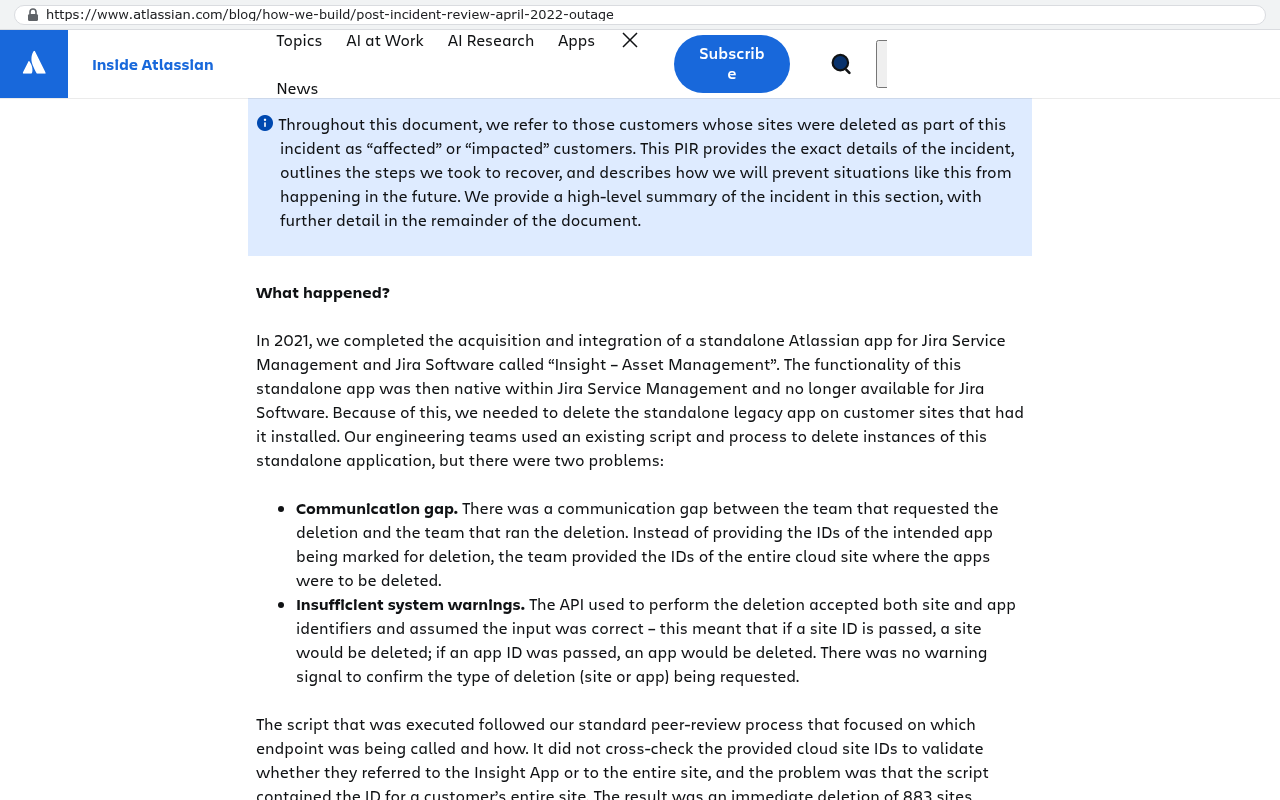
Those customers did nothing wrong. They picked a well-run vendor with a good reputation. They still lost two weeks.
The same pattern shows up over and over. A bad permissions change at Salesforce in 2019 forced the company to block access for a large slice of its customer base while it sorted things out. AWS problems in its Virginia region have repeatedly dragged down dozens of unrelated SaaS tools in the same hour, because so many vendors host there. The CrowdStrike update in July 2024 bricked Windows machines worldwide and grounded flights. None of those failures started inside the affected businesses.
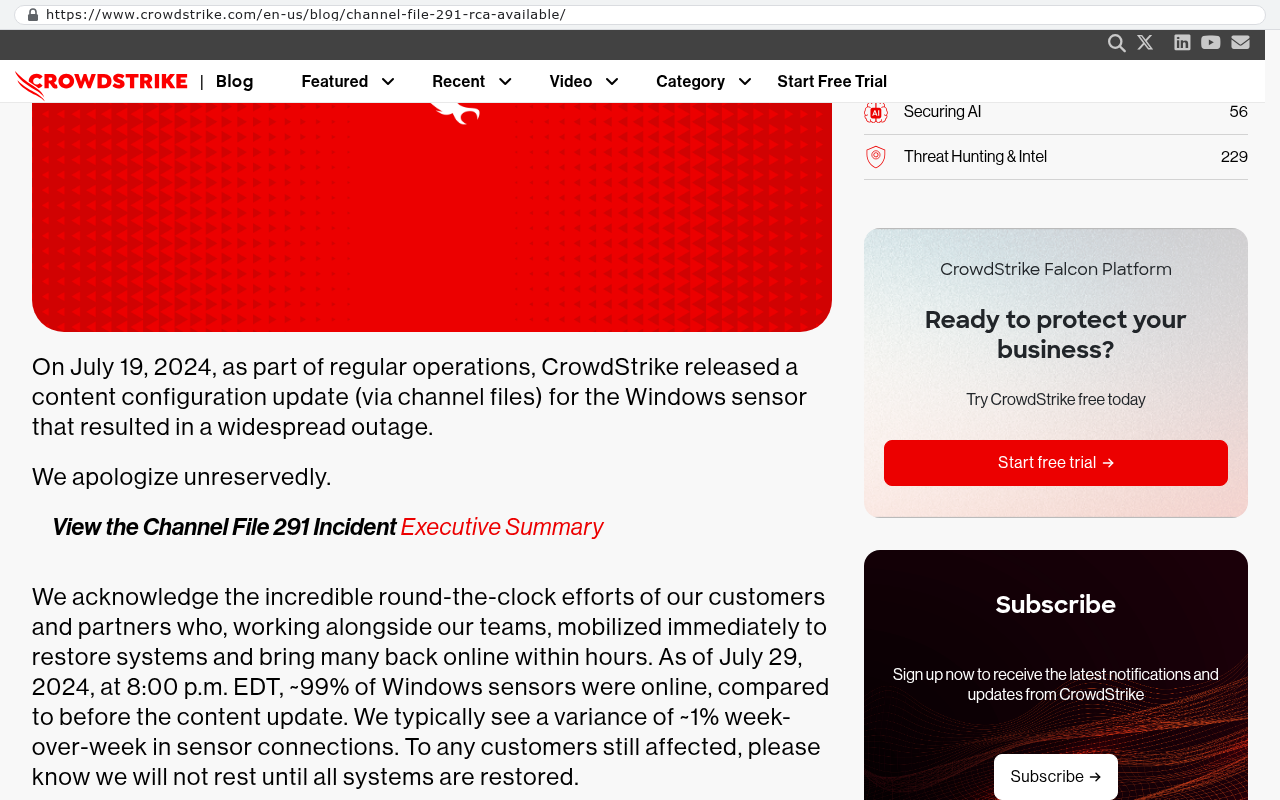
You can't prevent any of it. That's the point worth sitting with.
The invoice credit is the smallest number on the page
Read your SaaS contract and find the service level agreement. Almost every one works the same way. If uptime drops below a promised figure, you get a credit against future fees. Usually a small percentage. You have to ask for it in writing, often within thirty days.
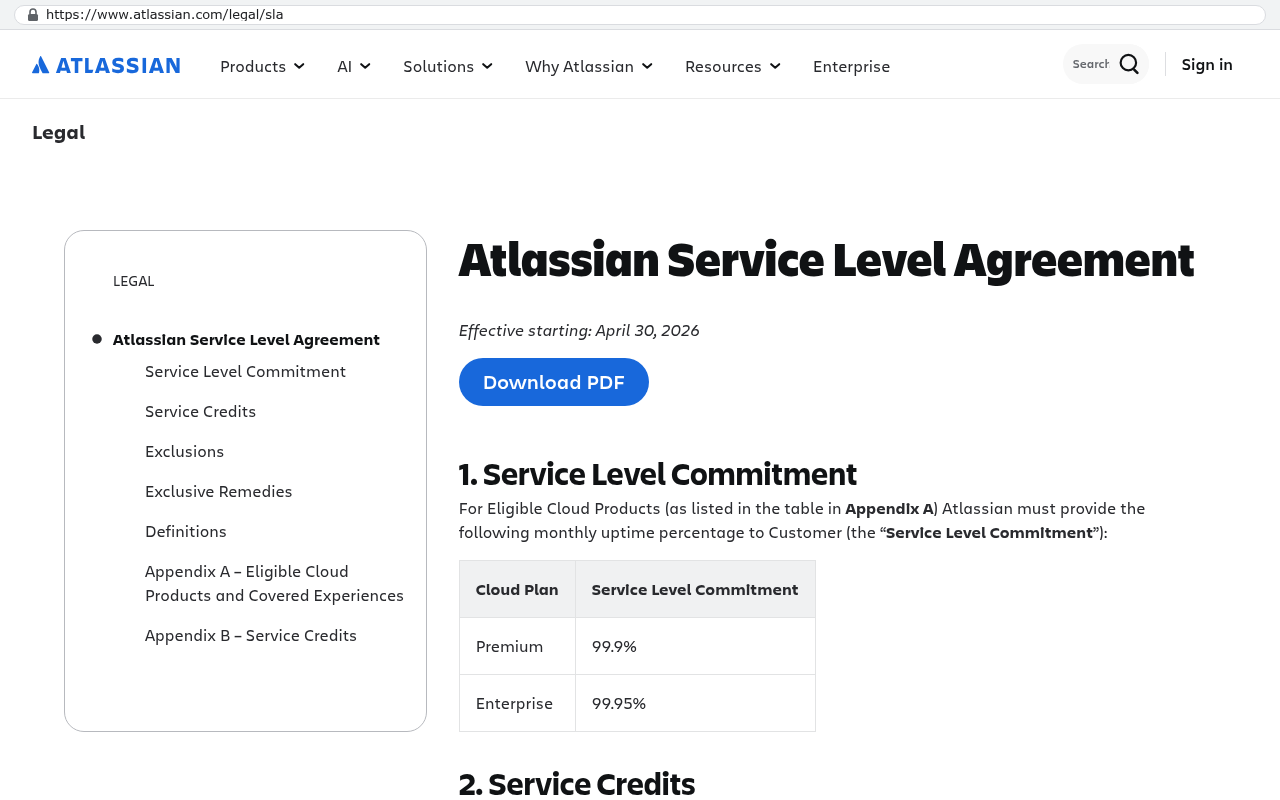
So a full day of downtime on a tool you pay for monthly gets you back maybe a few percent of one month. For a forty-seat tool, that's lunch money.
Now count what the day actually cost. Payroll keeps running while people wait. A forty-person team at a loaded cost of fifty dollars an hour burns two thousand dollars every hour they can't work. Not everyone is fully blocked, so call it half. One thousand an hour. A four-hour outage is four thousand dollars in idle time alone.
Then come the second-order costs, which are usually bigger and never get counted.
- Rework. Someone tracked work in a spreadsheet during the outage, and now that has to be merged back in by hand.
- Missed commitments. A client deliverable slips a day, and you absorb the overtime to catch up.
- Decisions made blind. A sales rep quotes from memory because the CRM is dark, and the quote is wrong.
- Trust. Telling a customer "our system is down" three times in a year changes how they see you.
- Attention. Your operations lead spends a week after the incident writing a contingency plan nobody will maintain.
None of that appears on the credit memo. The vendor's exposure is capped at your subscription. Yours isn't capped at all.
Check whether your SLA covers scheduled maintenance. Most don't. A vendor can take your system down for six hours on a Saturday night, post it in advance on a status page nobody reads, and that time doesn't count against their uptime number at all.
Why shared platforms tie your uptime to strangers
Most business software you rent is multi-tenant. In plain English, that means you and thousands of other companies share the same running application and the same database cluster. Your data is separated by an ID column, not by a wall.
That design is why SaaS is cheap. One codebase, one upgrade, everybody moves at once. It's genuinely efficient, and for a lot of use cases it's the right trade.
But it has a consequence people skip over. When the vendor ships a change, it hits everyone at the same moment. When another customer's data causes a problem in a shared service, the fix affects you. When a maintenance script runs against the wrong list of sites, you might be on that list. You can't opt out of a release. You can't stay on last month's version because this month's version broke your workflow.
You also can't pick up the phone and talk to the person fixing it. You file a ticket and wait in the same line as everybody else, which during a major incident is a very long line.
Owning your system changes the shape of that risk. It doesn't eliminate risk. It moves the controls to your side of the table.
What actually changes when you own it
With a custom-built system that you own, you choose where it runs. You choose when it updates. You choose how often it backs up and how long those backups are kept. If you want a copy of your production database restored to a test server every night so you know the backups actually work, you can have that, because it's your server and your rules.
The update question matters more than people expect. On a rented platform, the vendor decides. On an owned system, you deploy on a Thursday morning when your team is thin, or you wait until month-end close is finished. Nobody forces a change on you during your busiest week.
Recovery gets faster for a simple reason. The problem is yours alone, so the queue has one item in it. A developer who knows the codebase can look at the logs, find the cause, and push a fix. There's no triage process deciding whether your issue affects enough customers to warrant attention.
And the architecture is yours to shape. If order entry absolutely cannot go down, you can build it so it keeps accepting orders locally and syncs later. You can run a warm standby in a second region. You can set the monitoring thresholds that match how your business actually works. Those are decisions a tenant on someone else's platform simply doesn't get to make.
Ask any vendor one question before you renew. "If I cancel tomorrow, what exactly do I get, in what format, and how long does it take?" A vendor who answers with a specific file format and a timeline is being straight with you. A vendor who says "we'd have to look into that" has just told you something important.
Honest limits: owned systems go down too
Anyone who tells you a custom build gives you perfect uptime is selling you something. Here's what you're really signing up for.
Your system still sits on infrastructure you don't own. If you host on AWS or Azure and that region has a bad day, you have a bad day. The difference is that you can design around it with a standby in another region. Most businesses choose not to, because the cost of that redundancy outweighs the cost of a rare few hours offline. That's a reasonable call, but make it on purpose.
Somebody has to watch the system. A rented tool comes with a team staring at dashboards around the clock. An owned system needs a monitoring setup and a named person or partner who responds when an alert fires. If you build software and then nobody maintains it, your uptime will be worse than the SaaS you left.
Bugs you introduce are yours. On a shared platform, a defect gets found by another customer and fixed before it reaches you. On your own system, you find your own bugs. Good testing and staged releases shrink that risk a lot. They don't remove it.
Some things genuinely shouldn't be custom. Email, payroll, accounting, video calls, payment processing. Buy those. Buy them from vendors with real operational depth, and spend your build effort on the workflow that makes your business different.
Work out your own outage exposure
Do this with a spreadsheet and fifteen minutes. The number usually surprises people.
- Count the people who can't do their core job when the system is down. Not total headcount. The blocked ones.
- Take a loaded hourly cost for those people. Salary plus benefits and overhead, divided by about 2,000 hours a year.
- Estimate the percentage of their work that stops. Rarely 100 percent. Often 40 to 70 percent.
- Multiply those three for your cost per hour of downtime.
- Add the rework hours. For every hour down, budget roughly half an hour of catching up afterward.
- Multiply by the hours you were actually down last year. Check your email and your status page history, not your memory.
Example. Twenty-five blocked people, fifty dollars an hour loaded, sixty percent of work stopped. That's 750 dollars an hour. Twelve hours of outages last year, plus six hours of rework, gives you 18 hours. Call it 13,500 dollars, before you count a single missed deadline or an annoyed customer.
Now put that next to your annual subscription for the same tool. If the outage cost is a meaningful fraction of what you're paying, you have a real conversation to have at renewal. If it's a rounding error, keep renting and move on.
Run this calculation per system, not across your whole stack. The tool your warehouse depends on every hour and the tool your marketing team opens twice a week have wildly different exposure, and lumping them together hides the one that's actually hurting you.
What to do before your next renewal
Pull your status page history for every system your operations depend on. Most vendors publish it. Add up the real hours. Then run the arithmetic above and write the number down somewhere your leadership team will see it.
Next, find out what your exit looks like. Export a full copy of your data today, not during a crisis. See what you get. If the export is missing attachments, comments, or history, you've learned that your power to negotiate at renewal is lower than you thought.
Then decide deliberately. Some systems are fine to rent forever. Others carry risk and cost that have quietly grown past what the subscription suggests, and those are the ones worth building and owning.
If you want help putting real numbers against that decision, book a free strategy session with us and we'll walk through your stack with you.
Read this next
If this struck a nerve, the natural follow-up is our piece on what happens to your data when you leave a SaaS platform, which covers export formats, the fields vendors quietly withhold, and how to run a migration without stopping work.
Related reading:
- How to calculate the real total cost of a SaaS subscription over five years
- Buy, build, or both: picking the right line through your software stack
- What "you own the code" actually means in a software contract
Frequently asked questions
What does a SaaS service credit actually cover?
Service credits refund only a fraction of your monthly subscription fee. They never cover the real costs of an outage: idle payroll, manual rework, missed client commitments, or lost trust. A four-hour outage affecting forty people costs thousands in lost productivity, but the credit might be worth a few dollars.
Why can a SaaS outage happen even if your team did nothing wrong?
Most business software uses multi-tenant architecture, meaning you share the same application and database with thousands of other companies. When another customer's bad data causes a problem, their issue becomes your outage. You can't opt out of vendor updates or stay on an older version. You're tied to incidents you had no part in causing.
How much does an outage actually cost a forty-person team?
At a loaded cost of fifty dollars per hour, a forty-person team burns approximately one thousand dollars per hour in idle payroll when partially blocked. A four-hour outage costs four thousand dollars in lost time alone, before counting rework, missed deadlines, and damage to client trust.
What control do you gain by owning your system instead of renting?
With an owned system, you choose where it runs, when it updates, and backup frequency. You decide whether to deploy Thursday morning or wait until month-end close finishes. You pick who gets called at 3am for emergencies. You control recovery decisions instead of waiting in a vendor's support queue.
Do custom-built systems guarantee better uptime than SaaS platforms?
No. Owned systems still have outages. The difference is who can fix them and how fast. You have direct control over recovery decisions and can implement safeguards like restoring production backups to test servers nightly to verify they work. The uptime advantage comes from control, not perfection.
How can I calculate my team's outage exposure?
You can estimate annual outage exposure in about ten minutes. Multiply your headcount by your hourly loaded cost, then estimate realistic downtime hours per year and add secondary costs like rework and missed deliverables. This shows your actual risk, not the vendor's credit cap.
Does a SaaS contract's uptime guarantee include scheduled maintenance?
Most SaaS agreements exclude scheduled maintenance from their uptime calculations. A vendor can perform six-hour maintenance Saturday night, announce it on a status page, and that downtime doesn't count against their promised uptime number at all.
Share this article
Keep reading
Why your ERP integration keeps breaking and what to do about it
ERP integrations don't break on their own. Vendors change APIs, tokens expire, and rate limits bite at peak season. Here's why point-to-point wiring fails and what to build instead.
If this is your situation
Talk it through on a call
Thirty minutes over video with the person who would run the build. You talk, we ask questions, and you leave with a plain read on whether custom software makes sense for you. If the answer is that your current tool is fine and badly configured, you will hear that.
Who wrote this

David Verneuille
Founder, Black Badger Software Solutions
David Verneuille founded Black Badger after 18 years as a project manager and years implementing Smartsheet, monday.com, Wrike and Zoho for clients. He now builds custom systems that clients own outright, which is why the writing here is specific about where each platform fits and where it stops fitting.
Drafted with AI assistance, then checked, edited, and approved by a person before publishing. The facts, opinions, and recommendations are ours.