
Every platform reports beautifully on its own data and terribly on anything outside its walls. The questions executives actually ask (true job profitability, capacity versus pipeline, cost to serve a customer) span two or three systems at once. Spreadsheet exports are a symptom of that gap, not a fix. You either build a reporting layer on top of your existing tools or replace the tangle underneath with one system you own. The deciding factor is whether your data is wrong or just scattered.
The reporting question that no platform can answer for you
/ 9 min read
TL;DR
Key takeaways
- Platforms report on data they store. Cross-system questions have no owner, so they fall to whoever is best at Excel.
- Three questions break almost every stack: what a job really earned, whether you can staff what you're selling, and what a customer costs to keep.
- Monthly spreadsheet rebuilds are unpaid analyst labor. Count the hours before you call it free.
- A reporting warehouse is cheaper and faster when your source data is clean. A unified system is the answer when it isn't.
- Define each metric once, in writing, before you build anything. Most reporting arguments are definition arguments.
- Almost nothing needs to be real time. Nightly is fine for the vast majority of decisions.
On this page
- Why your platforms report well on their own data and badly on everything else
- The three questions that break every stack
- Spreadsheet exports are the symptom
- Warehouse on top, or one system underneath
- Define the metric once, in writing
- What really needs to be real time
- Limitations and caveats
- The test
- Read this next
- Frequently asked questions
Your CRM can tell you how many deals closed last quarter. Your project tool can tell you how many hours your team logged. Your accounting system knows what you invoiced. Ask any one of them whether that big account was actually worth taking, and you get silence. That question crosses three systems, and no vendor on earth has built a report for data it doesn't hold.
This is the reporting question. It isn't a dashboard problem. It's a structural one.
Why your platforms report well on their own data and badly on everything else
Think about how a software vendor builds reporting. They store a set of records. They write reports against those records. Everything inside the box is fast, reliable, and pretty. Nothing outside the box exists.
So your CRM reports on pipeline, because it holds opportunities. It has no idea whether your team has the capacity to deliver what the pipeline promises, because capacity lives in your scheduling tool. Your project system tracks hours but doesn't know the true loaded cost of each person, because payroll lives somewhere else.
None of this is a flaw. It's the nature of a product with boundaries. The trouble starts when your business questions don't respect those boundaries, and they never do.
The three questions that break every stack
Almost every mid-sized operation we talk to is stuck on some version of these three.
True job profitability is the first. Revenue sits in accounting. Labor hours sit in a project or time tool. Subcontractor costs sit in bills. Change orders might live in email. To know what a job earned, someone pulls all four and lines them up by hand. Most companies do this quarterly at best, which means they find out a job lost money six months after they could have stopped the bleeding.
Capacity versus pipeline is the second. Sales wants to know if they can push harder. Ops wants to know what's coming. The answer requires forecast revenue from the CRM, weighted by close probability, mapped against available skilled hours in the schedule. Two systems, two owners, no shared view.
Cost to serve is the third, and it's the one nobody measures. A customer who generates good revenue and eats four hours of support a week is not the same customer as one who generates the same revenue and never calls. Support tickets, account management time, and billing disputes all live in separate places. Until you join them to revenue, your "best" customers are just your loudest ones.
If you want one test for whether a question is cross-system, ask who would get blamed if the number was wrong. If three people point at each other, no system owns it.
Spreadsheet exports are the symptom
Someone on your team spends the first week of every month rebuilding a workbook. They export from three tools, paste into tabs, fix the account names that don't match, and send a PDF to leadership.
Here's the arithmetic nobody runs. Say that's twenty hours a month for a senior operations person. Over a year that's 240 hours. At a fully loaded cost somewhere north of a skilled salary, you're paying real money for a report that's stale the day it lands and impossible to audit. Nobody budgets for it, because it never shows up on an invoice.
The worse cost is trust. Hand-built reports break quietly. One mismatched column, and the number is wrong but still plausible. Leaders stop believing the deck, and decisions drift back to gut feel.
Warehouse on top, or one system underneath
You have two honest paths, and the right one depends on your data, not your budget.
A reporting warehouse means you keep your existing tools and build a layer that pulls data from each one on a schedule, cleans it, and joins it. A warehouse is just a database built for questions rather than transactions. This is the right move when your source systems hold accurate data and your people are reasonably happy using them. It's cheaper, it's faster to stand up, and it doesn't ask anyone to change how they work tomorrow.
A unified system means you replace two or three of those tools with one application built around how your business actually runs. This is the right move when the underlying data is genuinely bad, when your process doesn't fit any of the products you're paying for, or when the manual rekeying between tools is the real cost.
Be careful here. A warehouse does not fix bad data. If your project manager types customer names differently every time, a reporting layer will faithfully produce three versions of that customer and you'll be right back where you started.
The most expensive mistake is building a warehouse over broken source data. You spend months on pipelines and mapping rules, then discover the fix had to happen at the point of entry all along.
Define the metric once, in writing
Most reporting fights aren't about numbers. They're about definitions. Sales counts a deal when the verbal yes happens. Finance counts it when the invoice clears. Ops counts it when the job hits the schedule. Three honest people, three different totals, one very unproductive meeting.
Before you build anything, write down each metric in plain English. What counts as revenue. When a job is closed. Whether travel time is billable labor. Get sales, ops, and finance to sign off on the sentences, not the spreadsheet. Then build the logic in exactly one place, so every dashboard reads from the same definition.
This is the single highest-return hour of the whole project, and it costs nothing but a meeting.
What really needs to be real time
Real time data is seductive and mostly unnecessary. It adds cost, complexity, and failure modes.
Ask what decision changes based on the number. Dispatch and inventory availability genuinely need live data, because someone acts on them within minutes. Monthly margin, pipeline health, and utilization do not. Nightly refresh is fine, and nightly is dramatically simpler to build and keep running.
A sensible default is nightly for everything, with a short list of exceptions you can justify out loud.
Limitations and caveats
A few things are worth saying plainly.
Custom reporting doesn't fix a culture that ignores numbers. If leadership has been running on instinct for fifteen years, a dashboard won't change that by itself.
Historical data is messy and migrating it is real work. Pulling twelve years of records out of a legacy tool with inconsistent fields takes a scripted export and a cleanup pass, not an afternoon.
Off-the-shelf business intelligence tools are genuinely good at visuals. If your problem is purely that your existing reports look bad, buy a BI tool. Custom work earns its keep when the data itself has to be joined, corrected, or captured differently.
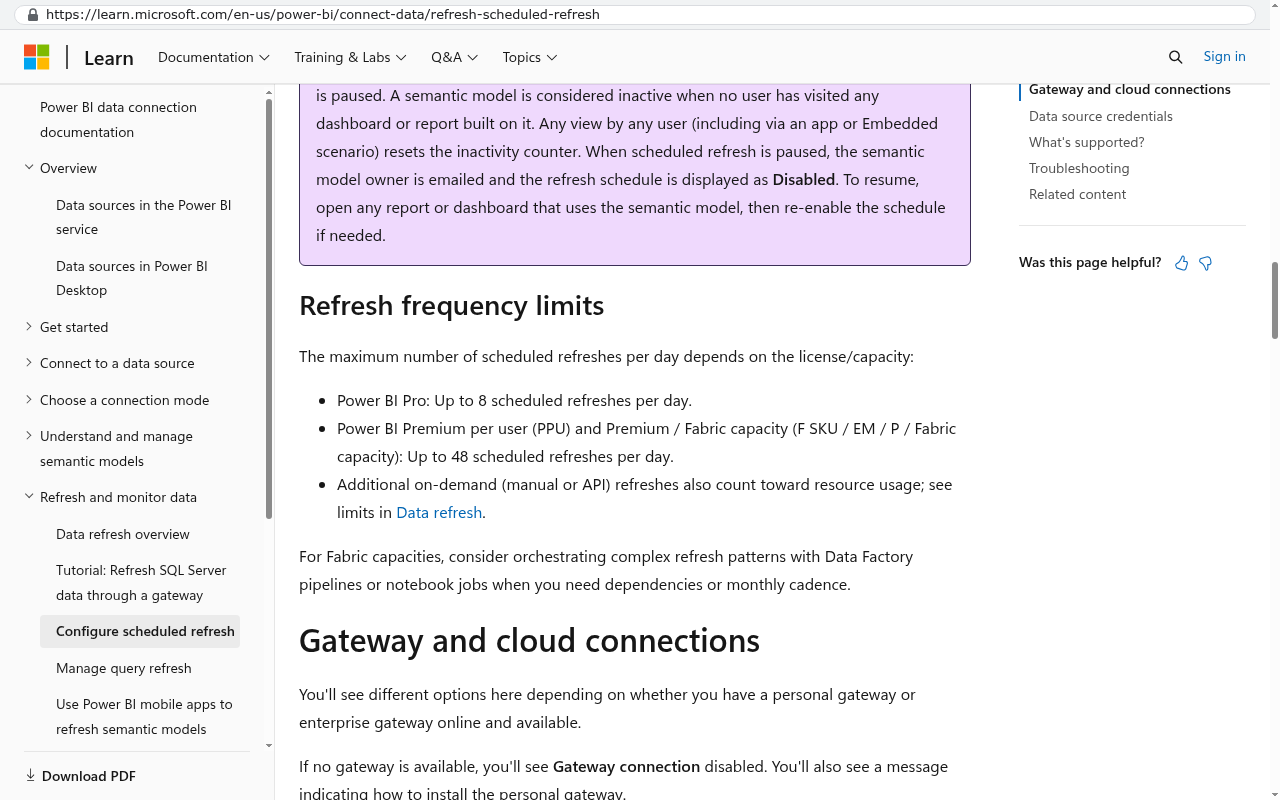
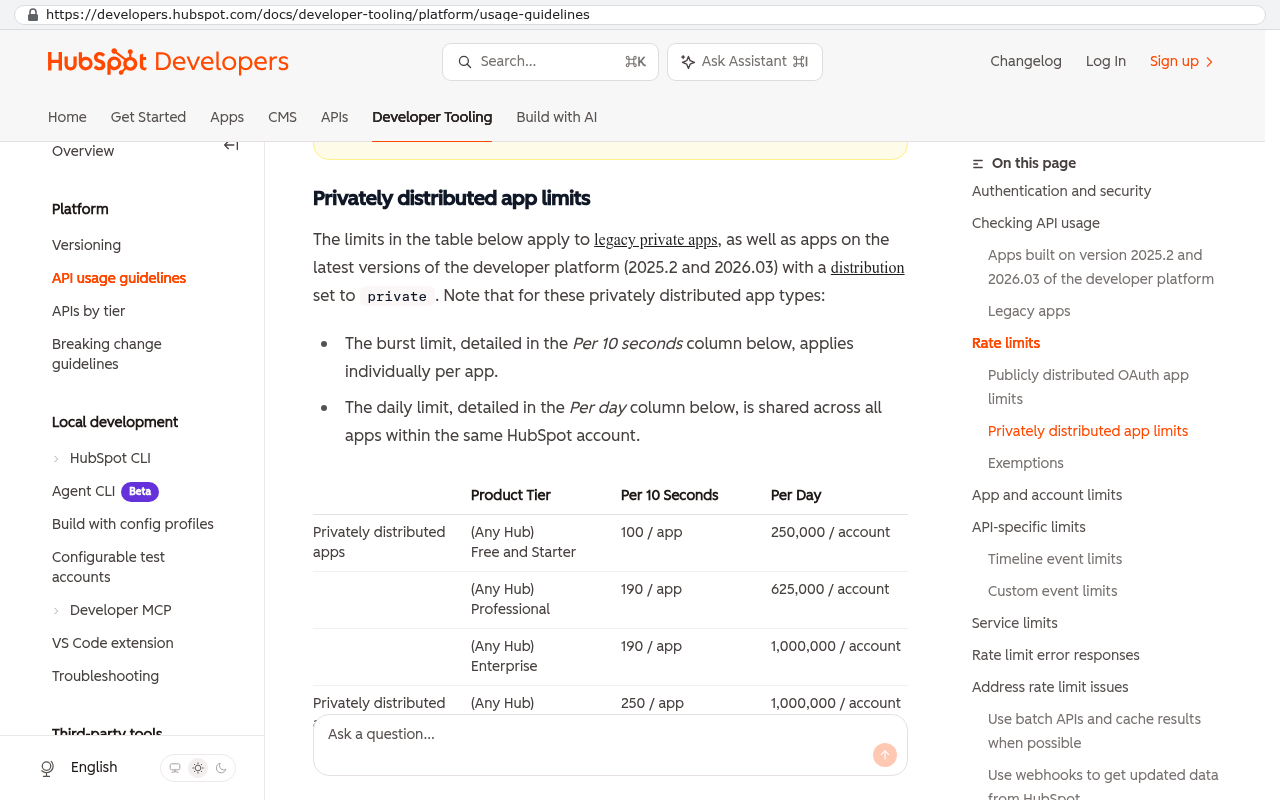
And some platforms make extraction harder than it should be. Rate limits on their data connections and missing fields are common. Check what you can actually pull before you plan anything.
Pick one question. Just one. Build the answer end to end and put it in front of leadership. A single trusted number beats a twelve-page dashboard nobody opens.
The test
Here's how to tell which problem you have. Pick your most painful question. Go find every piece of data it needs.
If the data exists, it's accurate, and it's just sitting in different places, you have a reporting problem. Build a layer on top.
If the data doesn't exist, or it's entered inconsistently, or the real version lives in someone's inbox, you have a system of record problem. No reporting tool will save you. You need to fix where and how the work gets captured.
Most companies are somewhere in between, and that's fine. Fix capture for the two or three fields that matter most, then build the reporting on top of the corrected flow.
If you're staring at a monthly workbook and wondering whether there's a better way, there is. Book a free strategy session and we'll walk through your specific question and tell you honestly which path fits.
Read this next
If you're weighing whether to build on top of your tools or replace them, start with how to audit the stack you already pay for and find out what each tool is genuinely earning.
Related articles
- How to audit your software stack before you renew anything
- Build versus buy, with the arithmetic actually shown
- Why integrations break and what to do about it
Frequently asked questions
Why can't my CRM report on profitability across my whole business?
Your CRM only holds data it stores. Profitability questions span multiple systems: revenue in accounting, labor costs in your project tool, subcontractor expenses in bills, and change orders that might live in email. No vendor has built reports for data they don't own, so these cross-system questions fall to whoever is best at Excel.
What are the three reporting questions that break most business stacks?
True job profitability requires pulling revenue, labor hours, subcontractor costs, and change orders from four places. Capacity versus pipeline needs forecast data from your CRM mapped against available hours in your schedule. Cost to serve a customer needs support tickets, account management time, and billing disputes joined to revenue. All three questions cross system boundaries.
How much does a monthly spreadsheet export actually cost my company?
If someone spends twenty hours monthly rebuilding reports from three tools, that's 240 hours yearly at a fully loaded senior operations salary. You're paying real money for a report that's outdated the day it arrives and impossible to audit. The worse cost is trust. Hand-built reports break quietly, and leaders stop believing the numbers when errors slip through.
Should we build a warehouse or replace our systems with one unified tool?
Choose a reporting warehouse if your source systems hold accurate data and people are happy using them. It's cheaper and faster because you keep existing tools and build a layer that pulls, cleans, and joins the data. Choose a unified system when underlying data is bad, your process doesn't fit your products, or manual rekeying between tools is expensive. Never build a warehouse over broken source data.
What's the first step before building any reporting solution?
Define each metric once, in writing before you build anything. Most reporting arguments are definition arguments, not number arguments. Everyone needs to agree on what profitability, capacity, or cost means before you spend time on pipelines and mapping rules. This prevents wasted work and aligns the organization around shared definitions.
How do I know if a reporting question is a cross-system problem?
Ask who would get blamed if the number was wrong. If three people point at each other, no system owns it. That's your signal the question crosses boundaries and needs a warehouse or unified system to answer it properly. If one owner exists within a single platform, that system can report it accurately.
Do reports really need to be updated in real time?
Almost nothing needs to be real time. Nightly updates are fine for the vast majority of business decisions. This is important because it changes what solution makes sense. Most reporting questions work well with overnight data refreshes, which simplifies your architecture and reduces cost compared to real-time systems.
Share this article
Keep reading
Build versus buy software in 2026
Buy the commodity, build the edge. A practical walkthrough of the build versus buy decision in 2026, with real vendor pricing facts, five year arithmetic, and the cases where renewing is the right call.
If this is your situation
Talk it through on a call
Thirty minutes over video with the person who would run the build. You talk, we ask questions, and you leave with a plain read on whether custom software makes sense for you. If the answer is that your current tool is fine and badly configured, you will hear that.
Who wrote this

David Verneuille
Founder, Black Badger Software Solutions
David Verneuille founded Black Badger after 18 years as a project manager and years implementing Smartsheet, monday.com, Wrike and Zoho for clients. He now builds custom systems that clients own outright, which is why the writing here is specific about where each platform fits and where it stops fitting.
Drafted with AI assistance, then checked, edited, and approved by a person before publishing. The facts, opinions, and recommendations are ours.