
You can get almost everything out of NetSuite yourself, without a consultant, using tools Oracle already gives you. Saved searches and list exports handle the records. SuiteAnalytics Connect and the REST API handle the volume. The File Cabinet takes a script. What never exports is the part you built inside the platform.
How to export NetSuite data, saved searches and files
/ 23 min read
TL;DR
NetSuite data can be exported in four layers using built-in tools without consultants: saved searches for records, reports for proof, SuiteAnalytics Connect for volume, and REST APIs for complex data, though custom code and workflows cannot be extracted and must be rebuilt.
Key takeaways
- Every record type in NetSuite exports through saved searches, and you must add Internal ID as a column to every search because it is the only reliable join key for reconnecting related records across separate CSV files.
- Export in CSV format rather than Excel for data migration because Excel exports silently corrupt data by removing leading zeros, converting long numbers to scientific notation, and reinterpreting dates based on regional settings.
- The File Cabinet requires a File saved search combined with a script or REST API to export because there is no bulk download button, and attachments become worthless without a mapping table identifying which customer or invoice each file belongs to.
- Custom records, workflows, SuiteScripts, saved search definitions, costing layers and audit trail logic do not export as usable software and must be rebuilt entirely in your replacement system.
- Export transaction data before giving notice to your NetSuite account because exports become impossible once the account transitions to read only status after subscription ends.
- Use SuiteAnalytics Connect for mirroring entire account data through database connections or SuiteTalk REST web services for programmatic access when data volume or complexity exceeds browser export capabilities.
- Transaction searches require filtering on Main Line to prevent double counting and should separate header and line exports as distinct operations to maintain accurate record counts.
TL. DR
Export NetSuite data in four layers. Build a saved search for every record type and export it as CSV from Lists > Search > Saved Searches. Export a trial balance per period from Reports > Financial > Trial Balance so you can prove the numbers later. Pull the File Cabinet with a File saved search plus a script, because there is no one click download. Then use SuiteAnalytics Connect or SuiteTalk REST web services for anything too big or too nested for the browser. Your custom records, workflows, SuiteScripts, saved search definitions, costing layers and audit trail do not come out as usable software. Plan to rebuild that logic, not to move it.
Key takeaways
- Every record type in NetSuite can be exported through a saved search, and the export icons sit at the top right of the results page.
- Always add the Internal ID column to every search. It is the join key your new system needs.
- Transaction searches double count unless you filter on Main Line. Export headers and lines separately.
- The File Cabinet has no bulk download button. You need a File saved search and a script or the REST API.
- Attachments are worthless without a mapping table that says which invoice or customer each file belongs to.
- Custom record definitions, workflows, scripts and system notes do not transfer. You rebuild that logic in whatever comes next.
- Do the full export before you give notice, not after the account goes read only.
What can you export from NetSuite?
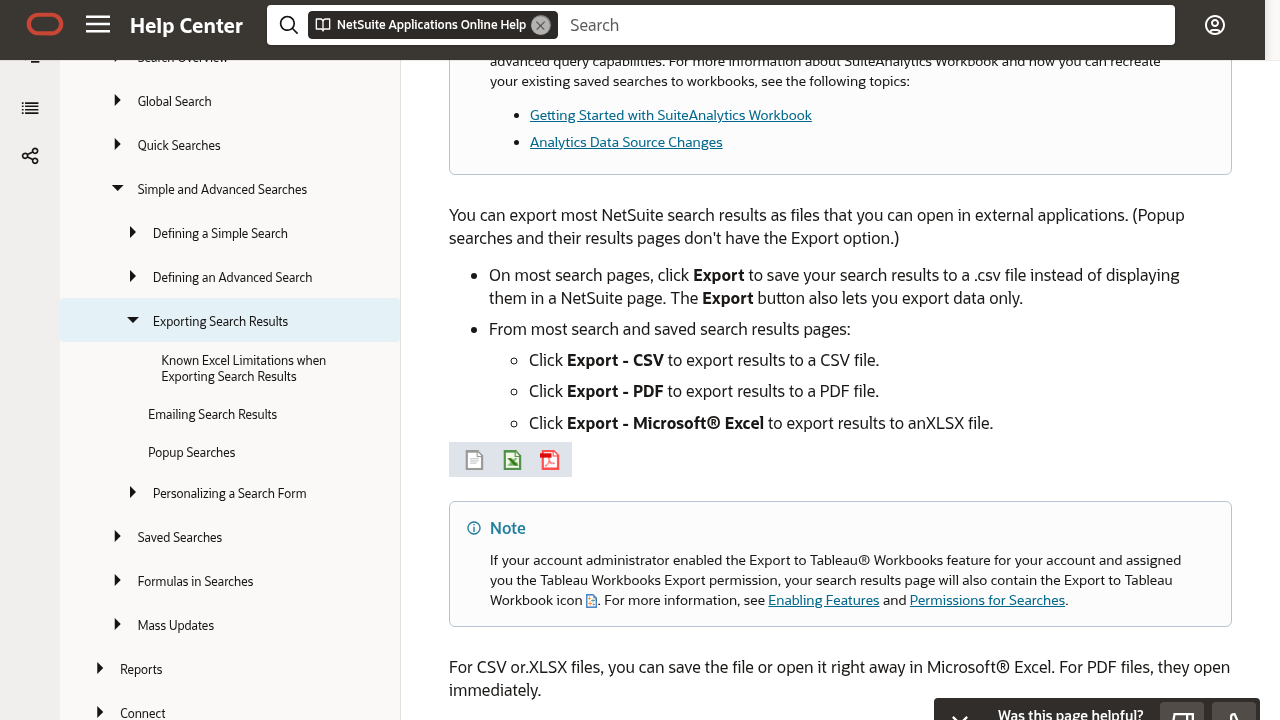
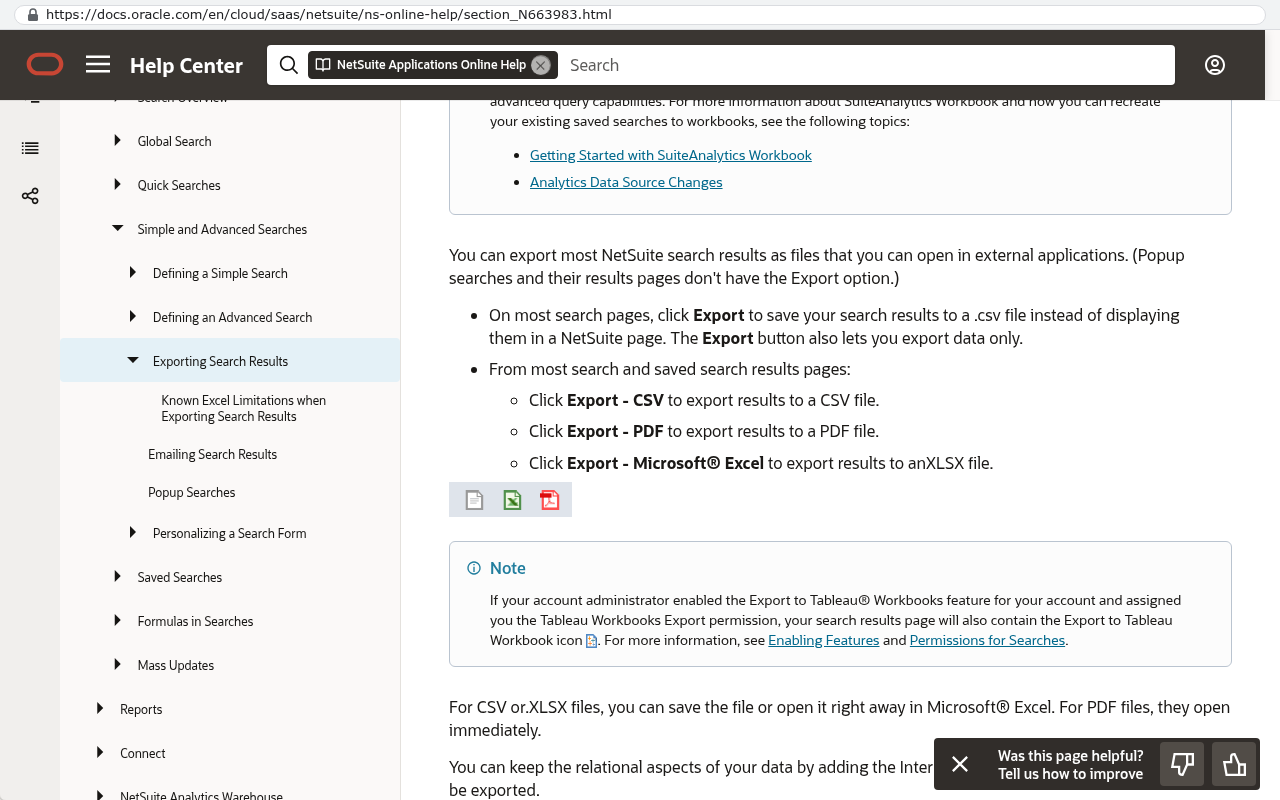
Anything that is stored as a record, plus every file in the File Cabinet. That covers customers, vendors, contacts, employees, items, all transaction types, custom records, and the general ledger behind them. Oracle's NetSuite Help Center topic on exporting search results describes the export icons that appear on a search results page, which produce CSV, Microsoft Excel and PDF output.
Think of it as four layers, each one harder and more complete than the last.
The first layer is the browser. List pages and saved searches have export buttons. This is fine for a few thousand rows and useless for a few million.
The second layer is the report engine. Reports > Financial gives you the trial balance, general ledger and aged receivables, and each report has an export control at the top of the page. Reports export the presentation, so they are good for proof and bad for migration.
The third layer is SuiteAnalytics Connect, which Oracle's NetSuite documentation describes as read only access to your account data through ODBC, JDBC and ADO.NET drivers. That is a database connection, so you can mirror the whole account into a database you control.
The fourth layer is SuiteTalk web services, both REST and SOAP, for programmatic access to records and files.
There is a fifth thing that is not data at all. Your customisations. Custom record types live under Customization > Lists, Records, & Fields > Record Types. Workflows live under Customization > Workflow > Workflows. Scripts live under Customization > Scripting > Scripts. You can read them, you can export their definitions as XML through the SuiteCloud Development Framework, and none of that runs anywhere except inside NetSuite.
Black Badger does not configure, administer or resell NetSuite, and never has. We build the systems that replace it, so this page is written from the side of the person pulling the data out. Your NetSuite administrator or controller does these clicks.
How do you export a saved search to CSV or Excel?
Go to Lists > Search > Saved Searches > New, pick the record type, set your criteria, choose your columns on the Results tab, then click Save & Run. The export icons sit at the top right of the results. Click the CSV icon and the file downloads.
That is the easy part. The part that decides whether the export is usable is what you put in the Results tab.
Add Internal ID as a column on every single search, for the main record and for every joined record. NetSuite's internal IDs are the only reliable way to reconnect a customer to its invoices and its addresses once everything is sitting in separate CSV files. Names change, numbers get reused, internal IDs do not. You can also turn on Home > Set Preferences > General and check Show Internal IDs so they appear in the interface while you work.
Export CSV rather than Excel for anything you plan to load into another system. Excel exports look friendlier and quietly damage your data. Leading zeros disappear from account codes. Long document numbers turn into scientific notation. Dates get reinterpreted by whatever regional setting the machine has.
Never open a CSV export by double clicking it in Excel, then save it again. Excel will strip leading zeros from item codes and GL account numbers, and it will not tell you. Import the file as text, or hand it straight to whoever is loading the data.
Large searches time out in the browser. There is no clean warning, the page just hangs or returns an error after a long wait. The fix is to split by date. Add a criteria filter on the date field, export one quarter or one month at a time, and keep the file naming consistent so the chunks reassemble in order.
One more thing worth knowing. The list at Lists > Search > Saved Searches can itself be exported, which gives you an inventory of every search name, owner and record type in the account. It does not give you the criteria or the formulas inside those searches. To capture the logic you open each one and write it down, or you pull the definitions through the SuiteCloud Development Framework as XML.
How do you export transactions and the general ledger?
Use a transaction saved search for the data and a financial report for the proof. Those are two different jobs and people constantly try to do both with one file.
For the data, create a saved search with record type Transaction. The single most common mistake here is forgetting the Main Line filter. A NetSuite transaction has a header and a set of lines. Set Main Line to true and you get one row per transaction, with the header totals. Set Main Line to false and you get the individual lines, including the GL impact. If you leave the filter off entirely, you get both mixed together and every amount appears twice in your totals.
So run it twice. One export for headers, one for lines, both carrying the transaction internal ID so they stitch back together. Add Applying Transaction and Applied To Transaction fields if you need to preserve how payments were matched to invoices, because that linkage is not obvious from the amounts.
For the general ledger itself, Reports > Financial > General Ledger gives you the posting detail for a period, and the export control at the top of the report produces CSV or Excel. Reports > Financial > Trial Balance gives you the period end balance by account.
Export a trial balance for every closed period, as of the last day of that period, and store those files separately from everything else. They are your reconciliation key. When the new system loads your history, you compare its trial balance to these files account by account. Without them you have no way to prove the migration was correct, and your auditor will ask.
If you run OneWorld with multiple subsidiaries, export per subsidiary and in both transaction currency and base currency. Consolidated exchange rates are maintained under Lists > Accounting > Consolidated Exchange Rates, and you want a copy of that table too. Rebuilding consolidation later without the historical rates is painful.
Also grab the chart of accounts from Lists > Accounting > Accounts with internal IDs, the accounting periods list from Setup > Accounting > Manage Accounting Periods, and your classification lists for department, class and location. Those are small files and everything else depends on them.
How do you export customers, vendors, items and other records?
Open the list page, for example Lists > Relationships > Customers, and use the export icons at the top of the list. That works, but it only exports the columns the current list view shows. A saved search per record type is better because you control every field.
Work through the record types in a sensible order. Entities first, because transactions point at them. Then items. Then transactions. Then the child data that hangs off all three.
- Customers, contacts, vendors, partners and employees from Lists > Relationships.
- Items from Lists > Accounting > Items, including inactive ones, because old transactions reference them.
- Subsidiaries, locations, departments and classes from Setup and Lists > Accounting.
- CRM records such as opportunities, estimates, cases and tasks.
- Every custom record type listed under Customization > Lists, Records, & Fields > Record Types.
Sublists are where most exports go wrong. A customer record is not one row. It is one row plus however many addresses, contact roles, price levels and subscription lines hang off it. Those sublists usually need their own saved search, each one carrying the parent internal ID.
Say a customer has three shipping addresses. The customer export gives you one row. The address export gives you three rows, each tagged with that customer's internal ID. In the new system they join back together. Skip the second export and you quietly lose every address except the default, and nobody notices until someone ships to the wrong warehouse.
Item pricing is the same shape. Quantity pricing matrices, customer specific price levels and currency specific prices all live as sublists. Bills of materials, inventory detail by lot or serial number, and vendor item records each need their own pass.
Checking inactive records matters too. By default many searches exclude inactive customers and items. Add an explicit criteria filter that includes them, otherwise your historical transactions will point at entities you never exported.
Moving CRM data out of a different platform at the same time? The same rules about internal IDs and child records apply, and we wrote them up separately in How to export data from Zoho CRM.
How do you get the File Cabinet out?
There is no button that downloads the whole File Cabinet. Documents > Files > File Cabinet lets you browse folders and download files one at a time, which is fine for twenty files and impossible for two hundred thousand.
The working method has two parts.
First, build a saved search with record type File. Include the file name, folder, file type, size, created date, the internal ID and the URL field. Export that as CSV. You now have a complete inventory of what exists and where it lives, which is useful on its own even if you never move a single file.
Second, fetch the files. A scheduled SuiteScript using the N/file module can read files and bundle them in batches. SuiteTalk REST web services can pull file content by internal ID. Either way somebody writes a small amount of code that walks the inventory list and downloads each item with authentication attached. The URLs in the File Cabinet are not public, so a plain download tool without credentials gets you nothing but error pages.
NetSuite has been retiring older access methods such as WebDAV, so check Oracle's current release notes before you build anything that depends on them.
The mapping matters more than the files. A folder with 180,000 PDFs named invoice.pdf, invoice_1.pdf and invoice_2.pdf is not an archive, it is a liability. Export the join between each file and the record it is attached to, as a CSV with the file internal ID and the transaction or entity internal ID, at the same time you export the files themselves.
Two practical details catch people. Duplicate file names are allowed in different folders, so flatten everything into one directory and you will overwrite real documents. And deeply nested NetSuite folder paths can exceed the path length limit on Windows machines, which silently breaks the copy. Extract to a cloud storage bucket or a Linux filesystem and rename files to include their internal ID.
Finally, remember that files attached to records are only part of it. Email messages with attachments, printed transaction PDFs that were never saved, and files attached to employee or case records all live in different corners. Your File saved search should cover the whole cabinet, not just the folders you recognise.
What does a NetSuite export leave behind?
Your logic. Every CSV in the world will not give you a working copy of what your team built inside the platform over the last decade.
Here is the honest list of what does not come out as something another system can run.
- Custom record definitions. You can export the rows, and the field setup, validation and relationships are a rebuild.
- Workflows from Customization > Workflow > Workflows. The approval routing, the state transitions, the conditions. All of it is NetSuite specific.
- SuiteScripts. The source files sit in the File Cabinet so you can read them, and they only execute inside NetSuite's runtime.
- Saved search and report definitions. You get the output, not the criteria, joins and formulas.
- Forms, field layouts, roles, permissions and dashboard setups.
- Inventory costing layers. Average cost calculations, LIFO and FIFO layers, landed cost allocation. You can export quantity on hand and current value. The historical cost math that produced it stays behind.
- Revenue recognition and amortisation schedules as live objects, along with the period close state that goes with them.
- System notes, which are NetSuite's audit trail of who changed what and when.
That last one deserves more than a bullet. System notes are searchable. You can create a saved search on the System Note record type and export changes for a date range. It is slow, it produces enormous files, and it does not cover every field on every record type. If you have a regulatory reason to keep a change history, extract it in chunks by month and accept that it will be partial. Setup > Users/Roles > View Login Audit Trail covers logins separately, also for a limited retention window.
Deleted records are a similar story. NetSuite keeps a deleted records log you can search, and it will not resurrect the content of what was deleted.
None of this is a reason to stay. It is a reason to be clear eyed about scope. The rebuild of your approval workflow is a conversation about how approvals should work now, not a copy of a config screen. Most of the time that conversation produces something simpler than what was there, because the original was built around a limitation that no longer applies.
How do you get everything out with SuiteAnalytics or the REST API?
When the browser exports stop coping, you move to a connection instead of a download. There are two supported routes and they do different jobs.
SuiteAnalytics Connect
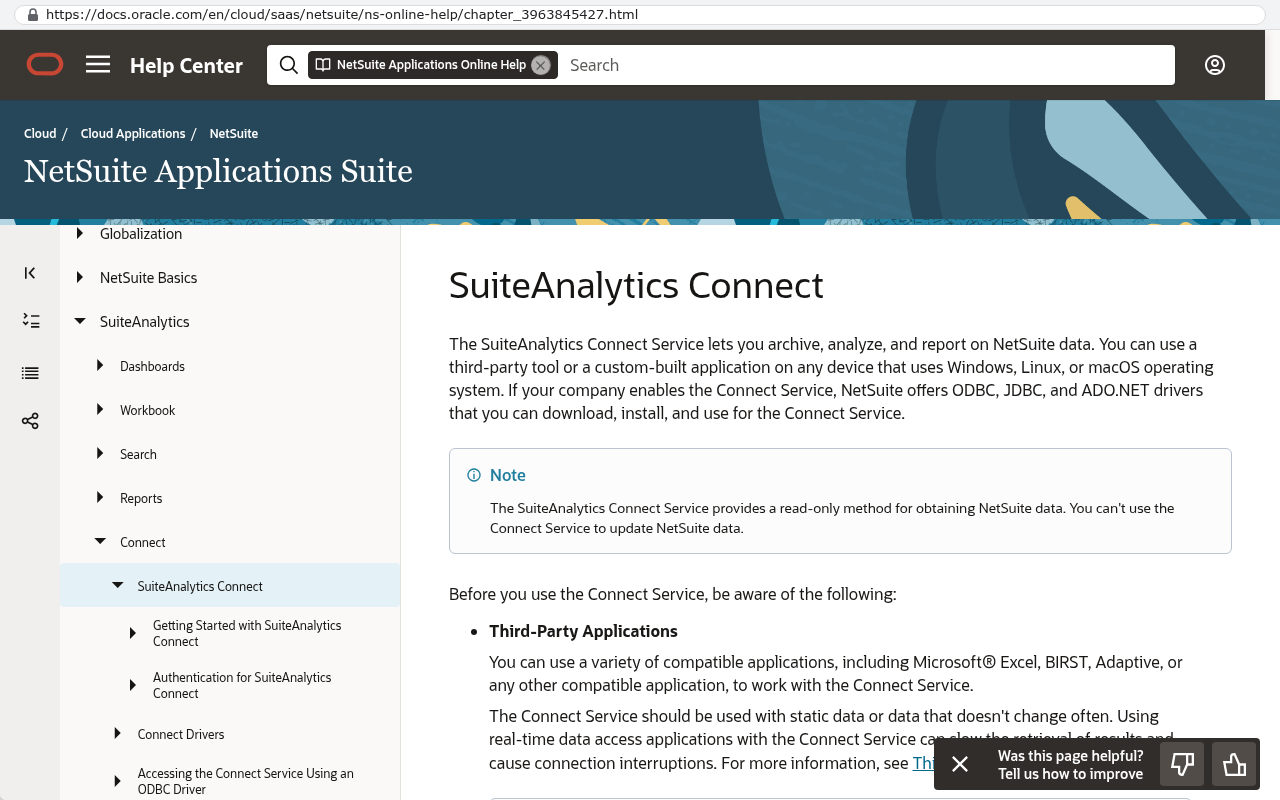
Oracle's NetSuite documentation describes SuiteAnalytics Connect as read only access to your NetSuite data through ODBC, JDBC and ADO.NET drivers, with a Connect Browser that lists the available tables and fields. In plain terms, it lets a database tool outside NetSuite read your account as if it were a database.
Enable it under Setup > Company > Enable Features on the Analytics tab, then grab the driver download and connection details from the Set Up Analytics Connect link in the Settings portlet on your home dashboard. Check your contract first, because Connect is sold as a service and not every NetSuite account includes it.
With Connect in place, one engineer can mirror your whole account into a Postgres database in a repeatable way. Repeatable is the key word. You run it, you check it, you fix the gaps, you run it again the night before cutover. Manual CSV exports cannot do that.
SuiteTalk REST web services
Turn on REST Web Services under Setup > Company > Enable Features on the SuiteCloud tab. Create an integration record at Setup > Integration > Manage Integrations > New, then issue credentials through Setup > Users/Roles > Access Tokens. Oracle supports token based authentication and OAuth 2.0 for these calls.
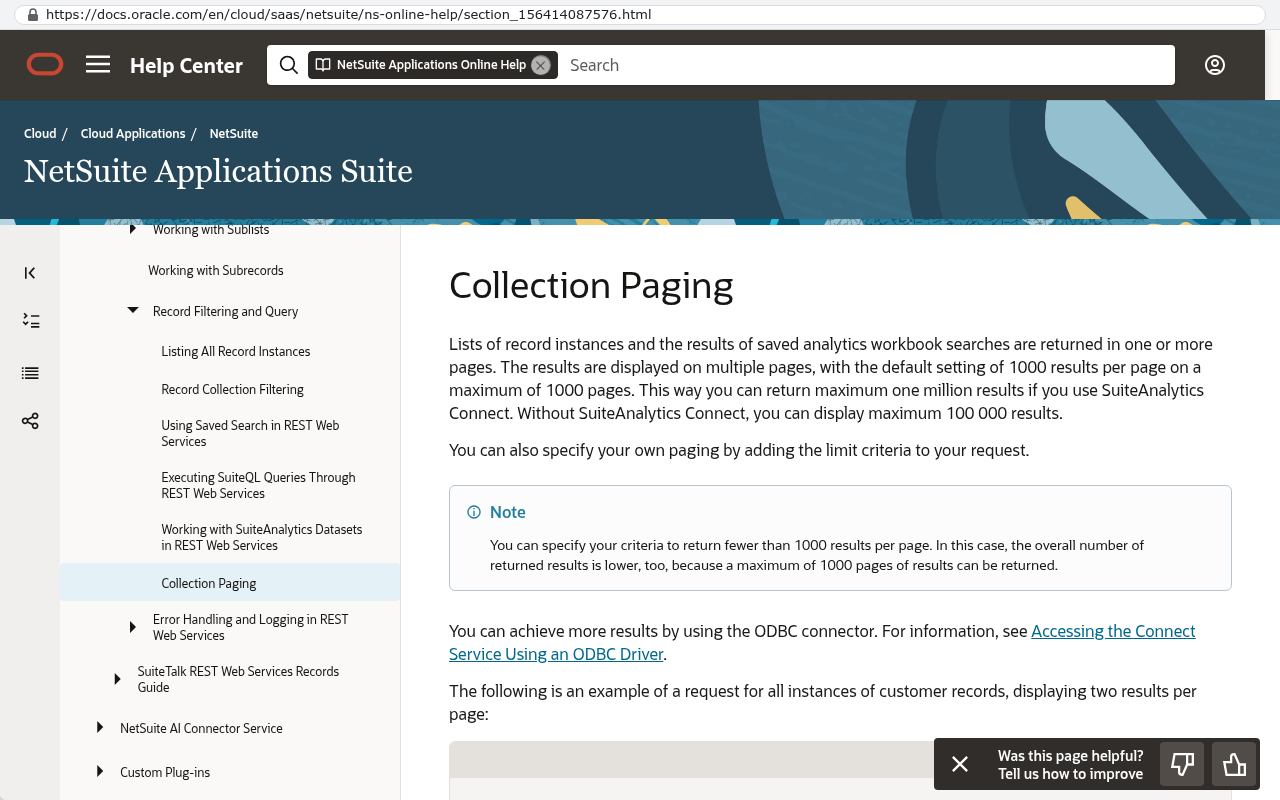
The REST service includes a SuiteQL endpoint that runs SQL style queries against your records. Oracle's REST web services documentation sets the maximum page size for a query at 1,000 records per request, so any serious extract pages through results in a loop. That is normal and it is why this is a script rather than a manual task.
REST is also the cleanest way to pull file content by internal ID, which makes it the usual partner to the File Cabinet inventory search described earlier.
SuiteCloud Development Framework
For customisations, the SuiteCloud CLI can import objects from your account as XML. That gives you a readable, version controlled copy of custom record types, workflows, scripts and saved search definitions. It is documentation, not portable software. Read it as the specification for the rebuild.
What happens to your data when the NetSuite subscription ends?
Access stops. Once the account is terminated or suspended, the login screen is as far as you get, and the saved searches you meant to run are gone with it. Any post termination retrieval window is whatever your specific contract says, so read that clause before you plan anything around it.
The rule is simple. Complete your extract while the subscription is comfortably live, verified and reconciled, before you give notice. Not during the notice period. Not after.
Build the archive on storage your company owns. A cloud bucket in your own account, with the CSV exports, the file dump, the mapping tables and the trial balance files all in one place. Then have somebody who was not involved try to answer a real question from it, like finding the signed PO and the shipping document for an invoice from four years ago. If they can, the archive works.
Want the wider version of this question? Read What happens to your data when you stop paying a SaaS vendor.
Keep a separate PDF archive for anything with a statutory retention requirement. Auditors and tax authorities want documents they can read, not a database you would have to query. Generating customer invoice PDFs from NetSuite in bulk before you leave is far easier than reconstructing them from raw rows afterwards.
One more point about renewals. Oracle's public NetSuite pricing page describes the product as an annual license made up of a core platform fee, optional modules and the number of users, plus a one time implementation fee. There is no published list price, which means your renewal number is negotiated and your power to negotiate depends entirely on whether leaving is actually possible. A completed, verified export changes that conversation. Even if you renew, you should have one.
How should you organise the export before a replacement system?
Sort everything into three buckets before you load a single row anywhere. Live data, reference history and archive. Mixing them is the reason migrations drag on for months.
Live data is what the business touches tomorrow. Open invoices and bills, open sales orders and purchase orders, current inventory on hand, active customers, vendors, items and employees, and open projects. This is a small fraction of your total record count and it has to be perfect.
Reference history is closed transactions people still look up. Two or three years of posted invoices, payments and journals usually covers the real need. Load that into the new system as read only history, or into a reporting database beside it.
Archive is everything older. It belongs in a warehouse or a storage bucket with a search interface over it. Nobody needs a 2014 sales order inside the live application, and carrying it there costs you performance, testing time and risk.
Now build the reconciliation plan. Record counts per object, compared both sides. Trial balance per period, compared account by account. AR and AP aging as of cutover date, compared to the penny. Then a manual spot check of twenty records picked by the people who use them daily, not by the migration team.
Clean while you are in there. A migration is the only moment anyone will ever authorise deduplicating the customer list. Do it in the export files, with a documented rule, so you can explain any difference in counts later.
Going deeper on sequencing, cutover and parallel running? Read How do you migrate ten years of data out of a SaaS platform.
One governance detail that saves arguments later. Every account the replacement system runs on, meaning code hosting, database, application hosting and email, should be created in your company's name from day one. Whoever builds it gets invited in, and can be removed at any time. If the extract you just finished taught you anything, it is that ownership of the account is ownership of the data.
What does it cost to replace NetSuite instead of renewing?
It depends on what you actually use, and the honest answer comes from scoping rather than a price list. A scoping conversation produces a fixed scope and a fixed quote, and every feature request after that gets one of four honest answers, which are yes it is in scope, yes and here is what it changes, no and here is why, or not yet and here is when.
What is predictable is the running cost afterwards. After launch the system costs roughly $100 to $200 a month to run for a smaller company, and $2,000 to $3,000 a month at enterprise scale, paid to the hosting providers directly, with no license and no per user fee.
Two real numbers from the record of 467 projects delivered. A Texas contractor facing a $1.3 million five year Smartsheet contract had the system rebuilt in 16 weeks for $375,000, and the license bill went to zero. A company paying $125,000 a year in licensing had it replaced in six weeks for $85,000, owned outright. Run that second one against your own renewal and the arithmetic takes about a minute.
When NetSuite is the right answer
Sometimes it is, and saying otherwise would be dishonest. If you file statutory accounts in a dozen countries, consolidate ten subsidiaries in multiple currencies every month, and your auditors already know your NetSuite setup, the finance core is doing genuine work that would be expensive to reproduce. Same if your revenue recognition is complex and audited under rules that change.
What we see more often is a company using maybe a quarter of the platform, paying for all of it, and bending its process to fit the parts it does not need. That is the case worth testing. There is more on the decision itself at our NetSuite page and on the replacement path at NetSuite to AI, and a fair treatment of the opposite conclusion in when staying on your current platform is the right call.
What comes after the export?
Validate it, then decide. An export sitting in a folder nobody has checked is not an asset, it is an assumption.
Here is the short order of operations once the files exist.
- Count rows per object and compare to the record counts shown in NetSuite's own list pages.
- Reconcile the trial balance exports period by period and resolve any gap before you move on.
- Open the file archive and find five specific documents by name, using only the mapping table.
- Write down the customisations you depend on, taken from the SDF XML or from a walk through each workflow and script.
- Store the whole thing in a bucket your company owns, with access limited to two people.
- Only then start talking to anyone about what replaces it.
If the answer turns out to be that NetSuite stays, you have lost nothing and gained a real backup and a stronger renewal position. If the answer is that a custom, client owned system does the job for what you are currently paying in license fees, you already hold the raw material to build it.
The next step is a conversation about whether a build makes sense for your situation, including the case where it does not. You can book a free strategy session and walk through what your export shows.
Read this next
How do you migrate ten years of data out of a SaaS platform picks up exactly where this page stops, with sequencing, parallel running and cutover.
Related articles
Frequently asked questions
Can I export NetSuite data without an administrator role?
Usually not all of it. Saved searches respect your role's permissions, so a sales role exports what a sales role can see. For a complete extract you need a role with broad view permissions plus access to the File Cabinet and to SuiteAnalytics Connect or web services. Ask your administrator to run it, or to grant a temporary export role with view only rights.
How long does a full NetSuite export take?
The clicking is days. The checking is weeks. Building the searches for every record type, running them in chunks, pulling the File Cabinet and reconciling the trial balances is not a single afternoon's work. Start it well before any contract deadline, because the reconciliation always finds something that needs a second pass.
Does NetSuite limit how much I can export at once?
In practice yes, through timeouts rather than a single published cap. Browser based search exports fail on very large result sets, which is why you filter by date and export in chunks. For programmatic access, Oracle's REST web services documentation caps a query page at 1,000 records per request, so scripts page through results.
Can I get my SuiteScript and workflow logic out?
You can get a readable copy. Script source files live in the File Cabinet, and the SuiteCloud Development Framework can import workflows, custom records and other objects as XML. None of it runs outside NetSuite. Treat it as the written specification for whatever you build next, which is genuinely useful because it tells you what the business actually agreed to.
What about my attachments and printed invoices?
Attachments come out of the File Cabinet with a File saved search and a script. Printed invoice PDFs often were never saved as files at all, because NetSuite renders them on demand from a form template. If you need the rendered documents for audit purposes, generate and save them in bulk before you lose access.
Should I move all my history into the new system?
No. Move open items and two or three years of posted detail, then park the rest in a searchable archive beside the application. Loading twelve years of transactions into a live system slows everything down, lengthens testing and buys almost nobody anything. The archive answers the rare old question perfectly well.
Does Black Badger run NetSuite exports for clients?
We do not configure or administer NetSuite, and we were a partner of several platforms before cancelling those partnerships. When a build replaces a platform, the extract and load are part of the engineering work on the new system, done against the files and connections your team provides. The clicking inside NetSuite stays with your administrator.
Questions
Frequently asked questions
What are the four layers of NetSuite data export?
The first layer is the browser, using list pages and saved searches for a few thousand rows. The second layer is the report engine for financial reports like trial balance and general ledger. The third layer is SuiteAnalytics Connect, which provides read-only database access through ODBC, JDBC and ADO.NET drivers. The fourth layer is SuiteTalk web services for programmatic access to records and files.
How do I export a saved search to CSV in NetSuite?
Go to Lists > Search > Saved Searches > New, pick your record type, set criteria, choose columns on the Results tab, then click Save & Run. The export icons sit at the top right of the results page. Click the CSV icon to download. Always add Internal ID as a column for every search to ensure reliable reconnection of related records.
Why should I export CSV instead of Excel from NetSuite?
Excel exports look friendlier but quietly damage your data. Leading zeros disappear from account codes, long document numbers turn into scientific notation, and dates get reinterpreted by regional settings. Export CSV for anything you plan to load into another system, and import it as text into Excel rather than opening and resaving it.
What can't you export from NetSuite?
Custom records, workflows, SuiteScripts, saved search definitions, costing layers and audit trail do not come out as usable software. You can read these items and export their XML definitions through the SuiteCloud Development Framework, but none of that logic runs anywhere except inside NetSuite. You must rebuild this logic in your replacement system.
Do I need to add Internal ID to every NetSuite search?
Yes. NetSuite's internal IDs are the only reliable way to reconnect a customer to its invoices and addresses once everything is in separate CSV files. Names change, numbers get reused, and internal IDs do not. Add Internal ID as a column for the main record and every joined record.
How do I handle large NetSuite searches that time out in the browser?
Split the export by date. Add a criteria filter on the date field and export one quarter or month at a time, keeping file naming consistent so the chunks reassemble in order. Large searches have no clean warning before timing out. The browser page just hangs or returns an error after a long wait.
When should I do a full NetSuite export before switching systems?
Do the full export before you give notice to NetSuite, not after the account goes read only. Once the subscription ends, your access becomes restricted and exporting becomes difficult or impossible. Complete all exports while you have full administrative access to the system.
Read this next
Can a custom system connect to QuickBooks Online?
Yes, and the connection is well-trodden ground. Here's what the QuickBooks Online API actually supports, where it hits real limits, and how to decide if a custom integration beats an off-the-shelf connector.
If this is your situation
Talk it through on a call
Thirty minutes over video with the person who would run the build. You talk, we ask questions, and you leave with a plain read on whether custom software makes sense for you. If the answer is that your current tool is fine and badly configured, you will hear that.
Who wrote this

David Verneuille
Founder, Black Badger Software Solutions
David Verneuille founded Black Badger after 18 years as a project manager and years implementing Smartsheet, monday.com, Wrike and Zoho for clients. He now builds custom systems that clients own outright, which is why the writing here is specific about where each platform fits and where it stops fitting.
Drafted with AI assistance, then checked, edited, and approved by a person before publishing. The facts, opinions, and recommendations are ours.