
TL. DR: Your ERP, CRM, and project tools do not talk because each vendor owns its own data structure and only exposes the parts it chooses to. Connecting them is possible, but the real cost is not the connector fee. It is the per-task pricing that grows with your order volume, the reconciliation work your staff does by hand, and the breakage every time a vendor ships an update. Count your connection points first. If you are paying to glue four or more systems together and your volume keeps climbing, one owned system usually costs less over three years.
Why your ERP, CRM, and project tools do not talk to each other and what integration really costs
/ 13 min read
TL;DR
Your ERP, CRM, and project tools fail to communicate because vendors intentionally control their data structures and limit API access, making integration expensive through hidden per-task pricing, manual reconciliation work, and constant maintenance failures when systems update.
Key takeaways
- Vendors deliberately restrict data access through APIs and expose only a fraction of what their systems actually store, limiting what integrations can accomplish.
- Integration platform pricing scales with business volume through per-task or per-operation fees, meaning your costs grow automatically as your order volume and transaction count increase.
- Silent integration failures like duplicate customer records, stopped syncs, and field name changes create hidden expenses that staff members resolve manually without appearing in budgets.
- Counting your total connection points across all systems, including manual data entry and spreadsheets, helps you determine whether a connector subscription or consolidating into one owned system will cost less over three years.
- Native connectors work well for obvious use cases but become inadequate when your business needs conditional logic, multiple sync directions, or custom field mapping beyond their fixed capabilities.
- Custom middleware code that you own avoids per-record fees and can encode complex business rules, but requires higher upfront investment compared to connector subscriptions.
- A unified owned system makes financial sense above a certain volume and system count, whereas below that threshold a connector remains the cheaper and simpler solution.
Key takeaways
- Platforms hide most of their data on purpose. The part you can reach through an integration is a fraction of what the software actually stores.
- Integration platform pricing is usually per task or per operation. That means your bill grows every time your business grows.
- The expensive failures are quiet ones. Duplicate customers, a sync that stopped three weeks ago, a field that changed name in a vendor update.
- Count your connections before you shop. Every sync direction, every spreadsheet, every person who rekeys data is a connection point.
- Consolidating into one owned system makes sense above a certain volume and system count. Below it, a connector is the cheaper answer and we will say so.
Nobody sets out to build a disconnected stack. It happens one good decision at a time. Sales picked a CRM they liked. Finance had an ERP before sales existed. Operations found a project tool that finally worked for the field crews. Each choice was right on its own. Together they created a business where the same customer exists four times with four spellings, and someone in accounting spends her Friday afternoons making the numbers agree.
The real reason these systems refuse to cooperate
Every platform owns its own data model. A data model is simply the vendor's decision about what a customer is, what a job is, and which fields those records have. Your CRM thinks a customer is a company with contacts attached. Your ERP thinks a customer is a billing entity with a credit limit and a tax code. Your project tool thinks a customer is a label on a folder.
None of those definitions are wrong. They are just different. So when you sync a customer from one to the other, something has to decide which fields map where and what to do with the fields that have no home. That decision is the integration. It is not a pipe. It is a set of judgment calls encoded in software.
Then there is the second problem. Vendors only expose part of their data through an API, which is the doorway other software uses to read and write records. The doorway is narrower than the building. Custom fields often come through, but calculated fields usually do not. Attachments are frequently off limits or rate limited. Historical audit trails are almost never available. We have seen platforms where you can create an invoice through the API but not void one, which means your integration can make a mess it cannot clean up.
The narrow doorway is a business choice, not an accident. A vendor that makes its data trivially easy to move out has made itself trivially easy to leave.
Four ways to connect things, and what each one actually costs you
There are really only four approaches, and most companies end up with a mix of all four without meaning to.
Native connectors are the ones the vendor builds and lists on its marketplace. They are cheap or free and they work well for the obvious cases. QuickBooks to a popular CRM, for example, will sync customers and invoices fine. The trouble starts when your process is not the obvious case. Native connectors are shallow by design. They do one direction, on one schedule, with fixed field mapping. When you ask for a second condition (only sync jobs over a certain value, only after the deposit clears) you have already outgrown it.
Integration platforms are the middle tier. Zapier, Make, Workato, Celigo, Boomi and friends. They give you a visual builder and hundreds of prebuilt connections. For low volume workflows they are genuinely excellent, and we recommend them regularly. The catch is pricing, which we will get to in a moment, and the other catch is logic. Once a workflow has more than a handful of branches, a visual builder becomes harder to read than code, not easier. Nobody on your team can debug it except the person who made it.
Custom middleware is code you own that sits between your systems. It handles the mapping, the retries, the queueing when a vendor is down, and the logging so you can prove what happened. It costs more up front than a connector subscription. It does not charge you per record. And it can encode rules no visual builder will express, like matching a purchase order to three partial shipments across two warehouses.
A unified system is the fourth option, and it is the one people forget is on the table. Instead of connecting five systems, you replace the overlapping middle of them with one system your business owns. You still keep the pieces that work well. Payroll, for instance, is almost never worth building. But the job tracking, the quoting, the scheduling and the customer record can live in one place, which removes the need to sync them at all.
The cheapest integration is the one you delete. Before you price a connector, ask whether both systems need the data at all. A surprising number of syncs exist only because a report lives in the wrong place.
Where per task pricing quietly eats you alive
Integration platforms almost all bill per task or per operation. A task is roughly one action on one record. Create a customer, that is a task. Update an invoice line, that is a task. Look up a record to check if it exists before deciding what to do, and on most platforms that lookup is a task too.
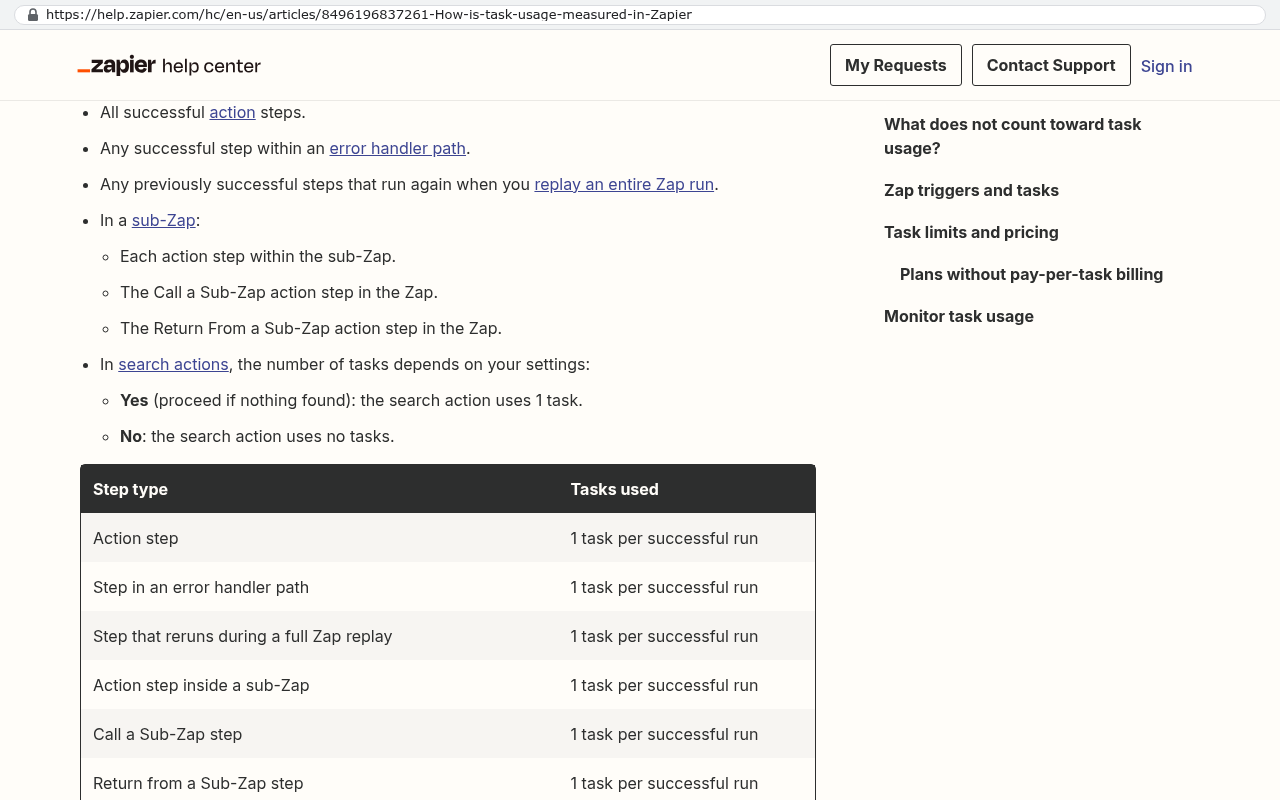
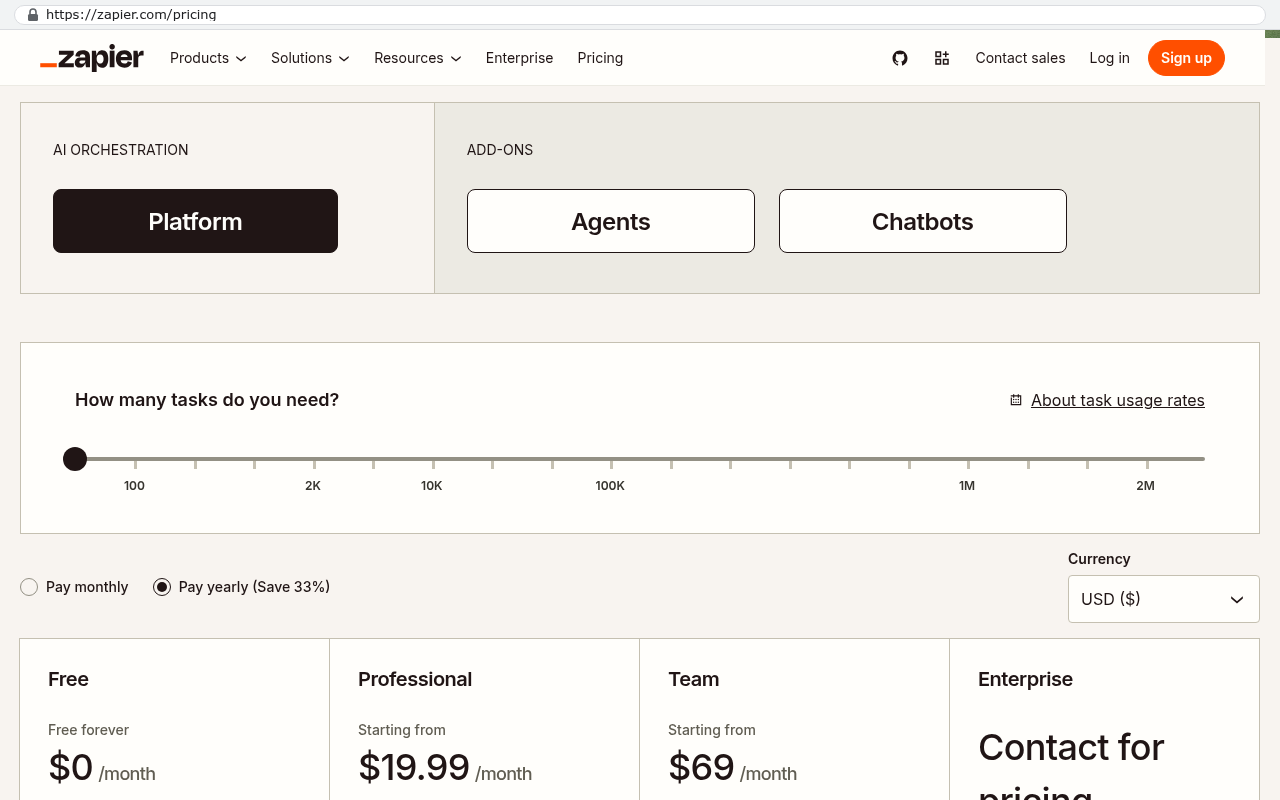
Here is why that matters. Suppose you process 1,200 orders a month. Each order touches six operations across your stack. That is a lookup in the CRM, a create in the ERP, an update back to the CRM, a project record, a task list, and a notification. Six times 1,200 is 7,200 tasks a month, or 86,400 a year, for one workflow.
Now add the other workflows. Quote to job. Job to invoice. Invoice to payment. Timesheet to payroll export. Inventory adjustments. Each one multiplies by volume. A company doing 1,200 orders a month is rarely running one workflow. It is running eight.
Then your business has a good year and order volume doubles. Your integration bill doubles. Not your software licenses, which are per seat, but the glue. You are now paying more every month for the privilege of moving your own data between systems you already pay for.
Custom middleware flips that curve. The build is a one time cost plus hosting, which for most mid sized operations runs on a small server bill that does not care whether it processed 7,000 records or 70,000. That is the arithmetic that decides this question. Not which tool is nicer. Which cost curve matches your growth.
The failures nobody puts in the budget
Schema changes are first. A schema is just the list of fields and their names. When a vendor ships an update, it sometimes renames a field, changes a data type, or deprecates an endpoint. Your integration was built against the old shape. It breaks, or worse, it keeps running and writes blanks.
Silent sync failures are the ones that hurt most. A well built integration alerts a human when something fails. Most integrations are not well built. They fail quietly, and somebody notices three weeks later when a customer asks why their invoice never arrived. Then you get to reconcile three weeks of divergence by hand.
Duplicate record creation is next, and it comes from the matching problem. Your integration has to decide whether "Acme Industries LLC" and "Acme Industries, L.L.C." are the same customer. Without a shared unique identifier, it guesses. It guesses wrong often enough that dedupe becomes a standing chore.
Then there is reconciliation labor, which is the largest cost and the one that never appears on an invoice. Somebody checks the numbers. Somebody rekeys the record the sync missed. Somebody maintains the spreadsheet that exists because neither system produces the view a manager needs. Add up those hours honestly. Half a person a week is common. That is a real salary line item, paid to make software agree with itself.
If nobody on your team can tell you the last time a sync failed, that is not evidence it is working. It is evidence you have no monitoring. Ask to see the error log. If there isn't one, you have found your first real problem.
How to inventory your integration surface in an afternoon
You cannot price a fix until you know what you are fixing. Get your operations lead, your controller, and whoever is closest to the field in one room. Then map every place data moves.
- List every system that holds a customer, a job, an invoice, or a person's time. Include the spreadsheets. Especially include the spreadsheets.
- For each pair of systems, note which direction data flows and how. Native connector, integration platform, custom script, or a human typing.
- Write down the monthly volume for each flow. Orders, jobs, invoices, whatever the unit is.
- Note who fixes it when it breaks, and how they find out.
- Add up the subscription cost of the connective tissue alone. The integration platform seats and task tiers, not the underlying software.
- Estimate the weekly hours your team spends rekeying, checking, or reconciling. Ask the people doing it, not their managers.
The output is usually uncomfortable. Companies that think they have three integrations typically find eleven connection points, four of which are a person and a spreadsheet.
When one owned system is genuinely cheaper
Consolidation wins when three conditions line up. High transaction volume, because that is what makes per task pricing painful. Four or more systems with overlapping records, because the number of possible connections grows faster than the number of systems. And frequent process change, because every change to how you work means rebuilding every connector that touches it.
Run the three year comparison. On one side, put your integration platform subscription at current volume, plus the growth you expect, plus the licenses for systems you only keep because something else needs them, plus the reconciliation hours at a loaded labor rate. On the other side, put the build and the hosting and honest ongoing maintenance. Over 36 months the two numbers are often much closer than people assume, and above a certain volume the owned system wins outright.
Where this advice does not apply
A custom build is the wrong answer in several real situations, and pretending otherwise would waste your money.
If you run low volume, stay on the connectors. A company doing 80 orders a month on a starter integration tier is paying almost nothing. Building software to replace that is bad math and we will tell you so.
If your process is genuinely standard, buy the standard tool. Straightforward retail, simple professional services billing, plain inventory. Those are solved problems with mature products behind them.
If the system is regulated and certified, leave it alone. Payroll tax tables, clinical records, card processing. The compliance burden is not worth carrying.
And be clear eyed about migration. Moving ten years of history out of a platform is a scripted export with mapping and verification passes, not a copy and paste. Attachments are usually the worst part, because many platforms rate limit file downloads. Custom fields need decisions about what still matters. If your clients log into your current tool to see live data, replacing it means retraining them, and that is a real cost you should count out loud.
Owning the system also means owning the upkeep. No vendor pushes updates for you. You need someone responsible for it, whether that is your team or ours.
A simple decision framework
Two or three systems, modest volume, stable process. Use native connectors and stop thinking about it.
Three or four systems, moderate volume, occasional change. Use an integration platform, but monitor your task consumption monthly. Set a threshold where you revisit the decision.
Four or more systems, high volume, logic your connector cannot express. Build custom middleware and keep your existing platforms. This is the most common right answer and the one people skip past.
Five or more systems with heavy overlap, high volume, and a process that is a competitive advantage. Consolidate the overlapping middle into one system you own, and integrate only outward to the specialists you keep.
Consolidation does not mean replacing everything. Keep payroll, keep card processing, keep the tool your industry genuinely standardized on. Replace the overlapping middle where the same customer and the same job live in four places.
What to do this week
Do the inventory. One afternoon, one whiteboard, honest numbers about the rekeying hours. Then pull your last twelve integration platform invoices and chart the task count, not the dollar figure. If that line is climbing faster than revenue, you have your answer.
If you want a second set of eyes on the map and the arithmetic, book a free strategy session. We will tell you plainly if a connector is your cheapest path, because sending you a proposal you do not need is a waste of both our time.
FAQ
How long do integrations usually keep working before something breaks?
It depends on how often your vendors ship changes. Big platforms update constantly, so plan on reviewing your integrations a few times a year. The ones that break silently cause the most damage, so monitoring matters more than perfection.
Is Zapier good enough for a real business?
For plenty of workflows, yes. It's fast to set up and easy to change. Where it falls down is complex branching logic and high volume, because you pay per task. Watch your task count, and when it's growing faster than your revenue, it's time to look at owned middleware.
Can we keep our ERP and still consolidate everything else?
Usually, and that's often the smart move. Finance systems are the hardest to replace and the least likely to be your differentiator. Consolidating operations around the ERP means one integration instead of six.
What happens to our data if we build something custom?
You own it. It lives in a database you control, and you can export all of it any time without asking permission. That's the practical difference between renting and owning.
How do we stop duplicate customer records right now?
Pick one system as the authority for customer records and make everything else read from it. Then give every customer a single unique ID that travels with them. It isn't glamorous work, but it removes most duplicate problems at the source.
Read this next
If you're weighing a subscription renewal against building something you keep, read our breakdown of the three year cost comparison between SaaS subscriptions and custom systems. It walks through the arithmetic with the maintenance costs left in.
Related articles
- How to inventory your software stack before you replace any of it
- What it really takes to migrate ten years of data out of a SaaS platform
- When buying off the shelf beats building custom
- Owning your system: what changes when the code is yours
Questions
Frequently asked questions
Why don't my ERP and CRM systems automatically sync with each other?
Each vendor owns its own data structure and only exposes parts of it through their API. Your CRM and ERP define customers differently based on their own needs. When you sync between them, an integration must decide which fields map where and handle fields that don't exist in both systems. Vendors intentionally limit data access to prevent customers from easily switching platforms.
What are the four main ways to connect business systems together?
Native connectors built by vendors work well for obvious use cases but are limited by design. Integration platforms like Zapier offer visual builders with prebuilt connections for low volume workflows. Custom middleware is code you own that handles mapping, retries, and logging without per-record charges. A unified system replaces overlapping functions in multiple tools, eliminating the need to sync them at all.
How does per-task pricing for integration platforms work and why is it a problem?
Integration platforms charge per task or operation, where one task is typically one action on one record. This means your bill grows as your business volume increases. With 1,200 orders monthly each touching six operations, costs multiply quickly. The pricing model incentivizes keeping systems disconnected rather than solving integration problems efficiently.
When does consolidating into one owned system make financial sense?
If you're paying to glue four or more systems together and your volume keeps climbing, one owned system usually costs less over three years than ongoing connector and reconciliation costs. Below that threshold, a connector remains the cheaper answer. The decision depends on your current connection points and growth trajectory.
What hidden costs come with system integrations beyond the connector fee?
Real integration costs include per-task pricing that grows with order volume, manual reconciliation work your staff performs, and breakage whenever vendors ship updates. Duplicate customer records, syncs that stop silently, and fields that change names create expensive failures nobody budgets for. These quiet problems accumulate faster than visible connector fees.
What information should I collect before shopping for integration solutions?
Count your connection points first, including every sync direction, spreadsheet workaround, and place where staff retype data. Understand how many systems you're connecting and your monthly transaction volume across them. This inventory determines whether a connector, integration platform, custom code, or system consolidation offers the best value for your situation.
Read this next
When staying on your current platform is the right call
Custom software isn't always the answer. Here's the arithmetic, the warning signs, and the honest caveats that tell you whether to renew your platform or replace it.
If this is your situation
Talk it through on a call
Thirty minutes over video with the person who would run the build. You talk, we ask questions, and you leave with a plain read on whether custom software makes sense for you. If the answer is that your current tool is fine and badly configured, you will hear that.
Who wrote this

David Verneuille
Founder, Black Badger Software Solutions
David Verneuille founded Black Badger after 18 years as a project manager and years implementing Smartsheet, monday.com, Wrike and Zoho for clients. He now builds custom systems that clients own outright, which is why the writing here is specific about where each platform fits and where it stops fitting.
Drafted with AI assistance, then checked, edited, and approved by a person before publishing. The facts, opinions, and recommendations are ours.