
Year one with a new project management tool usually looks great. Year three, the renewal invoice lands and nobody can explain what changed. Somewhere in between, the team stopped using half of it and started running the real work out of a spreadsheet nobody talks about in meetings. This pattern repeats across mid-sized companies constantly, and it has very little to do with the tool being bad.
Why so many companies quietly leave their pm tool after year two
/ 11 min read
TL;DR
Companies typically abandon their project management tools around year two not because the software fails, but because it forces unnatural workflows, generates notification fatigue, and compels teams to secretly rebuild their real work in spreadsheets.
Key takeaways
- The drop-off in PM tool usage typically starts between month twelve and month twenty, triggered by process drift after initial adoption enthusiasm fades and major projects force teams back to faster alternatives like email.
- Feature bloat and notification fatigue are manageable problems, but workflow mismatch is the critical issue that forces a switch because generic tools cannot accommodate the specific business processes that actually generate revenue.
- Shadow spreadsheets that contain the real status of work are the clearest early warning sign that your PM platform has become decorative rather than functional.
- Before migrating to a new tool, conduct a seat audit to determine actual active users rather than paid seats, since these numbers rarely match and directly impact subscription costs.
- A custom system can fit your exact process but sacrifices the mobile apps, template galleries, vendor support, and ecosystem that come standard with commercial platforms.
- Watch which parts of your PM tool your team abandons during your busiest month to identify what is truly load-bearing versus what can be replaced or removed.
TL. DR
Most teams don't abandon their PM platform because it broke. They leave because the tool asks them to work in a way they don't actually work, the notifications became noise, and someone quietly rebuilt the important parts in a spreadsheet. Before you switch to another subscription, count your active seats, map the three workflows that carry your revenue, and check how much of your paid platform you genuinely touch. Sometimes the answer is a cheaper plan. Sometimes it's a system you own outright.
Key takeaways
- The drop-off usually starts between month twelve and month twenty, after the launch energy fades and process drift sets in.
- The three loudest complaints are feature bloat, notification fatigue, and workflow mismatch. Only the third one is really a business problem.
- Shadow spreadsheets are the clearest early warning sign. If the real status lives in a sheet, the platform is decoration.
- Run a seat audit before a migration. Paid seats and active users are rarely the same number.
- A custom system fits your process, but it doesn't come with a mobile app, a template gallery, or a vendor support line on day one.
The quiet drop-off starts around month fourteen
Adoption curves for PM tools are predictable. Rollout happens with training sessions and a champion who cares. Everyone updates their tasks. Dashboards look tidy. Then a big project lands, deadlines compress, and people go back to email and phone calls because that's faster under pressure.
Nobody goes back and cleans it up afterwards. The board now has stale cards. A new hire gets trained by someone who never fully bought in. Six months later the tool holds a partial record of the work, which is worse than no record, because managers still trust it.
The trigger for leaving is rarely dramatic. It's a renewal notice with a price increase. It's the champion resigning. It's an acquisition, or a new operations lead asking why three departments each use a different board layout. The decision feels sudden to leadership. It was actually eighteen months in the making.
Watch what happens to your tool during your busiest month. Whatever your team abandons under pressure was never load-bearing. Whatever they keep updating even when they're slammed is the part worth protecting in any future system.
Feature bloat, notification fatigue, and workflow mismatch
These three complaints come up in almost every exit conversation. They're not equally serious.
Feature bloat is mostly cosmetic. Big platforms keep shipping because their competitors keep shipping. You end up with time tracking, goals, forms, docs, whiteboards, and an AI assistant you never asked for. Your team uses maybe fifteen percent of it. Annoying, but you can ignore features. You can't ignore the price, though, since you're paying for the whole bundle whether you touch it or not.
Notification fatigue does real damage. When every comment, status change, and mention fires an alert, people stop reading alerts. Then something genuinely urgent gets missed, and trust in the system collapses. Most platforms let you tune this, but almost nobody does, because tuning notification settings for forty people is tedious admin work that nobody owns.
Workflow mismatch is the one that actually forces a switch. Your business has a real process. Maybe a job moves from estimate to survey to permit to scheduling to install to warranty. Your platform thinks in tasks, projects, and statuses. So you fake it. The permit stage becomes a custom field. The warranty period becomes a separate board. The handoff between survey and scheduling relies on a person remembering to change a dropdown.
None of that is the vendor's fault. Generic tools are generic on purpose. But the gap between how you work and how the tool thinks costs you every single day, in small increments that never show up on an invoice.
The shadow spreadsheet tells you everything
Ask your operations lead where they actually look when a client calls asking about their job. If the answer is a spreadsheet, you already have your diagnosis.
Shadow spreadsheets appear for good reasons. Someone needed a view the platform couldn't produce. Someone needed to combine job data with pricing data from another system. Someone needed to hand a client a clean summary without giving them a login. The sheet solved it in twenty minutes. Then it became the source of truth, and now two systems disagree.
The costs stack up quietly. Double entry eats hours. Version conflicts create arguments. The sheet lives in one person's drive, and when they leave, so does the logic behind the formulas. And because the sheet exists, nobody escalates the underlying gap to leadership. The workaround hides the problem it was invented to solve.
Count your shadow systems before your next renewal. Spreadsheets, shared docs, a Slack channel used as a queue, a whiteboard in the warehouse that's photographed every Friday. Each one marks a place where your paid platform didn't fit.
Migrating to a new SaaS platform without fixing the workflow gap just moves the problem. The shadow spreadsheets come with you. Teams that switch tools three times in five years usually have a process problem, not a product problem.
Audit real usage before you audit vendors
Most companies start a switch by booking demos. Start with your own data instead. It's cheaper and it changes the conversation.
Pull the last ninety days of activity from your current platform. Nearly all of them expose this in an admin or reporting area. You're looking for a handful of specific numbers.
- Paid seats versus users who logged in during the last thirty days.
- Which projects or boards received any update in the last sixty days.
- How many custom fields exist, and how many are populated on more than half of records.
- Which integrations are still connected and firing.
- How many automations run, and how many quietly failed.
The seat gap is usually the headline. Companies routinely pay for licenses belonging to former employees, contractors from an old project, and executives who log in twice a year. Trimming those often pays for itself immediately, with no migration at all.
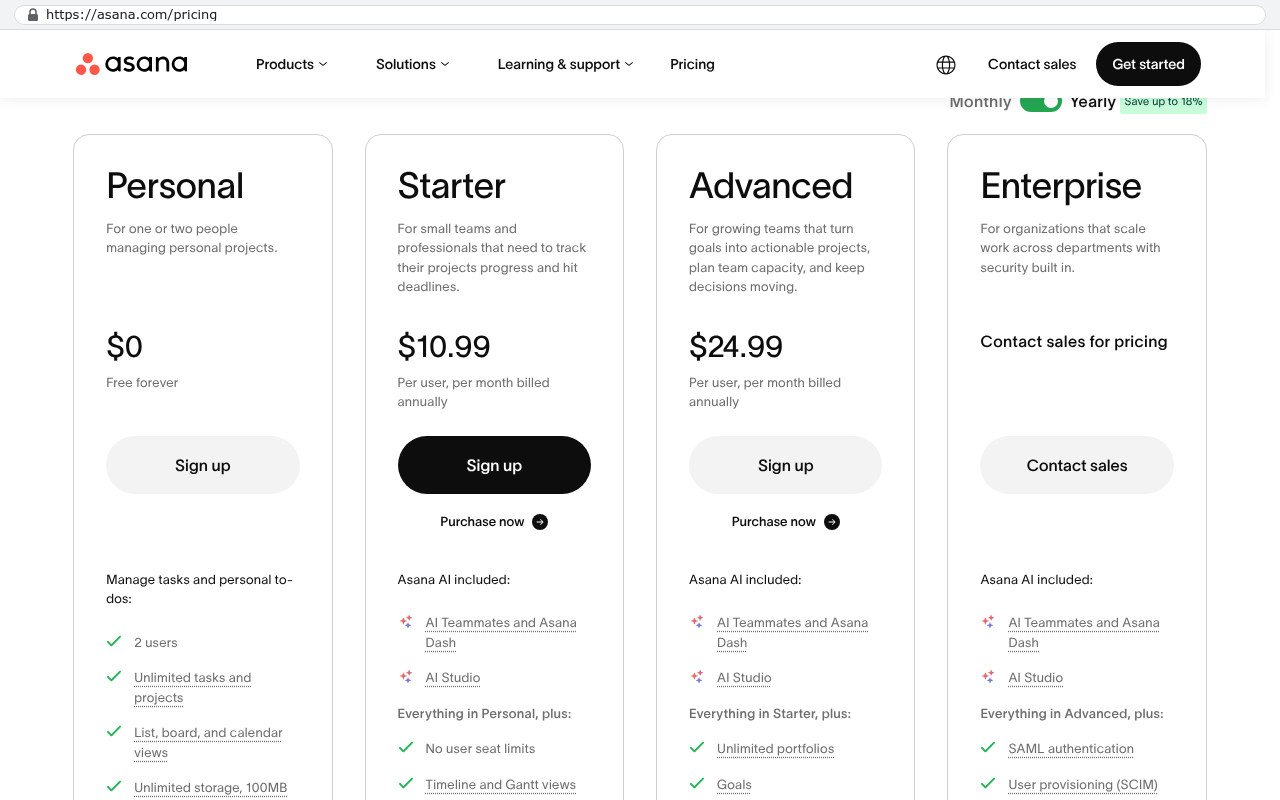
Now do the arithmetic. Suppose you pay for 60 seats at 25 dollars per user per month. That's 1,500 a month and 18,000 a year. If only 34 people logged in last month, roughly 7,800 a year is buying nothing. Over a three year horizon with typical annual price increases, you're looking at well past 25,000 in waste. That number is what makes a build conversation serious rather than theoretical.
Run your own version of that math with your real figures. It takes an afternoon and it settles arguments that otherwise run for months.
When a system you own is the better answer
A custom build wins when your process is your competitive advantage and no product models it properly. That's the honest test. If you run standard projects with standard tasks, buy something off the shelf and tune it. If your work moves through stages that only exist in your industry, or in your company, forcing it into someone else's data model costs you forever.
What a purpose-built system does differently is simple. The screen matches the job. A dispatcher sees the dispatch view, not a generic task list with seven irrelevant columns. The permit stage is a permit stage, with its own dates, its own documents, and its own rules about what can't happen until it clears. Nobody trains a new hire on which custom field secretly means something else.
It also connects to the rest of your stack on your terms. Your accounting system, your quoting tool, your field app. No waiting for a vendor to prioritize your integration request. And the economics flip. Subscription costs rise every year and you own nothing at the end. A system you own is a one-time build plus hosting and maintenance, and the asset stays yours if you change vendors, change staff, or sell the company.
You don't have to replace everything at once. Build the one workflow that carries the most revenue and the most rework, run it alongside your current platform, and measure. If it holds, expand. If it doesn't, you've spent a fraction of a full migration to learn something important.
Limitations and honest caveats
Custom isn't automatically better, and anyone who tells you otherwise is selling.
You lose the vendor's roadmap. When a big platform ships a useful feature, you get it for free. With a custom system, new capability means new work. Budget for ongoing improvement, not just the initial build.
You also lose the ecosystem. Off-the-shelf tools come with mobile apps, template libraries, hundreds of pre-built connectors, and a support line staffed around the clock. A custom system starts with none of that. Mobile access is buildable, but it's scope. So is every integration.
Client-facing sharing deserves specific attention. If a meaningful part of your value comes from clients logging into your PM tool and seeing live boards they already know how to use, moving them is a genuine cost. Some will resist. You'll need a client portal that's at least as good, and that's real work, not a checkbox.
Migration is heavier than people expect too. Years of attachments, comment threads, and archived projects don't copy across cleanly. Pulling them out takes scripted exports and cleanup, and you'll have decisions to make about what history is worth carrying forward.
And if your process genuinely is standard, custom is the wrong call. Plenty of companies should just clean up their seats, fix their notification settings, and keep what they have.
Signs you've outgrown what you're paying for
A few patterns show up reliably before a company switches. Any one of them on its own is manageable. Three or more together means the tool stopped fitting a while ago.
- Your real status lives in a spreadsheet, not the platform.
- Onboarding a new hire requires explaining which fields mean something other than their label.
- You pay for significantly more seats than monthly active users.
- Key reports get rebuilt by hand every month because the native reporting can't produce them.
- Two departments use the same tool in incompatible ways and neither will change.
- You've been told a needed feature is on the roadmap for more than a year.
Start with the audit. Get the numbers, map your three most valuable workflows on paper, and only then decide whether you're negotiating a renewal, downsizing a plan, or building something that fits.
If you want a second set of eyes on that math, book a free strategy session and walk us through what your team actually uses.
FAQ
How long should we give a new PM tool before deciding it isn't working?
Six months of honest use. If adoption is still patchy after that, it's not a training issue. Either the workflow doesn't match or the tool asks for more upkeep than the value it returns.
Is it cheaper to build than to subscribe?
Not in year one. Almost always by year three or four, if your seat count is meaningful and the build replaces real subscription spend. Do the arithmetic with your own numbers rather than trusting a rule of thumb.
Can we keep some of our current tools?
Yes, and most companies should. Accounting, email, and document storage are all fine as SaaS. The case for building is strongest for the operational workflow that's unique to your business.
What happens to our data if we build custom and the relationship ends?
You keep it, along with the source code. That's the main structural difference from a subscription, where your access ends when your payment does.
Our team hates change. How do we avoid another failed rollout?
Build the thing they complain about most, first. Adoption follows relief. If the new system removes a daily annoyance in week one, you won't have to sell it.
Read this next
If you're weighing a renewal against a build, read our breakdown of how to calculate the true three-year cost of a SaaS platform, including seat creep, price increases, and the admin hours nobody counts.
Related articles
- How to run a seat and usage audit on your current software stack
- Shadow spreadsheets and what they reveal about your operations
- Buy versus build for mid-sized operations teams
- Planning a migration off a project management platform without losing history
Questions
Frequently asked questions
Why do teams stop using their project management tool after the first year?
Teams don't usually leave because the tool is broken. They leave because the tool asks them to work in a way they don't actually work, notifications become noise, and someone quietly rebuilt the important parts in a spreadsheet. The real drop-off starts around month fourteen, after launch energy fades and the tool doesn't match how your business actually operates.
What are shadow spreadsheets and why do they matter?
Shadow spreadsheets are spreadsheets that team members create when the PM platform can't produce the view or data they need. They become the real source of truth while your paid platform becomes decoration. Shadow spreadsheets indicate workflow gaps in your platform. If the real status lives in a sheet instead of your tool, it's a clear warning sign you need to address the underlying problem.
Should we switch to a new PM tool or stay with what we have?
Before switching, audit your actual usage. Pull ninety days of activity data and compare paid seats to users who actually logged in. Often teams pay for seats nobody uses and could solve their problem with a cheaper plan instead of a new vendor. Sometimes the answer is a system you own outright rather than another subscription.
How do I know if my team has a workflow mismatch problem?
Workflow mismatch happens when your business process doesn't align with how the platform thinks about work. If you're faking it with custom fields, separate boards, and manual handoffs instead of native features, that's a mismatch. This gap costs you every day in small increments and forces teams to workaround the tool rather than use it directly.
What should I look for when my team is under pressure?
Watch what happens to your PM tool during your busiest month. Whatever your team abandons under pressure was never load-bearing. Whatever they keep updating even when slammed is the part worth protecting in any future system. This shows you which features actually support your core work versus which ones are optional.
Why is notification fatigue such a serious problem?
When every comment, status change, and mention sends an alert, people stop reading notifications altogether. This causes urgent items to get missed and trust in the system collapses. Most platforms let you tune notifications, but configuring settings for dozens of people is tedious admin work that nobody owns, so the problem persists.
What's the difference between feature bloat and real workflow problems?
Feature bloat is mostly cosmetic. Platforms ship features because competitors do, giving you time tracking, goals, forms, docs, and AI assistants you never asked for. It's annoying but ignorable. Workflow mismatch is different. It's the gap between how your business actually works and how the platform thinks you should work. That gap forces a switch.
Read this next
When staying on your current platform is the right call
Custom software isn't always the answer. Here's the arithmetic, the warning signs, and the honest caveats that tell you whether to renew your platform or replace it.
If this is your situation
Talk it through on a call
Thirty minutes over video with the person who would run the build. You talk, we ask questions, and you leave with a plain read on whether custom software makes sense for you. If the answer is that your current tool is fine and badly configured, you will hear that.
Who wrote this

David Verneuille
Founder, Black Badger Software Solutions
David Verneuille founded Black Badger after 18 years as a project manager and years implementing Smartsheet, monday.com, Wrike and Zoho for clients. He now builds custom systems that clients own outright, which is why the writing here is specific about where each platform fits and where it stops fitting.
Drafted with AI assistance, then checked, edited, and approved by a person before publishing. The facts, opinions, and recommendations are ours.