
TL. DR: Switching banks takes a form and a few weeks. Switching CRM platforms can take months, because your vendor holds your data, your automations, your integrations, and your team's muscle memory. Lock-in is rarely one big wall. It's a hundred small ones. You can measure how stuck you are, and you can design your way out, either by negotiating harder on the next contract or by owning the system outright.
Vendor lock-in explained: why switching crm platforms is harder than switching banks
/ 12 min read
TL;DR
Switching CRM platforms takes months rather than weeks because vendors control your data, automations, integrations, and team workflows through proprietary formats, incomplete exports, and strategic pricing that removes your negotiating power.
Key takeaways
- Vendor lock-in extends beyond data export to include workflow logic, integrations, custom fields, file attachments, and reporting history that don't transfer between platforms.
- Common lock-in tactics include proprietary formats, incomplete exports, API rate limits that slow bulk extraction, and paid migration assistance that simply provides access to your own records.
- Multi-year discounts and auto-renewal clauses typically cost more than they save because they eliminate your power to negotiate when contracts come up for renewal.
- A custom build removes platform lock-in by giving you ownership of the code and database, but it does not eliminate all dependency relationships or ongoing support needs.
- Before signing any new contract, negotiate for data portability, complete export scope, and termination assistance in writing to reduce switching costs later.
- Test your full data export before you need it by running an export in a quiet month and verifying that attachments, notes, and audit trails come out with proper links to parent records.
Key takeaways
- Lock-in is not just about data export. It's about workflow logic, integrations, custom fields, file attachments, and reporting history that don't come out of the box.
- The most common tactics are proprietary formats, incomplete exports, API limits that make bulk extraction slow, and paid "migration assistance" that is really just access to your own records.
- Multi-year discounts and auto-renewal clauses usually cost more than they save, because they remove your only real negotiating lever.
- A custom build removes platform lock-in because you hold the code and the database. It does not remove all dependency, and pretending otherwise is dishonest.
- Before you sign anything new, get data portability, export scope, and termination assistance in writing.
Your bank account is portable by law and by habit. You open a new account, move your direct deposits, update a few payees, and you're done. Your CRM isn't like that at all. Ten years of notes, call logs, custom fields, quote templates, email sequences, and half-remembered automations live inside a system that was never designed to let them leave. That asymmetry is the whole story of vendor lock-in.
What vendor lock-in really means
Vendor lock-in is the gap between what you pay to stay and what you'd pay to leave. When leaving costs more than a bad renewal, you don't have a vendor. You have a landlord.
It shows up differently across the three big categories of business software. In project management tools, lock-in lives in the structure. Your sheets, boards, templates, and dependency chains encode how your company actually runs work. Export the rows and you get a spreadsheet. You lose the logic that made the rows useful.
In CRM, lock-in lives in history and integration. The contact list exports fine. The activity timeline, the email threads, the lead scoring rules, the sales stages with their conditional required fields, the reports your VP looks at every Monday morning, those are much harder. And your CRM is usually wired into your marketing tool, your phone system, your quoting tool, and your accounting package. Each of those connections was built for that specific platform.
In ERP, lock-in is the worst of all, because the system holds your financial record of truth. Inventory valuations, work orders, bills of material, posted journal entries, tax history. You can't just walk away mid-year. You often have to run two systems in parallel through a fiscal boundary, which means paying twice while your team does everything twice.
The specific tactics that keep you stuck
Most of these are not villainous. They're the natural result of a company optimizing for retention. But you should recognize them when you see them.
- Partial exports. The vendor offers CSV export of "your data" and it covers core records only. Attachments, notes, audit trails, and deleted-but-referenced records are excluded or come out as a jumble of unnamed files.
- Proprietary structures. Formula columns, cross-sheet references, and workflow rules have no standard format. They exist only as configuration inside that platform's database and there is no file type that represents them.
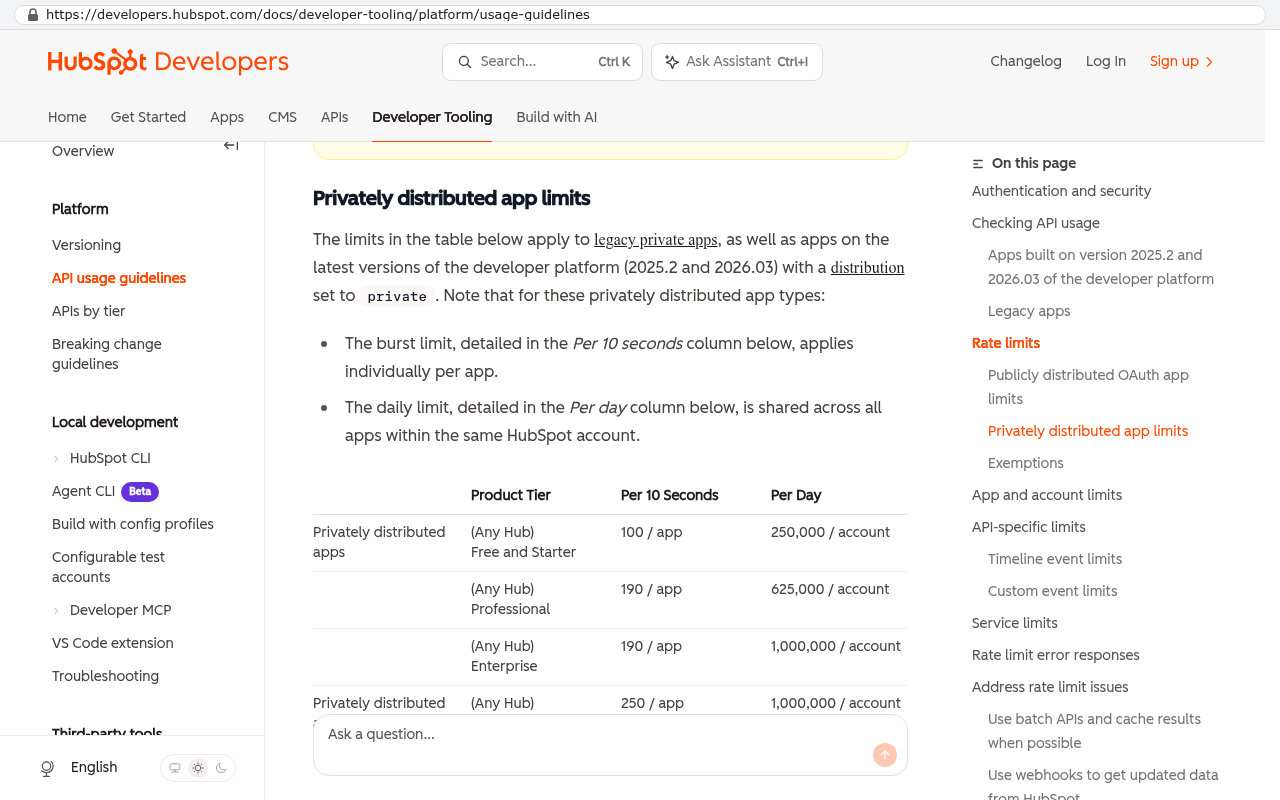
- API rate limits. The interface that lets software talk to other software is throttled, often to a few hundred calls per minute. Pulling 400,000 records with attachments through that pipe takes days of scripted work, not an afternoon.
- Migration and offboarding fees. Some enterprise agreements charge for a full data dump, or make "termination assistance" a paid professional services engagement.
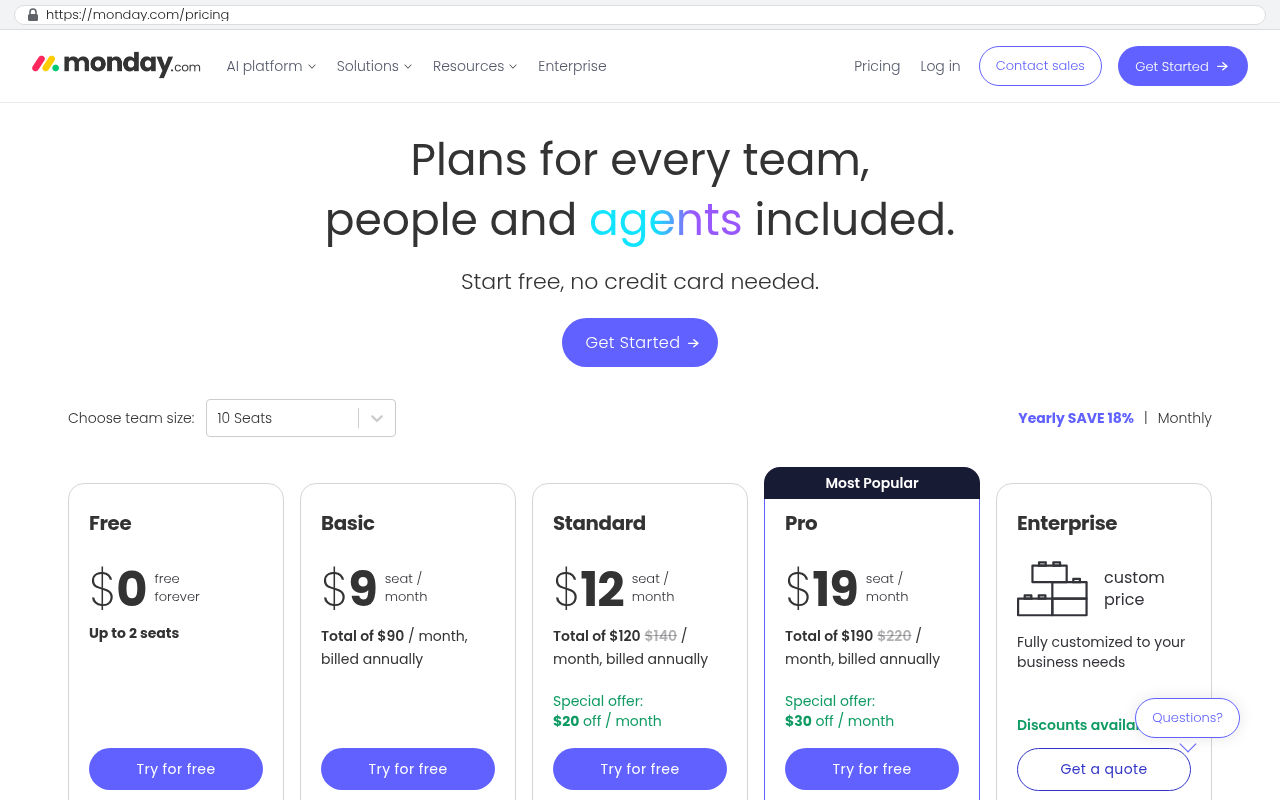
- Per-seat pricing that punishes partial migration. You want to move one department first. But your license tier drops, your per-seat rate goes up, and the pilot costs more than the full platform did.
- Ecosystem gravity. Your customers or subcontractors already have logins to the platform. Leaving means retraining people who don't work for you.
That last one is the most underrated. Tool choices spread outward. If you share live project sheets with clients, the platform stopped being your software and became part of your service delivery.
Test your export before you need it, not during a renewal fight. Run a full export today and open the files. If attachments come out as numeric filenames with no link back to the parent record, you've just learned that your exit plan requires scripted work. Better to know that in a quiet month than in week two of a migration.
How this plays out in practice
Picture a 90-person specialty contractor. They've run the same cloud CRM for eleven years. Sales, service history, warranty claims, and signed change orders all live there. Renewal comes in 40 percent higher, with a new required module bundled in.
So they price out a move. The contact and company records export cleanly. Then the problems start.
Activity history exports as one flat file with 2.3 million rows and no attachment links. Eleven years of photos, signed PDFs, and inspection reports sit in the platform's file store. The export gives them a folder of files named by internal ID. Matching each file back to the right job requires pulling a mapping table through the API, which is rate limited. That's a scripted job over several nights.
Then the custom fields. Over a decade, the team added 140 of them. Some duplicate each other. Some hold three different kinds of data because someone repurposed a field in 2019 instead of asking for a new one. Nobody documented any of it. Before you migrate, someone has to decide what each field means now.
Then the integrations. The CRM pushes to accounting, pulls from the phone system, and feeds a customer portal a developer built years ago against that vendor's API. Each of those needs rebuilding.
None of that is impossible. It's a project. And the vendor knows it's a project, which is exactly why the renewal went up 40 percent. Lock-in is priced in.
Why ownership changes the math
A custom system built for you removes the platform layer that creates lock-in. You hold the source code. You hold the database. If it's built on standard, widely-used technology, any competent development shop can pick it up.
That's the practical test of ownership, and it's worth being specific. Ownership means you have the code in a repository you control, credentials to the database and the hosting account, and a schema that another developer can read. Standard database, standard language, documented structure. When that's true, switching developers is a real option, and the existence of that option keeps everyone honest.
The arithmetic also gets easier to reason about. SaaS is rent that never stops and rarely goes down. Twelve users at $150 a month is $21,600 a year. Add a second platform for project work and a third for field service, and mid-sized companies routinely carry six figures a year in recurring software cost. That number renews every year, usually with an increase, forever. A custom build is a capital expense with a much smaller ongoing cost for hosting and maintenance. At some point the lines cross. Where they cross depends entirely on your headcount, your complexity, and how much of the off-the-shelf product you actually use.
The honest version of that comparison includes what you give up. Off-the-shelf platforms ship features you didn't pay to build. Someone else handles security patches, uptime, and mobile apps. If a platform genuinely fits the way you work, renewing is the right answer and you should renew.
Before comparing costs, audit what you actually use. Pull a feature usage report or just walk the floor and ask. Most teams on a large platform use a fraction of it. If eight modules are paid for and three get touched, you're not comparing a custom build to the platform. You're comparing it to three modules.
Limitations and honest caveats
Owning your software does not make you free of everything. It moves the dependency, and you should know where it lands.
You still depend on people. Custom code needs someone who understands it when something breaks or the business changes. That's either a relationship with a development firm or an internal hire. If your only developer leaves and nobody documented anything, you have a new kind of lock-in. Good documentation and standard tooling are the defense, and you should insist on both.
You still depend on infrastructure. Your system runs on a cloud host and probably calls third-party services for payments, email, mapping, or e-signature. Those are replaceable, but they're not nothing.
Custom isn't right for commodity functions. Nobody should build their own payroll engine or email client. Accounting is usually better bought, because tax logic changes constantly and the compliance burden is someone else's job for a reason. Custom pays off where your process is your competitive edge and no product matches it.
And the migration cost is real regardless of destination. Moving off a locked-in platform costs the same whether you're heading to another SaaS product or a custom build. If half your value comes from sharing live boards with clients who already work in that platform, you have a change management problem on top of a data problem. That's solvable with a client portal, but it's work, and you should budget for it instead of discovering it.
A checklist for measuring how stuck you are
Run this with your operations lead and whoever manages the vendor relationship. It takes an afternoon.
- Export everything today and open it. Note what's missing, especially attachments, notes, and audit history.
- Count your integrations. Every connected system is a rebuild if you move.
- List your custom fields and automations. If nobody can explain what each does, that's undocumented process debt.
- Check who outside your company logs in. External users are the hardest part of any switch.
- Find your contract's notice period and auto-renewal date. Put both on a calendar with a 90-day warning.
- Ask the vendor in writing what a full data export includes and what it costs. Keep the answer.
- Estimate the parallel-run period. In ERP, assume you run both systems through a month-end or a fiscal close.
If you score high on integrations, external users, and undocumented automations, you're deeply locked in. That doesn't mean stay. It means plan properly and start the documentation work now.
Contract terms to fight for before you sign
Most of this is negotiable at signing and almost none of it is negotiable at renewal. That timing is the whole game.
Get data portability in the contract, not the marketing page. Specify that export includes attachments with a mapping file, full activity history, and custom field definitions, in a machine-readable format, at no additional charge. Ask for termination assistance to be defined and capped. Cap your renewal increase with a fixed percentage ceiling. Kill auto-renewal or extend the notice window to something a busy operations team can actually meet, because 30-day notice clauses exist to be missed. And be cautious with multi-year discounts. A 15 percent discount for three years of commitment looks good until year two, when the platform's roadmap goes somewhere you didn't want to go.
Ask for a sandbox and API access included in the base tier. Vendors often gate API access behind a higher plan. That's the single most effective lock-in tool there is, because it controls whether your data can move in bulk without manual clicking.
What to do this quarter
Start with the export test and the renewal calendar. Those two take a day and they tell you your actual position. Then document your custom fields and automations, because that work has to happen before any migration and it makes your current system easier to manage even if you never leave.
If the audit shows you're paying platform prices for a fraction of the platform, and your process doesn't fit what the product wants you to do, a system you own is worth pricing out. If the product fits, renew with better terms and stop worrying about it.
We build systems businesses own outright, and the first conversation is about whether you need one. If you want a second set of eyes on your lock-in position before a renewal lands, book a free strategy session.
Frequently asked questions
Is vendor lock-in illegal or just annoying?
It's legal. Data protection rules in some regions give individuals rights to their personal data, but that doesn't force a vendor to hand your company a clean, structured copy of your operational history. Your contract governs that, which is why the contract matters more than the sales pitch.
How long does a CRM migration actually take?
It depends almost entirely on data cleanliness and integration count, not record volume. A tidy CRM with two integrations moves quickly. Eleven years of undocumented custom fields feeding five systems is a different animal. The data cleanup usually takes longer than the technical migration.
Can we move gradually instead of all at once?
Sometimes. Running new deals in the new system while keeping the old one read-only for history works well for CRM. It works badly for ERP, where the financial record has to be in one place. Watch your per-seat pricing during any parallel period, because dropping tiers can raise your unit cost.
Does owning the code mean we never need a developer again?
No, and anyone who says otherwise is selling something. Owning the code means you choose which developer. That's the real benefit. You're not stuck with one firm or one vendor's roadmap.
What if our clients already use our current platform?
Then that's the hardest part of your migration and it deserves the most planning. The usual answer is a client-facing portal in the new system that gives them the same visibility with less friction. Build that first and migrate your internal work second.
Read this next
If this audit told you that you're more locked in than you thought, the next question is what a replacement actually looks like. Start with our piece on evaluating whether to build or buy your next core business system.
Related articles
- Build versus buy, how to decide which core systems to own
- What software ownership actually means, code, data, and hosting
- Planning a data migration off a platform you've used for a decade
Questions
Frequently asked questions
What makes switching CRM platforms so much harder than switching banks?
Switching banks takes weeks because your account is portable by law. Switching CRM platforms takes months because vendors control your data, automations, integrations, and workflow logic. Your CRM holds ten years of notes, call logs, custom fields, templates, and automations that were never designed to leave the system. Banks are portable by habit. CRMs are not.
What are the most common tactics vendors use to keep you locked in?
Vendors use partial exports that exclude attachments and audit trails, proprietary structures that can't be converted to standard formats, API rate limits that slow data extraction, migration fees charged as professional services, and per-seat pricing that punishes partial migration. Ecosystem gravity is the most underrated tactic: when your clients or contractors already have logins, leaving means retraining people who don't work for you.
Can I test whether I'm locked in before I need to migrate?
Yes. Run a full export today and open the files in a quiet month. Check if attachments come out as numeric filenames with no link back to the parent record. If they do, your exit plan requires scripted work. Testing before a renewal fight gives you time to plan instead of discovering problems during migration when costs are highest.
Does building a custom CRM solve the vendor lock-in problem entirely?
Custom builds remove platform lock-in because you hold the code and database. However, they don't remove all dependency. You still depend on developers to maintain and modify the system, and you still have integrations with other tools. Pretending a custom build means you never need a developer again is dishonest.
Why do multi-year discounts usually cost more than they save?
Multi-year discounts and auto-renewal clauses remove your only real negotiating lever. When you're locked into a long-term contract at a discount, you lose the ability to threaten switching or negotiate better terms at renewal. The discount rarely compensates for the lost flexibility and higher total cost of staying locked in.
What contract terms should I fight for before signing a new CRM agreement?
Get data portability, export scope, and termination assistance in writing before you sign. Specify what data you can export, in what format, and whether attachments and history are included. Clarify whether migration assistance is free or paid. These terms protect your ability to leave if the platform no longer serves your needs.
How long does a typical CRM migration actually take?
Migration timelines vary widely based on your data complexity. A simple contact list export might take weeks, but exporting activity history, attachments, custom fields, and integrations can take months. The 90-person contractor example shows that eleven years of data with 2.3 million activity rows and 140 custom fields requires significant scripted work over several nights just to prepare for export.
Read this next
What happens to your data when you stop paying a SaaS vendor
Cancel a SaaS subscription and your data doesn't vanish, it gets locked behind a login. Here's what an export really gives you, what never comes out, and when owning the system is cheaper.
If this is your situation
Talk it through on a call
Thirty minutes over video with the person who would run the build. You talk, we ask questions, and you leave with a plain read on whether custom software makes sense for you. If the answer is that your current tool is fine and badly configured, you will hear that.
Who wrote this

David Verneuille
Founder, Black Badger Software Solutions
David Verneuille founded Black Badger after 18 years as a project manager and years implementing Smartsheet, monday.com, Wrike and Zoho for clients. He now builds custom systems that clients own outright, which is why the writing here is specific about where each platform fits and where it stops fitting.
Drafted with AI assistance, then checked, edited, and approved by a person before publishing. The facts, opinions, and recommendations are ours.