What to do when your team has outgrown spreadsheets but not enough for an ERP
/ 8 min read
TL;DR
Most growing companies hit a gap where spreadsheets no longer work but enterprise resource planning systems are overkill, creating a need for intermediate solutions that fit their actual size and complexity.
Key takeaways
Spreadsheets fail gradually through data corruption, silent conflicts, and hidden costs rather than breaking obviously, and the key indicator is identifying team members spending substantial hours manually moving data between systems.
Enterprise resource planning systems require adopting the software's predetermined processes and per-user licensing costs, making them unsuitable for smaller companies or those with unique competitive processes.
Database tools like Airtable solve permission and multi-editor problems but struggle with complex calculations and multi-step automations that can silently fail without detection.
Purpose-built vertical software designed for specific industries like dental practices or law firms costs less than custom builds but enforces opinionated processes that may conflict with your unique workflows.
Integration platforms that connect existing tools like QuickBooks, HubSpot, and field management software through automated data flow often provide the cheapest effective solution for growing companies.
Custom software builds become genuinely cheaper than commercial alternatives when your competitive advantage depends on proprietary middle processes that no existing software handles well.
There's a stage most growing companies hit where the spreadsheet stops working but nothing else fits. Your team has a shared workbook with fourteen tabs. Three people know how it works. One of them is on vacation. And every ERP demo you sit through feels like buying a freight train to deliver a pizza.
This gap is real. It's also the most common place we find clients before we build anything for them. So let's talk about what's actually happening, and what your realistic options are.
How to tell you've actually outgrown the spreadsheet
Spreadsheets don't fail loudly. They rot slowly. The file still opens. The numbers still add up, mostly. But the cost of keeping it alive keeps climbing, and nobody puts that cost on a line item.
Here's what the failure actually looks like in practice. Two people edit the same row and one edit wins silently. Someone sorts a range without expanding the selection and scrambles the data. A formula breaks in March and nobody notices until the June close. You start keeping a second spreadsheet to check the first spreadsheet.
The clearest signal is human. Ask yourself who on your team spends real hours every week just moving data between places. Copying job numbers from the estimate sheet into the scheduling sheet. Rekeying invoice totals into QuickBooks. Emailing a version of the tracker to a client because they can't have access to the whole file.
If you can name that person, and they cost you a meaningful chunk of a salary, you don't have a spreadsheet problem. You have a system problem that a spreadsheet is currently absorbing.
A useful test: if your most important spreadsheet was deleted right now, could your team operate this week? If the honest answer is no, that file is production software with no backup plan, no access control, and no owner.
Why an ERP is usually the wrong first move
ERP stands for enterprise resource planning. In plain English, it's one big system that runs finance, inventory, purchasing, HR, and often manufacturing, all sharing the same database. NetSuite, Dynamics 365, SAP Business One, Acumatica. Real products that solve real problems.
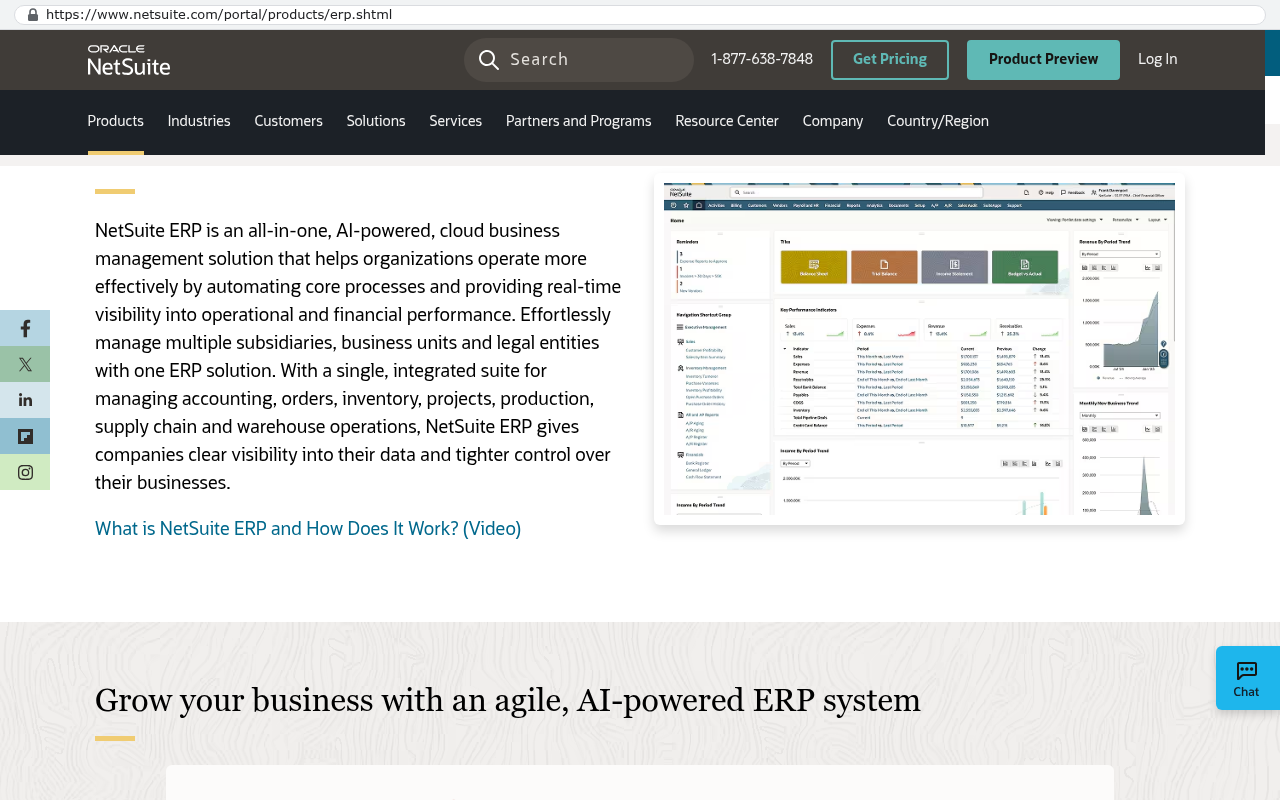
NetSuite's ERP product page displays a description of NetSuite ERP as an all-in-one cloud business management solution that integrates accounting, orders, inventory, projects, production, supply chain and warehouse operations in a single unified suite. Source: www.netsuite.com/portal/products/erp.shtml
They also assume you want to run your business the way the software runs. That's the trade. An ERP gives you accounting-grade structure in exchange for adopting its process. For a 400-person distributor with inventory in three warehouses, that trade is worth it. For a 35-person services firm with one weird scheduling process that's actually your competitive edge, it usually isn't.
The failure pattern is predictable. You buy the ERP. Implementation runs longer than planned. Your team can't do the one thing they used to do easily in the spreadsheet, so they keep the spreadsheet. Now you're paying for the ERP and still maintaining the workbook. We've walked into that exact situation more than once.
There's a second issue nobody mentions in the sales cycle. ERP licensing is per user, and it's not cheap per user. So companies buy fewer seats than they need. Then the warehouse guy doesn't get a login, so he texts photos to the office, and someone types it in. You just paid six figures to recreate manual data entry.
The middle options, ranked honestly
You have more choices here than "spreadsheet" or "ERP." Some of them are genuinely good and cost very little. Try these before you consider a custom build.
Move the spreadsheet to a real database tool
Airtable, Smartsheet, and similar tools keep the grid you already understand but add proper records, permissions, forms, and views. If your problem is mostly "too many people editing one file," this can solve it in a week. Airtable in particular is strong for tracking things with a clear lifecycle, like projects moving through stages.
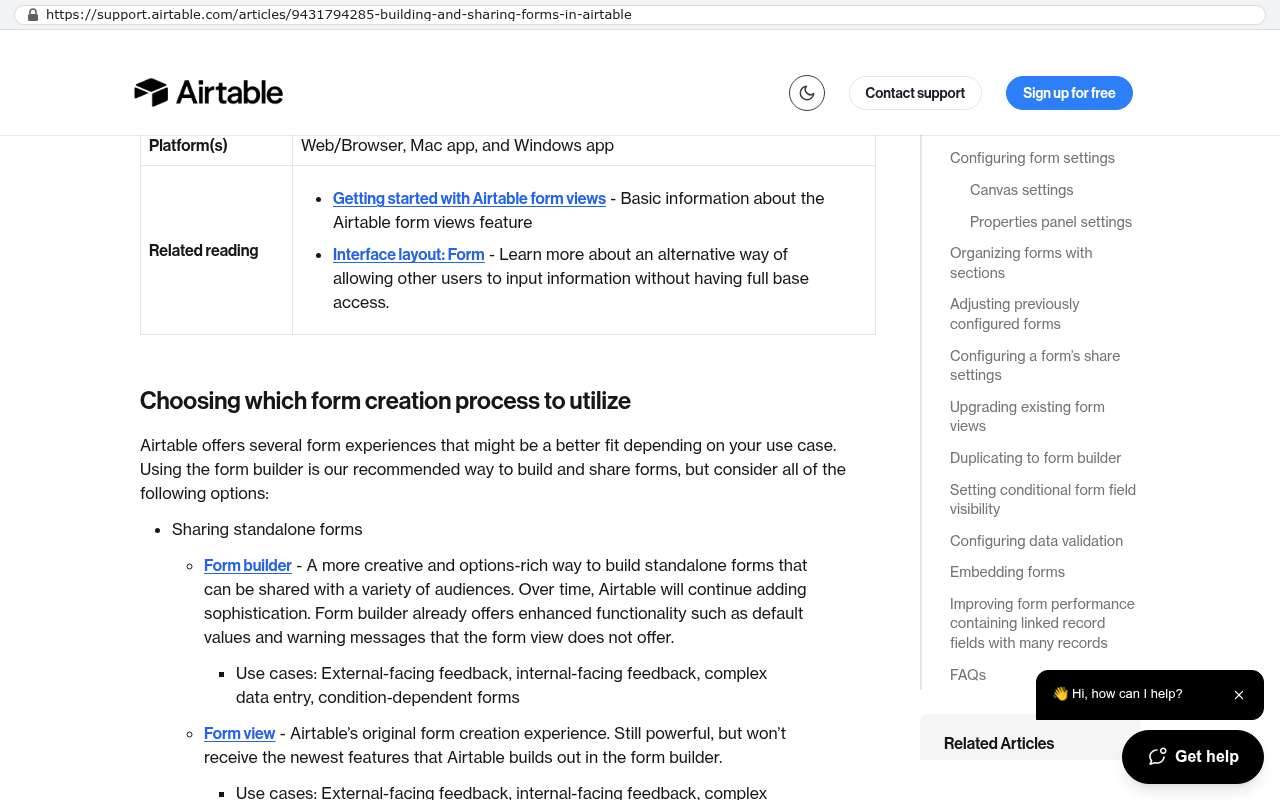
Airtable support documentation page on building and sharing forms showing form builder options, form views, and sharing capabilities as core features Source: support.airtable.com/articles/9431794285-building-and-sharing-forms-in-airtable
Where it breaks down is logic. When you need real calculations, multi-step approvals, or documents generated from your data, you start stacking automations on top of automations. Then one automation quietly stops firing and nobody knows for three weeks. That's the ceiling.
Buy the best-fit vertical software
If you run a dental practice, a plumbing company, or a law firm, there's software built specifically for you. It already knows your terminology and your compliance rules. Use it. Buying purpose-built industry software is almost always cheaper than building the same thing.
The catch is that vertical software is opinionated. It handles the standard version of your business well. If your differentiator is a process nobody else in your industry runs, the software will fight you on exactly that process.
Stitch together focused tools with an integration layer
Keep QuickBooks for accounting. Keep HubSpot for sales. Keep whatever your field team already uses. Then connect them so data flows automatically instead of through a person. Sometimes this is all you need, and it's the cheapest real fix available.
Build the one system that's actually yours
This is the right answer when the process in the middle is the business. Not the accounting. Not the email marketing. The specific way you quote, schedule, track, and bill that no product handles correctly.
When a custom build is genuinely cheaper, with the arithmetic
We build custom software, so take this with appropriate skepticism. But the math is the math, and it's easy to run yourself.
Start by adding up what the gap already costs you. Take the hours your team spends on manual data movement each week. Multiply by loaded hourly cost, meaning salary plus taxes and benefits, roughly 1.3 times base pay. Add the cost of mistakes, the duplicate order, the missed renewal, the invoice sent two weeks late.
Then add your current software spend for the tools you'd retire. Not the ones you'd keep. Just the subscriptions that exist to patch the gap.
Here's a shape we see often. A company pays for a project tool, a form tool, a scheduling tool, and two automation platforms. Each looks affordable alone. Together they're a real monthly number, and it grows every time you add a person. Subscription pricing scales with headcount. Custom software doesn't.
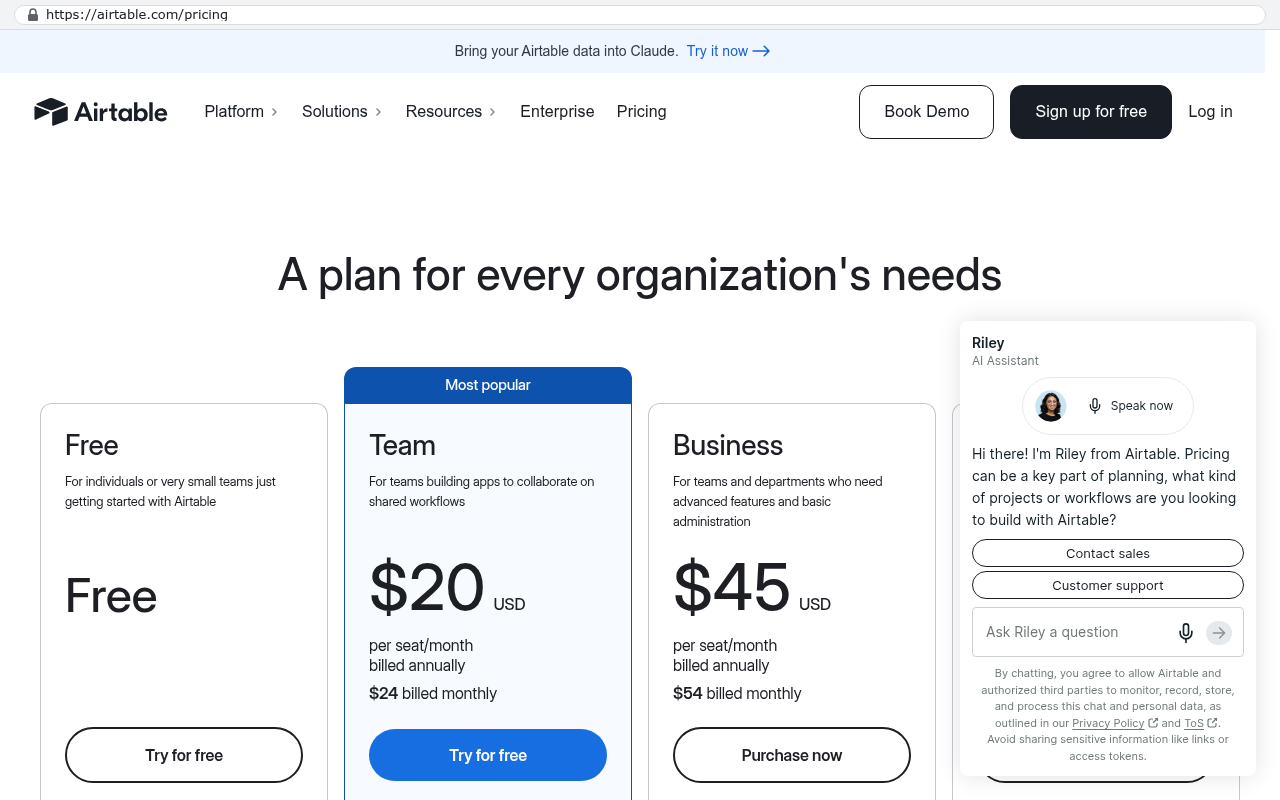
Airtable's pricing page displays Team and Business plans with prices clearly marked per seat per month at $20 and $45 respectively, demonstrating that subscription pricing scales based on headcount. Source: airtable.com/pricing
That's the actual argument for owning your system. A build is capital expense, meaning you pay once and own the asset. A subscription is operating expense forever, and the vendor sets the price. Over a long enough horizon, ownership wins, and the horizon is shorter than most people assume when your headcount is growing.
Before you evaluate anything, spend two weeks logging where data gets typed twice. Have your team note it in a shared doc. That list is the single most useful document in the whole decision, and it's free to produce.
What custom software won't fix
Being straight with you here matters more than winning the project.
Don't build your accounting system. QuickBooks, Xero, and Sage handle tax rules, audit trails, and reporting that regulators expect. Rebuilding that is expensive and pointless. Connect to it instead.
Don't build email, payroll, or e-signature either. Those are solved commodities with real compliance burdens attached. Nobody wins by rewriting them.
And custom software will not fix a process that's broken. If three departments disagree about what "job complete" means, software forces that argument into the open. That's useful, but it's an uncomfortable week. We've had discovery sessions where the real deliverable was two managers finally agreeing on a definition.
Ownership also comes with ownership. When you own the code, you own the maintenance. Dependencies need updating. Servers need patching. If a connected service changes its interface, someone has to adjust. You can hire us or anyone else to handle that, but the responsibility doesn't disappear because there's no vendor logo on the login screen.
One more honest caveat. Migration is real work. Twelve years of spreadsheet history with inconsistent naming, merged cells, and three different date formats doesn't import cleanly. It takes a scripted export and a cleanup pass, and someone from your team has to answer questions about old records. Budget attention for that, not just money.
Watch for the build that's really a rebuild of the spreadsheet. If your requirements document is a list of your current tabs, stop. You'll pay to digitize a workaround. Map what the work actually needs to accomplish first.
A practical path forward
Work in this order. It saves money and avoids the two-year detour.
Document where data gets rekeyed and what it costs in hours per week.
Try the low-cost fix first. Move to a proper database tool or connect existing systems.
Identify the one process that's genuinely yours, the part no product handles.
Build only that piece, and connect it to the tools you keep.
That last point is the whole strategy. You don't need one system that does everything. You need your accounting in accounting software, your email in email software, and a purpose-built core that handles the work you're actually paid for. Then you connect them so nobody types anything twice.
Start narrow. Pick the single most painful workflow, build that well, get it in real use. A system your team actually uses beats a complete system they route around.
Where to go from here
Most companies in this gap don't need an ERP and don't need to keep suffering. They need one honest look at where the hours go and a clear decision about what to buy versus what to own.
If you want that look, we're at 1221 Turner St, STE 206, Clearwater, FL 33756. You can reach us at (727) 306-3202. We work with businesses across Pinellas and Hillsborough counties, and we'll tell you when off-the-shelf software is the better call.
Book a free strategy session at /contact and bring your worst spreadsheet.
Questions
Frequently asked questions
What are the key signs that my team has outgrown spreadsheets?
Your spreadsheet has outgrown when someone spends real hours weekly moving data between places, multiple people edit the same rows causing silent conflicts, formulas break without immediate notice, and you've started keeping a second spreadsheet to verify the first one. The clearest signal is identifying a team member who spends meaningful time just copying and rekeying data between systems.
Why shouldn't we just buy an ERP system?
ERPs like NetSuite and SAP require adopting the software's processes rather than adapting to yours. Implementation often runs over schedule, teams continue using spreadsheets for workarounds, and per-user licensing costs multiply quickly. For smaller companies with unique competitive processes, the investment rarely justifies the inflexibility and forced workflow changes.
What's the difference between Airtable and vertical industry software?
Airtable moves spreadsheets into a database with permissions and automation but struggles with complex calculations and multi-step logic. Vertical software is purpose-built for specific industries and handles standard processes well, but becomes rigid when your competitive edge depends on unique workflows that the software wasn't designed for.
What does integrating focused tools actually solve?
Integration connects your existing tools like QuickBooks, HubSpot, and field management software so data flows automatically instead of through manual entry by a person. This approach is often the cheapest real solution when your tools already handle their core functions well but need to communicate with each other.
How do I calculate whether custom software is actually cheaper?
Add up the hours your team spends weekly on manual data movement and multiply by loaded hourly cost, roughly salary times 1.3. Include costs from mistakes and duplicate subscriptions you maintain just to patch gaps. Compare this total annual expense against a custom build quote to determine if building is genuinely more economical than your current workarounds.
When is building custom software the right choice?
Custom software makes sense when your core business process is your differentiator and no existing product handles it correctly. This applies when the way you quote, schedule, track, and bill customers is unique to your competitive advantage, not when the gap is simply in accounting or general operations.
What problems can't custom software solve?
Custom software can't fix an organizational or process problem that exists independently of your systems. We build for system gaps. If the underlying problem is how work is structured or managed inside your company, software won't resolve it, and we'll tell you that before you spend anything.
Custom software isn't always the answer. Here's the arithmetic, the warning signs, and the honest caveats that tell you whether to renew your platform or replace it.
If this is your situation
Talk it through on a call
Thirty minutes over video with the person who would run the build. You talk, we ask questions, and you leave with a plain read on whether custom software makes sense for you. If the answer is that your current tool is fine and badly configured, you will hear that.
David Verneuille founded Black Badger after 18 years as a project manager and years implementing Smartsheet, monday.com, Wrike and Zoho for clients. He now builds custom systems that clients own outright, which is why the writing here is specific about where each platform fits and where it stops fitting.
Taking over software someone else built? Here's the seven-point check that finds hard-coded passwords, ownership gaps, and hidden costs before they become your problem.
A plain-English look at what AI features really do inside an operations app, where they save serious time, and where they fail. No chatbots, no novelty automation.
A portal is only worth building when the workflow behind it is genuinely yours. Here's how to run the numbers, spot the limitations, and decide before you spend anything.
An article can only go so far without knowing your systems. Book a strategy call, walk us through what is breaking, and you will get a straight read on whether custom software is the right answer.