Skip to content
BlackBadger

Blog / Custom software

What does an AI-powered internal app actually do for an operations team?

/ 9 min read

OpenAI Developers pricing page showing gpt-6-astra, gpt-6.1-sol, and gpt-6-luna models with pricing columns for input, cached input, cache writes, and output costs ranging from $0.01 to $50.00 per 1M tokens

TL;DR

AI-powered internal apps help operations teams by automating the translation of messy input like emails and photos into structured data, allowing staff to review and act rather than manually retype information.

Key takeaways

  • AI works best when it produces drafts that humans review and approve before any action, creating a review-based workflow rather than fully autonomous systems.
  • The five most effective AI use cases in operations apps are document extraction from PDFs, classification and routing of requests, summarization of long communications, drafting of customer-facing content, and matching records across systems to find discrepancies.
  • Custom AI-powered apps derive their value from access to operational data like parts catalogs, customer history, and pricing rules, making them far more useful than generic AI assistants without this context.
  • A concrete example shows that AI can reduce job intake time from eleven minutes per request to two minutes by automatically identifying customers, pulling structured data, applying contract rates, and flagging uncertain fields for review.
  • AI features fail when they operate without access to your operational data, attempt to act autonomously without human review, or try to handle tasks like phone answering that are cheaper and better handled by commodity services.
  • Before committing to an AI-powered internal app, evaluate whether your workflow includes enough repetitive data translation work to justify the investment and whether the AI can access the specific operational context your business needs.

Most "AI app" pitches fall apart the moment you ask what it does on a Tuesday. A demo looks impressive. Then you try to use it on real work, with real data, and the magic evaporates. So let's talk about what an AI-powered internal app actually does for an operations team, in specific terms, based on the kind of systems that get used every day instead of abandoned in month three.

First, a definition. An internal app is software your team uses to run the business. Job intake, scheduling, quoting, dispatch, invoicing, inventory, compliance records. The AI part is not a chatbot bolted onto the corner. It's a set of features inside that app that read messy input and turn it into structured data your people can act on.

That distinction matters more than anything else in this article.

The work AI is genuinely good at inside an operations app

AI earns its keep on the boring middle of your workflow. Not the decision. Not the customer relationship. The part where somebody reads a document and types what they read into a form.

Think about how a job actually enters your business. A customer emails a scope of work as a PDF. A supplier sends a packing slip photo from a phone. A field tech leaves a two minute voicemail describing what he found on site. Somebody in your office opens each one, reads it, and retypes it into your system. That person is doing translation work, and they're slow at it because humans are slow at retyping.

An AI-powered internal app does that translation automatically. The PDF gets read and the line items land in a draft quote. The packing slip photo becomes a receiving record matched against the purchase order. The voicemail becomes a text summary attached to the work order, with the parts the tech mentioned already flagged.

Nobody's job disappears. The intake coordinator stops typing and starts reviewing. That's a much better use of a person who knows your business.

Here's where it shows up most often in the builds we do.

  • Document extraction. Pull dates, amounts, part numbers, and addresses out of PDFs and scans so a human confirms instead of transcribes.
  • Classification and routing. Read an inbound request and decide which queue, which crew, and which priority it belongs in.
  • Summarization. Turn a long email thread or a месяц of job notes into a paragraph a manager can read in ten seconds.
  • Drafting. Write the first version of a customer update, a scope note, or a change order that a human edits and sends.
  • Matching. Compare an invoice to a purchase order to a delivery record and surface the three that don't line up.
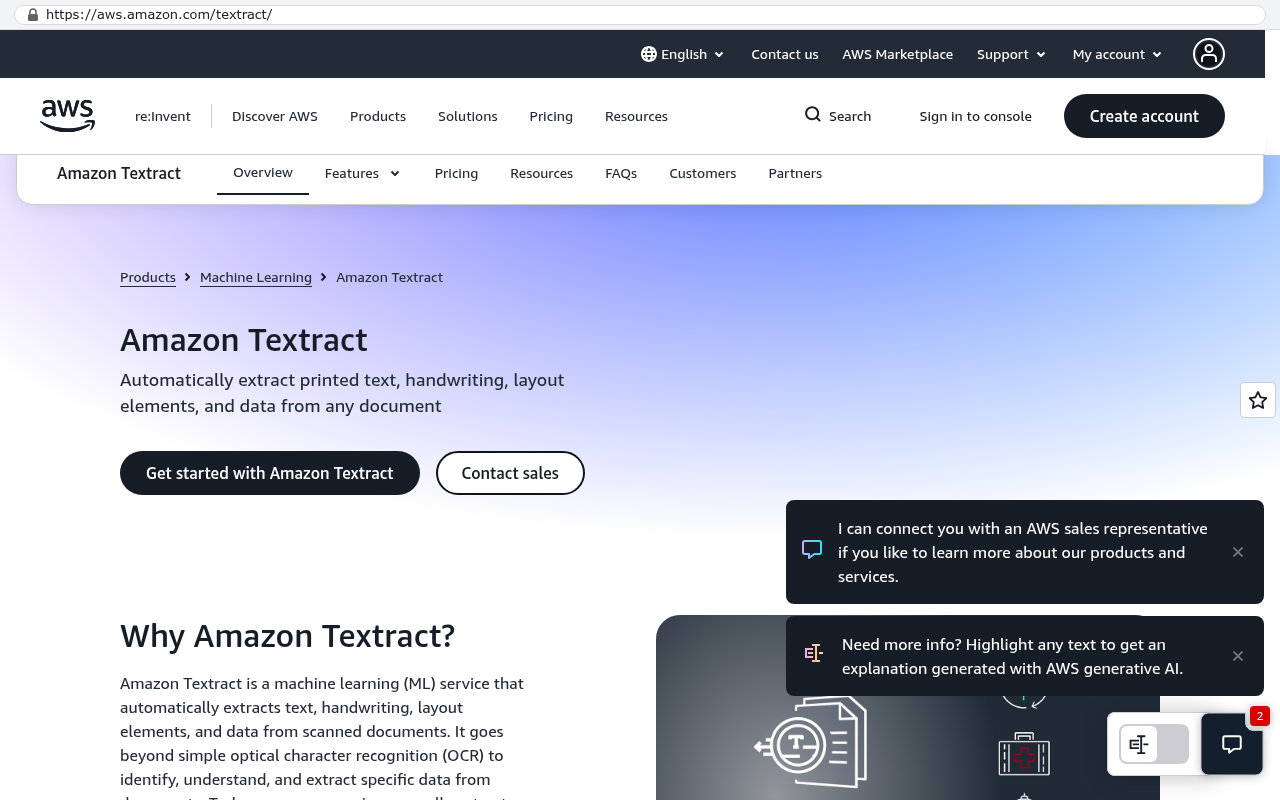
Amazon Textract product overview page describing automatic extraction of printed text handwriting layout elements and data from any document
Amazon Textract product page showing automatic extraction of text handwriting layout elements and data from documents Source: aws.amazon.com/textract

Notice what's common to all five. The AI produces a draft. A person approves it. That's the pattern that works.

The best AI features in an internal app never send anything to a customer without a human clicking approve. Design for review, not autonomy. Your error rate drops and your team trusts the system enough to keep using it.

What we don't build, and why

We don't build AI receptionists. We don't build the assistant that answers your phone and pretends to be a person. We don't build novelty automations that post to social media or generate blog posts nobody reads. Those things exist, some of them work fine, and they're not our lane.

The reason is simple. Those tools are cheap, commoditized, and disconnected from your operational data. You can buy a phone answering service for a subscription fee. Paying for a custom build to do the same thing is a bad trade.

The value of a custom AI-powered internal app comes from proximity to your data. The model isn't smart because it's a big model. It's useful because it can see your parts catalog, your customer history, your pricing rules, and your job templates while it works. That context is the product. A generic assistant with no access to any of it will always produce generic output.

So if the AI feature you're imagining doesn't touch your operational data, you probably don't need us to build it.

A concrete example, start to finish

Picture a mid-sized commercial services company. Fifty field people, six in the office, jobs coming in from four different channels.

Before, the intake process worked like this. Emails land in a shared inbox. A coordinator opens each one, figures out if it's a new job or a follow-up, looks up the customer in the CRM, checks whether there's an existing contract rate, creates the job, and assigns a crew. About eleven minutes per request when nothing goes wrong. Roughly forty requests a day.

After, the app reads every inbound email as it arrives. It identifies the customer by matching the sender domain and any site address in the body. It pulls the requested work into a structured draft. It checks the contract terms already stored in the system and applies the right rate. Then it puts a card in the coordinator's review queue with everything filled in and the uncertain fields highlighted in yellow.

The coordinator now spends about two minutes per request. She fixes the things the model got wrong, which is usually the site address on multi-location accounts, and hits approve.

Do the arithmetic yourself. Nine minutes saved times forty requests is six hours a day of coordinator time. That doesn't mean you fire anyone. It means intake stops being the bottleneck at 4pm, and quotes go out same-day instead of next-day. Same-day quotes win more work. That's the actual return, and it's a revenue effect, not a headcount effect.

The second thing that changed is subtler. Because every job now enters through one structured path, the data is clean. Reporting that used to require exports and spreadsheet surgery became a dashboard.

Where AI features fail, and how to avoid it

Bad data in, bad output out. That's the single biggest failure mode, and it's not the model's fault.

If your customer records are duplicated four ways and your part numbers are inconsistent, an AI feature will confidently match the wrong thing. It doesn't hesitate. It produces a plausible answer with no signal that it guessed. That's genuinely dangerous in a workflow where somebody downstream assumes the computer checked.

The fix is boring. Clean the reference data before you build the smart features on top of it. Deduplicate customers. Standardize your item catalog. Decide what a "site" is and enforce it. Most of the work in an AI project is this, and clients are consistently surprised by that ratio.

The second failure mode is confidence display. If the app shows extracted data in the same style whether the model was certain or guessing, people will stop checking. Build a visible difference. Fields the system is unsure about should look different and require a click.

Never let an AI feature silently write to a financial record. Invoices, payments, credit memos, and inventory adjustments should always route through a human approval step. One wrong extraction on a $40,000 invoice costs more than the entire feature saved that year.

Third failure mode. Teams build for the happy path and ignore the exceptions. Every operation has weird accounts, legacy pricing, and the one customer who sends everything as a fax. If the app can't handle those gracefully, your staff will keep a shadow spreadsheet, and now you have two systems.

Limitations you should know before you commit

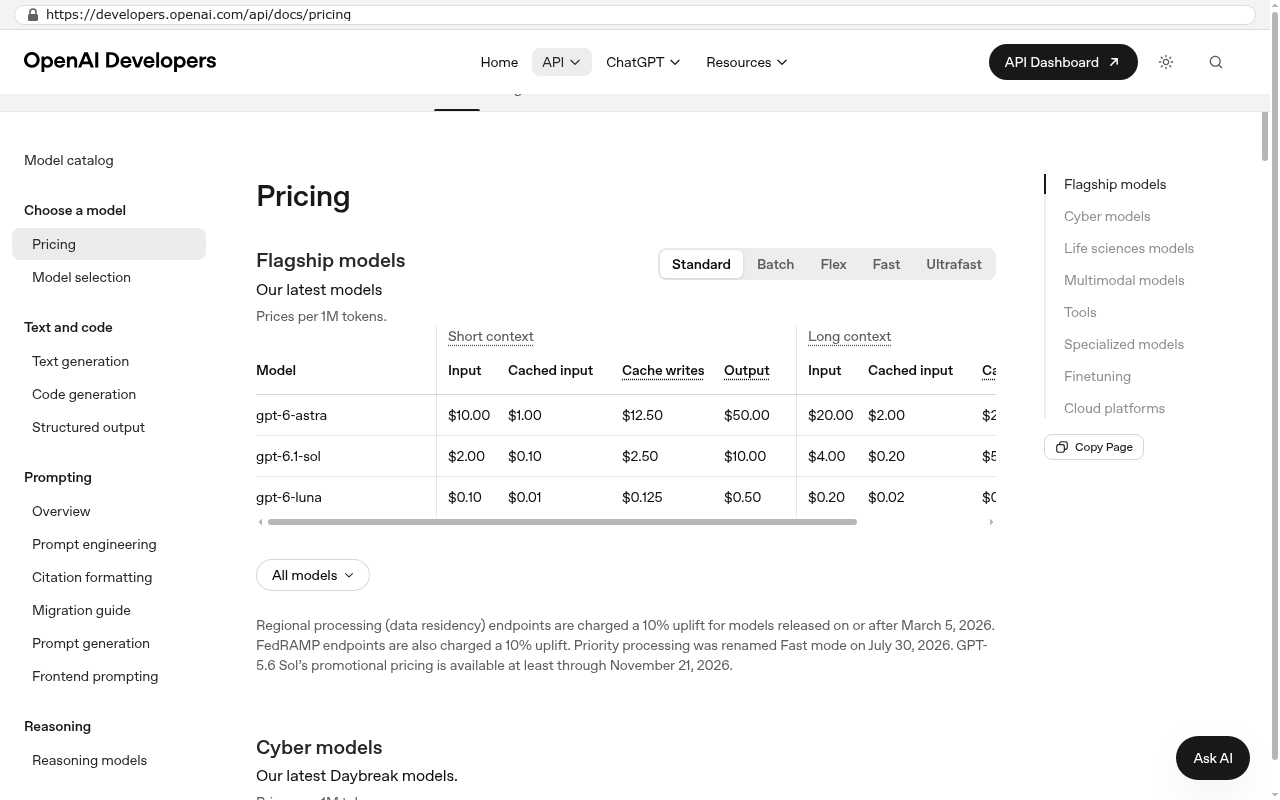
AI features cost money to run, every time. Each document read and each summary generated calls a model, and those calls have a per-use cost. It's usually small per transaction. At high volume it's a real line item you need to plan for. Anyone who tells you AI features are free after the build is wrong.

OpenAI Developers pricing page showing gpt-6-astra, gpt-6.1-sol, and gpt-6-luna models with pricing columns for input, cached input, cache writes, and output costs ranging from $0.01 to $50.00 per 1M tokens
OpenAI Developers pricing page displays a table of flagship models with per token input and output costs for short and long context windows Source: developers.openai.com/api/docs/pricing

Accuracy plateaus. You can get document extraction very good. You cannot get it perfect, and chasing the last few percent gets expensive fast. Design the workflow around a human catching mistakes, and you'll be fine. Design it around the assumption that the model is right, and you'll get burned.

Some tasks aren't a fit at all. Anything requiring real judgment about a relationship, a negotiation, or a safety call should stay with a person. Anything that requires reading a genuinely ambiguous document where even two of your employees would disagree on the meaning is a poor candidate too.

There's also a change management cost nobody quotes. Your team has to learn a new review habit. The people who were fastest at the old manual process are often the most resistant, because they were good at the thing you just automated. Plan for that conversation. It's a management problem, not a software problem.

And the honest one. If your process is small enough, an off-the-shelf tool with a decent AI feature will serve you better than a custom build. If you're processing fifteen documents a week, buy something. Custom makes sense when the workflow is specific to you, the volume is real, and the existing tools force you to work their way instead of yours.

A useful test. If you can describe the task as "read this, then fill in that" and you do it more than a hundred times a month, it's probably worth automating. If you can't describe it that cleanly, the AI won't be able to either.

How to decide if this is worth it for you

Start by counting. Pick one repetitive task in your operation. Time it honestly, including the interruptions. Multiply by volume. That number is your ceiling, and the feature has to cost meaningfully less than that to be worth building.

Then look at what the delay costs you beyond labor. Late quotes lose deals. Slow invoicing hurts cash flow. Missed compliance records create liability. Those effects are usually bigger than the hours saved, and they're the reason most of these projects get approved.

Ask one more question. Who owns the result? If you build a custom internal app, you own the code, the data, and the decision about what happens next year. If you subscribe to a platform, you're renting a workflow and hoping the vendor doesn't change pricing or sunset the feature you depend on. Both are legitimate choices. Just make it deliberately.

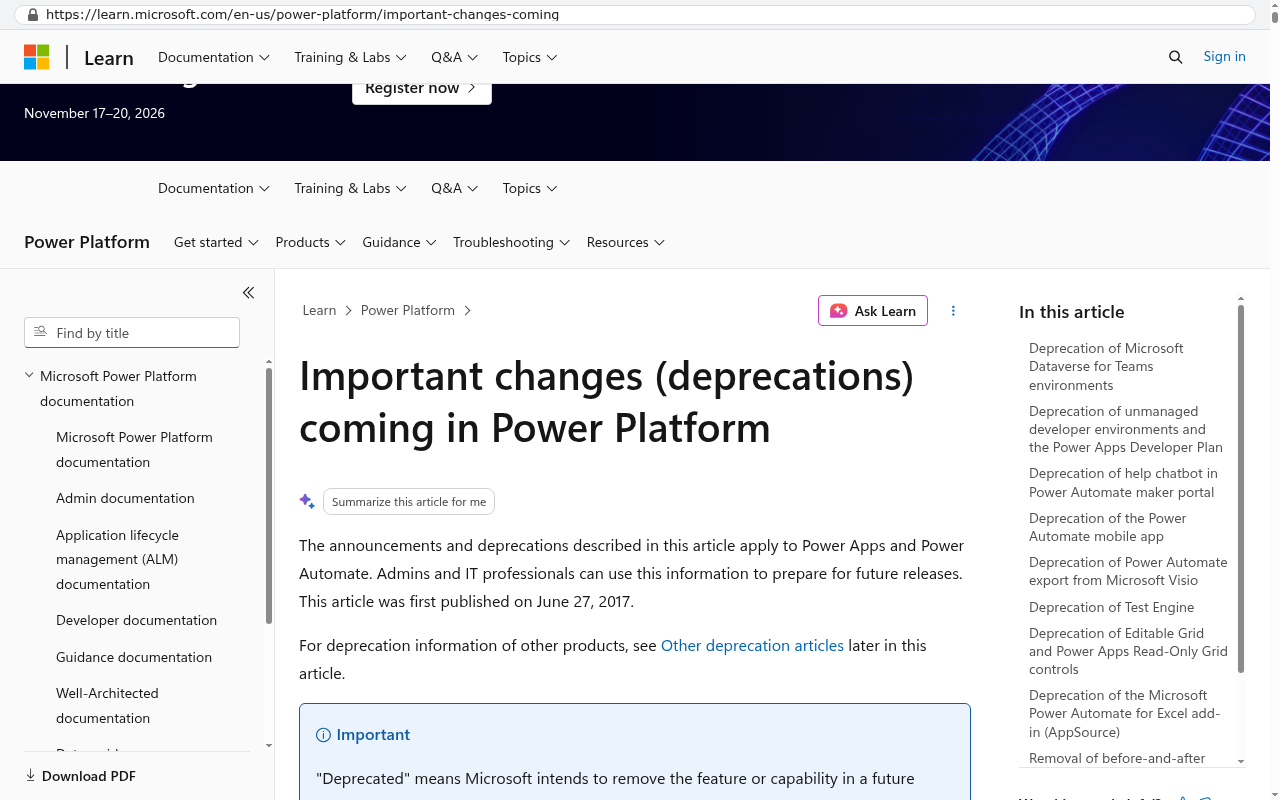
Microsoft Learn website showing the Important changes and deprecations coming in Power Platform page with a list of deprecated features and their retirement details in the right sidebar
Microsoft Learn displays the Important changes and deprecations coming in Power Platform page listing multiple features being retired including Microsoft Dataverse for Teams environments and Power Automate mobile app. Source: learn.microsoft.com/en-us/power-platform/important-changes-coming

Build one AI feature first, not five. Pick the single highest-volume manual task, ship it, and measure it for a month. You'll learn more about how your team actually works from that one feature than from six months of planning.

Where to go from here

The realistic picture is unglamorous and profitable. An AI-powered internal app reads the documents, drafts the records, flags the exceptions, and hands the judgment calls to your people. It doesn't replace your team. It removes the retyping that was never a good use of them.

If you're weighing a build against another year of subscription renewals, bring the numbers. Volume, hours, and what the delays are costing you. We'll tell you straight whether custom is the right answer or whether you should buy something off the shelf and save your money.

Book a free strategy session at /contact and we'll work through it with you.

Questions

Frequently asked questions

What is an AI-powered internal app and how does it differ from a chatbot?

An AI-powered internal app is software that reads messy input and turns it into structured data your team can act on. Unlike a chatbot bolted onto the corner, it's integrated features inside your operations app that work with real business data like job intake, scheduling, and invoicing to automate specific workflow tasks.

What types of work is AI actually good at in an operations app?

AI excels at the boring middle of workflows: document extraction from PDFs and scans, classifying and routing inbound requests, summarizing long emails into quick reads, drafting initial customer updates, and matching invoices to purchase orders. The key is the AI produces a draft that a person reviews and approves before action.

How does an AI-powered app change the intake process for incoming jobs?

The app automatically reads inbound emails, identifies customers, pulls structured data into a draft with uncertain fields highlighted, and applies contract terms. Instead of an intake coordinator spending eleven minutes per request, they spend two minutes reviewing and correcting the draft. This saves six hours daily on forty requests and enables same-day quotes.

What shouldn't you build with AI in an internal app?

Avoid AI receptionists, phone answering services, social media posting, and generic blog generation. These are commoditized tools disconnected from your operational data. The real value of custom AI comes from proximity to your specific data like part catalogs, customer history, and pricing rules, not generic capabilities.

What is the biggest failure mode for AI features in operations apps?

Bad data in produces bad output. If your customer records are duplicated or part numbers are inconsistent, the AI will confidently match the wrong thing without hesitation. The model doesn't signal uncertainty, so it produces plausible but incorrect answers. Clean data is essential before implementing AI features.

How should AI features be designed to ensure team adoption?

Design for review, not autonomy. The best AI features produce a draft that a human approves before anything goes to a customer. This pattern drops error rates and builds team trust in the system. Never send customer-facing output without human approval, and always highlight uncertain fields for human review.

Read this next

When staying on your current platform is the right call

Custom software isn't always the answer. Here's the arithmetic, the warning signs, and the honest caveats that tell you whether to renew your platform or replace it.

If this is your situation

Talk it through on a call

Thirty minutes over video with the person who would run the build. You talk, we ask questions, and you leave with a plain read on whether custom software makes sense for you. If the answer is that your current tool is fine and badly configured, you will hear that.

Book a strategy call

Who wrote this

David Verneuille

David Verneuille

Founder, Black Badger Software Solutions

David Verneuille founded Black Badger after 18 years as a project manager and years implementing Smartsheet, monday.com, Wrike and Zoho for clients. He now builds custom systems that clients own outright, which is why the writing here is specific about where each platform fits and where it stops fitting.

About Black Badger

Drafted with AI assistance, then checked, edited, and approved by a person before publishing. The facts, opinions, and recommendations are ours.

Related

More on custom software

Want this looked at properly?

An article can only go so far without knowing your systems. Book a strategy call, walk us through what is breaking, and you will get a straight read on whether custom software is the right answer.