
TL. DR: Most businesses don't outgrow their CRM in one dramatic moment. They drift into it. The warning signs are spreadsheets that live outside the system, staff who rekey the same customer three times, and a per-seat bill that keeps climbing while the software does less of what you need. When your yearly subscription plus paid customization starts to look like the cost of owning something built for your workflow, it's time to run the numbers instead of clicking renew.
Signs your business has outgrown its off the shelf CRM
/ 11 min read
TL;DR
Most businesses don't suddenly outgrow their CRM but gradually drift into it as spreadsheets multiply, duplicate data entry increases, and customization costs climb toward the price of building a system tailored to their actual workflow.
Key takeaways
- Shadow spreadsheets used by your team to work around CRM limitations are the clearest sign the system no longer fits your business needs.
- Generic field structures in off the shelf CRMs force your unique sales process to bend, costing hours weekly in workarounds that nobody formally tracks.
- Duplicate data entry across your CRM, accounting software, inventory systems, and scheduling tools creates manual reconciliation work and increases the risk of costly errors.
- When consultant fees, connector subscriptions, and per seat licenses stack up over time, the total cost of maintaining and customizing an off the shelf CRM often rivals the cost of owning a custom built solution.
- Custom CRM builds are only the right choice for businesses with complex, non standard processes, as small teams with simple pipelines should remain on shelf products.
- A mismatch between your CRM's reporting capabilities and your actual business model causes teams to stop trusting system data and resort to manual Excel exports before leadership meetings.
- Integration failures between your CRM and other business systems create manual reconciliation work that undermines data accuracy and operational efficiency across departments.
Key takeaways
- Shadow spreadsheets are the clearest symptom. If your team keeps a sheet to make the CRM usable, the CRM isn't doing the job.
- Generic field structures force your process to bend. That bending costs hours every week and nobody logs it.
- Broken integrations between CRM, billing, inventory, and scheduling create manual reconciliation, which creates errors.
- When consultant fees, connector subscriptions, and per-seat licences stack up, custom ownership becomes the cheaper math over a few years.
- A custom build isn't right for everyone. Small teams, simple pipelines, and businesses with no unusual process should stay on the shelf product.
Your CRM was fine when you had six salespeople and one product line. Now you have three service divisions, a field crew, a parts inventory, and a customer who expects a status update before they ask. The software didn't get worse. Your business got more specific, and the CRM stayed generic. That gap is where the pain lives.
I've walked into plenty of operations where the CRM is technically in use and practically ignored. Everyone logs in. Nobody trusts what's in there. The real work happens in a shared drive full of spreadsheets named after the person who made them. Here's how to tell whether you're at that point, and what to do about it.
The spreadsheet tells you everything
Find the spreadsheets. Not the reporting exports, the working ones. The scheduling grid the ops manager updates every morning. The pricing sheet the estimator keeps on his desktop. The job tracker that the project coordinator rebuilt after the CRM couldn't handle multi-phase work.
Every one of those files is a feature your CRM should have had. Your team built a workaround because waiting for the vendor wasn't an option. That's good instinct and bad architecture. Those sheets have no audit trail, no permissions, and no backup discipline. When the person who owns the sheet leaves, a piece of your operation walks out with them.
Duplicate data entry is the other giveaway. Ask a salesperson how many places a new customer gets typed. If the answer is more than one, you're paying for that twice. Once in wages, once in the errors it creates. A customer address typed into the CRM, then again into QuickBooks, then again into the scheduling tool will eventually disagree with itself. Then a truck goes to the wrong site.
Run a two week tally. Ask each team to note every time they copy information from one system into another. Don't estimate it, count it. Most owners are shocked by the total, and the number is the strongest argument you'll have for changing anything.
Generic fields don't match how you actually sell
Off the shelf CRMs are built around a simple story. A lead becomes an opportunity, the opportunity has a dollar value and a close date, and then it's won or lost. That story works beautifully for software sales and insurance. It falls apart fast for anyone else.
A commercial contractor doesn't have one close date. There's a bid date, an award date, a notice to proceed, and a mobilization date. Any of them can slip independently. A staffing firm doesn't have one customer, it has a client and a candidate, and both need a pipeline. A manufacturer selling through distributors has a sale that happens twice, once to the distributor and once to the end user, with different data on each.
You can force these into custom fields. Most teams do. But custom fields on a generic object don't carry logic. The CRM doesn't know that a bid date can't be after the award date. It doesn't know that a job with no notice to proceed shouldn't appear in the revenue forecast. So your reports are wrong, and everybody quietly stops using them.
The reporting canary
Watch what happens before a leadership meeting. If someone spends four hours exporting CRM data into Excel to build the report, your CRM's data model doesn't match your business. The export is a translation step. You're paying a person to translate your own information back into a shape you recognise.
Good sign you're fine: you pull a dashboard and act on it. Bad sign: three people produce three different revenue numbers from the same system, and the meeting starts with an argument about whose number is right.
When the CRM can't talk to anything else
Integration is where most mid-sized operations actually break. The CRM knows about customers. Your accounting system knows about invoices. Your inventory system knows what's on the shelf. Your scheduling tool knows who's available Thursday. None of them know about each other.
So a human becomes the integration. Someone checks stock before promising a delivery date. Someone copies a won deal into the accounting system to raise an invoice. Someone reconciles the CRM revenue figure against the general ledger at month end and finds a fifteen thousand dollar gap that takes two days to explain.
Connector tools help, and I'd genuinely recommend trying them before building anything. Zapier, Make, and the native integrations inside most major CRMs solve a surprising amount. But they work well for simple one direction pushes. They get fragile when you need real two way sync, conditional logic, or anything involving line items. I've seen a Zap that ran fine for a year silently stop firing after a vendor API update, and nobody noticed for six weeks because there's no error dashboard anybody checks.
Silent integration failures are worse than loud ones. A connector that stops working without alerting anyone corrupts your data quietly. Before you trust any automation between systems, ask what happens when it fails and who gets told. If the answer is nobody, you don't have an integration, you have a liability.
The point where customization costs rival building
This is the arithmetic most owners never sit down and do. Let's do it plainly.
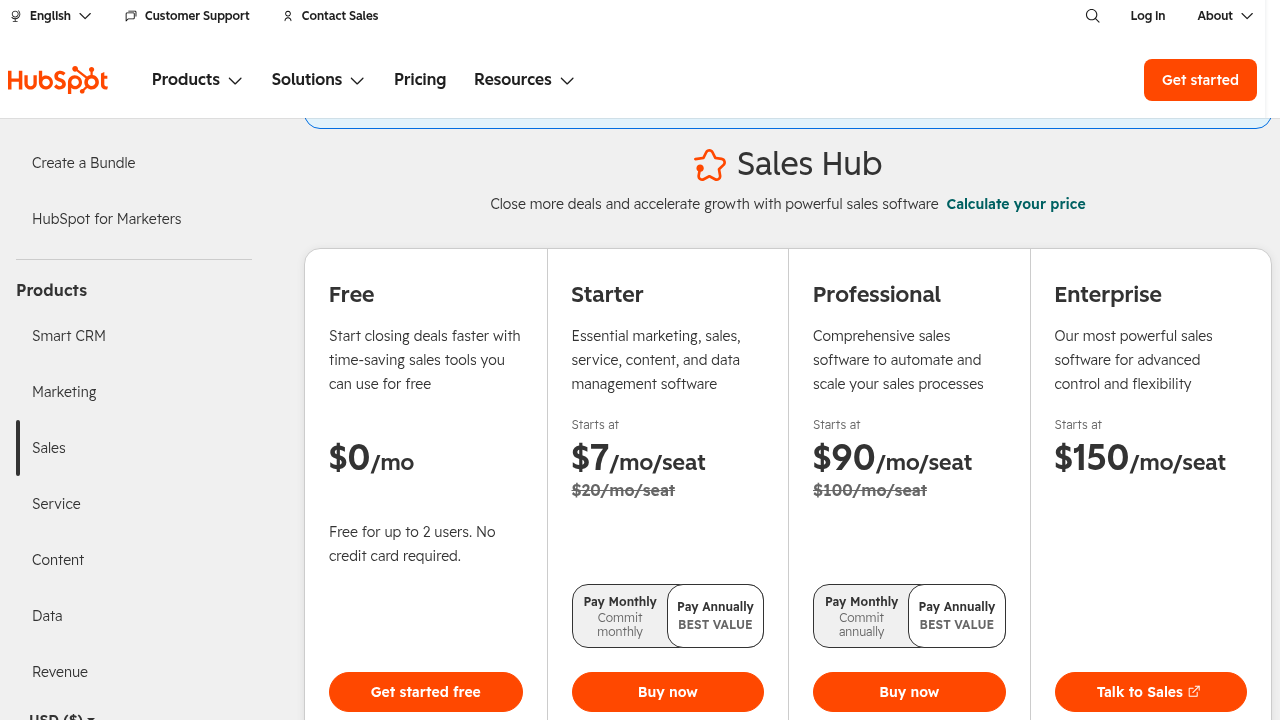
Take a firm with 40 users on a mid-tier CRM at roughly 100 dollars per user per month. That's 48,000 a year in licences alone. Add the marketing automation add-on, the reporting add-on, and the integration platform, call it another 15,000. Now add the implementation partner you keep on retainer to maintain the customizations, plus the annual re-work when the vendor pushes a platform update that breaks your custom objects.
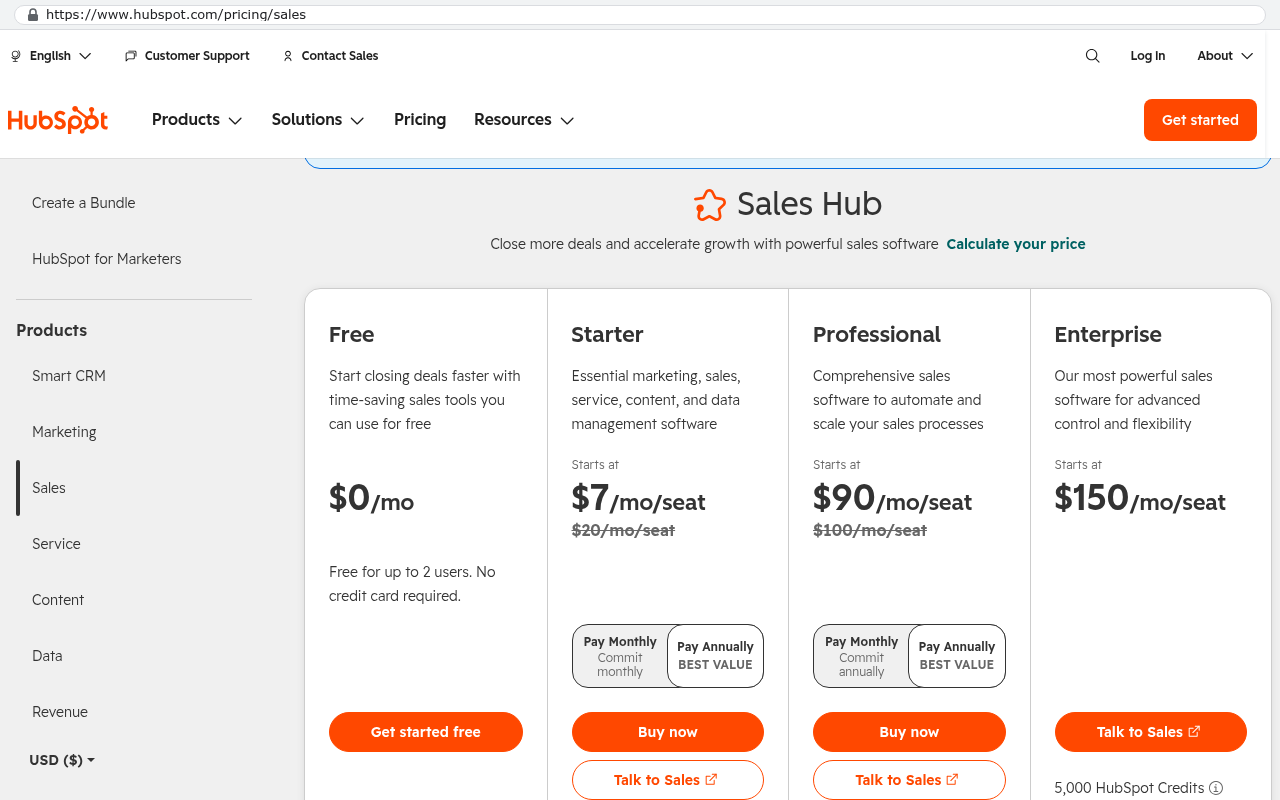
You're somewhere north of 70,000 a year, and every dollar of it is rent. In five years you've spent 350,000 and you own nothing. Cancel the subscription and you have a CSV export and a problem.
Compare that to a custom system. You pay once to build it, then a smaller ongoing amount for hosting and maintenance. Hosting a business application for 40 users costs less than most people assume, often a few hundred dollars a month on standard cloud infrastructure. The code is yours. The database is yours. Adding a field doesn't require a consultant, and it doesn't break when someone else's product team ships a release.
The inflection point usually arrives in one of two ways. Either your per-seat cost crosses a threshold because you're growing headcount, or your customization spend becomes a permanent line item rather than a one time project. When you're paying someone every quarter to keep bending the platform, you've already accepted the cost of custom development. You're just not getting the ownership that should come with it.
A quick self assessment
Score yourself honestly. One point for each true statement.
- At least one critical daily process runs in a spreadsheet outside the CRM.
- Customer or job information gets typed into more than one system.
- Building the monthly leadership report takes more than two hours of manual work.
- You've paid a consultant or partner for CRM customization in each of the last two years.
- A vendor update has broken something you rely on.
- Staff describe the CRM as something they update rather than something they use.
- Your per-user licence cost has risen at renewal two years running.
- You've been told a feature you need is on the roadmap, with no date.
Zero to two points, stay where you are and fix your process. Three to five, you have an integration and configuration problem worth solving properly, possibly still inside your current platform. Six or more, you're funding someone else's product roadmap while running your business on workarounds.
What the tailored version looks like
A custom system at this stage isn't a from-scratch rebuild of Salesforce. That would be silly and expensive. What you build is the part that's specific to you, and you connect it to the commodity pieces you should keep buying.
In practice that means one database that holds your customers, jobs, quotes, and schedule in the shape your business actually uses. Screens designed around what your team does, not around a generic opportunity record. Real validation rules, so a job can't move to scheduling without a signed contract attached. Automatic sync to your accounting package so nobody rekeys an invoice. Dashboards that produce the same number every time because there's only one place the number comes from.
You keep buying email, accounting, e-signature, and payroll. Those are solved problems with good products. What you stop renting is the core of your operation.
Where a custom build is the wrong answer
I'll be straight about this, because plenty of firms get talked into builds they didn't need.
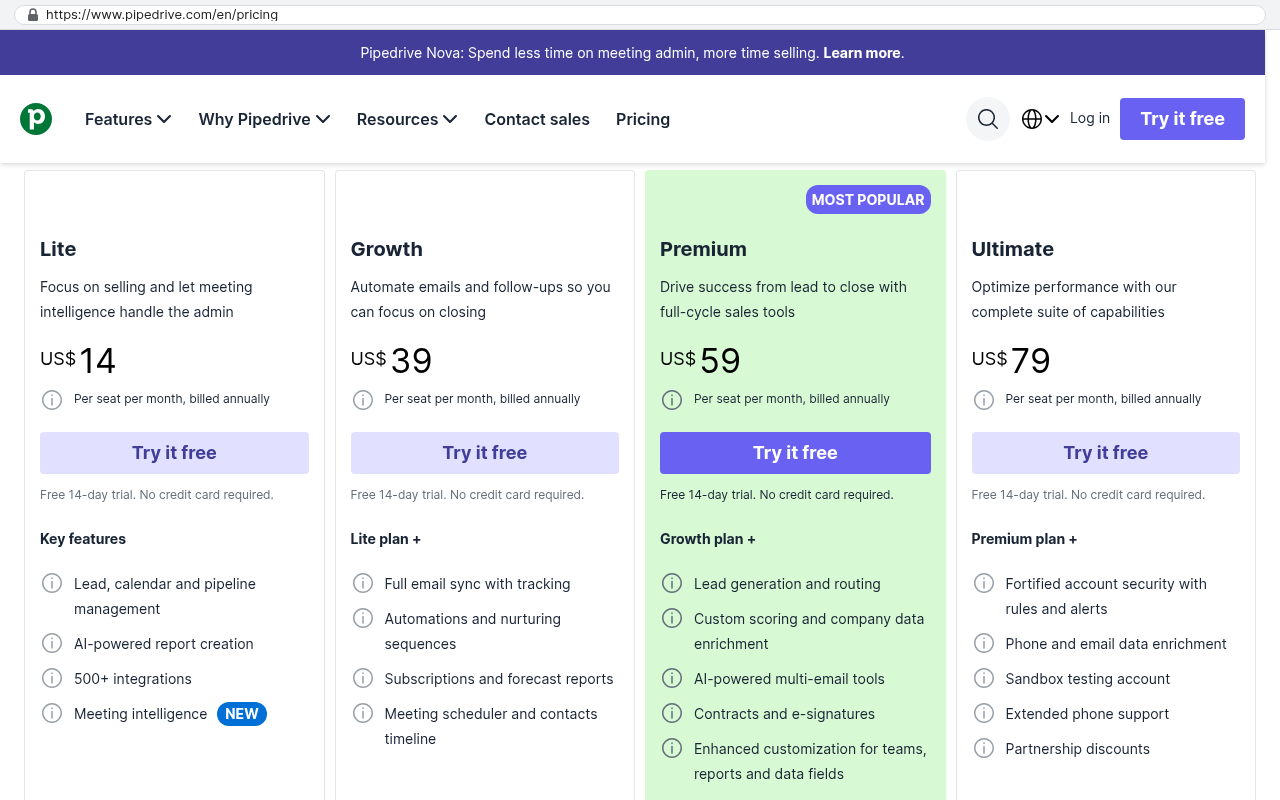
If you have fewer than about fifteen users and a conventional sales process, stay on the shelf product. The licence cost won't justify a build, and HubSpot or Pipedrive will do the job better than anything custom at that scale.
If your problem is that nobody enters data, software won't fix it. That's a management problem wearing a technology costume. A new system will be empty too.
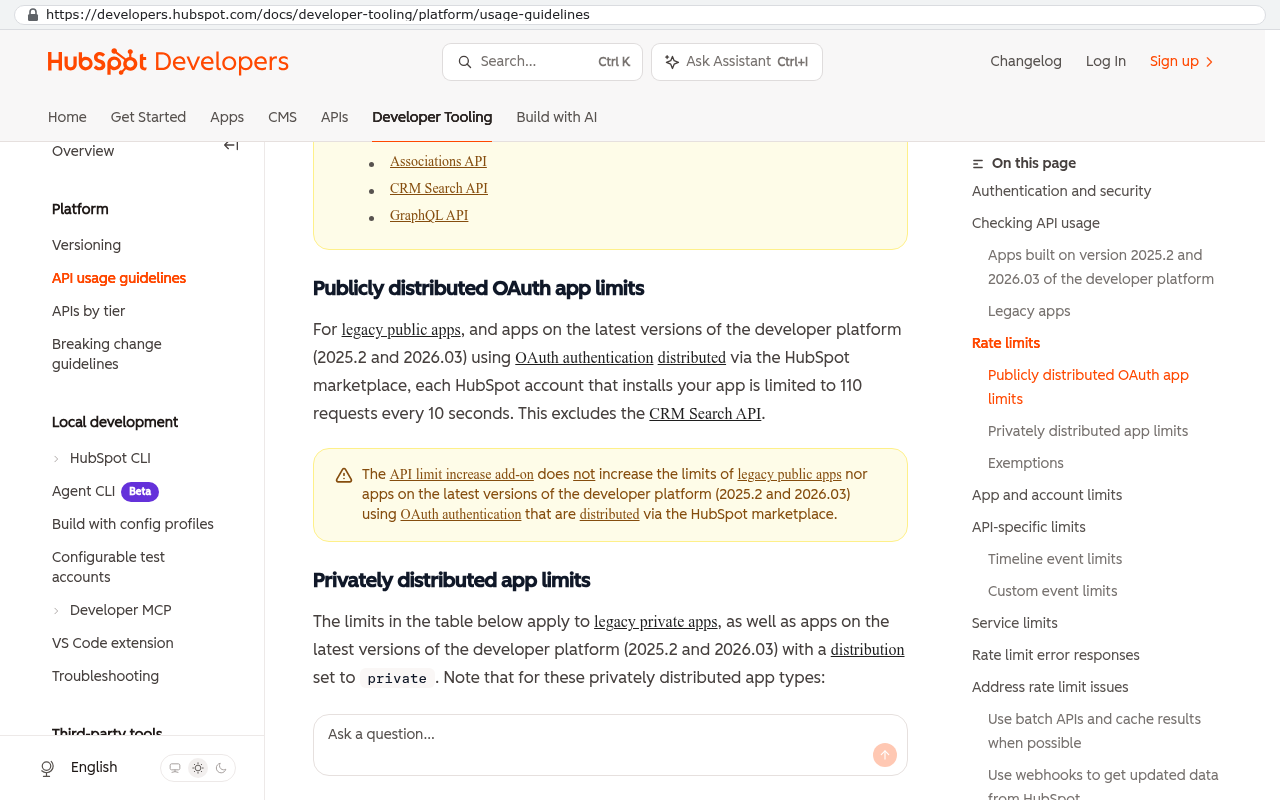
Migration is real work, and anyone who tells you otherwise is selling. Years of notes, attachments, and email history need a scripted export and a mapping exercise. Attachments in particular are painful, because most CRMs store them behind the API with rate limits that turn a one day job into a week. Budget for it honestly.
You also take on responsibility. Owning software means owning updates, security patching, and a relationship with whoever maintains it. That's a fair trade for control, but it isn't free, and it isn't zero effort.
Finally, if your value comes from your CRM's ecosystem, from the marketplace apps and the integrations that already exist, rebuilding that is expensive and pointless. Know which part of the platform you actually use before you replace it.
The best first step isn't a build. It's a written map of your process, showing every system a piece of information touches from first enquiry to final payment. Half the firms that do this exercise find they can fix things inside their current platform. The other half find out exactly what to build, and the map becomes the specification.
Frequently asked questions
Can't we just add more integrations to what we have?
Often yes, and you should try that first. Connectors are cheap compared to development. The test is whether the integration needs logic. Pushing a won deal into accounting is simple. Deciding which of four entities to invoice, at which rate, based on the contract terms, isn't. That's when connectors start costing more in maintenance than they save.
What happens to our existing data?
It comes with you, but not by magic. Contacts and deals export cleanly. Notes and activity history usually do too. Attachments and email threads are the hard part and need a proper scripted extract. Plan the migration as its own piece of work with its own testing, not as a footnote at the end.
How do we avoid building something that's obsolete in three years?
Build the stable part. Your customer records, your job structure, and your billing logic don't change much. The stuff that changes fast, like email marketing and analytics, should stay as bought products you can swap. Custom systems go stale when people try to build everything.
Will our team actually use it?
They will if it's faster than the spreadsheet. That's the whole bar. If the new system requires more clicks than the workaround, people revert within a month. Involve the people who built the workarounds in designing the replacement. They already know what the software needs to do.
What if we grow or change direction?
You change the software, and that's the advantage. No feature request queue, no waiting for a vendor to prioritise you. The cost is that changes need a developer rather than an admin, so keep configuration options in the build for the things you know will move.
Your next step
Pull your last two renewal invoices and add up everything you spent on the CRM, including consultants and connectors. Then count the spreadsheets. Those two numbers together will tell you more than any vendor demo.
If the arithmetic points toward ownership, we're in Clearwater and we build systems that businesses keep. Book a free strategy session and bring your process map, even if it's a napkin sketch.
Read this next: How to map your operational workflow before you replace any software.
Related articles:
- Buy versus build, and how to run the five year numbers
- Why per-seat pricing punishes growing companies
- What CRM migration really involves, step by step
Questions
Frequently asked questions
How do I know if my team is relying too heavily on spreadsheets instead of the CRM?
Look for working spreadsheets your team uses daily, not just reporting exports. These include scheduling grids, pricing sheets, and job trackers created because the CRM couldn't handle them. Each spreadsheet represents a feature your CRM should provide. These workarounds have no audit trail, permissions, or backup discipline, and when the person maintaining them leaves, you lose that operational knowledge.
What's the best way to measure duplicate data entry costs in my business?
Run a two week tally where each team member notes every time they copy information between systems. Don't estimate it, actually count the instances. Most business owners are shocked by the total, and this concrete number becomes the strongest argument for considering a system change. A customer address entered into the CRM, accounting software, and scheduling tool eventually creates data disagreement and operational errors.
Why do off the shelf CRMs fail for complex sales processes?
Standard CRMs are built around a simple story: lead to opportunity to won or lost. This works for software sales but breaks for commercial contractors with bid dates, award dates, notice to proceed, and mobilization dates that slip independently. You can force these into custom fields, but generic fields lack logic. The CRM doesn't know a bid date can't be after an award date, so reports become unreliable and teams stop using them.
What's a sign that my CRM data model doesn't match my business needs?
Watch what happens before leadership meetings. If someone spends hours exporting CRM data into Excel to build reports, your CRM doesn't match your business. That export is a translation step where you're paying someone to reshape your own information into something recognizable. A better sign is pulling a dashboard and acting on it immediately without manual work.
Why do integrations between systems cause problems in growing businesses?
The CRM knows customers, accounting knows invoices, inventory knows stock, and scheduling knows availability, but they don't communicate with each other. A human becomes the integration, checking stock, copying deals, and reconciling gaps. Connector tools help with simple one direction pushes, but they get fragile with complex two way sync or line items. Silent integration failures are worse than obvious ones because they quietly corrupt your data.
When does a custom CRM build make financial sense?
When consultant fees, connector subscriptions, and per seat licenses stack up, custom ownership becomes cheaper over a few years. Run the numbers when your yearly subscription plus paid customization starts to rival the cost of building something for your workflow. A custom build isn't right for small teams with simple pipelines, but it makes sense when your business has specific processes that generic software can't support.
What types of businesses should avoid building a custom CRM?
Small teams, simple sales pipelines, and businesses with straightforward processes should stay with off the shelf products. If you have one product line, one sales approach, and predictable customer interactions, standard CRM software works fine. Custom builds make sense when you have multiple service divisions, field operations, specialized inventory, and customers expecting complex status tracking.
Read this next
When staying on your current platform is the right call
Custom software isn't always the answer. Here's the arithmetic, the warning signs, and the honest caveats that tell you whether to renew your platform or replace it.
If this is your situation
Talk it through on a call
Thirty minutes over video with the person who would run the build. You talk, we ask questions, and you leave with a plain read on whether custom software makes sense for you. If the answer is that your current tool is fine and badly configured, you will hear that.
Who wrote this

David Verneuille
Founder, Black Badger Software Solutions
David Verneuille founded Black Badger after 18 years as a project manager and years implementing Smartsheet, monday.com, Wrike and Zoho for clients. He now builds custom systems that clients own outright, which is why the writing here is specific about where each platform fits and where it stops fitting.
Drafted with AI assistance, then checked, edited, and approved by a person before publishing. The facts, opinions, and recommendations are ours.