Skip to content
BlackBadger

Blog / General

A step by step guide to migrating off a project management SaaS without losing your data

/ 11 min read

monday.com platform API developer documentation showing a table of usage limits including complexity points per minute for individual queries, app tokens, API playground, and personal API tokens

TL;DR

Migrating away from a project management platform without losing data requires careful planning around predictable pitfalls like missing attachments, comment threads, and custom configurations that don't export by default.

Key takeaways

  • Data loss during migration typically comes from elements never included in the export file, such as file attachments, threaded comments, custom field settings, and permission history, rather than from failed database imports.
  • Audit your team's actual workflows before selecting a replacement system, because most platforms include features that go unused while critical work happens in external spreadsheets or workarounds.
  • Export files from SaaS platforms usually provide only rows and columns in spreadsheet format, leaving behind attachments as broken links, flattened comments without timestamps or authors, and configuration settings that require manual rebuilding.
  • Request a full export early in the process and ask your vendor in writing what the export includes, what it excludes, and how long you retain access after cancellation.
  • Run both the old and new systems in parallel through at least one complete billing and reporting cycle before cutting over to catch integration issues and ensure all essential workflows transfer successfully.
  • Some elements like client-facing shared links and third-party app integration history cannot migrate between platforms, so plan replacements for these features rather than assuming they will transfer.
  • Calculate your true cost of ownership by multiplying your per-seat monthly price by seat count and twelve months, then by five years, and compare that against a one-time custom build plus hosting costs.

The scariest part of leaving a project management platform isn't the new system. It's the twelve years of comments, attachments, and completed work sitting inside the old one. Most owners freeze right there and renew for another year. That's a fair instinct, because botched migrations are real. But they're botched for predictable reasons, and every one of those reasons can be planned around.

TL. DR: Data loss during a migration almost never comes from a failed database import. It comes from things that were never in the export file to begin with, like file attachments, comment threads, custom field settings, and permission history. Audit what your team really uses, pull a full export early, test the import against the old system side by side, and run both platforms in parallel before you cancel anything.
Key takeaways

  • Export files from most SaaS platforms give you rows and columns, not attachments, threaded comments, or audit trails.
  • Audit your actual workflows before you choose a replacement, because you'll rebuild only about half of what the platform offers.
  • Ask your vendor in writing what the export includes and how long you keep access after you cancel.
  • A custom build can import legacy records cleanly, including archived work, if the import is scoped as real project work and not an afterthought.
  • Run the old and new systems in parallel through at least one full billing and reporting cycle before you cut over.
  • Some things genuinely don't move, like client-facing shared links and third-party app history. Plan replacements for those instead of pretending they'll survive.

What actually disappears when you leave a PM platform

Your task list is the easy part. Task names, due dates, assignees, and status all live in tidy columns and come out of any platform in a spreadsheet. The trouble sits everywhere else.

Comment threads are the first casualty. In most exports, comments either vanish entirely or collapse into one long text blob with no author and no timestamp. That matters more than people expect. When a client disputes a change order from eighteen months ago, the comment thread is your evidence.

Attachments are second. Files live in cloud storage behind the platform, and the export gives you a link, not the file. Those links die when your subscription dies. If your team drops signed approvals, site photos, or scope documents into task threads, you have a real archive problem hiding in plain sight.

Third is everything about structure. Custom field definitions, dropdown options, automation rules, dashboard formulas, permission groups, and templates are configuration, not data. They rarely export at all. Someone has to write them down and rebuild them.

Last is time and change history. Who moved this to blocked, and when. Who changed the budget number. Platforms store that internally, and most give you no way out with it.

Audit your real workflows before you shop for anything

Do this before you look at a single replacement option. Sit with the three or four people who live in the tool all day and ask them to walk you through a normal Tuesday. Not the process on paper. The one they actually follow.

You'll find two surprises almost every time. First, a large chunk of the platform is unused. Teams commonly rely on a handful of views, a couple of reports, and two or three automations. Everything else was enabled during onboarding and forgotten. Second, the important work happens in spreadsheets bolted onto the side, because the platform couldn't do one specific thing your business needs.

Write down what each person opens, in order, and what they do with the output. Then rank it. Anything that touches invoicing, payroll, or a client deliverable is non-negotiable. Anything that produces a report nobody reads can quietly die in the migration, and that's a win.

Ask each person one question at the end of the walkthrough. "What do you do outside this system because it can't handle it?" The answers are usually the strongest argument for owning your own software, and they never show up in a feature comparison chart.

This audit also gives you honest arithmetic. Take your per-seat monthly price, multiply by your seat count, then by twelve. Then multiply by five, because you're not switching again next year. Compare that number to a one-time build you own outright plus hosting. For a lot of mid-sized operations with heavy customization and growing headcount, the five-year number makes the decision obvious. For a ten-person team using a cheap plan straight out of the box, it doesn't, and you should stay put.

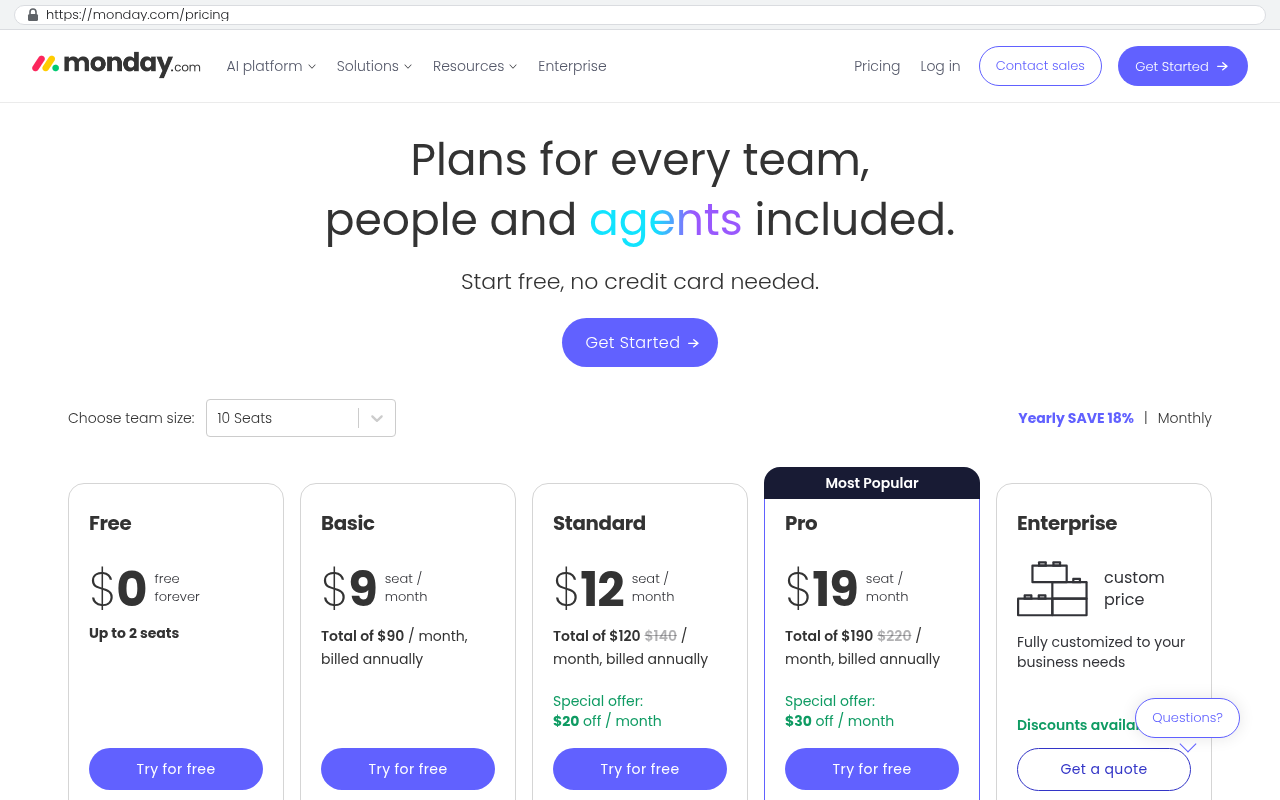
Monday.com pricing page showing Free plan at $0 forever for up to 2 seats, Basic at $9 per seat per month, Standard at $12 per seat per month, Pro at $19 per seat per month marked Most Popular, and Enterprise with custom pricing.
Monday.com pricing page displays five plans with per-seat monthly prices ranging from free to $19 per seat and minimum seat counts clearly labeled. Source: monday.com/pricing

Exports, formats, and the fields that don't travel

Pull your export on day one of the project, not on day ninety. You need to know what you're actually getting before you commit to a plan built on assumptions.

Most platforms offer CSV, which is a plain spreadsheet file. Some offer JSON, a structured text format that keeps nested information like subtasks and comment threads intact. If JSON is available, take it. CSV flattens everything and forces guesses about relationships between records. Many platforms also expose an API, which is a way for software to pull data directly, and that's usually the most complete path by a wide margin.

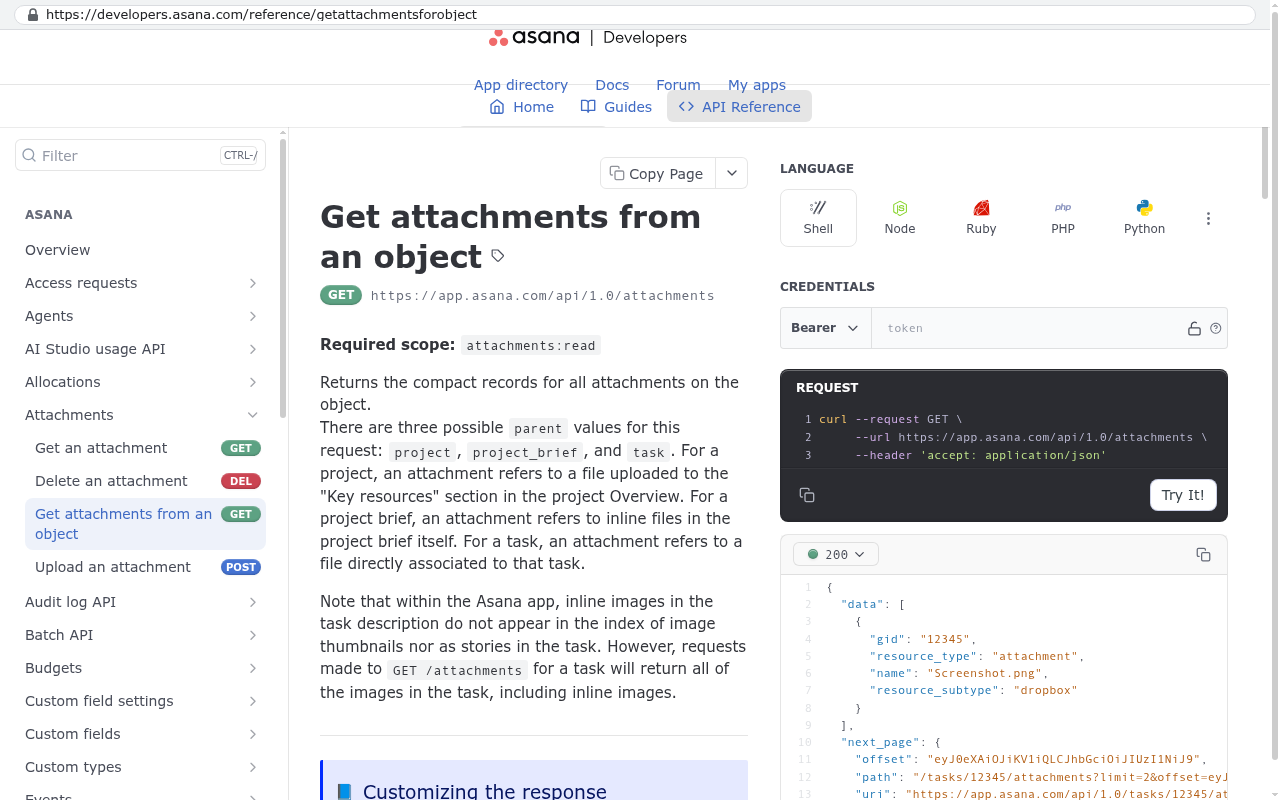
Asana Developers API Reference page showing the Get attachments from an object endpoint documentation with scope requirements, endpoint URL, and request examples in multiple programming languages
Asana Developers API Reference page displays the Get attachments from an object endpoint with required scope, request parameters, and code examples for Shell, Node, Ruby, and PHP Source: developers.asana.com/reference/getattachmentsforobject

Watch for these specific failure points, because they show up again and again:

  • Multi-select and formula fields export as unreadable text codes instead of the values you see on screen.
  • User references export as internal ID numbers with no name attached, so "assigned to 4471983" needs a separate user list to decode.
  • Date fields come out in the wrong time zone, shifting deadlines by a day.
  • Archived and completed projects are excluded from the default export unless you explicitly include them.
  • Row limits truncate large exports silently, so a 40,000 task history quietly becomes 10,000.

Questions to ask your vendor in writing

Get answers by email, not from a chat agent. Ask whether the export includes attachment files or only links. Ask if comments come out with author and timestamp. Ask whether change history and audit logs are exportable at all. Ask how long your data stays accessible after cancellation, and whether read-only access exists during a wind-down. Ask if there's an API rate limit that would make a full pull take weeks.

Never cancel the old subscription on the same day you go live on the new one. Keep the old plan running, at the lowest tier that preserves access, until you've closed a full month of work in the new system and reconciled the numbers. The overlap cost is small compared with discovering in March that your January attachments are gone.

Importing legacy data into a system you own

Here's the part that makes a custom build genuinely different from moving to another SaaS product. When you own the database, you get to decide what the legacy data looks like when it lands. You're not forced into somebody else's field names and record types.

In practice, that means three things. Attachments get downloaded as real files and stored in your own storage, with the original filename, uploader, and date preserved. Comments get imported as individual records with their real author and timestamp, so the thread still reads as a conversation. And historical records that don't fit your new workflow get a home anyway, usually as a read-only archive you can search but not edit.

That archive approach solves the most common migration argument. Your old data has fields you no longer want to maintain going forward. Rather than forcing eleven years of history into a shape it was never in, you keep the history as it was and start clean on the new structure. Search still works across both.

Two technical details worth insisting on. Every imported record should keep its original platform ID in a field, so you can trace any row back to the source if a number looks wrong. And the import should be a repeatable script, not a one-time manual paste. You will run it more than once, because the first pass always reveals something.

A migration sequence that doesn't wreck your operating week

Sequence matters more than speed. The pattern below works because each phase produces something you can check before the next one starts.

  1. Audit and export. Document workflows, pull a full export, and confirm what the file contains before building anything.
  2. Build the core. Get the day-to-day work moving first. Projects, tasks, assignments, and the two or three reports leadership actually opens.
  3. Test the import with real data. Load a copy of the legacy export into a test environment and compare record counts against the old system.
  4. Pilot with one team. Pick one crew or one client account and run their live work in the new system while everyone else stays put.
  5. Run in parallel. Both systems live through at least one full invoicing and reporting cycle. Reconcile the outputs.
  6. Final import and cutover. Re-run the import to capture everything created since the test pull, then switch.
  7. Wind down. Keep read-only access to the old platform through one more cycle, then cancel.

What to check before you flip the switch

Test against the old system, not against expectations. Count total projects, tasks, and comments in both and make the numbers match. Open twenty random tasks and confirm attachments open. Run last month's revenue report in both and compare line by line. Have each role log in and try to do something they shouldn't be able to do, then confirm they can't. Test the export from your new system too, because owning your data means being able to get it out whenever you want.

Limitations and honest caveats

Some things will not survive, and you should plan for that instead of hoping.

Client-facing shared links break. If your customers bookmark a live view in your current platform, those URLs die. You need a replacement client portal or a communication plan, and that's real work.

Third-party integration history usually doesn't move. Connections to accounting software, email, or e-signature tools keep their own records. You'll rebuild the connection and start fresh on the history.

Mobile app convenience is a genuine trade-off. Big platforms have polished native apps built over a decade. A custom system built for the web works well on a phone browser, and that's enough for most field use. It isn't identical, and anyone who tells you otherwise is selling.

And sometimes the honest answer is stay. If your team uses the platform mostly as shipped, has no spreadsheet workarounds, and your seat count isn't growing, the five-year arithmetic won't support a build. A custom system pays off when the platform is fighting how you work, not when it's merely imperfect.

The single biggest predictor of a smooth migration is whether someone on your side owns it. Not oversees it. Owns it, with authority to say a phase isn't done. Migrations that get squeezed between someone's real job are the ones that lose data.

Frequently asked questions

How long should we run both systems at the same time?

At least one full cycle of whatever your business closes on. If you invoice monthly, that's a month plus the reconciliation after it. Teams that overlap for one cycle catch the gaps. Teams that cut over on a Friday find them in an audit.

Can we import data from a platform that has no export button?

Usually yes, through the API, which lets software pull records directly. It takes more setup and it can be slow if the vendor limits how fast you can request data. It's still far better than retyping. Check for the API before you assume you're stuck.

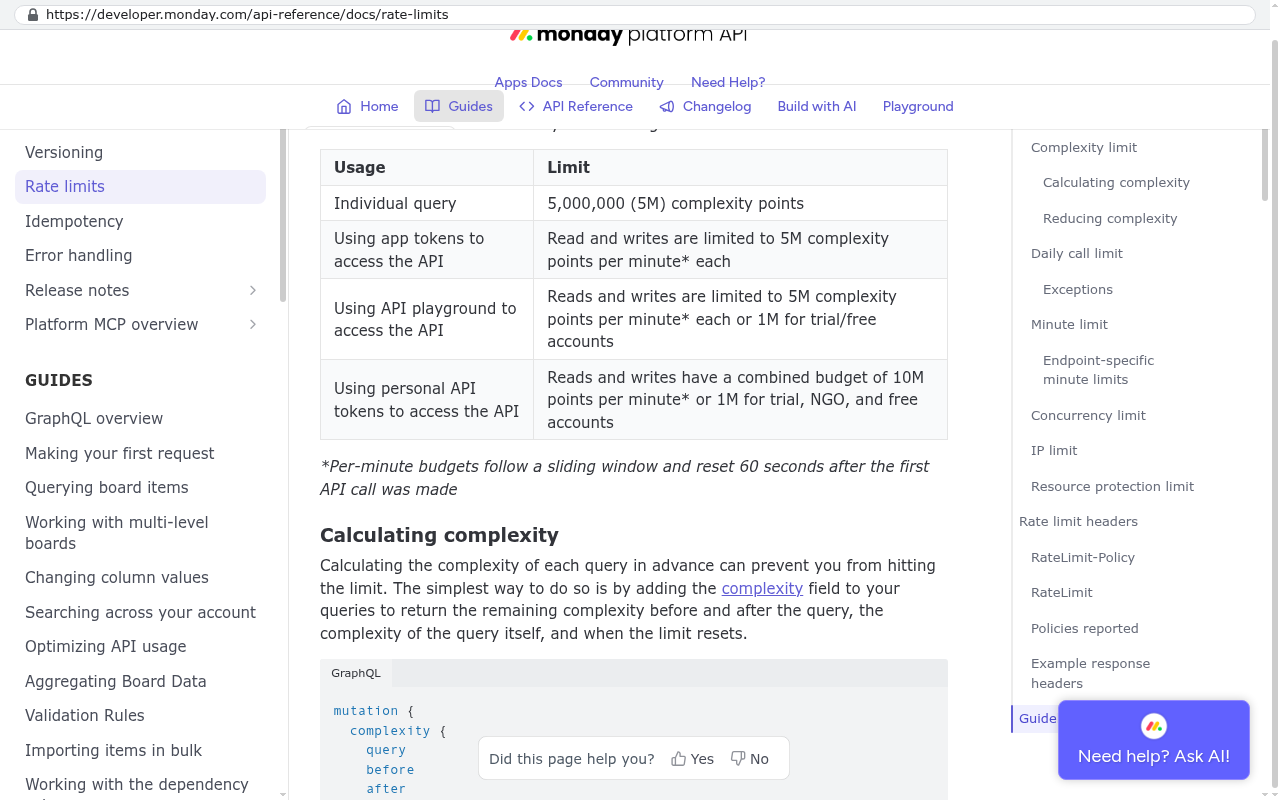
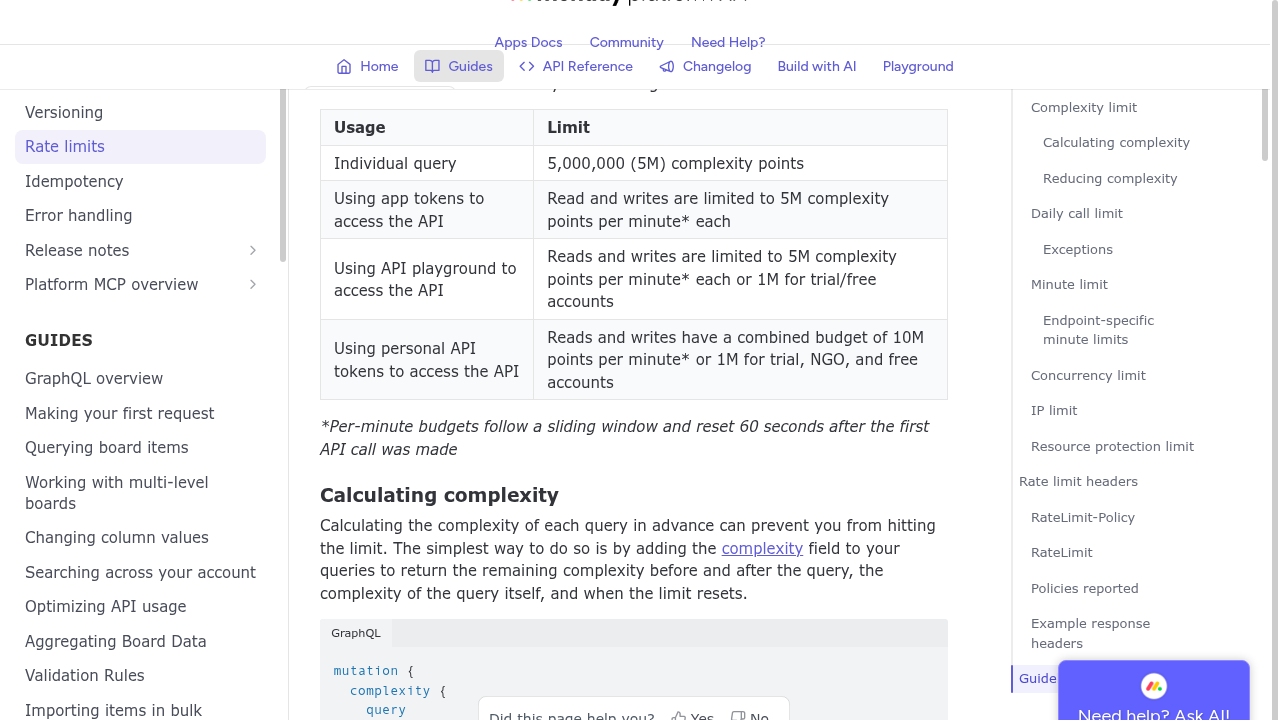
monday.com platform API developer documentation showing a table of usage limits including complexity points per minute for individual queries, app tokens, API playground, and personal API tokens
monday.com API reference documentation page displaying rate limits and complexity budget restrictions per minute for different API access methods. Source: developer.monday.com/api-reference/docs/rate-limits

What if our old data is a mess?

Then don't import all of it. Migration is a good moment to decide what's a live record and what's an archive. Bring the active work into the new structure clean, and park the rest in a searchable archive. Cleaning eleven years of bad data by hand is rarely worth the hours.

Who owns the data in a custom system?

You do, along with the code and the database. That's the practical difference. No seat limits, no renewal letter, and no vendor deciding your export format for you.

Next steps

Start with the export. Pull it this week, open the file, and see what's really in there. That one hour tells you more about your migration risk than any vendor conversation will. Then do the workflow audit and the five-year arithmetic. If the numbers point toward owning your system instead of renting it, book a free strategy session and we'll walk your export and your workflows with you.

Read this next: our breakdown of how to calculate the true five-year cost of a per-seat SaaS subscription against a system you own.

Related articles

  • What to document before you replace your project management software
  • Custom software versus off-the-shelf platforms for mid-sized operations
  • How to build a client portal that replaces shared SaaS links

Questions

Frequently asked questions

What data typically gets lost when migrating away from a project management platform?

Data loss usually comes from things that were never included in the export file to begin with. File attachments, comment threads with author and timestamp information, custom field settings, automation rules, and permission history typically vanish or export as incomplete references. Task names, due dates, and assignees export cleanly, but everything else requires careful planning.

How should we prepare before choosing a new project management system?

Audit your actual workflows by observing team members during a normal work day. Write down what they open, in order, and what they do with the output. You'll likely find unused platform features and critical work happening in spreadsheets outside the system. This audit reveals what's truly non-negotiable versus what can be abandoned in migration.

What export format should we request from our current platform?

Request JSON if available, as it preserves nested information like subtasks and comment threads that CSV flattens. An API is usually the most complete export path available. Avoid CSV exports when possible, as they force guesses about relationships between records and lose structural information that JSON retains.

What specific export issues should we watch for?

Multi-select fields export as unreadable text codes instead of readable values. User references become internal ID numbers without names. Date fields may shift by a day due to time zone errors. Archived projects are excluded by default unless explicitly included. Row limits can silently truncate large exports, losing thousands of records.

How long should we run both systems in parallel before switching completely?

Run the old and new systems in parallel through at least one full billing and reporting cycle before cutting over completely. This allows you to verify that data imported correctly, test workflows in the new system, and ensure nothing critical was lost or misconfigured during the migration process.

What things genuinely cannot be migrated to a new system?

Client-facing shared links and third-party app history don't move between platforms. Rather than pretending these will survive migration, you should plan replacements for them in advance. These represent genuine limitations that require workarounds instead of standard data export and import solutions.

Should we get migration commitments from our vendor in writing?

Yes, absolutely. Request answers by email, not from chat agents. Ask specifically whether exports include attachment files or only links, if comments export with author and timestamp information, what the export format includes, and how long you retain access to your data after cancellation. Written responses create accountability and prevent misunderstandings later.

How do we handle archived or completed projects in an export?

Archived and completed projects are typically excluded from the default export unless you explicitly request them. When pulling your export, make sure to enable options for including archived work. This is especially important if your team needs to preserve historical data or reference old project records for disputes or documentation purposes.

Read this next

What happens to your data when you stop paying a SaaS vendor

Cancel a SaaS subscription and your data doesn't vanish, it gets locked behind a login. Here's what an export really gives you, what never comes out, and when owning the system is cheaper.

If this is your situation

Talk it through on a call

Thirty minutes over video with the person who would run the build. You talk, we ask questions, and you leave with a plain read on whether custom software makes sense for you. If the answer is that your current tool is fine and badly configured, you will hear that.

Book a strategy call

Who wrote this

David Verneuille

David Verneuille

Founder, Black Badger Software Solutions

David Verneuille founded Black Badger after 18 years as a project manager and years implementing Smartsheet, monday.com, Wrike and Zoho for clients. He now builds custom systems that clients own outright, which is why the writing here is specific about where each platform fits and where it stops fitting.

About Black Badger

Drafted with AI assistance, then checked, edited, and approved by a person before publishing. The facts, opinions, and recommendations are ours.

Related

More on general

More reading

Read this next

Want this looked at properly?

An article can only go so far without knowing your systems. Book a strategy call, walk us through what is breaking, and you will get a straight read on whether custom software is the right answer.