Skip to content
BlackBadger

ERP replacement. Our ERPs

See a construction ERP and a manufacturing ERP we built

Datum and Lathe are ERPs we built, each big enough to run a whole company, and every screen is filled with realistic sample data. They show what a system built around one kind of company looks like when nothing is bolted on. Access is by request, and every request is approved by a person.

Request access

Construction ERP

Datum

One system from pursuit to closeout, for general contractors and specialty contractors who run the field, the office and the books in separate tools today.

  • Preconstruction, with pipeline, estimates, bid leveling and takeoff
  • Project management, with RFIs, submittals, drawings, daily logs, punch lists and inspections
  • Change management that carries a change event through to the budget, the forecast and the owner pay application
  • Financials, with job cost, the WIP schedule, AP approvals and cash forecast
  • Equipment, workforce, safety and subcontractor compliance
  • An owner portal and a field app for the superintendent

Views for the executive, the project manager, the superintendent and accounting.
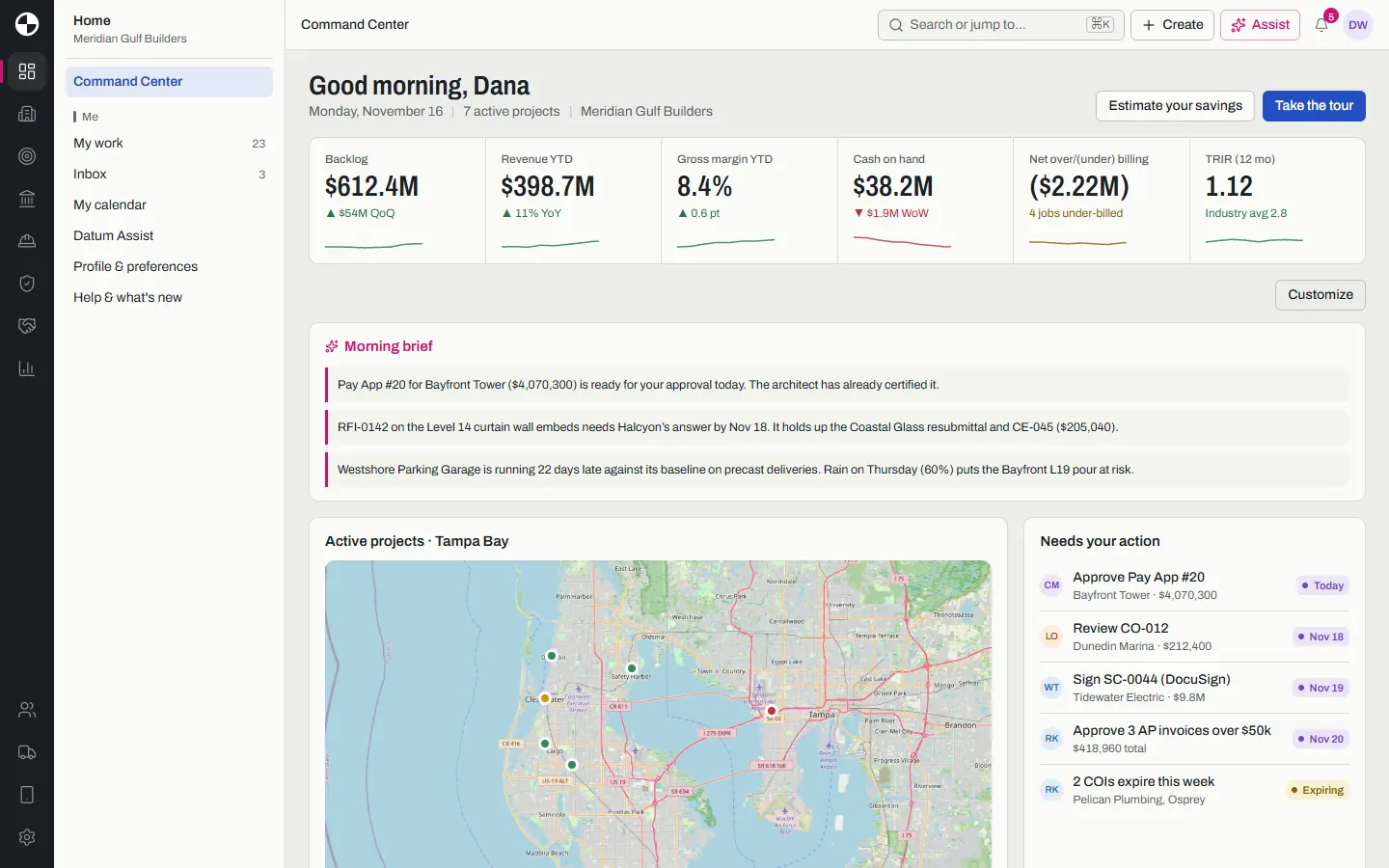
Datum Command Center with backlog, revenue, margin and cash tiles, a morning brief, a map of active projects around Tampa Bay and the approvals waiting on the user.
Command Center. Sample data. Map © OpenStreetMap contributors.
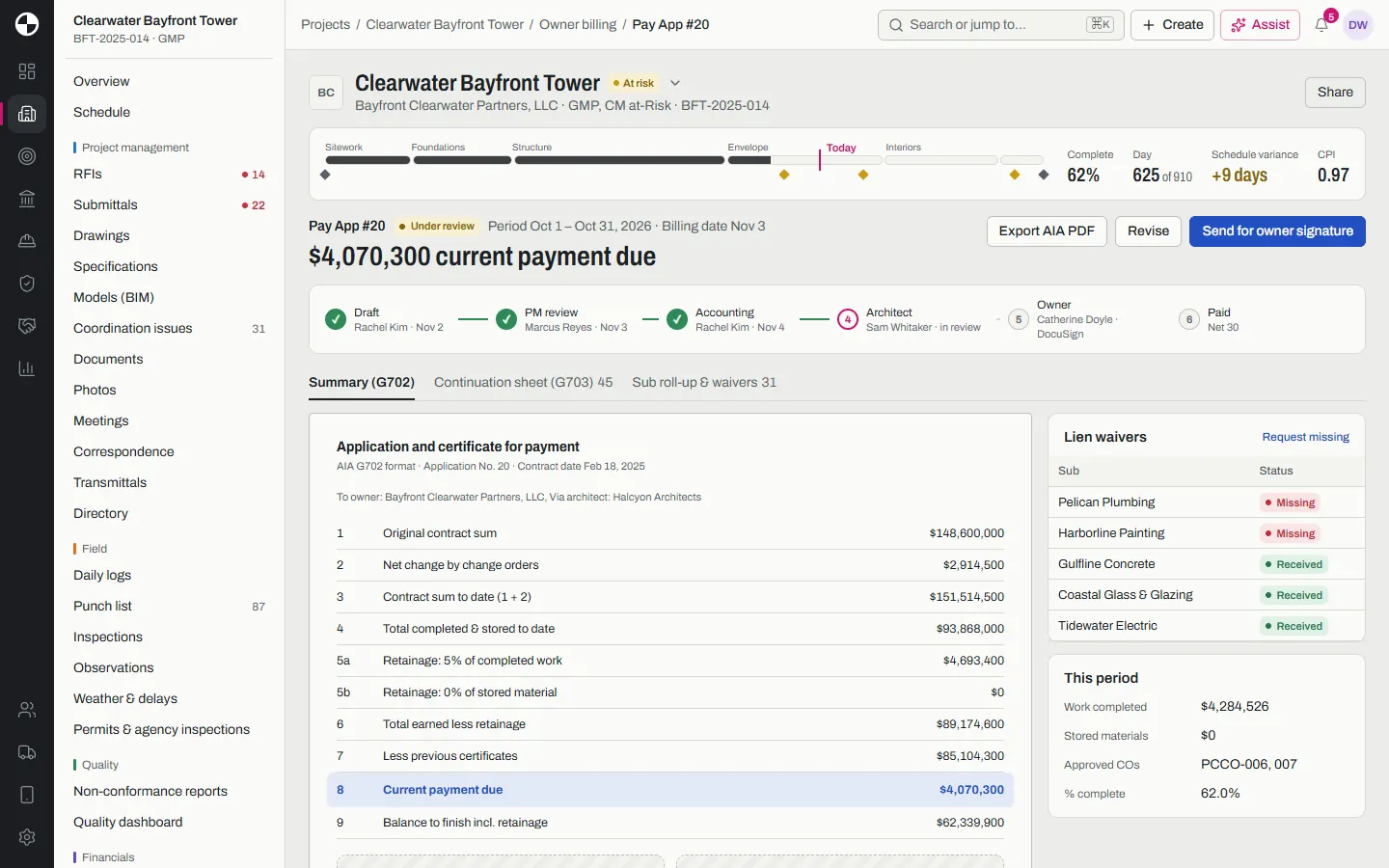
Datum owner pay application for a tower project, with its approval steps from draft to owner signature, the AIA G702 summary and lien waiver status by subcontractor.
An owner pay application with approved changes carried in. Sample data.
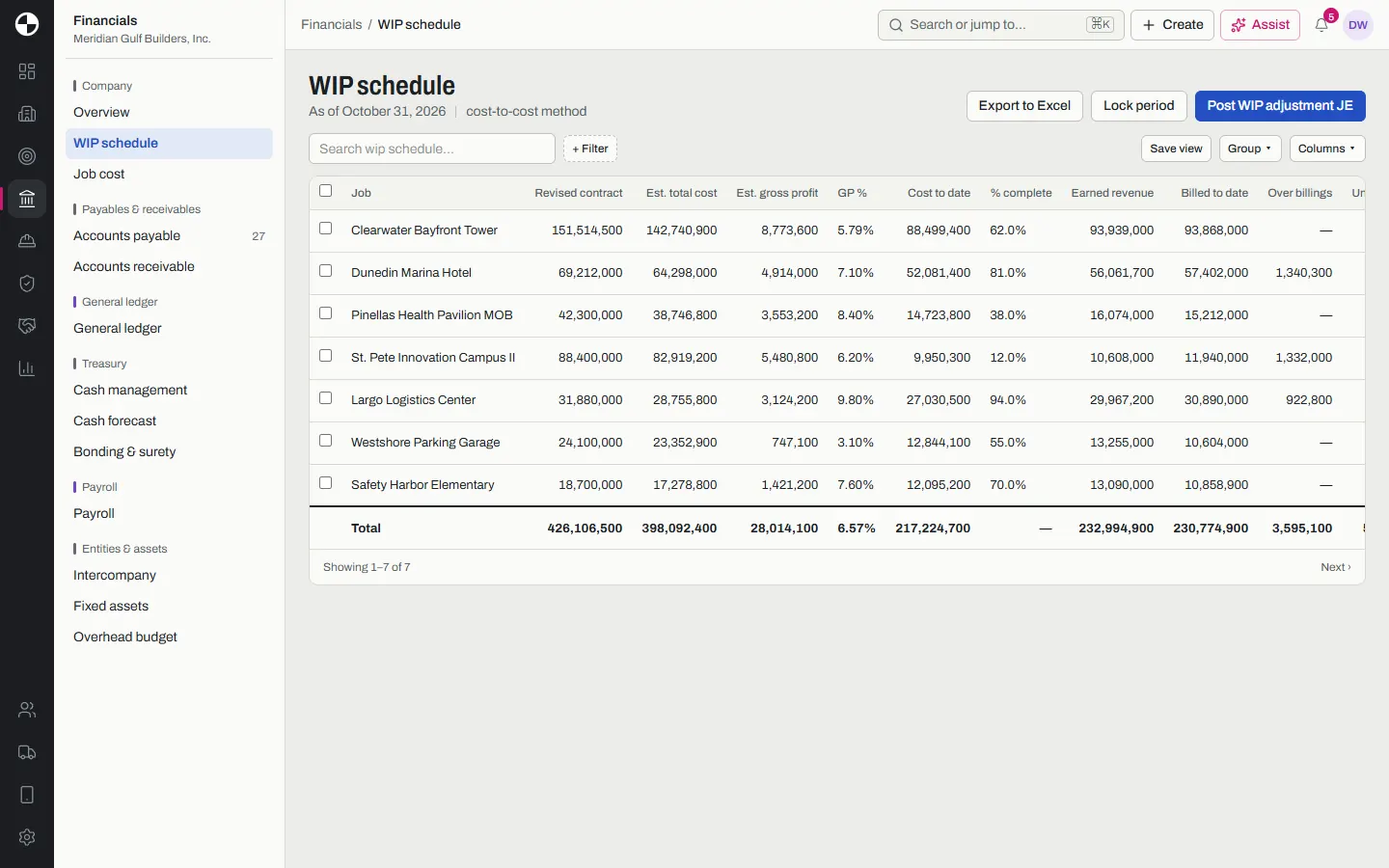
Datum WIP schedule listing seven jobs with contract value, estimated cost, gross profit, percent complete, earned revenue, billings and over billings.
The WIP schedule. Sample data.
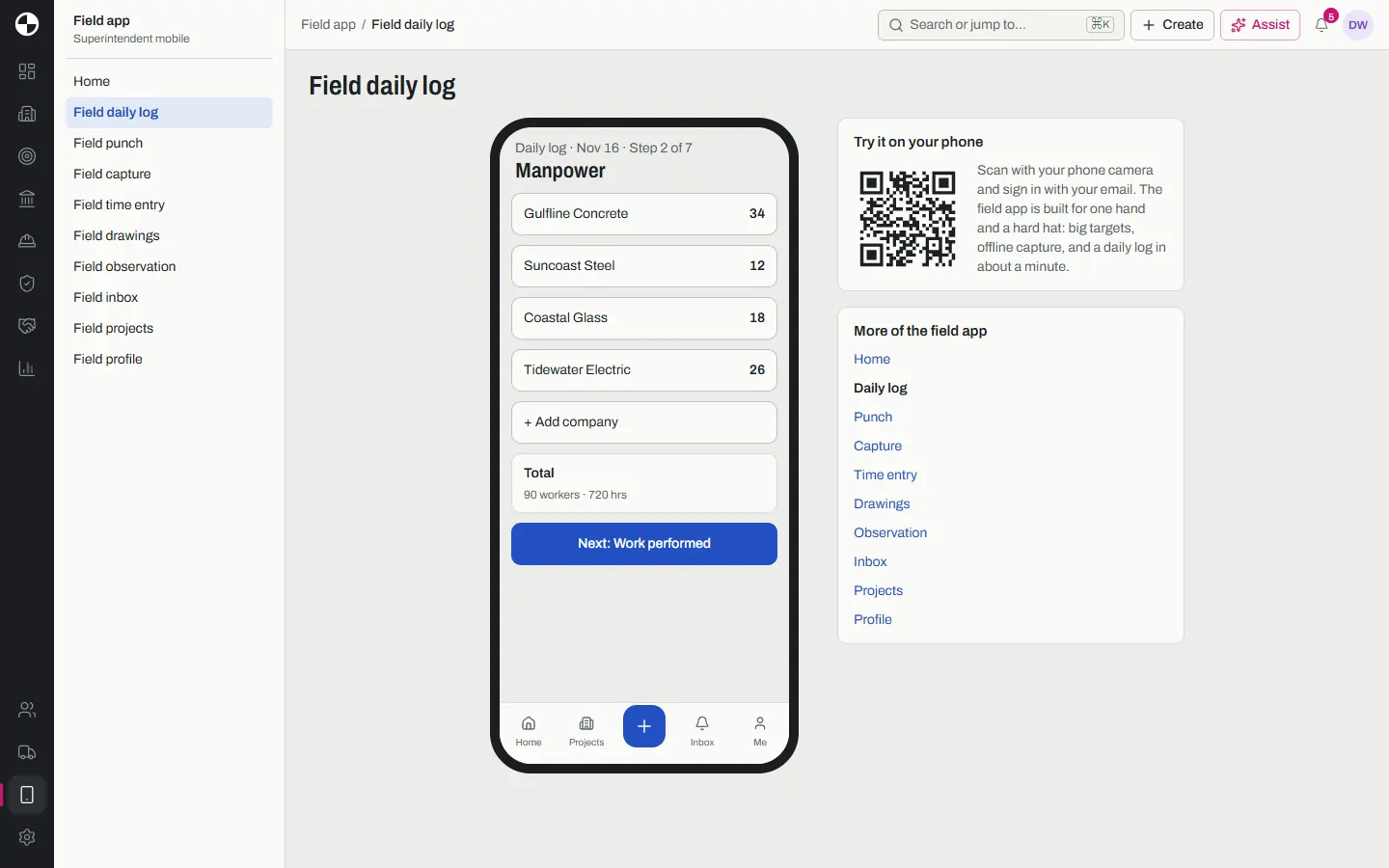
Datum field app in a phone frame, on the manpower step of a superintendent daily log with crew counts by subcontractor.
The field app daily log. Sample data.

Manufacturing ERP

Lathe

Quote to cash for discrete and make-to-order manufacturers, from the sales order to the shop floor to the invoice.

  • CRM, sales, CPQ and estimating
  • Engineering, BOMs and engineer-to-order projects
  • Planning, MRP and a scheduling board
  • Production, an operator kiosk and connected machines
  • Purchasing, inventory, warehouse mobile and a supplier portal
  • Quality with NCRs and traceability, maintenance, tooling, safety and finance

Each person starts in the role they would hold, from the plant manager to the buyer, the planner and the operator.

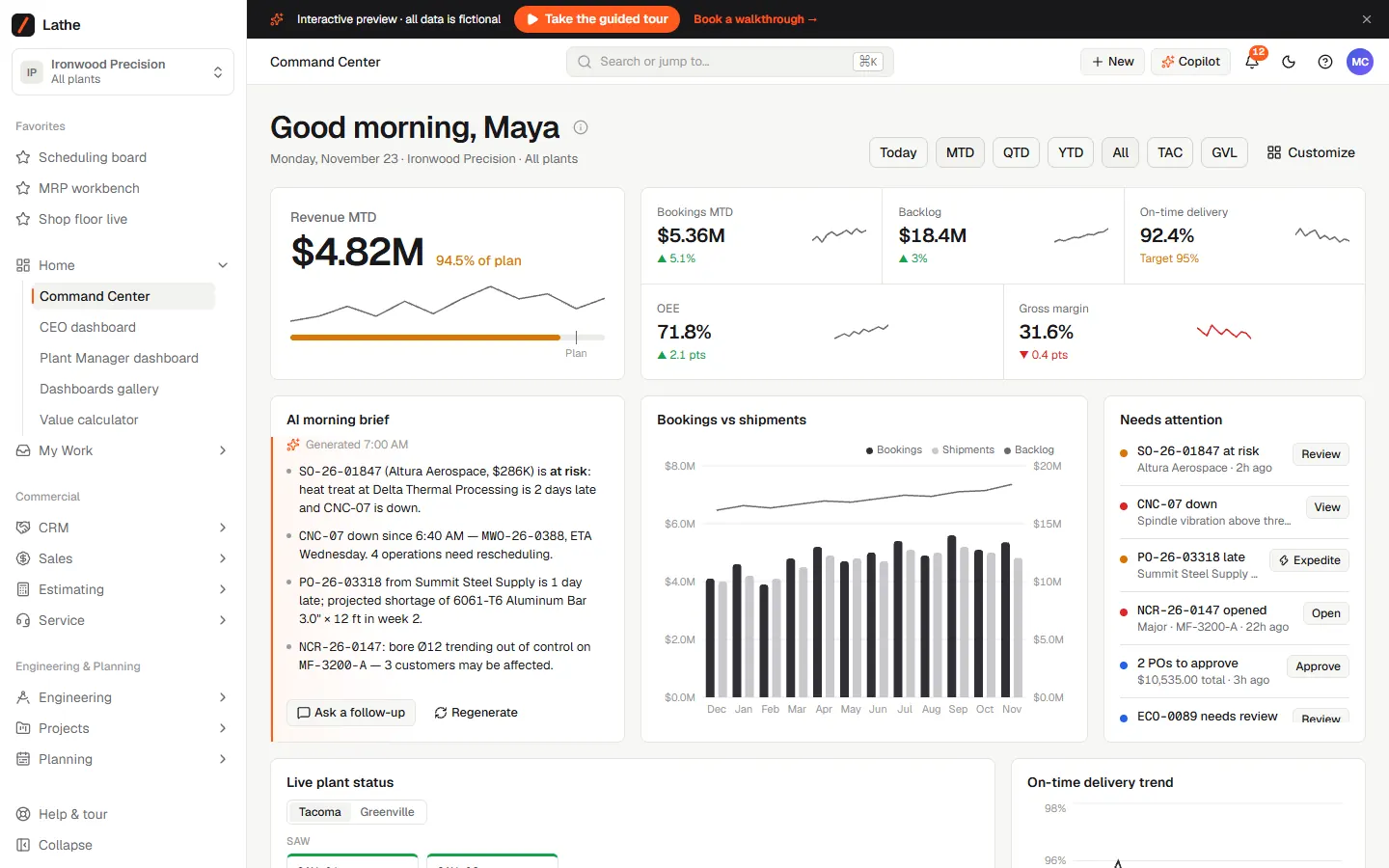
Lathe Command Center for a fictional two plant manufacturer, with revenue against plan, bookings, backlog, on time delivery, OEE, an AI morning brief and orders that need attention.
Command Center. Sample data.
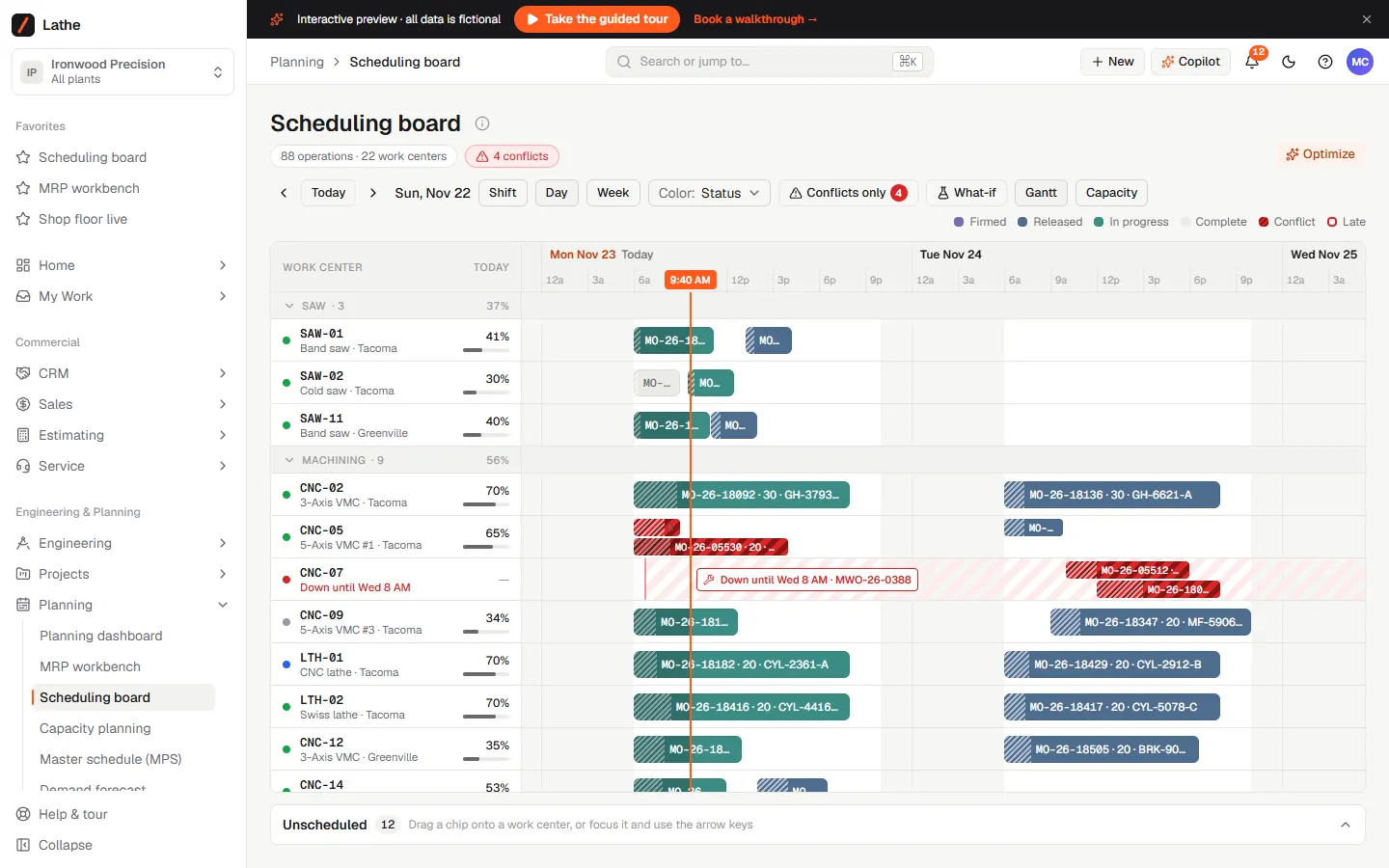
Lathe scheduling board, a Gantt chart of operations by work center over three days, with a machine down for repair and conflicts flagged in red.
Scheduling board. Sample data.
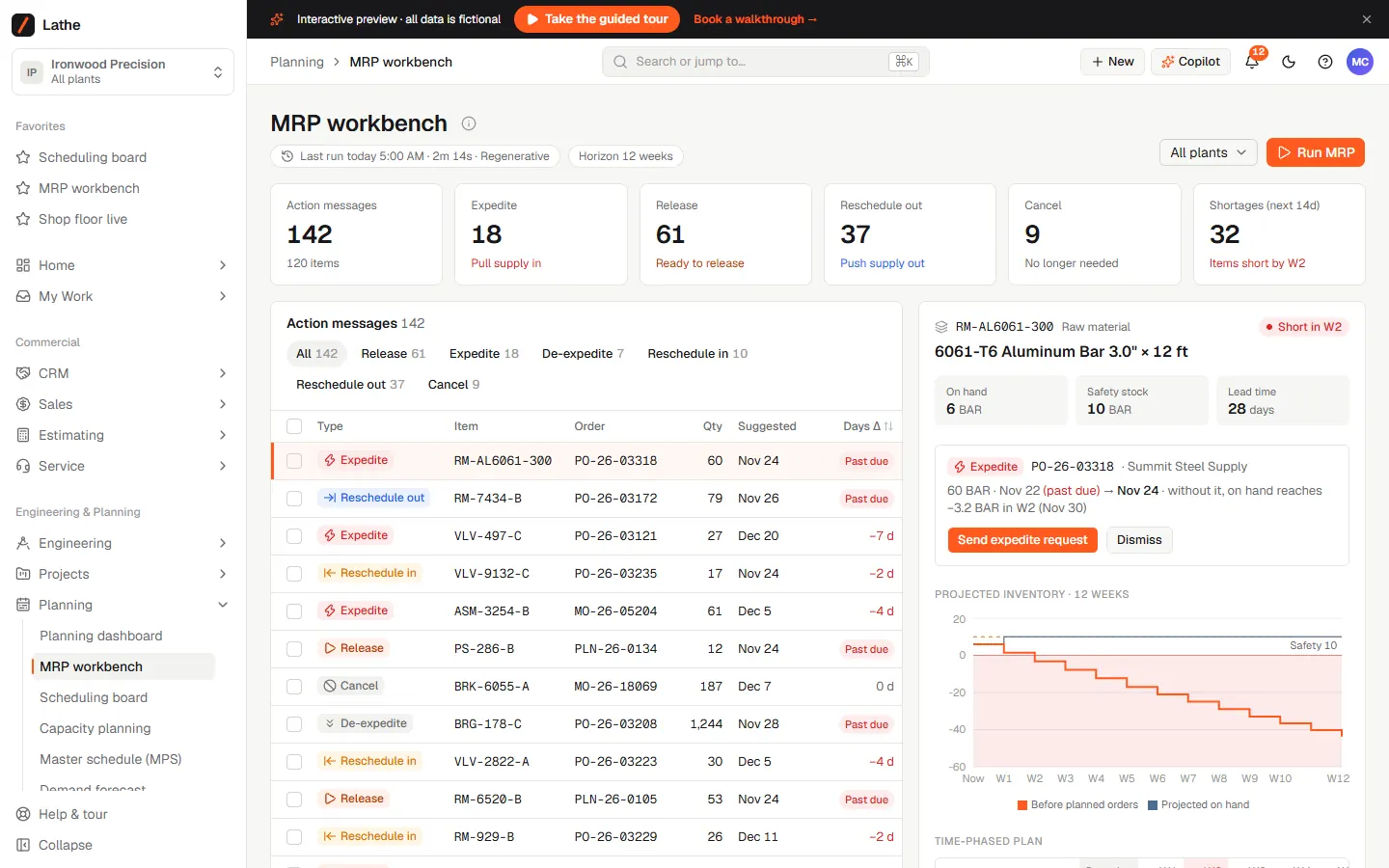
Lathe MRP workbench with action messages to expedite, release or reschedule orders, and a projected inventory chart for an aluminum bar about to run short.
MRP workbench. Sample data.
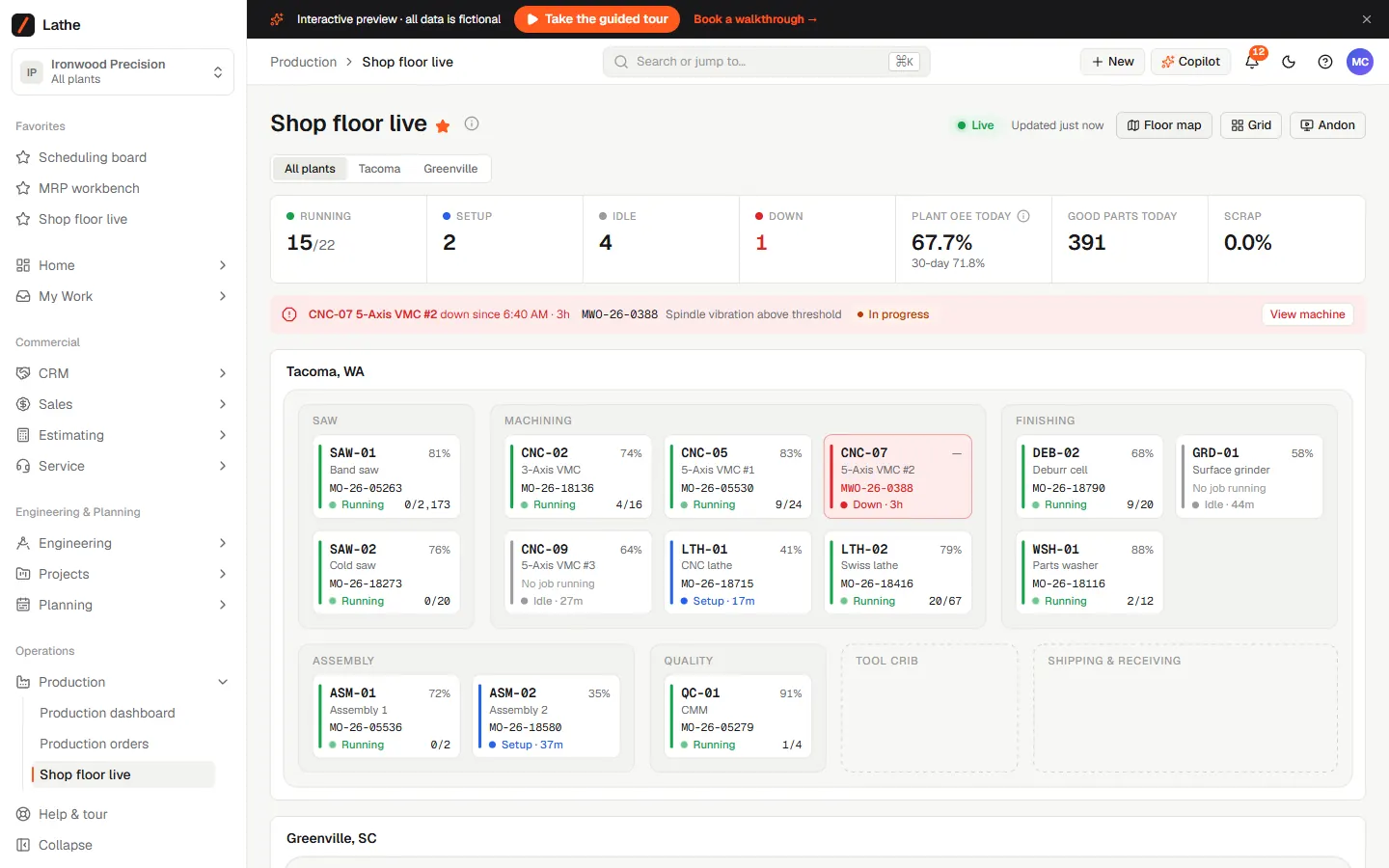
Lathe shop floor live view with each machine status, job and part count by department, and an alert for a machine that is down.
Shop floor live. Sample data.

How access works

Who gets in, and how?

  1. 1. Request access

    Tell us about the company and what you want to see, from a work email on the company domain.

  2. 2. We review it

    Every request is checked and approved by a person. Access is for companies evaluating their own ERP, not for software vendors or consultancies.

  3. 3. Your own logins

    Approved companies get a personal link for each person, up to five, and the ERP carries your company name.

Request access

Not ready to look yet? Read how we replace an ERP, or book a call to talk it through.

We use these details only to review the request and contact you.

Questions

What do people ask about our ERPs?

Are Datum and Lathe products you sell?

Not off the shelf. They are ERPs we built to show the kind of system we make and how much of an ERP can live in one place. A real build is made around your own company, its processes and its data, and your company owns it outright.

Is anything I enter saved?

No. The versions you see run on realistic sample data and nothing you change is kept, so your team can click anything without breaking it.

Why do you ask for so much detail?

Datum and Lathe are only shown to companies looking at replacing their own ERP. The details let us check the request quickly and talk to you about the parts that matter to your business.

Can more of my team look at it?

Yes. List up to four colleagues on the same email domain and each gets their own login.

Do they connect to our current systems?

Not the versions you see here. A build for your company would replace or connect to your current ERP, and the replacement pages for each platform explain how the data comes across.