The real signs it is time to replace your ERP instead of upgrading it
/ 11 min read
TL;DR
Most companies upgrade their ERP systems years after they should replace them, perpetuating workarounds and spreadsheet dependency instead of solving fundamental misalignment between the software and how the business actually operates.
Key takeaways
Shadow spreadsheets and manual workarounds are the real indicators of replacement need, not the age of the software itself.
Upgrades change the version but rarely redesign the underlying data model, meaning workarounds get migrated forward to a new interface rather than eliminated.
Hidden costs in consultant hours, add-on modules, and internal labor for manual workarounds often exceed the license fees over a five-year period.
Legacy systems that only export flat files cannot integrate with modern tools requiring live connections and real-time data exchange.
Custom builds make sense only when your process is genuinely unique and no packaged module can accommodate it, not as a solution to poor data or training issues.
Reporting frequency matters more than reporting capability. Monthly cycles are useless for businesses that now need daily decision-making information.
Most ERP replacement decisions get made about two years too late. The system stopped fitting the business a while back, but nobody wants to be the person who says it out loud. So the company buys another upgrade, retrains everyone, and ends up with the same workarounds in a newer interface.
There is a real difference between an ERP that needs a version bump and an ERP that needs to go. Here is how to tell which one you have.
TL. DR: Upgrade when the software still matches how you work and you just need newer features, better security, or vendor support. Replace when your team has built a second business inside spreadsheets, when reporting arrives too late to act on, and when every change request turns into a consultant invoice. The tell is not age. It is how much manual work your people do to keep the system fed.
Key takeaways
Shadow spreadsheets are the loudest signal. If the real numbers live outside the ERP, the ERP is already a filing cabinet.
Upgrades move you to a new version. They rarely change the underlying data model that caused your problems.
Customization fees and consultant hours often cost more over five years than the license itself.
Legacy systems that only export flat files cannot keep up with modern tools that expect live connections.
Replacement is the wrong answer when your problem is training, bad data, or an unowned process.
The red flags that actually mean something
Age is not a red flag. Plenty of ten year old systems run fine because the business has not changed much. What matters is the gap between what the software does and what your people do every day.
Start by watching how work gets done, not how it is supposed to get done. Sit with your operations coordinator for an hour. If she pulls a report out of the ERP, pastes it into Excel, cross references it against a second export, and then emails the result to three people, you have found the gap. That spreadsheet is not a convenience. It is a piece of unmanaged business software with one maintainer and no backup.
Some signals that consistently mean the system has fallen behind the business:
Key numbers get recalculated outside the system before anyone trusts them.
Month end takes a week because someone has to reconcile the ERP against a side file.
Nobody can get a straight answer on current inventory, job margin, or open work without asking a specific person.
New hires get trained on the workaround before they get trained on the software.
Reports show you last month when you need to see this week.
The last one gets underrated. Old ERP reporting was built for accounting cycles. If your business now makes decisions daily, monthly reporting is not slow, it is useless. Teams stop asking the system and start guessing.
Count your spreadsheets before you call any vendor. Ask every department head to list the files they would panic about losing. That list is your real requirements document, and it is more honest than anything you will produce in a workshop.
Why the upgrade cycle rarely fixes the root problem
An upgrade changes the version. It almost never changes the shape of your data.
Here is what that means in plain terms. Your ERP has a fixed idea of what a customer is, what an order is, and what a job looks like. If your business runs projects that bill partly on milestones and partly on time, and the ERP only understands one of those, the new version will still only understand one of those. You will migrate your workarounds forward, dress them in a new interface, and retrain sixty people on where the buttons moved.
Vendors are honest about this if you ask directly. Upgrades deliver security patches, supported platforms, and new features built for the average customer. They are not a redesign of your operating model. The retraining cost is real though. Every upgrade means lost productivity, refreshed documentation, and a few weeks of people doing things slower.
That trade is worth it when the new version solves something specific you need. It is not worth it when the honest reason for upgrading is that support for your version is ending. Forced upgrades are rent, not progress.
The cost creep nobody puts in the budget
License fees are the part everyone sees. The part that quietly outgrows them is everything required to make the license useful.
Run this math with your own numbers. Add up the last three years of ERP spend across four lines. Annual licenses and per user seats. Implementation partner or consultant hours, including the small change requests. Third party add-on modules you bought because the base system could not do something. Internal labor spent on manual workarounds, which you can estimate by counting hours per week and multiplying by a loaded wage.
Most operations leaders are surprised by line three and four. A fifty person company running ten hours a week of reconciliation work is spending more than five hundred hours a year keeping a system honest. That is a quarter of a full time role doing data entry that exists only because the software does not fit.
Then look at the trend line, not the total. If consultant hours went up every year while the business stayed roughly the same size, you are paying more each year to keep a fixed system fitting a moving business. That curve does not flatten on its own.
Be careful with per user pricing when you plan growth. A system that costs one number at forty users can cost a very different number at eighty, and the vendor holds the pen at renewal. Model your three year headcount before you sign anything multi-year.
When your ERP cannot talk to anything modern
Integration is where old systems fail first and most visibly. Your CRM, your e-commerce store, your warehouse scanners, and your accounting tools all expect to exchange data continuously. Older ERPs expect a nightly file.
A flat file export is a text file dropped in a folder on a schedule. It works, sort of. It also means your website shows stock levels that were true at 2am, your sales team quotes from yesterday's pricing, and when the file fails nobody notices until a customer complains. Every one of those gaps gets patched by a human, which puts us right back at the spreadsheet problem.
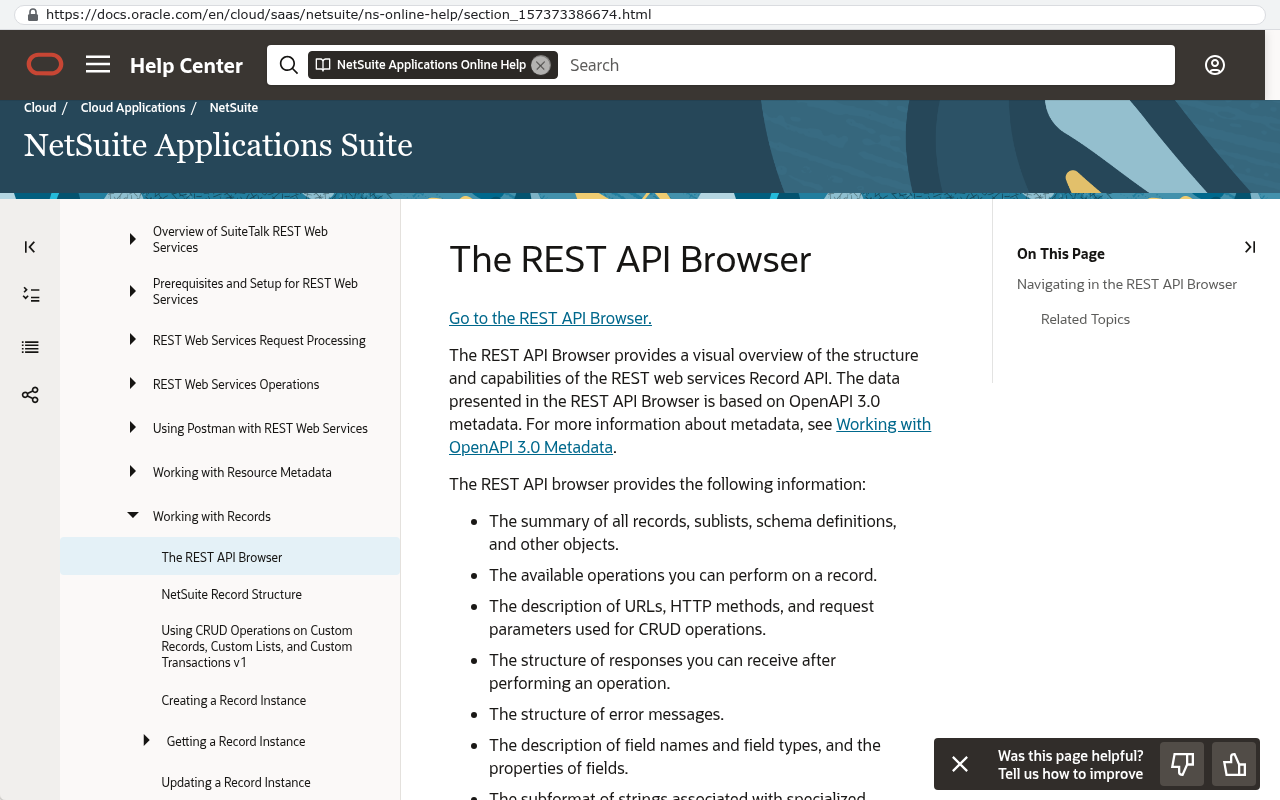
Ask your IT lead one question. Does the ERP have a documented API that other systems can read and write in real time? An API is simply a doorway that lets one piece of software talk to another without a person in the middle. If the answer is no, or the answer is yes but it costs extra per connection, your integration costs will keep climbing as you add tools.
Oracle NetSuite Help Center documentation page for the REST API Browser showing the structure and capabilities of REST web services Record API with OpenAPI 3.0 metadata Source: docs.oracle.com/en/cloud/saas/netsuite/ns-online-help/section_157373386674.html
What a custom build changes, and what it does not
The honest case for building is narrow but strong. Packaged ERP gives you the average of a thousand companies in your industry. That is good value when your processes really are average. It is expensive when they are not, because you pay twice, once for modules you do not use and again for consultants who bend the ones you do.
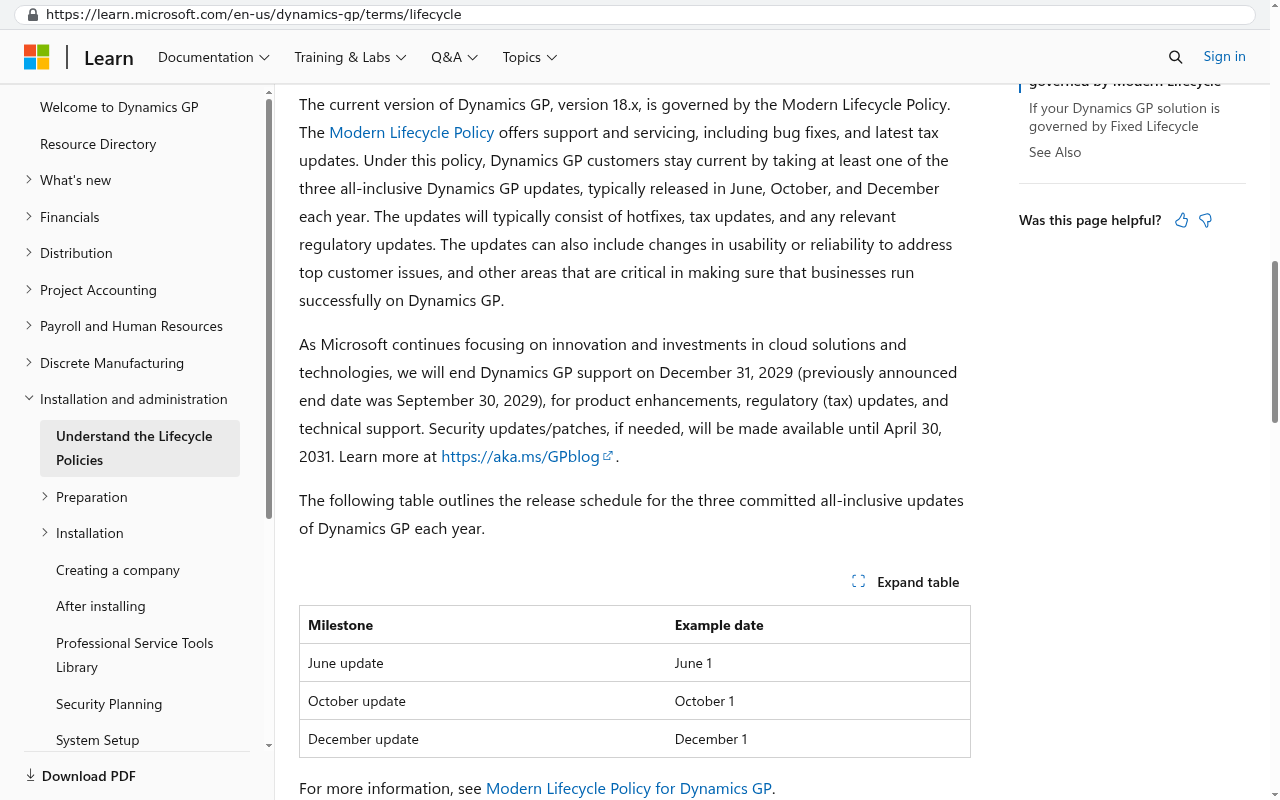
A custom system gets scoped to the work you actually do. If your quoting process has four approval steps and a field crew that updates jobs from a phone, you build those two things well and skip the rest. You also own it. No renewal, no per user pricing, no vendor deciding to sunset the module your operations depend on.
Microsoft Learn's Dynamics GP lifecycle page shows the end of support date of December 31, 2029 for Dynamics GP, demonstrating vendor sunset of a product customers depend on. Source: learn.microsoft.com/en-us/dynamics-gp/terms/lifecycle
Here is the arithmetic in plain form. If your total annual ERP spend including consultants and workaround labor is a number you can write down, multiply it by five. That is your do-nothing cost for the next five years, and it usually goes up, not down. Compare that to a one time build plus ongoing hosting and maintenance, which you control. When the five year subscription number is larger than the build, replacement is a financial decision, not a philosophical one.
Where a custom build is the wrong answer
Do not build your general ledger. Accounting is a solved problem, heavily regulated, and packaged software does it better and cheaper than anyone can build from scratch. The same goes for payroll and tax filing. Buy those, connect them, and move on.
Custom is also wrong when your problem is not the software. If three departments define "complete" differently, new software will encode that confusion in a new place. If your data is dirty, migration makes it dirty and expensive. And if nobody internally owns the process, no system will rescue it.
There is real migration cost too. Twelve years of attachments, historical orders, and half documented customizations do not copy across in an afternoon. That takes a scripted export, a mapping exercise, and a period where both systems run side by side. Anyone who tells you otherwise has not done it. The work is manageable and it gets planned for, but it belongs in the decision, not in a footnote.
A middle path exists and it is often the right one. Keep the ERP for finance and inventory, then build a custom layer for the operational work it handles badly. You get ownership where it matters and you skip the riskiest part of a full replacement.
How to decide in the next thirty days
You do not need a six month evaluation. You need four honest inputs and a decision.
Write down every manual workaround by department, with hours per week. This gives you the cost of standing still.
Ask your vendor exactly what the next upgrade fixes from your list. Get it in writing. If it fixes two of nine items, you know.
Total three years of actual spend including consultants and add-ons. Project it forward five years.
Separate process problems from software problems. Anything caused by unclear ownership stays on your side of the line.
If the upgrade fixes most of your list and your spend trend is flat, upgrade. That is a legitimate outcome and it is cheaper. If the upgrade fixes almost nothing, your workarounds keep growing, and consultant invoices climb every year, you are renting a system that no longer matches your company. Replace the parts that do not fit and keep the parts that do.
Black Badger builds systems businesses own outright, and we will tell you when the answer is to keep what you have. If you want a second opinion on the math before your next renewal, book a free strategy session.
FAQ
How do I know if it is the software or my processes?
Try fixing one workaround without touching the software. Pick a single report or handoff, define who owns it, and run it clean for a month. If the pain goes away, it was process. If your team still has to export and reconcile to get an answer, it is the software.
Can we replace an ERP piece by piece?
Yes, and it is usually safer. Most companies start with the operational side, things like scheduling, job tracking, or quoting, and leave finance in the existing system. The two connect through an integration. You get value sooner and you are not betting the company on one cutover weekend.
What happens to our historical data?
It moves, but it takes deliberate work. Transactional history, attachments, and custom fields each need a mapping plan. Many businesses migrate a few years of active records and archive the rest in a read only copy they can search. That is cheaper than forcing twenty years into a new structure.
Is a custom system harder to support long term?
It is different, not harder. You own the code and the data, so you can hire any competent developer to work on it. With packaged ERP you are limited to the vendor and its partners. The real risk with custom is poor documentation, which is a contract question you settle upfront.
SAP's Find a Partner page showing a searchable directory where SAP partners enable users to identify build implement support and run SAP solutions. Source: www.sap.com/bulgaria/partners/find.html
Our vendor says the next version fixes everything. Should we believe it?
Ask for specifics against your own list, in writing, with version numbers. Vague promises about a future roadmap are not a plan you can budget against. If they will commit in writing, that is meaningful.
What are the clearest signs that my ERP needs replacement rather than an upgrade?
The real indicators are shadow spreadsheets where key numbers live outside the system, month-end processes taking a week for manual reconciliation, and employees unable to answer business questions without asking a specific person. When new hires train on workarounds before the software itself, or when reporting arrives too late to act on it, your ERP has fallen behind. Count your spreadsheets across departments to see your actual requirements.
Why doesn't upgrading to a newer ERP version solve my business problems?
Upgrades change the software version but rarely change the underlying data model causing your problems. If your ERP cannot handle your specific billing structure or process, the new version will have the same limitations. You will migrate your workarounds forward into a new interface and retrain staff on button locations, but the core issue remains unresolved.
How much is my ERP really costing me when I include hidden expenses?
Beyond license fees, add implementation consultant hours, third-party add-on modules, and internal labor spent on manual workarounds. A fifty person company spending ten hours weekly on reconciliation work invests over five hundred hours annually just keeping the system honest. Most operations leaders discover that customization fees and consultant hours often cost more over five years than the license itself.
Can I still use an older ERP if my business hasn't changed much?
Yes. Age alone is not a red flag. A ten-year-old system runs fine when the business has not changed significantly. The real issue is the gap between what the software does and what your people do daily. If your operations are still aligned with the system's capabilities, an older ERP can continue working well.
What does it mean when my ERP cannot connect to modern tools?
Legacy systems that only export flat files cannot keep up with modern tools expecting live connections. Your CRM, e-commerce store, warehouse scanners, and accounting tools all need continuous data exchange. Older ERPs relying on nightly file exports create integration problems that compound as your business adopts new technology.
Should I believe my vendor when they say the next version fixes everything?
Vendors are honest about this if you ask directly. New versions deliver security patches, supported platforms, and features built for the average customer, but they are not redesigns of your operating model. If the new version does not address your specific data structure problems, upgrading will not fix your underlying issues.
When is a custom ERP build actually the right solution?
A custom build is worth pursuing when your process is genuinely unique and no packaged module fits it. However, replacement is the wrong answer when your real problem is training, bad data quality, or an unowned process. A custom system does not fix process issues, and it creates long-term support challenges you must weigh carefully.
Custom software isn't always the answer. Here's the arithmetic, the warning signs, and the honest caveats that tell you whether to renew your platform or replace it.
If this is your situation
Talk it through on a call
Thirty minutes over video with the person who would run the build. You talk, we ask questions, and you leave with a plain read on whether custom software makes sense for you. If the answer is that your current tool is fine and badly configured, you will hear that.
David Verneuille founded Black Badger after 18 years as a project manager and years implementing Smartsheet, monday.com, Wrike and Zoho for clients. He now builds custom systems that clients own outright, which is why the writing here is specific about where each platform fits and where it stops fitting.
Custom software stopped being an enterprise-only purchase years ago. Here's how Tampa Bay companies should evaluate the math, start small, and know when building is the wrong call.
Your per-seat quote is the smallest number on the bill. Here's how to find the real annual spend, project it out five years, and know when owning the software beats renting it.
A step-by-step checklist for moving off a project management platform without losing attachments, comments, or automations, including what genuinely can't be migrated.
When browsing the internet, you may have noticed that some websites have "https" in their URLs instead of "http". But have you ever wondered what that extra "s" means?
Enterprise Performance Management (EPM) is a management approach used by organizations to analyze their business performance and make informed decisions based on data.
Want this looked at properly?
An article can only go so far without knowing your systems. Book a strategy call, walk us through what is breaking, and you will get a straight read on whether custom software is the right answer.