
Per-seat software bills you for headcount, not for how much the software actually helps. A team that grows from 10 to 50 people can hand one vendor roughly $150,000 over five years, and the invoice never stops arriving. Owning your system turns that forever-cost into a one-time asset with a much smaller tail, but it only pays off above a certain team size and usage level. Run the five-year number before you sign the next renewal.
The hidden math of per-seat pricing as your team grows
/ 10 min read
TL;DR
Per-seat pricing bills you based on headcount rather than actual value delivered, causing costs to compound dramatically as teams grow, potentially reaching $152,000 over five years for what started as a $9,000 annual expense.
Key takeaways
- Per-seat pricing scales with your payroll through both seat count growth and annual price increases that compound together, often producing bills six times larger than the starting amount within five years.
- Hidden cost multipliers like forced tier upgrades, single sign-on requirements, API access restrictions, and minimum seat commitments can easily double or triple the headline price without adding requested capabilities.
- The half-seat problem forces you to pay full price for users who need minimal access, like read-only viewers or field staff, since most vendors lack affordable lower tiers.
- Subscription costs function as perpetual rent while custom systems represent one-time assets on your balance sheet, but custom solutions only make financial sense above a certain team size and usage threshold.
- Running a genuine five-year total with realistic growth assumptions is critical because per-seat tools behave unpredictably unlike flat-fee software, requiring headcount projections to be integrated with software budgeting.
- Custom system ownership includes ongoing hosting, maintenance, and change costs that must be included in any comparison, as ignoring these true expenses distorts the financial analysis.
TL. DR
Key takeaways
- Per-seat pricing scales with your payroll, so hiring gets more expensive in a way nobody budgeted for.
- Annual price increases and seat growth compound together, which is why the five-year total shocks people.
- Add-on modules, forced tier upgrades and minimum seat counts are the real multipliers, not the headline price.
- Subscription spend is rent. A custom system is an asset that sits on your balance sheet and answers to you.
- Per-seat is still the right answer for small teams, low-usage tools, and anything with a huge vendor ecosystem behind it.
- Every custom system carries hosting, maintenance and change costs. Pretending otherwise ruins the comparison.
Per-seat pricing tracks your payroll, not your results
Here is the uncomfortable design of the model. You pay more when you hire, and you pay the same amount whether a person logs in daily or twice a quarter. The software does not get better because you added twelve people. The bill does.
That disconnect is fine when you are small. Ten users on a $75 per month plan is $9,000 a year. Nobody calls a meeting about that. The problem shows up later, when the same tool costs more than a mid-level salary and half the seats belong to people who only need to see a schedule.
Vendors know this. It is why the pricing page leads with the per-user figure and never shows you a five-year total. Per-seat pricing is predictable for the vendor and unpredictable for you, because your growth is the variable.
Then there is the half-seat problem. Warehouse staff, field crews, subcontractors, and clients who just need read access all get billed as full users on most platforms. Some vendors offer a viewer tier. Many do not, or they strip out the one permission you needed. So you either pay full price for a person who looks at one screen, or you keep that person out of the system and go back to emailing spreadsheets around.
The five-year projection nobody runs
Let me walk through a growth scenario with real arithmetic. Say you are a 10-person operations team on a project management platform at $75 per user per month. You plan to reach 50 people in five years. The vendor raises prices about 7% a year, which is normal for the mid-market.
Year one, 10 seats at $75, that is $9,000. Year two, 18 seats at $80.25, that is $17,334. Year three, 26 seats at $85.87, about $26,791. Year four, 36 seats at $91.88, about $39,692. Year five, 50 seats at $98.31, about $58,986.
Total across five years is roughly $152,000. And your run rate leaving year five is around $59,000 a year, forever, for a system you do not own and cannot modify.
Notice what happened. Seat count multiplied by five. Price per seat rose 31%. Together they produced a bill 6.5 times the original. Two modest trends compounded into something nobody approved.
Most finance teams budget software as a flat line item with a small annual bump. Per-seat tools do not behave that way. If your headcount plan and your software budget are built in separate spreadsheets, your software budget is wrong.
The multipliers hiding in the tier chart
The headline price is the smallest part of the story. The real growth comes from things that get triggered by your own maturity as a company.
Once you cross about 25 users, someone in leadership asks for a real dashboard. That is usually a reporting add-on or a jump to a higher tier. When your IT policy requires single sign-on, meaning one company login for everything, that feature almost always lives on the enterprise plan. Granular permissions do too. So does audit history, which you will need the first time a client disputes a change.
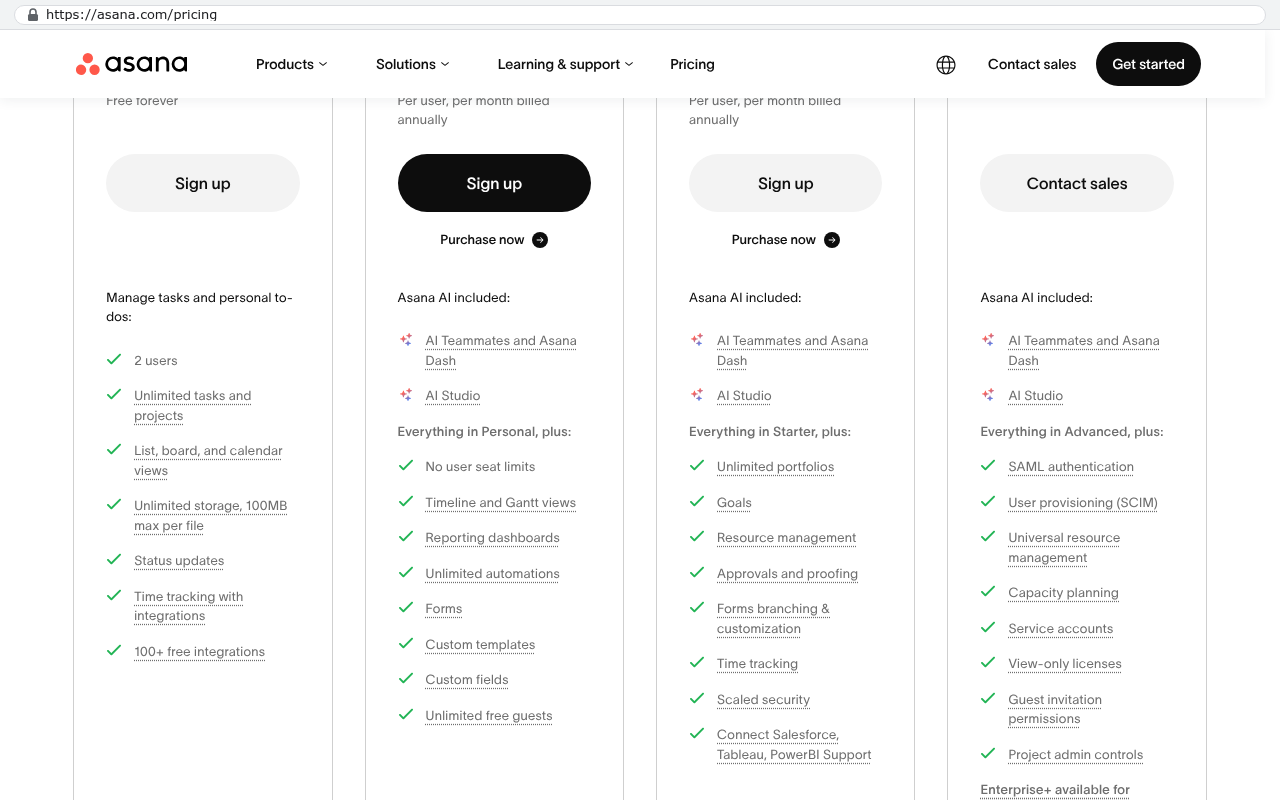
In a 50-person scenario, suppose the enterprise tier is $120 per seat instead of $98. That is $72,000 a year rather than $59,000. One policy requirement added $13,000 annually and you got no new capability your team asked for.
Watch for these specific cost triggers:
- Annual minimum seat commitments that stop you shrinking the plan when someone leaves
- Storage and file attachment caps that push you up a tier once you have a few years of documents
- Automation or workflow run limits, billed per action once you rely on them
- Integration or API access gated behind the top plan, which you need the moment you connect accounting
- Premium support, which often means the only way to reach a human who understands your setup
Each one is defensible on its own. Stacked together, they are how a $9,000 tool becomes a $90,000 tool without anyone making a single bad decision.
What that money could have bought instead
Subscription spend is rent. Five years of paying it leaves you with nothing. No asset, no code, no data structure you control. Cancel and you get an export file and a hole in your operation.
A custom system works the other way. You pay to build it once, and what you own afterward is an asset. The ongoing cost drops to hosting, maintenance and changes you actually request. Cloud hosting for an internal system serving 50 people is typically a few hundred dollars a month, not a few thousand. It does not care whether you have 50 users or 90, because you are paying for computing capacity, not for permission to log in.
Here is the comparison that matters. Take your five-year subscription total, the $152,000 in the example, or $265,000 if the enterprise tier gets triggered early. That is your budget ceiling. If a build plus five years of hosting and support lands below that number, ownership wins on cash alone. If it lands above, you are buying something else, like a workflow no vendor sells or the ability to stop renegotiating every year.
There is a second thing the arithmetic misses. Hiring stops being a software decision. Onboarding a new coordinator costs nothing in license fees. Giving a client portal access costs nothing. You stop rationing the system.
Run the numbers on your planned headcount, not today's. The decision to build almost never pencils out at your current size. It pencils out at the size you will be in three years, which is exactly when switching is hardest.
When per-seat pricing is the right call
Plenty of times the subscription is the smart buy, and anyone telling you to build everything is selling something.
If your team is flat at 8 or 12 people, the compounding never gets a chance to hurt you. $9,000 a year for a working tool is cheap. Build nothing.
Some categories are genuinely not worth rebuilding. Accounting, payroll, tax filing and email are regulated, constantly changing, and backed by vendor teams doing work you cannot match. Nobody should build their own general ledger. The same goes for platforms where most of the value is the ecosystem around them, like a CRM that connects to fifty marketing tools you already use.
And if your value depends on sharing live documents with clients who already live in that vendor's platform, moving off it is a real cost. Your clients have logins, saved views and habits. Migrating twelve years of attachments takes a scripted export, not a copy and paste. Pretending that is free wastes everyone's time.
What owning a system actually costs
A custom build is not a one-time payment followed by silence. Servers need patching. Browsers change. Your process changes, and the software has to change with it. Somebody has to answer the phone when a report breaks on a Friday.
Budget for maintenance as a real annual line. It is far smaller than the subscription it replaced, but it is not zero. The failure mode we see most often is a company that builds something good, then funds no maintenance for three years and blames the software when it drifts out of step with the business.
A worksheet for your own numbers
Grab a spreadsheet and fill in six rows. This takes fifteen minutes and it is the most useful fifteen minutes you will spend on software this year.
- Current paid seats, and the real price per seat after discounts
- Your headcount plan for each of the next five years, taken from the hiring plan, not a guess
- Expected annual price increase, and use 7% unless your contract caps it in writing
- Add-ons you already pay for, plus the tier upgrade you know is coming
- Multiply it out year by year, then sum the five years
- Write down your year-five annual run rate separately, because that number continues forever
Now add the hidden line. Count the people who are locked out of the system today because a seat costs too much. Estimate the hours they spend in spreadsheets and email instead. That labour is part of the per-seat bill, it just shows up on a different account.
If your five-year total crosses six figures and the tool still does not match how you actually work, that gap is the whole argument. You are paying premium rent for a space you had to renovate yourself.
What to do with the number
Take the total to your next renewal conversation first. Vendors discount hard against a credible threat, and a multi-year total in front of you changes the tone of that call. Sometimes the right move is a better contract with a price cap written in.
If the number is large and the platform still fights your process, that is when ownership deserves a serious look. Not because custom software is inherently better, but because you have crossed the point where renting no longer makes financial sense.
If you want help running that arithmetic against a specific build scope, book a free strategy session and we will work through your seat math with you.
Read this next
Build versus buy: how to decide without guessing walks through the non-financial half of this decision, including which parts of your stack should stay on a subscription.
Related articles
FAQ
Is per-seat pricing always worse than a custom build?
No. For small, stable teams it is clearly cheaper and you get updates for free. The model turns against you when seat count grows fast, when many users only need light access, or when required features sit behind an expensive tier.
How big does my team need to be before building makes sense?
There is no universal number, because it depends on your per-seat price and how many tools you would replace. A useful test is whether your five-year projected spend on one platform crosses six figures. If it does, the comparison is worth running properly.
Won't we just trade a subscription for a developer we can't afford to lose?
That is a real risk and you manage it with documentation and code you own outright. Ask for the repository, the deployment instructions and the data schema up front. If a vendor will not hand those over, you are renting again with extra steps.
Can we build part of it and keep some subscriptions?
Yes, and that is usually the smartest path. Keep accounting, payroll and email where they are. Build the operational core that no vendor sells correctly, then connect it to the tools you kept.
What happens to our existing data?
It comes with you, though not effortlessly. Records and fields export cleanly most of the time. Attachments, comment threads and change history need a scripted export, and that work should be scoped and priced before you commit to anything.
Questions
Frequently asked questions
How much can per-seat pricing cost over five years as a team grows?
A 10-person team on a $75 per-seat platform growing to 50 people over five years will spend roughly $152,000. With typical 7% annual price increases and seat growth compounding together, your run rate leaves year five at around $59,000 yearly, indefinitely, for a system you don't own or control.
Why do per-seat pricing bills keep growing even if the software doesn't improve?
Per-seat pricing charges based on headcount, not results or usage. You pay the same whether someone logs in daily or twice a quarter. When you hire, your bill increases automatically. The software itself doesn't become better or more capable when you add people, but the invoice does.
What hidden costs get added as your company grows on per-seat platforms?
As you mature, leadership requirements trigger tier upgrades and add-ons that weren't in your original budget. Enterprise features like single sign-on, granular permissions, audit history, and reporting dashboards live on higher tiers. Storage caps, automation limits, API access, and minimum seat commitments each push you toward pricier plans without adding requested capabilities.
When does building a custom system make more financial sense than subscribing?
If your five-year subscription total is your budget ceiling, and a custom build plus five years of hosting and support costs less, ownership wins financially. Cloud hosting for an internal system serving 50 people typically costs a few hundred dollars monthly, regardless of user count, because you pay for computing capacity, not login permissions.
What's the difference between subscription costs and owning a custom system long-term?
Subscription spend is rent with nothing left after five years. Owning a system creates an asset on your balance sheet. After the initial build, ongoing costs drop to hosting, maintenance, and changes you request. Five years of ownership leaves you with code and data structures you control, unlike a canceled subscription that leaves only an export file.
Is per-seat pricing ever the right choice for your team?
Yes. Per-seat pricing remains the right answer for small teams, low-usage tools, and anything with a massive vendor ecosystem. The model works when you're small because modest headcounts mean modest bills. The problem emerges later when the same tool costs more than a mid-level salary.
How do add-ons and tier requirements affect total per-seat pricing?
Add-ons, forced tier upgrades, and minimum seat counts are the real multipliers, not the headline price. A $9,000 annual tool can become a $90,000 tool through stacked requirements like enterprise tiers, storage caps, automation limits, and API access. Each requirement is defensible alone, but together they compound your actual cost far beyond the advertised per-seat rate.
Read this next
When staying on your current platform is the right call
Custom software isn't always the answer. Here's the arithmetic, the warning signs, and the honest caveats that tell you whether to renew your platform or replace it.
If this is your situation
Talk it through on a call
Thirty minutes over video with the person who would run the build. You talk, we ask questions, and you leave with a plain read on whether custom software makes sense for you. If the answer is that your current tool is fine and badly configured, you will hear that.
Who wrote this

David Verneuille
Founder, Black Badger Software Solutions
David Verneuille founded Black Badger after 18 years as a project manager and years implementing Smartsheet, monday.com, Wrike and Zoho for clients. He now builds custom systems that clients own outright, which is why the writing here is specific about where each platform fits and where it stops fitting.
Drafted with AI assistance, then checked, edited, and approved by a person before publishing. The facts, opinions, and recommendations are ours.