
Switching platforms scares people for a good reason. Everyone has heard the story about the company that flipped to a new system over a weekend and spent the next month unable to invoice. Parallel running is the fix. You keep the old platform live while the new one takes over one piece of work at a time. Done well, it costs you a few weeks of mild annoyance instead of a quarter of chaos.
Running a custom system in parallel with your current platform without breaking operations
/ 14 min read
TL;DR
Parallel running lets you migrate to a new system gradually by moving one workflow at a time while keeping the old platform as a fallback, avoiding the catastrophic failures that plague big bang cutovers.
Key takeaways
- Big bang cutovers fail because they surface every unknown problem simultaneously on the busiest possible day with no fallback option, whereas parallel running provides a safety net that costs nothing to use.
- The ideal pilot workflow is high volume, low risk, owned by one team, and already painful in the current system so improvements are immediately visible and credible.
- One way sync beats two way sync because bidirectional synchronization requires complex conflict resolution logic and becomes a permanent bridge you end up maintaining instead of reducing to a single system.
- Exit criteria must be written before implementation begins, otherwise the overlap period never ends and staff abandon the new system through fatigue if duplicate entry drags on for months.
- Decommissioning is a separate project that requires clear ownership of contract dates, license counts, data archives, and deliberate cancellation rather than accidental abandonment.
- The old contract should stay active through the entire overlap period because it provides cheap insurance compared to the expense of emergency bugs once the system is cancelled and every issue becomes critical.
TL. DR
Don't cut over all at once. Move one workflow to your custom system, run it alongside the old platform, prove it works with real data, then move the next one. Write down what "working" means before you start. Set a hard end date for the overlap. Sync only what you must, and only one way, so you never build a permanent bridge between two systems you're trying to reduce to one. Cancel the old contract on purpose, not by accident.
Key takeaways
- Big bang cutovers fail because they force every problem to surface on the same day, with no fallback.
- The best pilot workflow is high volume, low risk, and owned by one team that can tell you quickly if it's wrong.
- One way sync beats two way sync. Two way sync during an overlap period is where budgets go to die.
- Exit criteria must be written before the first line of code. Otherwise the overlap never ends.
- Duplicate data entry is acceptable for weeks, not months. Staff will quietly abandon the new system if you drag it out.
- Decommissioning is a project of its own. Contract dates, license counts, and data archives all need owners.
Why big bang cutovers fail
A big bang cutover is when you turn off the old system on Friday and turn on the new one Monday. It fails for a boring reason. Every unknown in the project surfaces at once, on the busiest possible day, with no way back.
Real operations are full of undocumented behaviour. Someone in accounts uses a spreadsheet to fix a rounding problem the platform has had since 2019. A project manager keeps client preferences in a notes field nobody mapped. The warehouse has a workaround for a status that never got built properly. None of that appears in a requirements document. It appears when someone tries to do their job on Monday morning and can't.
Parallel running gives you a fallback that costs nothing to use. If the new quoting workflow produces a number that looks wrong, the team opens the old system and quotes the job. You lose ten minutes. You don't lose the customer. That safety net is the whole point, and it changes how honestly people report problems. Staff will tell you something is broken when telling you doesn't mean the day stops.
The most expensive cutovers are the ones where the old system was cancelled before the new one was proven. Once the contract ends, every bug becomes an emergency. Keep the old subscription alive through the overlap, even though paying twice feels wasteful. It's cheap insurance compared to a week of manual invoicing.
Picking the first workflow to move
Your pilot workflow decides whether the whole project earns trust or loses it. Pick badly and you'll spend months arguing about a thing nobody cared about. A good pilot has four traits.
- It runs often. Daily or weekly, not quarterly. You need volume to find bugs fast.
- A mistake is recoverable. Internal job tracking is a good pilot. Payroll is a terrible one.
- One team owns it end to end, so feedback comes from a small group who all understand the work.
- It's already painful in the current platform. People will forgive rough edges if the new version saves them real time.
Field service scheduling is a common good first move. It's high frequency, the dispatcher sees results within hours, and a scheduling mistake gets caught and fixed the same day. Financial close is the opposite. It runs once a month, so a bug found in January doesn't get retested until February, and errors go to auditors.
Resist the urge to start with the hardest workflow "to prove the system can handle it." You haven't built trust yet. Prove the system works on something visible and safe, then spend that credibility on the hard problem.
Keeping two systems in sync without building a permanent bridge
During the overlap, some data has to exist in both places. Customer records, job numbers, maybe invoices. The instinct is to build a two way sync so everything matches everywhere. Don't.
Two way sync means both systems can change the same record, and something has to decide who wins. That's called conflict resolution, and it's genuinely hard engineering. You'll spend more time on the sync than on the actual system. Worse, once it exists, people rely on it. The temporary bridge becomes permanent, and now you own two platforms plus the glue between them.
One way sync is the answer almost every time. Pick which system owns each type of record, and push changes in that direction only. During a scheduling pilot, the old platform stays the owner of customer records. The new system reads them and never writes back. When you eventually move customer records, ownership flips, and the direction of the sync flips with it.
For some overlaps you don't need automatic sync at all. A nightly export from the old platform into the new one covers most needs. It's simple, easy to debug, and if it fails you re-run it. Not everything needs to be instant. Ask what breaks if data is four hours stale. Often the honest answer is nothing.
Write the ownership rules on one page and stick it where the team can see it. "Customers live in the old system until March. Jobs live in the new system now. Invoices stay in accounting software permanently." Ambiguity about who owns a record is what produces two versions of the truth.
Writing exit criteria before you start
Overlaps that never end share one cause. Nobody wrote down what finished looks like, so finished stays a matter of opinion.
Exit criteria should be specific enough that two people would agree on whether they're met. Not "the team is comfortable." Something closer to this. The new system processed four consecutive weeks of live jobs with no data corrections needed. Three named staff completed a full week without opening the old platform. Month end reporting from the new system matched the old system within an agreed tolerance for two months running. Every report the finance team actually uses has been rebuilt and signed off.
Put a date on the overlap when you set the criteria. Eight weeks, twelve, whatever fits the workflow. If you hit the date and the criteria aren't met, that's a decision point, not an automatic extension. Something is wrong, and it's usually one of three things. The scope grew, the pilot was too big, or the team never got proper training. Diagnose it rather than drifting another month.
Training and the duplicate entry problem
Duplicate entry is the tax you pay for safety, and staff will pay it for a while. They won't pay it forever. Around week six, people start deciding quietly which system is the real one. If the answer is the old one, your project is already dead and nobody has told you.
Train in the order you're migrating, not all at once. A big training day three months before someone uses the system is wasted. Train the pilot team the week before their workflow goes live. Give them a named person to ask. Then watch what they actually do rather than what they said they'd do in the session.
Be honest with the team about the duplicate period. Tell them the date it ends. "For the next six weeks you'll enter jobs in both places, and on the 14th we stop entering them in the old one" is a request people accept. Open ended extra work is a request people ignore.
One more thing that matters more than it should. Make the new system faster than the old one for the pilot workflow, even if that means cutting features. If the new screen takes twelve clicks and the old one takes four, adoption dies regardless of how much better the reporting is.
The awkward middle: reporting across two systems
Halfway through, your data lives in two places and every report tells half the story. This period is uncomfortable and unavoidable. Plan for it rather than being surprised.
The practical approach is to name one reporting source for each question. Revenue comes from accounting, always. Job counts come from the old platform until the pilot workflow fully moves, then from the new one. Write it down. What kills confidence is two reports with two numbers and no agreed answer about which is right.
You'll also find discrepancies, and most of them are not bugs. They're definitional. The old platform counts a job as complete when the invoice is raised. The new one counts it when the work is signed off. Neither is wrong. Reconcile at least twice before you conclude anything is broken, and have someone who understands the business logic do the reconciliation, not just someone who can read a spreadsheet.
Keep a running log of every discrepancy you find, with the cause and the resolution. By the end of the overlap you'll have a short document explaining exactly how your business defines its own numbers. Most companies have never written that down, and it turns out to be one of the more useful things to come out of the project.
Decommissioning cleanly
The overlap is done when the criteria are met. Shutting the old platform down properly is its own piece of work, and it's where money either gets saved or quietly doesn't.
Start with the contract. Find your renewal date and your notice period now, not later. Plenty of SaaS agreements require 60 or 90 days written notice, and missing it by a week costs you another full year. Put the notice deadline in a calendar with an owner's name on it.
Then reduce licenses as you go. Most platforms charge per seat. If your pilot team of eight no longer needs access in month two, remove those seats at the next billing cycle instead of waiting until the end. Here's the arithmetic that makes the case. Forty seats at 90 dollars a month is 43,200 a year. Cut to twelve seats during the overlap and you're at 12,960. That saved money often funds a meaningful chunk of the remaining build, and unlike the subscription it buys you something you own.
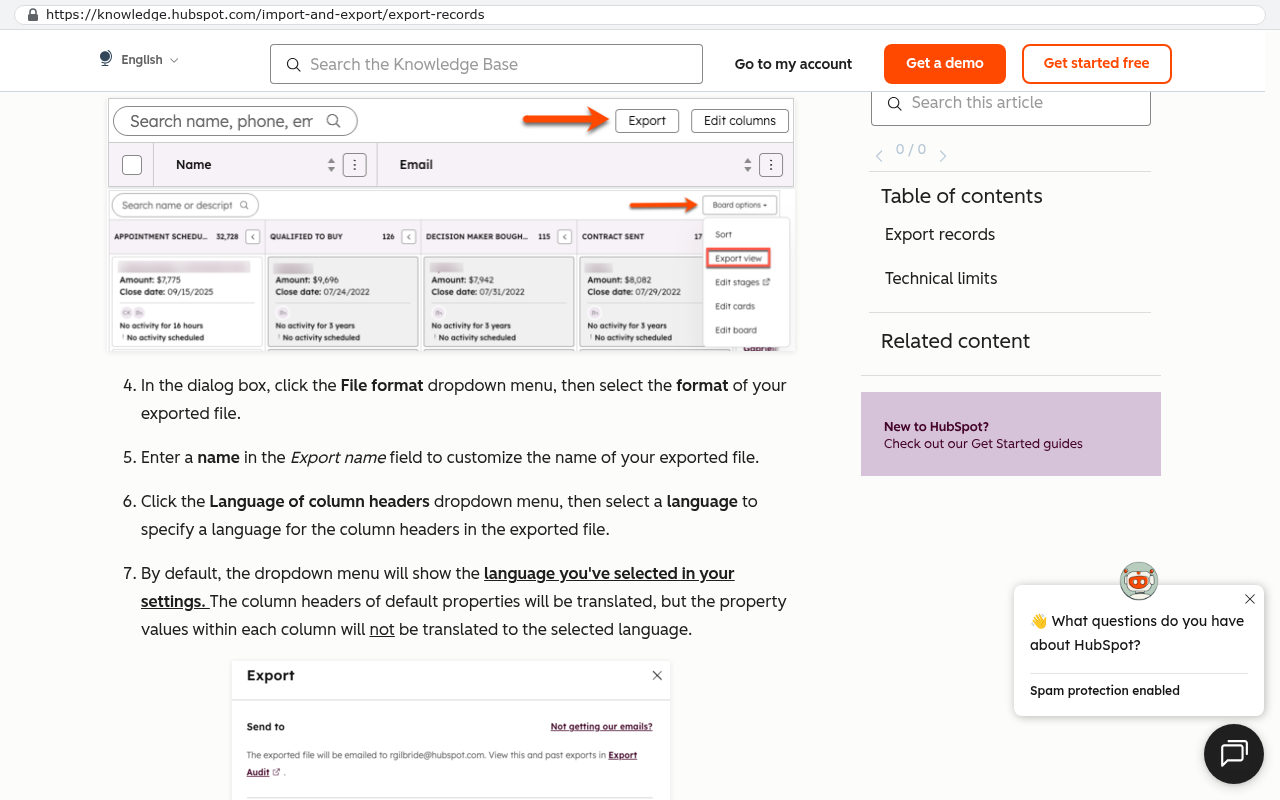
Export your data before you cancel, and check the export. Vendors vary enormously in what they let you take. Structured records usually come out fine as CSV files. Attachments, file history, comment threads, and audit logs are where it gets ugly. Some platforms only export attachments one record at a time through the interface, which means a script against their API, not a person clicking. Test the export on a sample and open the files. A ZIP full of documents named by internal ID with no link back to the job is technically an export and practically useless.
Keep a read only archive for as long as your industry requires. Sometimes that means paying for one dormant license for a year. That's fine, as long as it's a decision and not an oversight.
Limitations and honest caveats
Parallel running isn't free and it isn't always right. A few things to be clear about.
You pay twice during the overlap. Two subscriptions, or one subscription plus build cost, plus staff time on duplicate entry. That's the price of the safety net. If your current platform costs very little and the risk of a bad week is genuinely low, a straight cutover on a quiet weekend can be the cheaper choice.
Some workflows can't be split. Anything where a single record must be in one place, like a general ledger or a regulated inventory count, resists parallel running. You can pilot the reporting layer, but the transactional record has to move in one go. Be honest about which category each workflow is in.
Client facing systems are the hardest. If your customers log into your current platform, you can't quietly run a second one behind them. Moving them means communication, new logins, and a period where some are on each side. That's a real cost, and pretending otherwise leads to bad decisions.
Parallel running also stretches the calendar. A phased move takes longer than a cutover. If you have a hard deadline, a contract expiring in eight weeks with no extension available, phasing may not fit. Sometimes the right call is to negotiate a short extension on the old contract rather than compress the build.
A phase by phase checklist
Adapt this to your situation. The order matters more than the detail.
- Map the workflows in your current platform and mark which ones people actually use. Most companies find a third of the features are dead weight.
- Find your renewal date and notice period. Everything else schedules backwards from there.
- Choose the pilot workflow using the four traits above. Get the owning team to agree it's the right one.
- Write exit criteria and the overlap end date. Get them signed off before the build starts.
- Decide data ownership per record type and pick one way sync directions. Write it on one page.
- Build, review with the pilot team regularly, and cut features that slow the main screen down.
- Train the pilot team the week before go live, with a named person to ask.
- Run both systems. Log discrepancies. Reconcile weekly, not monthly.
- Check exit criteria at the agreed date. Meet them or diagnose why not.
- Move the next workflow. Reduce licenses on the old platform as teams leave it.
- Export everything and verify the export by opening the files.
- Send cancellation notice with room to spare. Keep a read only archive if you need one.
FAQ
How long should the overlap last?
Long enough to cover a full business cycle for that workflow, plus a buffer. For something daily, six to eight weeks is usually plenty. For a monthly process, two full month ends. Longer than that and duplicate entry starts to break down.
What if staff refuse to use the new system?
That's almost always feedback, not resistance. Sit with them and watch. Usually the new version is slower for the thing they do fifty times a day, or it's missing a small field they rely on. Fix that and adoption fixes itself.
Can we run parallel with more than two systems?
You can, and plenty of companies end up doing it when they're replacing a stack rather than one tool. Keep the sync rules simple and one way, and don't start a third migration until the first one has fully exited.
Do we need a full time person managing this?
You need one named owner with real authority, though it doesn't have to be their only job. What doesn't work is a committee. Discrepancy decisions and scope calls need to happen in hours, not at the next steering meeting.
What happens if we find the new system can't do something important?
You find it in week three with the old system still running, which is exactly why you ran parallel. Either build it, or decide it wasn't as important as it seemed. Both are fine outcomes at that stage.
Next steps
Start with the two documents that cost nothing. Write your exit criteria, and find your contract notice date. Those two pages prevent most of the ways this goes wrong, and you can produce both this week without involving anyone technical.
If you're weighing up a renewal against building something your business owns, we're happy to walk through the numbers and the migration path with you. You can book a free strategy session and we'll look at your current platform, what your team really uses, and whether a phased move makes sense.
Read this next: our guide to exporting your data from a SaaS platform before you cancel, which covers the attachment and audit log problems in detail.
Related articles
- How to choose the first workflow to replace when you're leaving a SaaS platform
- What per seat pricing really costs a growing operations team
- Owning your software: what it means when the code is yours
Questions
Frequently asked questions
Why do big bang system cuteovers fail?
Big bang cutovers fail because every unknown in the project surfaces on the same day with no fallback. Real operations have undocumented behavior like spreadsheet workarounds or notes fields that nobody mapped. When staff try to do their job on Monday morning after a weekend cutover, they can't, and there's no way back. Every bug becomes an emergency once the old contract ends.
What makes a good pilot workflow for parallel running?
A good pilot workflow runs often, like daily or weekly rather than quarterly, so you find bugs fast. It should be low risk and recoverable, such as internal job tracking rather than payroll. One team should own it end to end so feedback comes from a small group. Ideally it's already painful in the current platform so staff forgive rough edges if the new version saves time.
Should we use two way or one way sync during parallel running?
Use one way sync almost every time. Two way sync requires conflict resolution when both systems change the same record, consuming more time on engineering than the actual system. Once two way sync exists, people rely on it and the temporary bridge becomes permanent. With one way sync, you pick which system owns each record type and push changes in that direction only.
How do we prevent overlaps from dragging on indefinitely?
Write exit criteria before the first line of code. Make them specific enough that two people would agree on whether they're met, not vague statements like 'the team is comfortable.' Without clear finished criteria, overlaps never end because finished stays a matter of opinion. Examples include the new system processing four consecutive weeks of live jobs with no data corrections needed.
Should we cancel the old system contract during parallel running?
Keep the old subscription alive through the overlap even though paying twice feels wasteful. It's cheap insurance compared to the cost of a week of manual invoicing. Once the contract ends, every bug becomes an emergency because there's no fallback. The old platform stays your safety net while the new system is proven.
Why do staff abandon the new system during long overlaps?
Duplicate data entry is acceptable for weeks, but not for months. Staff will quietly abandon the new system if you drag out the parallel running period. When the overlap lasts too long, people revert to the familiar old system rather than maintain double entry. Setting a hard end date for overlap keeps staff motivated to adopt the new platform.
What should we do with data ownership during parallel running?
Write the ownership rules on one page and display them where the team can see them. Specify which system owns customer records, job numbers, or invoices during the overlap. Ambiguity about who owns a record produces two versions of the truth. Ownership can transfer to different systems as you move each workflow, and sync direction changes accordingly.
Read this next
When staying on your current platform is the right call
Custom software isn't always the answer. Here's the arithmetic, the warning signs, and the honest caveats that tell you whether to renew your platform or replace it.
If this is your situation
Talk it through on a call
Thirty minutes over video with the person who would run the build. You talk, we ask questions, and you leave with a plain read on whether custom software makes sense for you. If the answer is that your current tool is fine and badly configured, you will hear that.
Who wrote this

David Verneuille
Founder, Black Badger Software Solutions
David Verneuille founded Black Badger after 18 years as a project manager and years implementing Smartsheet, monday.com, Wrike and Zoho for clients. He now builds custom systems that clients own outright, which is why the writing here is specific about where each platform fits and where it stops fitting.
Drafted with AI assistance, then checked, edited, and approved by a person before publishing. The facts, opinions, and recommendations are ours.