
Most teams don't outgrow their project management tool in one dramatic moment. It happens slowly. Someone adds a spreadsheet. Someone else builds an automation to patch a gap. Two years later, nobody can explain how work actually moves through the company, and the renewal invoice keeps getting bigger. The signs are all there long before anyone says it out loud.
Seven signs your team has outgrown its project management platform
/ 10 min read
TL;DR
Your project management platform has likely been outgrown if your team maintains parallel spreadsheets, pays for view-only seats, relies on automations nobody understands, or must export data before reporting, all indicating the tool no longer fits your actual workflow.
Key takeaways
- A parallel spreadsheet is the clearest signal that the tool cannot model your real business process and someone is paying daily to translate between systems.
- Per-seat pricing structures punish teams for giving visibility to people who only need read-only access, making generic platforms structurally inefficient.
- Automation chains built by departed employees create operational risk because there is no version history, centralized documentation, or test environment for debugging.
- Reporting that requires CSV export and manual cleanup is not actually reporting but a data entry task masquerading as one.
- Custom systems can model your actual workflow, connect to real data sources, and eliminate per-seat licensing mathematics that generic platforms enforce.
- Custom builds are worth the investment when your workflow is a competitive asset that differentiates your business from competitors.
- A parallel spreadsheet combined with view-only seat overages and hidden automation chains indicates the renewal cost and workaround complexity have become unsustainable.
TL. DR
If your team runs a shadow spreadsheet, pays for view-only seats, depends on automations nobody understands, or exports data before anyone can read it, the platform is no longer doing the job. Those workarounds have a real cost in hours and in software you rent forever. A custom system you own can model your actual workflow, connect to the systems holding your real data, and remove the per-seat math. It isn't the right call for every team, and the honest trade-offs are near the bottom of this article.
Key takeaways
- A parallel spreadsheet is the clearest signal that the tool cannot model your real process.
- Per-seat pricing punishes you for giving visibility to people who only need to look.
- Automation chains built by someone who left are operational risk, not efficiency.
- If reporting requires an export first, you don't have reporting.
- Custom is worth it when the workflow is a competitive asset, not when it's generic.
The signs that show up in your spreadsheets
Watch where the real work happens. Not where you told people it should happen.
Sign one: the team keeps a parallel spreadsheet
Every project manager knows this spreadsheet. It has the job numbers, the actual dates, the notes that matter, and a few columns the platform can't hold. The tool holds tasks. The spreadsheet holds the truth.
This happens because most platforms assume a simple shape. A project has tasks, tasks have owners, tasks have dates. Real businesses are messier. A fabrication shop has a job that splits into three shop orders, each with its own material lead time and inspection hold. A commercial services firm has a work order that can be reopened twice and rebilled once. You can force that into a generic task list, but someone pays for the translation every single day.
The custom version models the thing you actually sell. If your business runs on work orders with holds and change orders, the screen says work order, hold, and change order. Nobody translates. The cost of tolerating the workaround is the rekeying, plus the errors that come from two records disagreeing about the same job.
Sign two: you pay seats for people who only look
Here's arithmetic worth doing before your next renewal. Say you have 40 licensed users at 25 dollars a month. That's 12,000 dollars a year. Now ask how many of those 40 people create anything. Often it's 12. The other 28 open the tool to check a status and close it again.
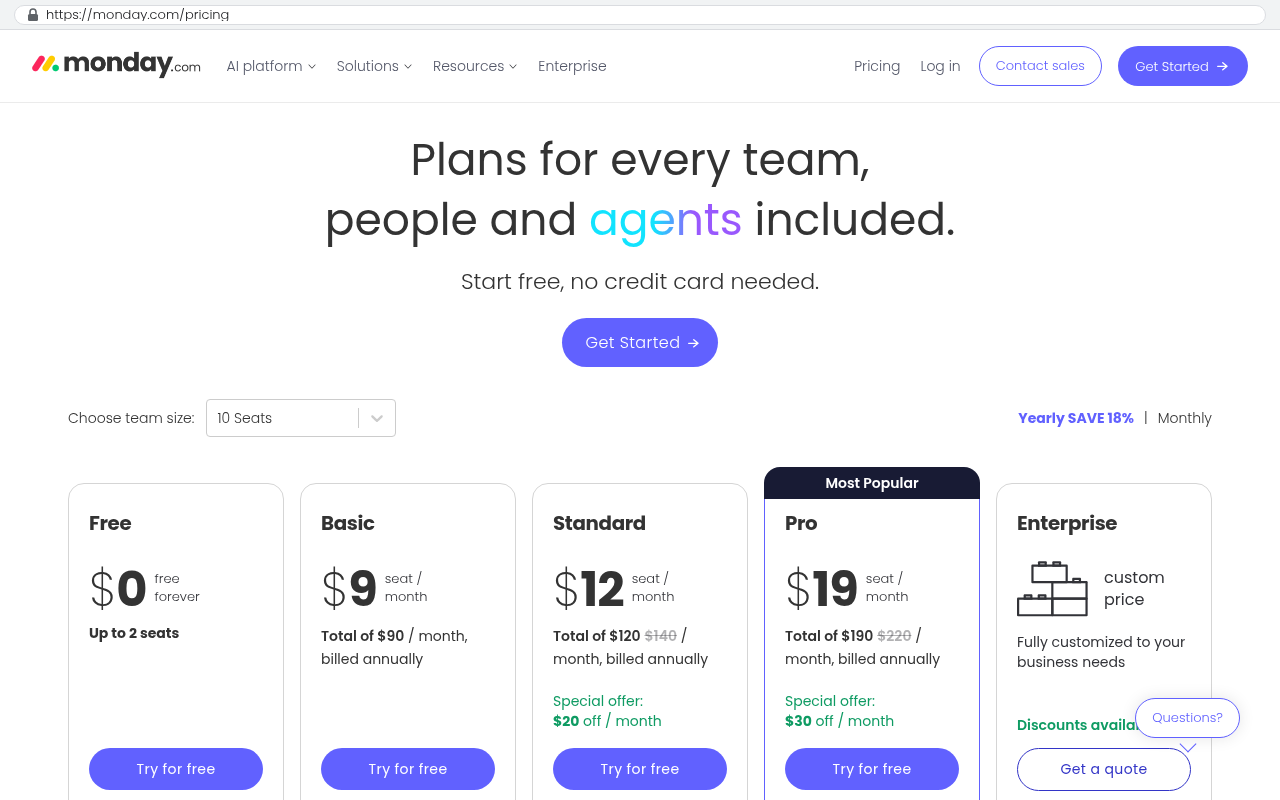
You're renting read access at creator prices. Worse, most teams respond by cutting seats, which means the field crew and the client-facing staff lose visibility entirely. Then somebody starts emailing screenshots of the dashboard on Monday mornings.
In a system you own, a read-only dashboard costs nothing extra. You can give it to a hundred people, or to a customer, without a pricing conversation. That's a genuine structural difference, and it's the one that changes behavior fastest.
Before you shop for anything, pull your user list and mark each person as creator, editor, or viewer. If viewers are more than half, your licensing model is the problem, not the software.
When the process lives somewhere nobody can see it
The scariest systems we see aren't the messy ones. They're the ones that look tidy because a very clever person automated around the gaps.
Sign three: nobody fully understands the automation chain
It starts with one rule. When status changes to approved, notify billing. Then a second rule copies the row to another board. Then a third rule fires a webhook, which is just a message sent automatically from one app to another. Three years and two staff departures later, an invoice goes out wrong and nobody can trace why.
Low-code automation is genuinely useful, and it's also where operational risk hides. There's no version history anyone reads, no test environment, and no single place to see the whole flow. Debugging means clicking through rule screens and guessing.
A custom build puts that logic in one place, in code, with a record of every change and a plain-English document describing what fires when. You can test it before it touches live data. The cost of not doing this is the incident you haven't had yet, and the fact that one person leaving takes the process knowledge with them.
Sign four: reporting means exporting first
If your monthly numbers involve a CSV download, a pivot table, and forty minutes of cleanup, you don't have reporting. You have a data entry job with a report at the end.
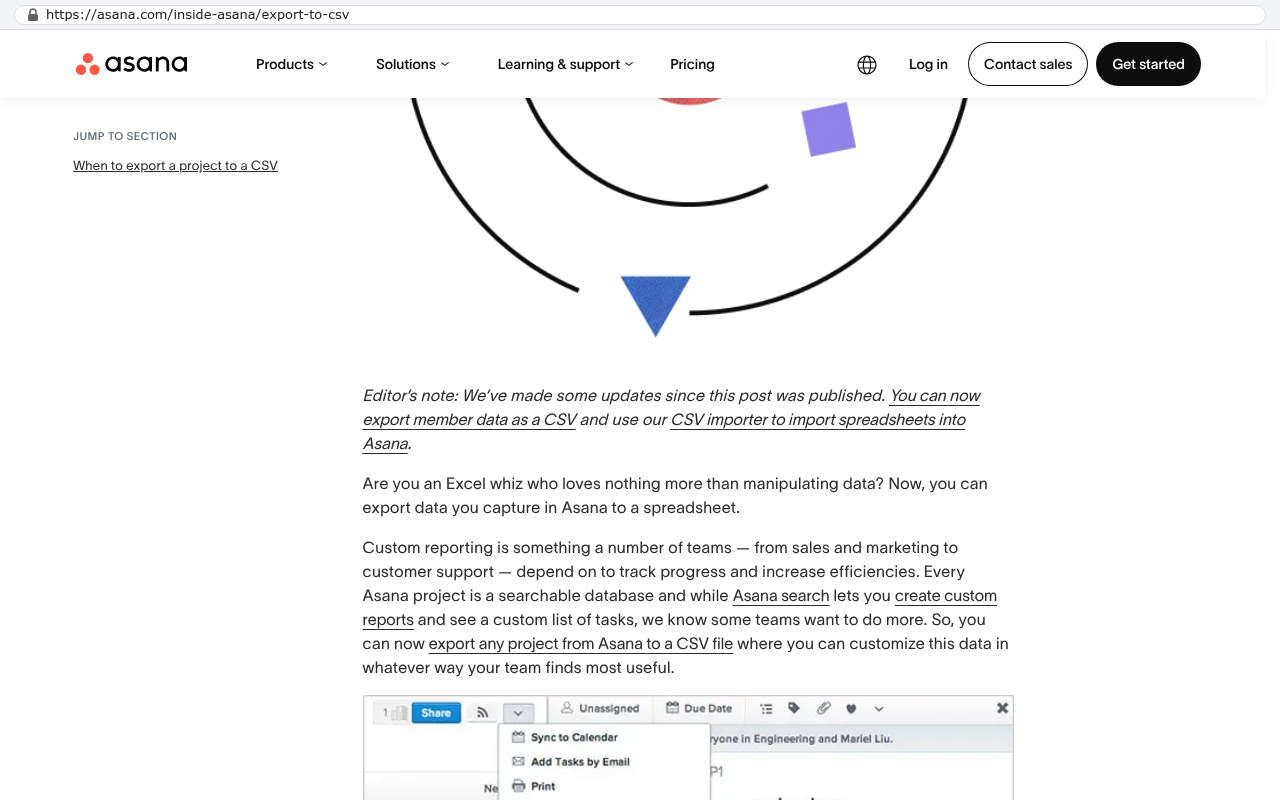
Platform dashboards are built for task counts and burndown. They're weak at the questions owners actually ask. Which crews are profitable. Which client changes scope most. How long a job really sits waiting on approval. Those answers need your fields, your calculations, and your definition of margin.
Custom reporting reads straight from the same database the work lives in. The number on the screen is current, not a snapshot from Tuesday. That's not a luxury. Decisions made on stale numbers cost real money.
Sign five: the platform can't reach the real data
Your project tool is rarely where the important records live. Accounting has the invoices. The field app has the labor hours. The CRM has the contract terms. A project platform that can't reach those is a pretty box around a copy of the truth.
Integration is where marketing promises and reality separate. Yes, there's a connector. It syncs contacts and maybe invoices, one direction, on a schedule. It won't push a job cost line against the right accounting class. It won't reconcile a change order that altered the contract value after the invoice posted. So someone does it by hand, monthly, and calls it closing the books.
We build the integration layer to match the actual accounting rules, then run it on a schedule with a log you can read. When something fails, you get told, with the record ID and the reason. Silent sync failures are the worst kind, because you find them in an audit.
Ask any vendor whether their integration is two-way and what happens on a conflict. If both systems can edit the same field and there's no conflict rule, you will eventually lose data. Get the answer in writing.
When the tool doesn't speak your language
This pair of signs is easy to dismiss as a training problem. It usually isn't.
Sign six: onboarding takes too long
New hires don't struggle with software. They struggle with translation. The tool says epic, your team says phase. The tool says sprint, your shop says production week. So onboarding includes a verbal decoder ring, taught differently by whoever has time that day.
You can measure this. Time how long until a new coordinator can run a job end to end without asking. If it's weeks and the work itself isn't complicated, the vocabulary mismatch is the tax. A system that uses your words cuts that time down hard, because the screen teaches the process instead of hiding it.
Sign seven: the feature you need is in a higher tier, or doesn't exist
Every SaaS roadmap serves the average customer. You are not average, which is why you're reading this. Custom fields on a specific object, a real approval chain, resource capacity by skill, client-facing portals with proper permissions. These sit in enterprise tiers, or they never arrive.
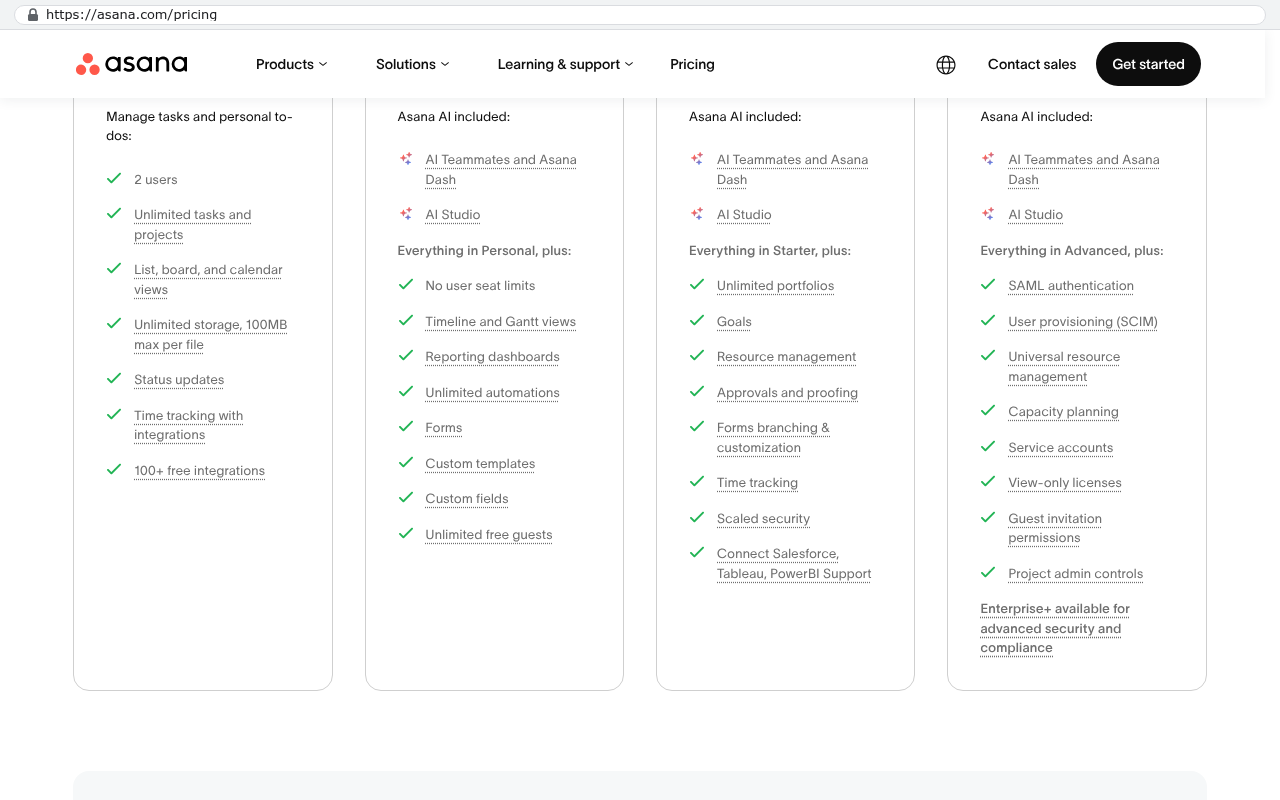
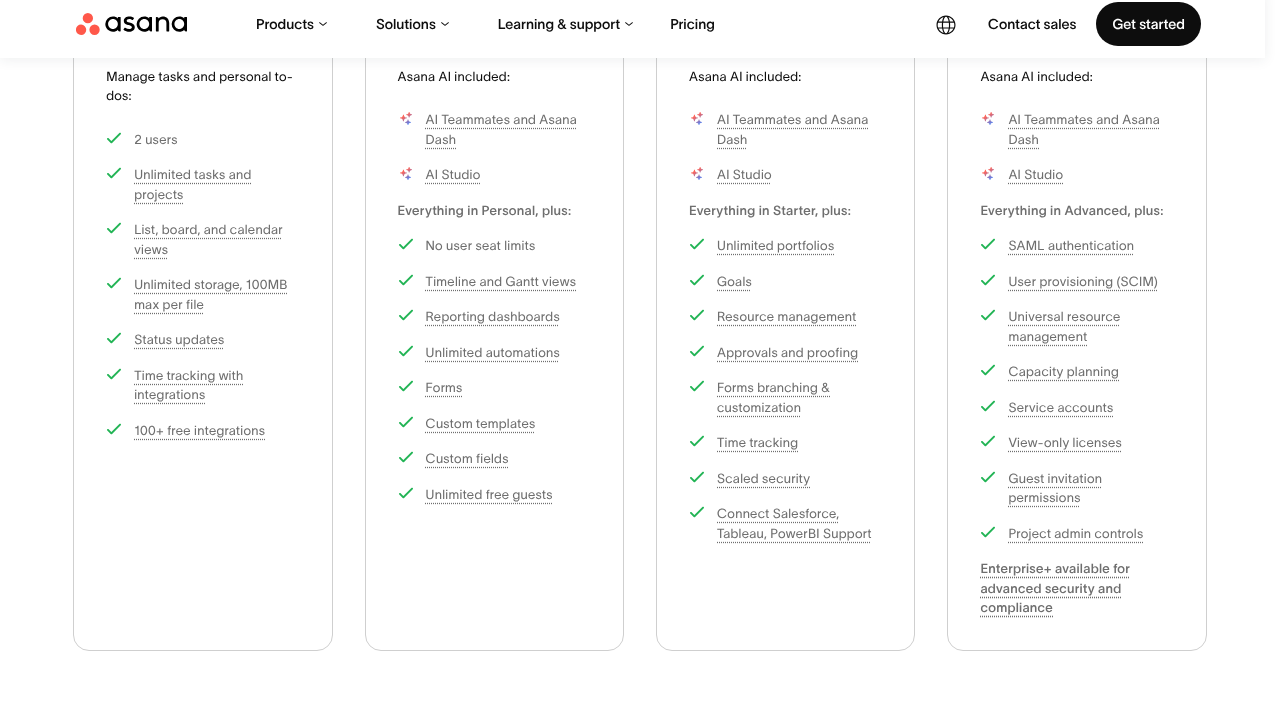
The tier upgrade is worth pricing honestly. Going from 25 to 45 dollars per seat across 40 users is another 9,600 dollars a year, forever, for one feature. Five years is roughly 48,000 dollars in incremental spend on rented software you still don't control. That's the arithmetic that makes owning a system reasonable rather than extravagant, especially when the vendor can reprice you at renewal.
What custom looks like in practice
Custom doesn't mean rebuilding everything. The best outcomes we ship are narrow. One system that owns the workflow your business actually competes on, with the generic stuff left where it is.
A practical shape looks like this. The job or work order lives in your system, with your statuses and your rules. Accounting stays in accounting, connected by an integration that runs unattended. Payroll stays in payroll. Email stays in email. Your team gets screens built for their jobs, and leadership gets dashboards fed by live data. Viewers cost nothing. Nobody rekeys anything twice.
You own the code and the database. That's the part people underestimate. It means no seat math, no forced migrations when a vendor sunsets a feature, and no renewal conversation where you have no bargaining power.
The strongest candidates for a custom build are companies where the workflow is the product. If your scheduling logic or your inspection process is why clients pick you, that logic deserves software that fits it exactly.
Limitations and caveats, stated plainly
Custom is the wrong answer more often than vendors like us admit. Here's when.
If your process is genuinely standard, buy the standard tool. Generic agency project tracking, basic ticketing, simple task lists. Off-the-shelf software has thousands of hours of polish you will not match, and it's cheap.
If your value depends on sharing live boards with clients who already work in a specific platform, that's a real cost. You'd have to build the portal and train them. Sometimes that's worth it. Sometimes it means you should keep the platform for external collaboration and build only the internal engine.
Migration is work, not a copy and paste. Years of attachments, comment threads, and half-finished projects need a scripted export and a decision about what actually comes over. Historical comments usually don't. Be ready to keep the old tool read-only for a while.
And a custom system needs an owner. Not a full-time developer, but someone who requests changes and someone who maintains it. Software without a maintenance plan decays. If nobody in your company will own it, the subscription is safer.
One sign alone isn't a case for building. Three or more, especially the spreadsheet and the unreadable automations together, means the platform is now shaping your business instead of supporting it.
Frequently asked questions
How many signs before I should take this seriously?
Three. One workaround is normal in any tool. Three means the gap is structural, and it will keep widening as you grow.
Can't we just fix this with better training?
Sometimes, yes. Training fixes bad habits. It doesn't fix a data model that can't hold your change orders, and it won't make a view-only user cheaper.
Do we have to replace everything at once?
No, and you shouldn't. Build the piece that hurts most, connect it to what you keep, then decide about the rest once you've seen it work.
What happens to our historical data?
Active work migrates. Closed history usually gets exported to a read-only archive, which is cheaper and safer than reshaping years of old records to fit a new structure.
Who maintains a custom system?
Someone has to. Either an internal owner, or an ongoing arrangement with the firm that built it. Ask about this before you sign anything.
Where to go from here
Start with the audit, not the software. List your workarounds, count your viewer seats, and find out who understands the automations. That page of notes tells you more than any demo will. If the picture looks like the signs above, book a free strategy session and we'll walk through it with you.
Read this next: Build versus buy, the questions that actually decide it.
Questions
Frequently asked questions
What is the clearest sign that our project management tool is no longer working for us?
The clearest sign is when your team maintains a parallel spreadsheet that holds the real work data. If your tool holds tasks but your team keeps a spreadsheet with actual dates, job numbers, and notes that matter, the platform cannot model your real process. This happens because most tools assume a simple shape, but real businesses are messier with work orders, holds, and change orders that don't fit generic task lists.
How do we know if our per-seat pricing is actually a problem?
Pull your user list and mark each person as creator, editor, or viewer. If viewers are more than half your licensed users, your licensing model is the problem. Many teams pay creator prices for read-only access, then cut seats to save money, which removes visibility from field crews and client-facing staff. Custom systems let you give read-only dashboards to unlimited users without extra cost.
Why is it dangerous when automations build up over time?
Automation chains become operational risk when nobody fully understands how they work. If someone automated rules three years ago and has since left the company, debugging becomes guessing through rule screens. There's no version history, test environment, or single place to see the whole flow. When something breaks, nobody can trace why, and the process knowledge walks out the door with departing staff.
What's the difference between reporting and data export?
If your monthly reporting involves CSV downloads, pivot tables, and cleanup work, you don't have reporting. You have a data entry job with a report at the end. Real reporting reads straight from your database and shows current numbers, not snapshots from days ago. Platform dashboards answer task counts, not the questions owners actually ask about profitability and job timing.
Why can't project platforms integrate properly with other business systems?
Integration between platforms often falls short. Connectors may sync contacts one direction on a schedule but won't push job costs to the right accounting class or reconcile change orders that altered contract value after invoices posted. Your project tool becomes a pretty box around a copy of the truth rather than reaching the real records held in accounting, field apps, and CRMs.
When is a custom system worth building instead of staying with our current platform?
Custom is worth building when your workflow is a competitive asset. If your business runs on unique work orders with holds and change orders, custom modeling shows these exactly as you sell them. This eliminates daily translation costs and errors from records disagreeing about the same job. Custom is not the right call when your workflow is generic across your industry.
What problems come from forcing our actual process into a generic platform?
Someone pays for the translation every single day through rekeying and errors. A fabrication shop forcing unique shop orders into a generic task list, or a services firm handling reopenable work orders, both suffer from misaligned data. The cost compounds through duplicate records disagreeing about the same job and staff time spent converting your real process into the platform's simple shape.
Read this next
When staying on your current platform is the right call
Custom software isn't always the answer. Here's the arithmetic, the warning signs, and the honest caveats that tell you whether to renew your platform or replace it.
If this is your situation
Talk it through on a call
Thirty minutes over video with the person who would run the build. You talk, we ask questions, and you leave with a plain read on whether custom software makes sense for you. If the answer is that your current tool is fine and badly configured, you will hear that.
Who wrote this

David Verneuille
Founder, Black Badger Software Solutions
David Verneuille founded Black Badger after 18 years as a project manager and years implementing Smartsheet, monday.com, Wrike and Zoho for clients. He now builds custom systems that clients own outright, which is why the writing here is specific about where each platform fits and where it stops fitting.
Drafted with AI assistance, then checked, edited, and approved by a person before publishing. The facts, opinions, and recommendations are ours.