
- Keep paying for the old subscription for one extra billing cycle. It is cheap insurance against a bad export.
- Plan for parallel running, where both systems hold the same records and the old one wins any dispute.
- The hardest part is discovering how much of your recorded data was never true in the first place.
- Rigid platforms let teams defer decisions about lead ownership and stage definitions. A custom build forces those decisions into the open.
- Rebuild email, calendar, and the quote-to-invoice path first. Postpone anything that writes data back into the system.
- Keep the vendor defaults that encode good practice, like required fields at stage gates and duplicate detection.
- Success looks like matching reports, daily use without prompting, and a retired spreadsheet.
What actually happens in the first 90 days after leaving a CRM subscription
/ 19 min read
TL;DR
The first 90 days after switching from a subscribed CRM to a custom system involve running both platforms in parallel while addressing data quality issues, establishing new workflows, and building habits around the new software rather than simply migrating to different technology.
Key takeaways
On this page
- Weeks one through three: both systems are live and the old one still wins
- The data cleanup nobody budgets enough time for
- The decisions your old platform let you avoid
- The human side, and why weeks one and two feel slower
- Integration sequencing, and what to deliberately leave disconnected
- What to keep from the old system
- Where this goes badly, and who should not leave at all
- The milestones that tell you it worked
- What happens after day 90
- Next steps
- Frequently asked questions
You sent the final invoice, pulled the export, and your team logged into a system your company owns outright. The screens look right. The data moved. And then the real work starts, because the first 90 days after leaving a CRM subscription are less about software and more about habits, data hygiene, and decisions your old platform quietly made for you.
Here's what that period actually looks like, based on how these transitions go when they're run properly.
TLDR: The old CRM stays switched on and authoritative for the first few weeks while both systems run side by side. Weeks one and two feel slower because muscle memory is gone. Most of the pain is data cleanup and workflow decisions your old platform let you avoid, not the software itself. By day 90 you should have report parity, daily adoption, and no shadow spreadsheet.
Weeks one through three: both systems are live and the old one still wins
Nobody flips a switch on a Friday and starts fresh on Monday. That version exists in vendor marketing and nowhere else. What actually happens is a parallel running period, which just means both systems hold the same records at the same time and your team updates both for a short stretch.
Yes, that is duplicate work. It is also the only way to catch a bad migration before it costs you a quarter of pipeline.
During this window the old CRM stays authoritative. If the two systems disagree about a deal value or a contact's phone number, the old system is right until proven otherwise. That rule has to be stated out loud and written down, because otherwise two people will fix the same record in opposite directions and nobody will know which version is real.
The practical shape of it is a daily reconciliation. Someone runs a short report from both sides and compares totals. Count of open deals. Sum of pipeline value by stage. Count of contacts with no owner. Count of accounts created in the last 24 hours. If those numbers match, you move on. If they don't, you find out why before anyone touches anything else.
Most teams can stop dual entry somewhere in week two or three. The signal is three consecutive clean reconciliations with no manual corrections. After that the old system goes read-only, which means people can look at it but not change it. That removes the temptation to drift back.
Pay for one more billing cycle of the old CRM after you cut over, even though it feels wasteful. If you discover in week five that email attachments didn't come across, you need that account alive to go back and get them. Cancelling early to save one month's fee is the single most expensive small decision in these projects.
The data cleanup nobody budgets enough time for
Your export is not your data. It is a snapshot of what people typed, which is a different thing entirely.
Four problems show up in nearly every migration, and they show up in the same order.
First, duplicates. Not the obvious ones your old CRM already flagged, but the ones it couldn't see. The same company entered as "Acme Inc", "Acme, Inc." and "ACME Incorporated" with three different owners and three separate histories. Deduplication is part automated and part human judgment. The automated part matches on domain, phone, and normalized company name. The human part is somebody from sales looking at forty ambiguous pairs and deciding.
Second, field normalization. Plain English version, making the same thing be spelled the same way everywhere. Open any mature CRM and look at the stage picklist or the lead source field. You will usually find values that were added for a single campaign in 2019 and never cleaned up. Industry fields are the worst offenders. Free-text entry turns one category into a dozen.
Third, ownership reassignment. A surprising share of records belong to people who left the company. Those records are not orphaned in the old system because the old system kept the user as inactive. In a new build you have to decide where they go. Round robin to the current team, assign to a house account, or park them in an unassigned pool that a manager works through. There is no automatic answer and it needs a decision from whoever owns revenue.
Fourth, and this is the uncomfortable one, you find out how much of what was recorded was never accurate. Close dates that moved thirty times. Deal stages that sat untouched for months while the actual conversation moved on. Next-step fields left blank on a large share of open opportunities. Activity logs that stop abruptly because the email sync broke and nobody noticed.
This is not a failure of your old vendor. It is what happens when data entry is a tax on salespeople rather than something they get value from. Still, it lands hard. Leaders who have been running forecasts off that pipeline for years find out the forecast was partly fiction.
The right response is not to fix all of it. Fix what you forecast on and what you contact people with. Archive the rest into a searchable history table so it exists if anyone asks, without polluting the reports.
Do not let the cleanup turn into a project of its own. Teams lose months trying to perfect ten years of history before go-live. Migrate active records clean, migrate closed and dormant records as-is into an archive, and move. You can always reprocess the archive later. You cannot get back a quarter of selling time.
The decisions your old platform let you avoid
Packaged CRMs are opinionated. That is their main value and their main cost. When the platform has a built-in definition of a qualified lead, nobody at your company has to agree on one. You inherit the vendor's opinion and argue about it in meetings without ever settling it.
Build your own and those arguments have to end, because somebody has to write the rule into the system.
The question that eats the most time is lead ownership at each stage. Who owns an inbound lead before anyone calls it? Does a lead owned by a marketing queue transfer to a rep on first contact, on first meeting booked, or on qualification? If a rep doesn't touch it for ten days, does it go back? If an existing customer fills out a form, does it route to the account owner or to the new business team?
Every company has a de facto answer to these. Very few have a written one. During a build they surface within the first two weeks because the developer cannot write the routing logic without them.
The same thing happens with stage definitions. In most teams, stage movement is a feeling. A rep moves a deal to proposal when it feels like a proposal. Writing it down forces a real criterion, like a document sent or a budget confirmed by name. That is better management, and it is also genuinely uncomfortable for a few weeks because suddenly the pipeline shrinks when people apply the rule honestly.
Other things that get settled during this period include what happens when two reps claim the same account, whether a deal can skip stages, who can edit a closed-won record, what triggers a discount approval, and whether a contact can exist without an account attached.
None of these are technical questions. They are business questions that software exposes.
The human side, and why weeks one and two feel slower
Your best rep is going to hate the new system for about ten days. Plan for it.
It has almost nothing to do with quality. It is muscle memory. That person has spent years knowing that the search box is top right, that the keyboard shortcut for a new task is one key, and that the mobile app lets them log a call in four taps at a red light. Take that away and even a better system feels slower, because every action costs a conscious thought instead of none.
Productivity dips. Call logging drops. Somebody says "the old one was faster" in a meeting and three people nod.
Two things fix this and neither one is a training video.
The first is removing the escape hatch. Leave the old CRM bookmarked and accessible and a portion of your team will keep using it quietly for weeks. Read-only access, then revoked access, then the browser bookmark deleted off their machine. People follow the path of least resistance, so you have to close the other path.
The second is managers running their pipeline reviews exclusively out of the new system from day one. If a sales manager pulls a forecast out of a spreadsheet during the transition, every rep learns the new system is optional. If the manager shares their screen on the new dashboard every Monday and says "your deal isn't here so we're not discussing it", adoption takes about two weeks.
It also helps enormously to ship one small thing a rep asked for in the first fortnight. One field moved. One filter saved. One extra button on the mobile view. That is the moment the team understands the system belongs to them now, and that complaining produces changes instead of a support ticket number and a feature request forum.
Pick two people to be internal champions before go-live and give them access two weeks early. Not the most senior people. The ones others actually ask for help. When a rep gets stuck, they will ask the person sitting near them long before they email support, so make sure that person already knows the answer.
Integration sequencing, and what to deliberately leave disconnected
The instinct is to reconnect everything at once so nothing is lost. That instinct is wrong, and following it is how a clean migration becomes a corrupted database in week two.
Sequence by risk. Anything that only reads data is low risk. Anything that writes data into your new system automatically is high risk, because one bad mapping can create thousands of junk records faster than a human can notice.
Connect first, in roughly this order.
- Email and calendar sync, because without it reps stop logging activity and your history goes dark
- Phone or dialer integration, for the same reason
- The quote, order, or invoice path to your accounting system, since money data has to reconcile
- Core authentication, so people log in with their existing work account rather than a new password
Postpone deliberately for thirty days or more.
- Marketing automation and email campaign tools, which push large volumes of contact updates
- Data enrichment services that overwrite fields you just cleaned
- Website chat and form capture, until routing rules are proven with manual entry
- Reporting or business intelligence tools that will embed your field names before those names have settled
There is a reason the enrichment tools wait. You have just spent weeks normalizing company names and industries. An enrichment service connected on day three will cheerfully overwrite that work with its own guesses, and you will not find out until a report looks strange a month later.
Forms and chat wait because routing is the thing most likely to be subtly wrong. Enter fifty leads by hand first and watch where they land. When the routing is right, turn the firehose on.
What to keep from the old system
Leaving a platform is not a reason to throw away everything it taught you. Some vendor defaults encode years of hard-won practice, and rebuilding without them is how teams reintroduce problems they solved in 2017.
Keep required fields at stage gates. The reason your old CRM wouldn't let a deal move to proposal without an amount and a close date is that forecasting is impossible otherwise. Custom builds often launch permissive because it feels friendlier, and then the data quality rots within a quarter.
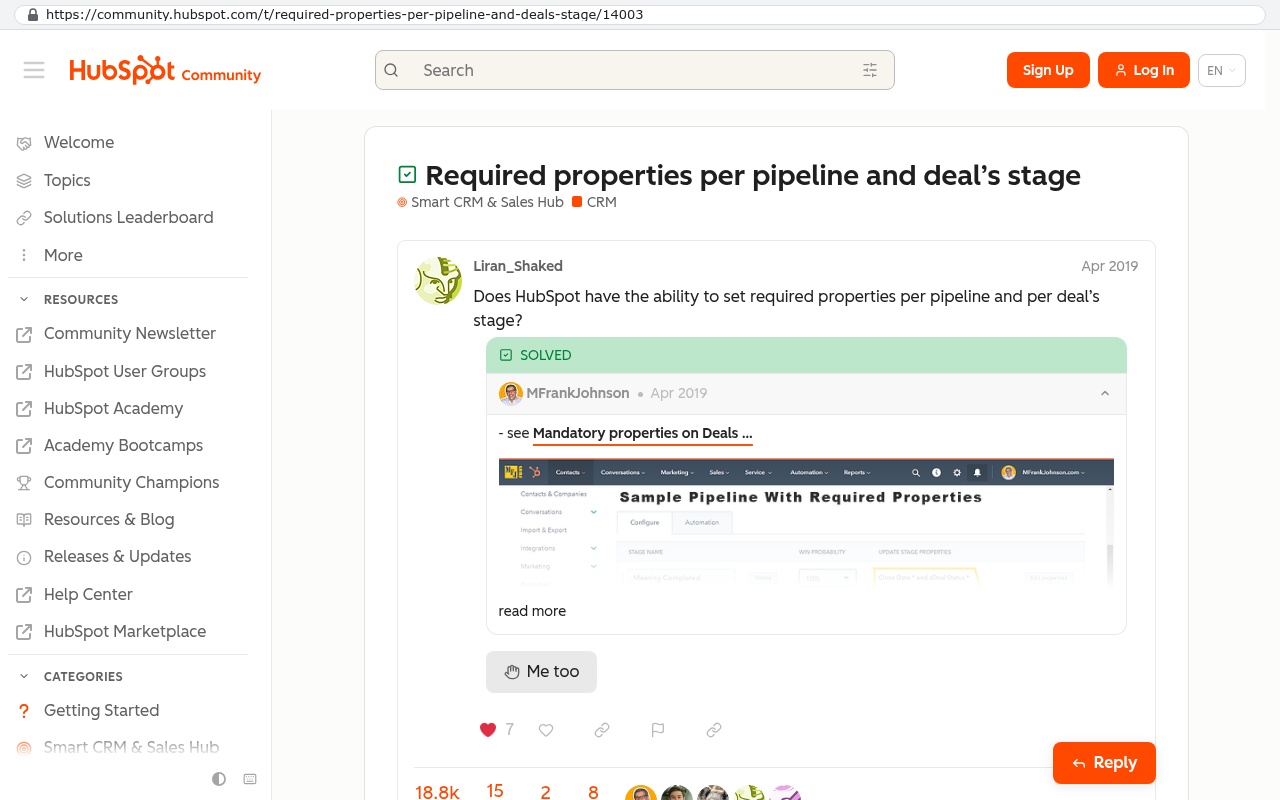
Keep duplicate detection on create. A warning at the moment of entry prevents far more mess than any cleanup job later.
Keep the audit trail. Knowing who changed a close date and when it changed has settled more commission disputes than any policy document.
Keep automatic activity logging. If a rep has to remember to log a call, calls do not get logged. The system should capture it from the email and phone connection without a human action.
Keep a sane permissions model. Not everyone should see everything. The old platform's role structure usually reflects real decisions someone made about confidentiality, and copying that structure forward is faster than rediscovering it.
Also keep the reports people actually open. Pull the usage data before you cancel and see which saved reports were run in the last ninety days. The answer is usually a small handful out of hundreds. Rebuild those exactly, including column order, because that is what report parity means to the person reading it.
Where this goes badly, and who should not leave at all
Custom is not automatically better. There are situations where leaving a subscription CRM creates more problems than it solves, and pretending otherwise would be dishonest.
Attachment and email history migration is genuinely difficult. Most CRM exports hand you records and fields cleanly, then treat files and logged emails as a separate problem. Pulling twelve years of attachments usually takes a scripted export through the vendor's interface, run in batches, with retries when it times out. It works. It is not a copy and paste, and anyone who tells you it is has not done it.
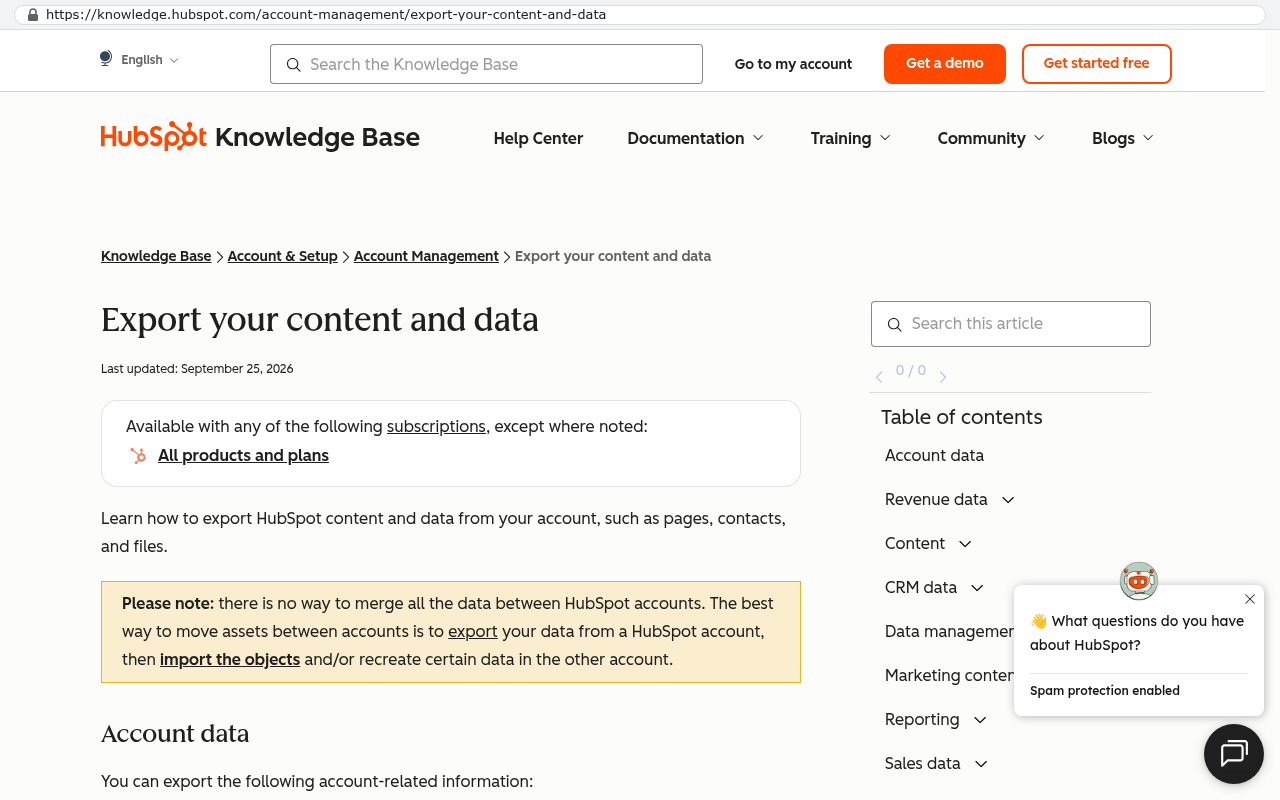
Marketplace apps do not come with you. If your team relies on three installed add-ons for territory mapping, e-signature, and sales engagement sequences, those are either replaced with direct integrations to the same vendors or rebuilt. Some have good public interfaces for that. Some do not.
Small teams with a standard sales motion often should just stay. If you have six seats, a simple pipeline, and no unusual process, a per-seat subscription is cheap relative to owning software. The arithmetic only turns in favor of building when seat count, platform fees, and paid add-ons stack up, or when the platform is actively blocking how you need to work.
Here is the shape of that arithmetic. Forty seats at a hundred and fifty dollars a month is seventy two thousand dollars a year, before add-ons, before the integration tool you pay for separately, and before the consultant who maintains it. That number recurs forever and rises at renewal. A custom system has a build cost that happens once and a hosting and maintenance cost that is a fraction of the subscription. If your subscription stack is small, the payback is slow. If it is large and growing, the payback arrives quickly and then keeps paying.
One more honest caveat. If a meaningful part of your value comes from sharing live records with clients or partners who already live inside the same platform you are leaving, that is a real cost. You will be asking them to change too, and some will not want to.
The most common way these transitions fail is scope creep during the first month. The system works, people see what else is possible, and suddenly there are forty change requests before the team has even finished adopting the original build. Freeze the feature list for the first thirty days. Collect every request in a list and work it after adoption is stable.
The milestones that tell you it worked
Judge the transition on evidence, not on how it feels. Four signals matter, and they tend to arrive in sequence.
Report parity comes first, usually by the end of week three. That means the reports your leadership runs produce the same numbers out of both systems, or you understand exactly why they differ. Sometimes the new number is right and the old one was wrong, which happens more often than people expect once duplicates are gone. Document the difference so nobody relitigates it in a board meeting.
Adoption comes second, usually between weeks four and six. Measure it properly. Logins are a vanity number. What you want is the share of active users who created or updated a record on a given working day, and the share of open deals with activity in the last fourteen days. If those two hold steady for a fortnight without a manager chasing people, adoption is real.
Third is the retirement of the shadow spreadsheet. Every sales team has one. The ops manager keeps a workbook with the "real" pipeline because the CRM was never trusted. It is the single most reliable indicator of whether the system is doing its job. When that spreadsheet stops being updated because the dashboard is faster, you have won.
Fourth, and this one usually lands in the last month, is the first change request shipped on your own terms. Somebody asks for a field, a rule, or a report. It gets built and deployed without a support ticket, a feature vote, or a renewal negotiation. That is the moment the ownership becomes concrete rather than theoretical.
There are smaller signals worth watching too. Support questions should fall sharply after week three. Data entry time per deal should drop below what it was on the old platform by week eight. And the old CRM should be cancelled, for real, by the end of the period.
Write down the four milestones before go-live and put dates on them. Transitions drift when nobody defined what finished means. A team that agrees in advance that report parity is due by week three will chase it. A team without that line will still be running parallel in month four.
What happens after day 90
The system stops being a project and becomes infrastructure. That shift is quieter than people expect.
The backlog you froze in month one gets worked through. The requests are usually small and specific, which is a good sign, because it means the big things are right. A field on the mobile form. A notification when a deal goes quiet. A report split by region instead of by rep.
What changes most is the posture. You stop planning around a renewal date. You stop checking whether a feature is available on your tier. When the business changes how it sells, the system changes with it, on your schedule, because you own the code and the data sits in a database you control.
That is the whole point of leaving. Not better software on day one. Better software every year after, without asking permission.
Next steps
If you're weighing a renewal against building something you own, start by pulling three numbers. Your full annual subscription cost including add-ons and integration tools. The list of saved reports that were actually run in the last ninety days. And the list of things your team currently does in spreadsheets because the platform wouldn't do it. Those three lists tell you most of what you need to know before anyone writes a line of code.
When you want a second opinion on what that data says, book a free strategy session and we'll walk through it with you.
Read this next
The natural follow-on is our breakdown of how to calculate the true annual cost of a per-seat CRM, including the fees that don't show up on the renewal quote.
Related articles
- How to run a CRM data migration without losing your deal history
- Build versus buy, and the arithmetic that actually decides it
- Why your team keeps a shadow spreadsheet, and what it tells you about your software
- Integration sequencing for operations leaders who aren't developers
Frequently asked questions
How long should we run both CRM systems at the same time?
Run both systems in parallel for weeks one through three. Most teams can stop dual entry by week two or three, once you achieve three consecutive clean reconciliations with no manual corrections. At that point, the old system goes read-only so people can view but not change it. Keep paying for the old CRM subscription for one additional billing cycle after cutover as insurance against migration problems discovered later.
What is the biggest mistake when leaving a CRM subscription?
Cancelling your old CRM subscription early to save money is the single most expensive small decision in these projects. If you discover weeks later that data like email attachments didn't migrate properly, you need that account alive to recover them. Keeping one extra billing cycle is cheap insurance against a bad export that could cost you significantly.
Why do the first two weeks feel slower after switching CRM systems?
Weeks one and two feel slower because muscle memory is gone. Your team is learning new workflows and screen layouts while adjusting habits built over years in the old system. Most of the perceived slowness is not about the software itself but about the adjustment period as people develop new muscle memory and adapt to different processes.
What data problems show up in every CRM migration?
Four problems appear in nearly every migration. First, duplicates that the old system couldn't detect like 'Acme Inc' versus 'ACME Incorporated'. Second, field normalization where the same information is spelled differently everywhere. Third, ownership reassignment for records belonging to former employees. Fourth, discovering that recorded data was never accurate, including close dates that moved repeatedly and deal stages that sat untouched while actual conversations moved forward.
Should we rebuild every integration we had with the old CRM?
No. Rebuild email, calendar, and the quote-to-invoice path first since these are critical workflows. Postpone anything that writes data back into the system. Keep the vendor defaults that encode good practice, like required fields at stage gates and duplicate detection. Be selective rather than recreating everything.
How do we know if the CRM migration was successful?
Success looks like three things: matching reports between the old and new systems, daily adoption without prompting or manual encouragement, and a retired spreadsheet that people are no longer using as a shadow system. By day 90 you should have achieved report parity and genuine daily usage of the new platform.
What should we keep from the old CRM system?
Keep the vendor defaults that encode good practice, such as required fields at stage gates and duplicate detection features. Archive closed and dormant records into a searchable history table so the data exists if anyone needs it without polluting active reports. Migrate active records clean while preserving historical information in a separate place.
Can we migrate our email history and attachments to the new CRM?
Email attachments can migrate, but problems may not surface until weeks after cutover. If you discover in week five that attachments didn't come across, you need your old CRM account still active to retrieve them. This is why keeping one extra billing cycle of the old system is essential insurance against migration gaps.
Why do rigid CRM platforms create problems during migration?
Rigid platforms let teams defer difficult decisions about lead ownership and stage definitions. A custom build forces those decisions into the open immediately. This uncovers issues like records belonging to departed employees or inconsistent stage naming that were previously hidden by the platform's structure.
What decisions does data cleanup actually require?
Data cleanup requires decisions about where to assign records from departed employees, whether to round robin them to current team members, assign to a house account, or park in an unassigned pool. It also requires deciding what to fix versus archive, focusing cleanup on records you forecast on and contact people with rather than attempting to perfect all historical data.
How should we handle inaccurate recorded data during migration?
Do not attempt to fix all historical inaccuracy. Fix only what you forecast on and what you contact people with. Archive the rest into a searchable history table so it exists if needed without polluting active reports. Teams waste months trying to perfect ten years of history before go-live. Focus cleanup on active records instead.
What does the daily reconciliation process look like during parallel running?
Someone runs short reports from both systems daily and compares totals: count of open deals, sum of pipeline value by stage, count of contacts with no owner, and count of accounts created in the last 24 hours. If numbers match, you proceed. If they don't, investigate why before anyone changes anything else. Three consecutive clean reconciliations signal readiness to stop dual entry.
Share this article
Keep reading
How long does it take to replace a project management platform?
The timeline for replacing a project management platform is set by your data, your integrations, and your team's decisions, not by the code. Here's what actually speeds it up or slows it down.
If this is your situation
Talk it through on a call
Thirty minutes over video with the person who would run the build. You talk, we ask questions, and you leave with a plain read on whether custom software makes sense for you. If the answer is that your current tool is fine and badly configured, you will hear that.
Who wrote this

David Verneuille
Founder, Black Badger Software Solutions
David Verneuille founded Black Badger after 18 years as a project manager and years implementing Smartsheet, monday.com, Wrike and Zoho for clients. He now builds custom systems that clients own outright, which is why the writing here is specific about where each platform fits and where it stops fitting.
Drafted with AI assistance, then checked, edited, and approved by a person before publishing. The facts, opinions, and recommendations are ours.