
Best Software for General Contractors (2026), Off the Shelf and Custom
Updated
There is no single best software for a general contractor. Procore and Autodesk Forma Build are built for commercial contractors running many projects, Sage handles construction accounting, Buildertrend and JobTread fit residential builders, and Fieldwire and Contractor Foreman cover field work at a published price. A custom system ranks first only for a contractor of 50 or more people whose way of running jobs is what wins work and who is paying for several of these tools at once.
Construction is a large market with many vendors chasing it. The U.S. Census Bureau put US construction spending at a seasonally adjusted annual rate of $2,186.1 billion in September 2026 (Census Bureau construction spending release). That is why the pricing models below differ so much, from per user to per project to a fee on the value of the work you build.
The ranking
Construction software ranked for a general contractor of 50 or more
Ranked for a commercial general contractor. Residential builders should read the fit column first, because JobTread and Buildertrend move up for them. Prices are vendor list prices as listed November 2026, linked to each vendor's own pricing page. Where a vendor publishes no number, the table says so.
| Rank | Software | Who it fits | List price, as listed November 2026 | Watch for |
|---|---|---|---|---|
| 1 | Procore | Commercial general contractors running many projects and teams who want every user included and keep accounting in a separate system. | Annual fee by product and annual construction volume, unlimited users, pricing on request | The fee rises with construction volume even when headcount stays flat. Job costs sync to separate accounting software. |
| 2 | Autodesk Forma Build (formerly Autodesk Build, Autodesk Construction Cloud) | General contractors who work from drawings and models and already use Autodesk design tools. | Pricing on request | Autodesk prices by user, project or account, so price every field user both ways. No accounting or payroll from the same vendor. |
| 3 | Sage Intacct Construction or Sage 300 Construction and Real Estate | Contractors whose first need is construction accounting and job cost. | Pricing on request | Accounting first. Project management still needs a second tool, which brings back the retyping between systems. |
| 4 | Fieldwire | Field teams that need plans, punch lists and tasks on a phone, next to a separate office system. | Basic free. Pro $39, Business $64, Business Plus $89 per user per month, billed yearly | Field execution only. Estimating, accounting and bidding stay in other tools, and every field user is a paid seat. |
| 5 | JobTread | Residential and light commercial builders who want estimating and job costing on a published price. | $199 per month plus $20 per internal user per month on monthly billing, 20% off billed yearly, portal users free | Per-user charges after the first user, stepping down by tier. Check the depth of commercial project controls before a 50-person rollout. |
| 6 | Buildertrend | Residential builders and remodelers who manage client selections, change orders and a homeowner portal. | See pricing page | Built around residential work. A commercial general contractor should test submittals, RFIs and subcontractor workflows against its own process. |
| 7 | Contractor Foreman | Smaller general contractors that want one low-cost tool with a flat company price. | $49 per month for 1 user to $332 per month for unlimited users, billed yearly | User caps on every tier below Unlimited. Test it against a 50-person operation before committing. |
| 1 when all four criteria below hold, otherwise 8 | A custom system you own | A general contractor of 50 or more people whose way of estimating, scheduling or costing work is what wins it. | No license and no seat count. Build cost is quoted from a written scope. | Wrong while the process still changes weekly, or when nobody inside the company will own the system. |
Where custom ranks
Four criteria that move custom to first
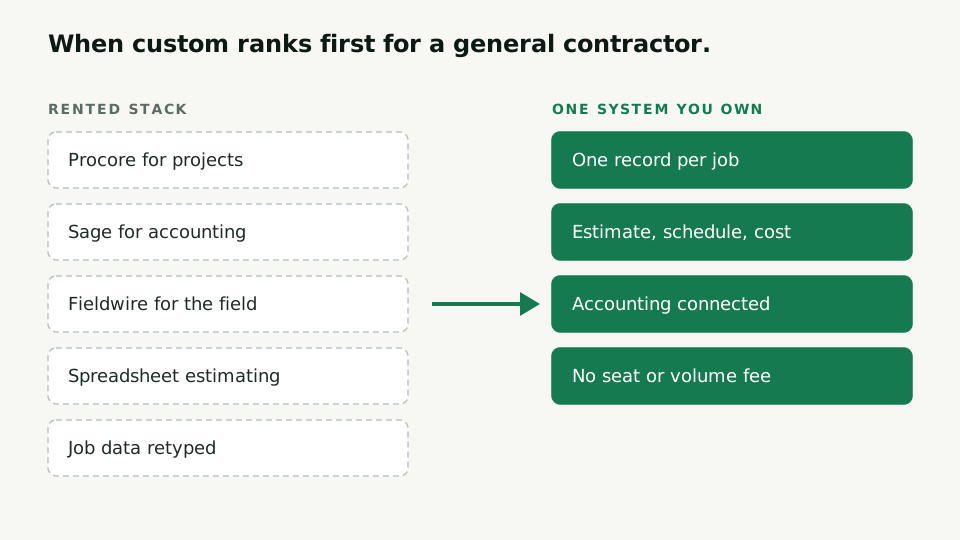
Custom ranks last by default. A suite you rent is the right answer for most contractors, because the process it assumes is close enough to theirs. Custom moves to first when all four of these hold.
- The company has 50 or more people, and the way it estimates, schedules or tracks job cost is something a competitor could not copy out of a manual.
- It pays for three or more of the tools above at once and people retype the same job data between them.
- The workflow is written down end to end, including the exceptions people handle from memory.
- Someone inside the company will own the system after it ships. Accounting and payroll stay in a commodity product and the custom system connects to it.
Miss one and the cheaper answer is usually configuring the suite you have or connecting it to your accounting system. The seven tests in is custom software worth it for a company of 50 or more tell you which side of that line you are on.
What owning the system looks like for a contractor is on the Texas contractor that replaced its Smartsheet contract. The trade itself is on the custom software page, and the project management tools contractors often run beside these suites are on the project management page.
Questions
What contractors ask before choosing
What is the best software for a general contractor with 50 or more employees?
For most commercial general contractors of that size it is Procore or Autodesk Forma Build for project management, with a construction accounting system such as Sage beside it. That changes when the contractor meets all four custom criteria on this page, because then a system it owns replaces the project and field layer and connects to the accounting system it keeps.
Which construction software publishes its prices?
Of the products ranked here, JobTread, Fieldwire and Contractor Foreman show list prices on their pricing pages. Procore quotes an annual fee by product and annual construction volume. Autodesk and Sage quote through sales. Every price on this page links to the page it came from.
Is Procore priced per user?
No. Procore includes unlimited users and sets its annual fee by product and by annual construction volume, the dollar value of the work across your projects. A contractor whose work grows pays more even with the same staff.
When does custom software beat Procore for a contractor?
When the contractor is paying for several of these tools at once, its people retype job data between them, and the part the tools fit badly is the part it does differently from every competitor. If the process is still changing or nobody will own the result, buy off the shelf.
Tell us which tools you run today
List the construction software you pay for and where your people retype job data between them. You'll get a straight answer on whether to stay, consolidate onto one suite, or own the system.